Travel connectivity guide
Tigo eSIM in Colombia: activation and travel guide
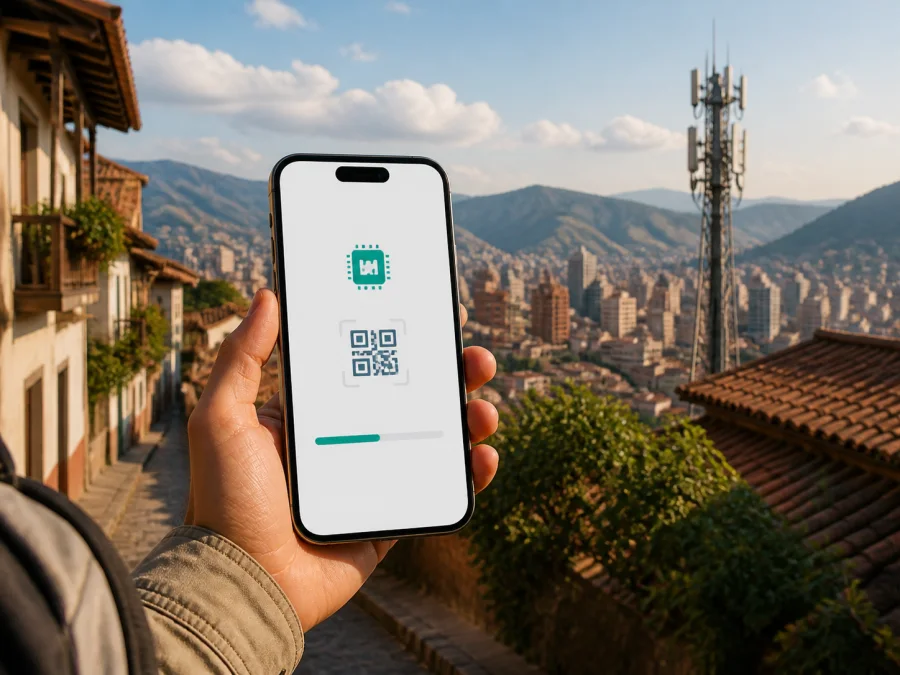
Tigo eSIM in Colombia: connection, activation and travel checklist
If you are travelling to Colombia and need mobile data, Tigo is one local operator to check. An eSIM can be installed on a compatible, unlocked phone without handling a plastic card, while your regular SIM may remain in the device. The right option depends on your itinerary, phone and the conditions offered by Tigo Colombia.
This guide explains Tigo eSIM in Colombia, the routes available to a visitor, and the checks that matter before departure. It does not reproduce a tariff catalogue. Offers, eligibility, activation rules and network conditions change, so the current Tigo checkout and support information remain decisive.
Tigo’s role in Colombia
Tigo is a consumer mobile brand operated in Colombia by Colombia Móvil S.A.S. The current Tigo Colombia website presents mobile services for prepaid and postpaid customers, account management, recharge and support channels, as well as a route to a coverage map. This market and corporate description was checked on September 2, 2026, on Tigo’s public Colombian website.
Tigo’s public pages show two different eSIM situations: a new international prepaid eSIM intended for use in Colombia, and a process for an existing Tigo customer to change a physical SIM to an eSIM. A new visitor should start with the international page; an existing customer should use the migration flow for the relevant line.
Is Tigo eSIM available in Colombia?
Yes. Tigo’s current public purchase page presents a prepaid international eSIM for Colombia. It says that the eSIM can be recharged through Tigo recharge points or the Mi Tigo application, and warns users not to delete the eSIM because it may not be possible to install it again. This direct confirmation was found in the live check on September 2, 2026.
Tigo’s Help Center also has an activation article for the international prepaid eSIM. It explains that the buyer receives an email with a QR code and follows device-specific instructions. A separate article for existing customers describes online validation and identity checks before a QR code is generated. The exact path depends on whether you are getting a new service or changing an existing Tigo line.
If the relevant page is unavailable, the checkout does not recognise your phone, or a verification step cannot be completed, do not infer eligibility. Ask Tigo support to confirm the current route for your device and traveller status.
Prepaid and tourist use
Tigo publicly presents an international prepaid eSIM for people who need mobile service in Colombia. That makes it relevant to visitors, but “international” does not mean that every traveller is automatically eligible. The phone still needs eSIM support, the device must be unlocked, and activation must follow the operator’s instructions.
Use “tourist” as a practical description rather than a guarantee of a special customer category. Check the live purchase screen for current document requirements, payment method, QR delivery details and restrictions.
The migration article is for current mobile customers who already have a Tigo SIM. A new visitor should start from Tigo’s international prepaid eSIM page and use support if the choices are unclear.
Keep your home SIM until the trip is working. Dual-SIM behaviour and the choices for voice, messages and data depend on the phone, so decide which line should handle data and check automatic data switching.
Compatibility and unlocking
An eSIM is built into the phone rather than inserted as a separate card. The device must therefore contain an eSIM component, and software or regional versions can differ. Tigo’s international eSIM page tells users to check compatibility and confirms that an unlocked device is required. It also suggests dialling *#06# and checking for an EID as a quick indication that the phone has eSIM capability.
The EID check is only a first screen: it does not prove that the phone is unlocked or that a particular Tigo service supports the exact model. Before buying or activating, check the following:
| Check | Why it matters | Where to confirm |
|---|---|---|
| eSIM support | A phone with physical SIM only cannot install a digital profile. | Device settings, manufacturer specifications and Tigo’s compatibility flow. |
| EID visibility | An EID is a useful sign that an eSIM component is present. | *#06# or the device information screen. |
| Network unlocking | A locked phone may reject an eSIM from another operator. | The original seller or home operator. |
| Software readiness | Older software can affect mobile-network setup. | Device settings and manufacturer guidance. |
| QR access | Tigo may deliver the profile by email. | The email account used at checkout. |
| Internet for setup | Initial installation needs a working connection. | Wi-Fi or another data line before activation. |
For a phone bought abroad, check the exact model number, regional SIM capabilities and supported radio bands. Two similar-looking models can differ by market, so confirm the model with Tigo if unsure.
How to activate Tigo eSIM
Tigo’s international eSIM Help Center article says that the QR code is sent by email. Keep that email until installation is complete, and do not delete the eSIM after adding it unless Tigo has confirmed that replacement or reinstallation is possible. Treat the QR code as an activation credential and do not share it publicly.
The labels vary by operating system, but the general sequence is:
- Connect the phone to stable Wi-Fi or another reliable internet connection.
- Confirm that the device is unlocked and compatible.
- Open mobile-network settings and choose Add eSIM or Add mobile plan.
- Scan the QR code supplied by Tigo and follow the on-screen steps.
- Wait for the profile to download and confirm its installation.
- Give the new line a clear name so it is not confused with your home SIM.
- Select the Tigo eSIM as the mobile-data line when you are ready to use it.
- Test a simple webpage or message before relying on the connection.
Installation and use are separate steps. A profile may be present but not selected for data. Check the data-line setting and whether the eSIM needs data roaming enabled; Tigo’s instructions and the device guidance take priority.
Using the eSIM in Colombia
Many travellers install the profile before leaving home and select the correct data line after landing. Airports, hotels, cities, roads and rural areas can have different radio conditions.
At arrival, use this short routine:
- keep the home SIM if you need its number for authentication;
- select Tigo eSIM for mobile data when that is your intention;
- disable automatic data switching that could use the home line;
- enable data roaming for the eSIM only if Tigo or the device instructions require it;
- open a browser or messaging app to confirm that data uses the intended profile;
- leave automatic network selection enabled unless support directs otherwise.
A successful installation means only that the profile was added. Coverage, signal conditions, congestion, buildings, terrain and handset capability can affect service. If apps do not connect, check the data line and roaming setting before deleting anything.
Coverage and supported technologies
Tigo’s current Help Center says that the company has begun deploying 5G in Colombia and identifies cities and areas where it reports 5G coverage. It explains that a compatible 5G phone can connect where coverage exists, while a phone without 5G can continue using existing networks. Tigo also says that changing the SIM is not necessarily required for a 5G-capable phone when the device and software are ready.
For travel planning, the useful baseline is that Tigo documents 4G LTE and 5G contexts, but the available technology is location- and device-dependent. A 5G label on the phone does not guarantee a 5G connection at a particular address. A temporary 4G or LTE connection is not, by itself, evidence of an activation fault.
The independent Colombian CRC Postdata platform provides a public georeferenced map by operator and technology, including 2G, 3G, 4G and 5G, from data reported periodically to the regulator. It was checked on September 2, 2026. Use it for the broad geography of an itinerary, then consult Tigo for exact locations.
Neither source supports a blanket claim about speed or quality everywhere in Colombia. Tigo notes that service is subject to coverage, signal intensity, congestion and the terminal. For a rural or difficult indoor location, download essential information for offline use; this is a precaution, not a judgement about the operator.
Tigo eSIM or a travel eSIM?
The two options solve related but different problems.
With a local Tigo eSIM, you use an operator-specific Colombian service and its customer channels. This may suit a traveller who wants to use Tigo’s local support or recharge ecosystem, but it also means following Tigo’s eligibility, verification, activation and support rules. First confirm whether the relevant path is a new international prepaid eSIM or a conversion for an existing Tigo number.
A travel eSIM is built around a travel workflow. Kaspersky eSIM Store is an app and website that helps users choose, arrange and activate an eSIM with a suitable travel data plan for a destination. Kaspersky’s official information describes the service as data-only: it is not a replacement for a normal phone number, and ordinary voice calls and SMS are not included unless the selected service terms state otherwise. Messaging and internet calls can work through apps when data is available.
Kaspersky eSIM Store is not a Colombian mobile operator, does not own Tigo’s network and does not provide Tigo coverage. Its official Colombia page, checked on September 2, 2026, describes the general travel flow: check compatibility, select a destination and suitable plan, activate the digital SIM and manage it in the app or website. QR instructions may be used, and some devices require data roaming.
The difference is the service relationship and preparation method, not a promise that one option works everywhere. Consider whether you need a local number, want to keep your home line active or prefer a separate travel setup. Do not rely on a travel eSIM for ordinary calls or SMS unless that function is explicitly confirmed.
Questions and troubleshooting
Before choosing, confirm whether you already have a Tigo Colombia line, whether the phone is unlocked and compatible, whether you need a local number or only data, and whether you will travel beyond major cities. Use the current checkout for final details.
If the eSIM does not appear after scanning, check internet access, compatibility and whether the QR code was already used. If data does not work, select the eSIM for mobile data and check roaming. A failed migration may be a verification issue. Contact Tigo with the device model, EID status and exact error; never share the QR code or personal identification data.
Traveller checklist
- Check the exact phone model, EID and unlocking status.
- Keep access to the email account used for QR delivery.
- Arrange a stable internet connection for installation.
- Decide whether Tigo eSIM or the home SIM should handle data.
- Read current activation and reinstallation rules before deleting a profile.
- Check the itinerary in Tigo’s coverage information and the CRC Postdata map.
- Save essential travel information offline and contact Tigo if the live checkout differs from this guide.
Frequently asked questions
How is Tigo eSIM activated?
Tigo’s Help Center says that an international eSIM is delivered by email with a QR code. Open mobile-network settings, choose Add eSIM or Add mobile plan, scan the code and complete the confirmation steps. Menu names depend on the device.
Is a travel eSIM the same as Tigo eSIM?
No. Tigo eSIM is an operator-specific Colombian service. Kaspersky eSIM Store is an app and website that helps prepare a separate travel eSIM data service. Kaspersky eSIM Store is not Tigo, does not own Tigo’s network and should not be described as the provider of Tigo mobile service.
What if the eSIM will not install?
Check internet access, compatibility, unlocking and the QR code, then review the selected line and any data-roaming requirement. Do not delete the profile without guidance. Contact the relevant support team with the error and device details, but not the QR code.
Final takeaways
Tigo’s current Colombian pages confirm eSIM availability through more than one route, including an international prepaid option and a process for existing customers moving from a physical SIM. The activation path, verification steps and restrictions differ, so begin with the route that matches your situation. Compatibility, unlocking, QR access, the selected data line and local coverage are the essential checks.
Tigo reports 4G LTE and a developing 5G context in Colombia, while the CRC Postdata map provides a regulator-level way to inspect coverage by operator and technology. Neither source justifies a universal promise about reception or speed. Plan for the actual places on your itinerary and for variation caused by buildings, terrain, congestion and device capability.
If you prefer to prepare travel data through a separate app and website, choose an eSIM plan for Colombia in Kaspersky eSIM Store and complete its compatibility and activation checks. Kaspersky eSIM Store is a travel eSIM service interface, not a mobile operator or owner of a Colombian network. Tigo and Kaspersky are separate services, and this article does not imply sponsorship, endorsement or any other affiliation between them.
For the latest eligibility, activation and service conditions, confirm the details with Tigo or with the travel eSIM service you intend to use on the date of your trip.


