Travel connectivity guide
Tigo eSIM in Guatemala: what travelers should know
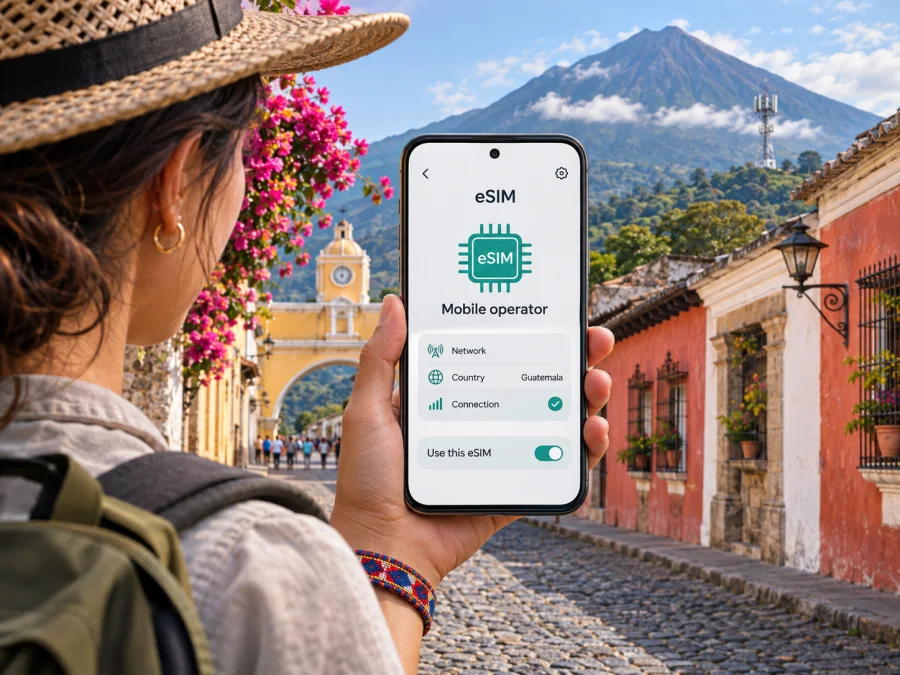
Tigo eSIM in Guatemala: what travelers should know
Tigo is a mobile operator in Guatemala, and its official website currently publishes an eSIM information page. That page describes eSIM as a digital version of a SIM and lists certain supported device families. It does not, in the information available publicly on the page, explain every condition for a visitor, such as whether a new prepaid line can be issued as eSIM, what identification a non-resident must present, or whether the process can be completed remotely. Treat those points as questions to confirm directly with Tigo before relying on the service for a trip.
This guide explains how to check whether Tigo eSIM fits your Guatemala itinerary, what device and activation details to verify, and how a travel eSIM can serve a different purpose. The operator information was checked against Tigo Guatemala’s public eSIM page and its linked help and coverage resources on 4 November 2026. Where those pages do not settle a traveler-specific detail, the article says so rather than assuming an answer.
Tigo and mobile service in Guatemala
Tigo is a local mobile service brand in Guatemala. Its official website presents mobile services for the country and links to customer support and a coverage map. For a visitor, that makes Tigo a potential option to investigate for local mobile service, but an operator’s presence in a country does not by itself establish that every visitor can open a line, obtain an eSIM, or use every service on any device.
Tigo’s eSIM page confirms the service and lists selected iPhone, Samsung Galaxy, Honor, Xiaomi and Motorola models. This is not a universal compatibility guarantee: model code, country variant, software, carrier lock and eSIM capability all matter. A familiar retail name may cover variants with different features. Check your exact model code and ask Tigo to confirm it against the current list.
Tigo’s eSIM page directs customers with questions to the Tigo help center. It does not spell out in a single public step-by-step process how a tourist should request a new eSIM, transfer an existing Tigo number, or replace a physical SIM. The most dependable next step is to contact Tigo Guatemala or visit an official Tigo service location and describe the situation precisely: whether you are a new customer or an existing customer, whether you need a new number or want to convert a line, and whether you are asking about prepaid or postpaid service. Ask what documents are needed, whether the line type is eligible, whether a local address or identity document is required, and whether the request must be made in person.
Tigo’s public eSIM page confirms support and gives selected device models, but does not provide a visitor-focused process or eligibility rules. Its website links to a coverage resource. Confirm line type, accepted documents, activation method and service locations directly with Tigo before relying on eSIM during a trip.
Is Tigo eSIM suitable for a visitor?
It may be suitable if Tigo confirms that it can provide the kind of line you need and your exact device is supported. Before you travel, resolve the practical questions that determine whether the option will work for you:
- New line or number transfer? Ask if Tigo can issue an eSIM to a new customer, or if its current process only supports an existing Tigo line or a SIM replacement. Do not assume a conversion process also applies to a newly purchased prepaid line.
- Prepaid or postpaid? Tigo’s website has separate mobile-service sections, but the eSIM information page does not establish that every service type can be activated as eSIM. Ask which line types are currently eligible and whether the requirements differ for a visitor.
- Documents and registration. Confirm what identity documents are accepted for a non-resident and whether registration has to be completed in person. Keep your passport and travel details available, but follow Tigo’s current instructions rather than assuming that a passport alone will be enough.
- Where to request it. Ask whether the request can be completed online or through an app, or whether you must visit a Tigo service location. If a store visit is needed, check its hours and whether it can complete eSIM activation at the time of your arrival.
- Activation and connectivity. Confirm how Tigo delivers the activation code, whether the phone must be connected to Wi-Fi during setup, and what to do if the code cannot be installed. Treat a QR code as sensitive and do not share it; activation codes are generally intended for one setup process.
- Device status. Make sure the phone is unlocked for use with other networks if you intend to add a travel eSIM alongside your home SIM. A device can support eSIM while still being restricted by the carrier that sold it.
If you cannot confirm these details before departure, plan a fallback for essential connectivity. Save offline maps and accommodation details, keep your home line available if roaming is enabled, and identify a reliable way to contact Tigo or reach a service point after arrival. Do not make access to ride services, hotel check-in instructions or emergency contacts depend on an eSIM whose eligibility has not been confirmed.
Device compatibility: check the exact variant
Tigo’s list names iPhone XR, iPhone XS, iPhone XS Max and later iPhones; selected Galaxy S, Z, A and Tab models; Honor, Xiaomi, Redmi and Motorola models. Generation cutoffs and sub-models are specified, so a family name does not approve every variant.
Regional variation is especially important for devices purchased outside Guatemala. Some models have a physical SIM configuration without eSIM, some support eSIM only in particular markets, and some carry more than one hardware variant under a familiar retail name. The manufacturer’s settings menu or model code is more useful than the sales name alone. On many phones, you can look under Settings → About phone or Settings → General → About for the model identifier. Then compare that identifier with the manufacturer’s current eSIM specifications and Tigo’s current compatibility list.
Check whether the phone is carrier locked; eSIM support does not automatically unlock it for another operator. If you plan to use two lines, confirm dual-SIM support and which line is selected for data. Menu names vary by device.
For a broader device check before you buy a separate travel eSIM, use the eSIM device compatibility guide. It is still sensible to confirm compatibility with the exact product and device manufacturer, especially for a regional variant or a phone recently purchased through an operator.
Coverage and network expectations
Tigo Guatemala provides a coverage map through its official website. Use it to check the actual places on your route rather than relying on a countrywide impression: the capital, the airport, the towns where you will stay, and any remote stops between them. Coverage can vary with terrain, buildings, network load and the phone’s supported radio bands. A map is a planning aid; it cannot guarantee an indoor signal or a particular data speed at a specific moment.
The sources checked do not support a blanket claim about a particular technology’s availability across Guatemala. Check Tigo’s current coverage information for your route and ask which technologies are available where you plan to travel. Verify that your exact device supports the relevant network bands.
For long road journeys or smaller communities, download maps and key information for offline use. Signal can vary with location, so keep a backup way to access essential travel details.
How to request or activate Tigo eSIM
Because Tigo’s public page does not provide a complete tourist activation walkthrough, confirm the exact process before starting. If you are already a Tigo customer, ask whether your request is a SIM-to-eSIM replacement, a transfer to a new handset, or a new service order. If you are not a customer, ask whether Tigo accepts new eSIM activations for visitors and what registration steps apply. These are different cases and may have different requirements.
Before activation, update and back up the phone, confirm it is unlocked, and use stable Wi-Fi if Tigo’s instructions require it. Keep the QR code or activation message visible on another screen if needed. Do not remove an existing eSIM profile or reset the phone until Tigo advises you. Ask when the old SIM stops working and how to restore service if installation fails.
On iPhone, mobile-plan installation is typically started through Settings → Cellular or Settings → Mobile Data, then the option to add an eSIM or mobile plan. Android menu names vary: look in Settings → Network & internet, Connections, or SIM manager for an option to add an eSIM. These are general menu locations and may differ by manufacturer and operating-system version. Follow Tigo’s own activation instructions if they differ, and ask the operator before scanning a replacement code a second time.
After installation, check that the Tigo line appears in the phone’s SIM settings. Select the intended line for mobile data, enable the line, and make a small test connection. If data does not work, confirm that the line is active, mobile data is assigned to it, and the device has the network settings Tigo requires. Ask Tigo whether data roaming must be enabled for its own eSIM profile; do not change settings based on advice for another operator’s eSIM. If you are using a second travel eSIM at the same time, make sure you know which line supplies data to avoid unintended use of your home operator’s roaming service.
Local operator service and travel eSIM: different use cases
A Tigo local line may suit travelers who need a Guatemala number, local calling or a continuing local service. Availability, registration and included services depend on current Tigo terms and customer eligibility. An eSIM changes the SIM format; it does not define the line’s features.
A travel eSIM is a separate option to consider when the main goal is mobile data during a trip and you want to prepare connectivity before landing. Kaspersky eSIM Store is an app and website that helps travelers select, purchase and activate an eSIM data option for international travel. Its Guatemala destination page and setup FAQ, checked on 4 November 2026, describe the destination options and installation flow. The travel product should not be confused with a Tigo-issued customer line. Kaspersky eSIM Store is not the mobile operator, does not own a mobile network, and does not itself provide the radio access.
A travel eSIM may be data-only. Check the selected offer’s current terms for destination coverage, network access, activation timing, tethering, data allowances and validity before purchasing. Do not assume it includes a Guatemala phone number, ordinary voice calls or SMS. Internet calling and messaging apps may work over data if your accounts and contacts are already set up, but they are not a replacement for local emergency calling or a local number in every situation.
The practical distinction is the role each option plays. Tigo is the local operator to contact about a Guatemala line and its eligibility rules. Kaspersky eSIM Store helps you prepare a travel data eSIM through the app or website. You can compare those roles against your itinerary without treating one as a guaranteed substitute for the other. If a local number matters, ask Tigo directly; if your priority is travel data, check a travel eSIM’s published destination and device conditions.
After the first part of your research, you can browse current eSIM options for Guatemala in Kaspersky eSIM Store. Use that page to check the current travel data options and their conditions; it is not a Tigo tariff page and does not confirm that Tigo will issue you a local subscriber line.
Before you travel: a short checklist
- Check the exact phone model, regional variant, eSIM support and carrier-lock status.
- Ask Tigo whether your customer status and intended line type qualify, what documents a visitor needs, and whether activation requires a store visit.
- Confirm how the activation code is issued, whether Wi-Fi is needed, and how to get help if setup fails.
- Check the official coverage map for overnight stops and important travel segments. Save essential information offline.
- Decide whether you need a local number or only data. If you consider a travel eSIM, verify its current destination, device and service conditions.
- Select the correct mobile-data line and review roaming settings to avoid using the wrong SIM unintentionally.
The right option depends on eligibility, device support and the service you need, not the SIM format alone.
Common questions about Tigo eSIM in Guatemala
Can a tourist buy a Tigo eSIM online before traveling?
Tigo’s public page confirms eSIM support, but does not clearly confirm remote issuance to a new visitor. Ask whether a new line can be activated remotely, which line types qualify and what identity checks apply. A current customer’s replacement process may differ.
Can I convert my current Tigo SIM to eSIM?
Ask Tigo whether your account and exact device qualify, where to request the change, and when the physical SIM stops working. The public eSIM page does not set out every conversion condition.
Does every eSIM-capable phone work with Tigo?
No general guarantee should be inferred. Check your exact model identifier, software and carrier-lock status with the manufacturer and Tigo; regional variants can differ.
Does Tigo eSIM include data, calls and SMS?
The eSIM format does not define service inclusions. Ask Tigo what the specific line provides, including a local number, voice, SMS and data.
Will Tigo eSIM work everywhere in Guatemala?
Check Tigo’s coverage resource for your route and overnight locations. A map is a planning aid, not a guarantee of indoor or road coverage.
Can I use my home SIM and a travel eSIM together?
Many dual-SIM phones support multiple lines, but behavior varies. Confirm your phone’s capabilities, select the intended data line and review roaming settings. A travel eSIM should not be assumed to carry your existing number.
For a separate travel eSIM, check the manufacturer’s specifications and exact model code, then use the device compatibility guide as an additional check.
Final notes
Tigo’s Guatemala eSIM page is evidence that the operator supports eSIM and publishes a selected-device list. Public details checked on 4 November 2026 leave important traveler questions unresolved, especially the availability of a new visitor line, line-type eligibility, documentation and the exact activation route. Confirm these with Tigo before planning around a local eSIM. Check coverage for the places you will visit and match the supported model to your exact device variant.
If you want to prepare mobile data for travel, Kaspersky eSIM Store provides an app and website for selecting and activating a travel eSIM option. Review its live conditions and device compatibility before purchase, and remember that a travel data eSIM and a locally issued Tigo line serve different needs. Kaspersky eSIM Store is not affiliated with Tigo; Tigo and related marks belong to their respective owners.
When ready, check current Guatemala travel eSIM options and verify all terms for your trip before activating.


