Travel connectivity guide
Tigo eSIM in Honduras: What to Check
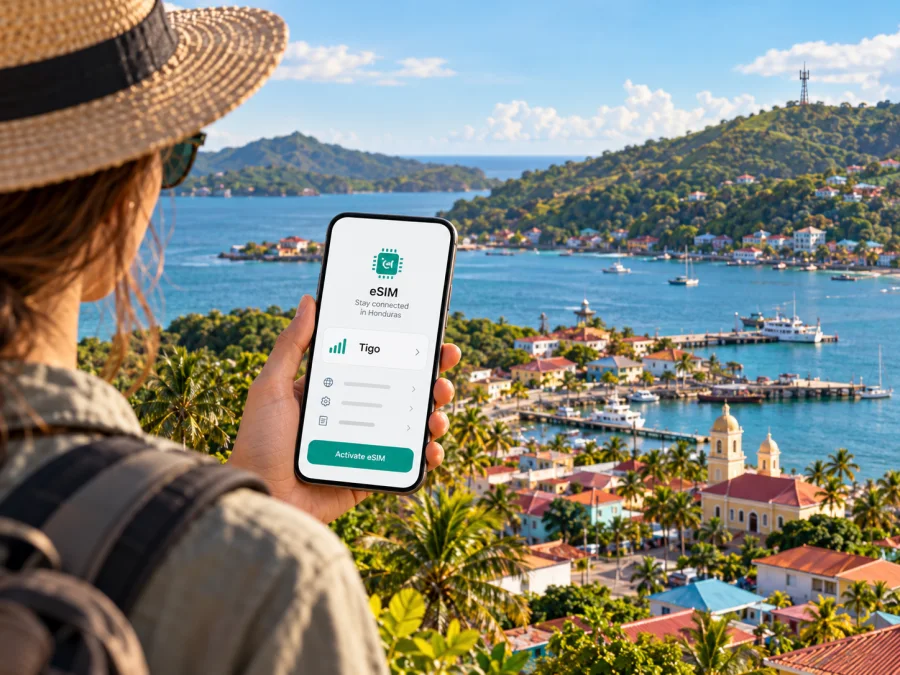
Tigo eSIM in Honduras: what travelers should know
If you are travelling to Honduras and want to keep using a local Tigo line without a plastic SIM card, eSIM may be an option to investigate. Tigo Honduras currently documents eSIM for mobile customers and describes requesting a change from a physical SIM through its digital assistant, followed by QR-based installation. That information is useful, but it does not by itself confirm that a visitor arriving from abroad can open a new Tigo account or obtain a new line on the same terms as an existing customer.
This distinction matters. An eSIM is a way to provision a mobile line on a compatible device; it is not automatically a tourist product. If you already have a Tigo Honduras number, the published process may help you move that line to eSIM. If you are visiting and do not have a local line, ask Tigo directly whether it can register you, what identity checks apply, and whether an in-person step is required. Do not assume that a QR code or an eSIM profile alone provides service before the operator confirms eligibility.
The information below was checked on 17 October 2026 against Tigo Honduras’s Help Center articles “¿Qué es una eSIM y cómo funciona?” and “Preguntas frecuentes acerca de la eSIM”, its public network pages, Apple’s carrier information for eSIM activation, and the Kaspersky eSIM Store website. Availability, supported device lists, coverage maps, and service procedures can change, so confirm the details with Tigo before making travel arrangements.
What Tigo eSIM means in Honduras
Tigo describes itself as a telecommunications and digital services company in Honduras and identifies mobile connectivity among its services. Its public site also presents prepaid and postpaid mobile services. The operator’s Help Center explains that an eSIM is a digital SIM profile installed on a supported device, and its general eSIM guide says customers on prepaid or postpaid service can request a change from a physical SIM to eSIM through its virtual assistant. Once the profile is installed, it connects the device to Tigo’s network.
In other words, the clearest publicly documented use case is conversion of a line that already belongs to the customer. Tigo’s frequently asked questions also describe a QR code flow and say that the profile is associated with the device where it was installed. For a replacement device or a damaged phone, the help page instructs customers to request a new QR code. That is a practical limit for travellers: treat the QR as a setup credential for the intended phone, not as a freely reusable code that can be moved between devices whenever convenient.
Tigo’s public pages describe ways to request or manage eSIM through its digital assistant, including WhatsApp, and its website currently promotes starting an eSIM request through that channel. Corporate customers are directed to their account representative. The exact steps shown to a customer may depend on their line and situation. A traveller should confirm the current process before departing, especially if their number is registered to another person, managed by an employer, or attached to an account that cannot receive verification messages while abroad.
Existing customer or visitor?
| Situation | What the public information supports | What to confirm with Tigo |
|---|---|---|
| You already use a Tigo Honduras line | Tigo documents changing a physical SIM to eSIM through its assistant and installing the profile by QR code. | Whether your specific line and device are eligible, how identity validation works, and what to do if the request is made outside Honduras. |
| You are a prepaid customer | Tigo’s general eSIM guide says prepaid and postpaid customers can request the change. | Whether your prepaid line is active and verified, and whether any extra conditions apply to your account. |
| You are a postpaid customer | The same guide includes postpaid customers in the described conversion process. | Whether the account holder or an authorised person must approve the change. |
| You are visiting without a Tigo number | The public conversion instructions do not establish that a visitor can acquire a new local line remotely. | Whether new visitor registration is available, which documents are accepted, and whether a store visit is needed. |
| You represent a business account | Tigo directs corporate customers to their account representative for the request. | Whether the account administrator needs to initiate or approve the change. |
This is not a statement that new Tigo service is unavailable to travellers. It is a limit on what the public eSIM instructions confirm. Before relying on Tigo eSIM for a short trip, ask about new-line registration as well as the more clearly described SIM-to-eSIM conversion. If a local line is essential, obtain confirmation through an official Tigo channel and keep a backup connection for the first day.
How to request and activate a Tigo eSIM
Tigo’s Help Center articles “¿Qué es una eSIM y cómo funciona?” and “Preguntas frecuentes acerca de la eSIM” describe QR activation and the device link. Its current migration guide says customers start with the virtual assistant, complete verification, and receive a QR code. A store may also help; the channel depends on the request and account.
Use this practical sequence if you are an existing Tigo customer:
- Check the line first. Make sure the Tigo number is active, that you are the account holder or have permission to manage it, and that you can receive any required verification code.
- Confirm handset support. Look up the exact model and regional version in Tigo’s current compatibility information. A model family may include versions with different SIM capabilities.
- Ask which request path applies. Tigo currently points customers to its virtual assistant for a SIM-to-eSIM change. Corporate users should check with their account representative. If you are already abroad, ask whether the process can still be completed remotely.
- Prepare a reliable internet connection. Profile installation requires the phone to communicate with the eSIM activation service. Keep Wi-Fi available until the setup has finished and the line has registered.
- Follow the instructions for your operating system. Scan or open the QR code using the phone’s mobile-network settings and confirm that the profile shown is the Tigo line you intend to use.
- Label the line clearly. If the phone also has a home SIM or another eSIM, give each line a distinct label so you can choose the right one for calls, messages, and data.
- Test before travelling. If possible, check that the line appears in settings and can register while you still have access to support. Do not erase the profile simply because data does not start immediately; first check the selected data line and contact Tigo if registration fails.
Tigo’s migration article provides separate on-device directions for iPhone and Android. Menu wording varies by manufacturer and operating-system version, so follow the current instructions for your handset. Check the eSIM device compatibility list before selecting a travel eSIM or requesting a local profile.
Installation is different from service activation
Scanning a QR code installs a profile, but a successful installation does not guarantee that every service feature is ready. The line still needs to be recognised by the operator, allowed to register on the network, and selected correctly in the phone’s settings. Tigo’s help page says that an installed profile is linked to the device. It also explains that moving to a replacement phone involves requesting a new QR code through Tigo rather than reusing an already activated profile on another handset.
Keep the QR message and account details secure. Do not share a setup code publicly or send it to someone who is not helping with the installation. If a phone is lost, contact Tigo promptly to protect the line. If the device is replaced, ask the operator for the correct recovery procedure. These steps are especially useful when travelling, because losing access to the line can also make it harder to receive account verification messages.
Device compatibility and regional variants
The presence of an eSIM option in the settings menu is a helpful sign, but compatibility has more than one part. The exact hardware must include eSIM capability, the software must allow the profile to be added, and the device must not be restricted in a way that prevents use with the intended service. Tigo says that eSIM is available only on some device models and points customers to its compatibility information. Apple’s public carrier information also lists Tigo among Honduran operators supporting QR-code or app-based eSIM activation on compatible iPhones. Neither source means that every phone with a familiar model name will work.
Check the full model number, country or region of sale, and carrier-lock status. Manufacturers sometimes sell versions of one handset family with different radio or SIM features. A phone purchased in another market may therefore differ from the version shown in a local compatibility list. If you are using a smartwatch or tablet, do not assume that a phone eSIM procedure applies: Tigo’s FAQ mentions a range of device types in general terms, but the exact support path and service eligibility can differ by product.
Before you leave, ask Tigo whether your exact handset variant is supported and whether it can activate a replacement profile while you are outside Honduras. Save the answer or the relevant customer-service case number. Also confirm that the device is unlocked if you plan to use a second line. Compatibility is a device-and-service question, not only a brand or operating-system question.
Coverage and network technology
Tigo Honduras’s public 4G LTE page identifies 4G LTE as a supported technology and also refers to 3G and 2G. The operator provides a mobile coverage map for checking places in Honduras. Its general company page describes its telecommunications services and mobile network in the country. These are useful starting points for planning, but an operator’s map is an estimate of expected outdoor or general availability, not a promise of service at every address or inside every building.
For a real itinerary, check the map for each overnight stop and for the places where you expect to need navigation, messaging, transport, or work access. A signal can vary with terrain, buildings, network load, handset support, and local conditions. A route through cities, islands, mountain areas, and rural roads can encounter different coverage conditions. Do not infer uninterrupted coverage from a national headline or assume that one town’s experience predicts another’s.
The public information reviewed for this guide confirms 4G LTE and older 3G/2G technologies on Tigo’s own coverage page. It does not establish a general 5G service claim for Honduras, so this article does not promise 5G access. If a particular handset displays a newer network indicator, check with Tigo whether that technology is commercially available at the location and supported by your plan and device. In practice, a stable connection depends on the local cell site, the account, device bands, and the service currently available where you are.
Check the route, not just the arrival point
Use Tigo’s official coverage map for each destination on your itinerary. A map is an estimate, not a guarantee of indoor reception or uninterrupted service; buildings, terrain, handset support, and local conditions all matter. Save maps and essential travel details for offline use, and keep another way to contact essential people if connectivity is temporarily unavailable.
Tigo eSIM, local service, and travel eSIM
A Tigo eSIM and a travel eSIM solve related but different problems. Tigo’s documented eSIM process is primarily a way for a Tigo customer to move an existing local line from a physical SIM to a digital profile. That approach can be useful when you want to keep the same local number and line. Whether a new visitor can get a local Tigo line through eSIM is a separate registration question and should be confirmed with the operator.
A travel eSIM is generally selected for a destination or region before or during a trip. It can be useful when you want a separate mobile-data profile and do not need to establish a local telephone line. The available service, supported network, and included features depend on the specific offer, so read its terms carefully. A data-only travel eSIM may not provide a Honduran phone number, ordinary calls, or SMS. You may continue to use your regular number for calls or messages only if your home line remains active and the relevant roaming settings and charges are understood.
Kaspersky eSIM Store is an app and website that helps travellers choose, purchase, and activate an eSIM plan for mobile data abroad. It is not a Honduran mobile operator, does not own Tigo’s network, and does not itself provide mobile coverage. Its Honduras destination page is a place to review currently available travel eSIM options, not a Tigo local tariff page and not confirmation that a specific Tigo plan is available. You can browse current eSIM options for Honduras and compare the terms shown for your own travel needs.
The practical choice depends on the task. If keeping a local Tigo number is important, ask Tigo whether your account can move to eSIM and how to complete the request. If the priority is having a separate data connection without replacing the home SIM, consider a travel eSIM after checking device compatibility and the service terms. Some travellers may use both, with one line selected for calls and the other for mobile data; the phone must support the required active-SIM configuration.
Neither option removes the need to confirm how data is routed, when service begins, whether data roaming must be enabled for the selected profile, and how to contact support. Review those points before purchase or activation, especially if your trip includes more than one country or you need uninterrupted access to a local number.
Confirm before departure
Ask Tigo whether your account can move to eSIM, what identity verification is required, whether the request can be completed from abroad, and how to recover the line if the phone is replaced. Visitors without an existing number should separately confirm new-line registration, accepted identification, and any need to visit a shop. The Help Center’s general instructions do not settle those account-specific questions.
If setup does not work
If the phone cannot add the profile, check the exact device variant, carrier lock, and current setup steps. Tigo says an activated profile is tied to its original device, so request a new QR if you replace the handset. If the profile appears without service, confirm the line is enabled and selected correctly. Outside Honduras, ask Tigo whether roaming is active; a local eSIM and international roaming are separate services. Do not delete a profile during troubleshooting unless Tigo advises it.
Frequently asked questions
Does Tigo Honduras support eSIM?
Yes. Tigo Honduras’s public Help Center documents eSIM for mobile customers and describes QR-based activation. It also says prepaid and postpaid customers can request a change from a physical SIM through the operator’s virtual assistant. Confirm that your specific account and device qualify before making the change.
Can a tourist buy a new Tigo eSIM in Honduras?
The public instructions reviewed here clearly describe moving an existing Tigo line to eSIM, but they do not establish the full registration process for a visitor with no Tigo number. Ask Tigo about new-line availability, accepted identification, and whether in-person registration is necessary.
Can I move the Tigo eSIM to another phone?
Tigo says an activated profile is associated with the device where it was installed. Its FAQ directs customers who change devices to request a new QR code. Contact Tigo for the current recovery process and do not assume an old code can be reused on a replacement handset.
Is a travel eSIM the same as a Tigo line?
No. A local Tigo eSIM represents a Tigo mobile line, while a travel eSIM is a separate product for the destination or region stated in its terms. A travel eSIM may be data-only and may not include a local number, calls, or SMS.
Final checklist
Before relying on Tigo eSIM in Honduras, verify that the service is available for your type of account, confirm that your exact handset variant is supported, and understand whether you are converting an existing line or seeking a new local one. Follow Tigo’s current QR instructions, check the map for the places on your itinerary, and keep a practical backup for account verification and arrival-day access.
If you need to compare a separate travel-data option, Kaspersky eSIM Store can help you review the currently listed destination choices for Honduras. The destination page is for travel eSIM selection and does not represent Tigo’s local service. Tigo is not affiliated with Kaspersky eSIM Store; all Tigo marks and services belong to their respective owner.
For current local eSIM eligibility and account-specific help, contact Tigo Honduras directly. To review travel eSIM choices for a separate data connection, check the Honduras destination page.


