Travel connectivity guide
Tigo eSIM in Paraguay: what to check
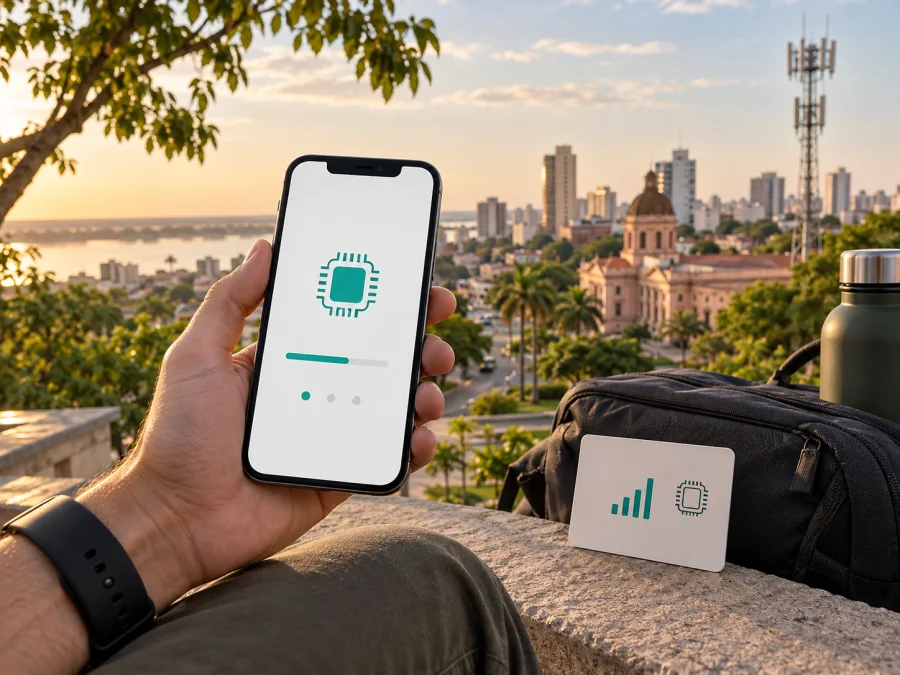
Tigo eSIM in Paraguay: what travelers should check
If you are planning a trip to Paraguay and are considering a Tigo eSIM, check more than whether your phone has eSIM support. You also need to understand how Tigo activates the profile, which technologies are shown for your route, what your device can use, and whether a local line or a travel eSIM better fits a short stay. An eSIM replaces a physical SIM in a compatible phone, but eligibility and activation procedures belong to the operator and can change.
This guide describes Tigo in Paraguay neutrally and focuses on traveler preparation. The information was checked on 20 September 2026 against current public pages from Tigo Paraguay, its Help Center, Mi Tigo information, and Paraguay’s telecommunications regulator CONATEL. Availability, registration, roaming, and retail procedures can change, so confirm the current process with Tigo before travelling.
Tigo’s role in the Paraguayan mobile market
Tigo is a mobile network operator serving Paraguay. Its public site provides mobile service information, customer support, a coverage map, and self-service through Mi Tigo. Tigo’s local Help Center also explains how customers can move from a physical SIM card to an eSIM. That makes Tigo relevant to people staying in Paraguay, returning with an existing local line, or comparing a local mobile connection with a travel eSIM.
A local Tigo eSIM is an operator-managed mobile line: Tigo provisions the profile, associates it with the service, and supports its own activation route. A travel eSIM is a separate travel-connectivity arrangement. It may suit someone who wants to prepare mobile internet before arrival without visiting a local store, but it does not become a Tigo line. Keeping these roles separate prevents confusion about telephone numbers, support, roaming, and the network used.
Tigo’s public materials also show a general prepaid service. Its prepaid page describes a recharge-based model without a fixed contract, while the Help Center has separate material for prepaid roaming. This confirms prepaid availability in general, but it does not establish that every visitor can obtain every service type on arrival. Ask about current registration rules, purchase channels, identity requirements, available service types, and whether eSIM activation is available to a new visitor or only through a particular customer process.
No separate Tigo tourist eSIM offer was confirmed on the public pages reviewed for this article. This does not prove that a tourist option cannot exist; it means the current public material checked here does not provide a universal tourist pathway. Ask Tigo directly if you need a local number, voice and SMS, a prepaid line, or a short-term arrangement.
Is Tigo eSIM available in Paraguay?
Yes. Tigo Paraguay’s current Help Center has a public eSIM activation article for compatible devices. It describes eSIM as a digital version of a traditional SIM and says activation can be completed in Tigo stores. The article explains a QR-code configuration and notes that, depending on the phone and setup, an eSIM can be used for calls and data or for data only.
The confirmation comes with conditions. The page refers to compatible devices and directs customers to Tigo stores; it does not promise that every device, customer category, or visitor can use the same route. It also does not replace a current check of store availability or the documents requested at registration.
For an existing Tigo customer, the Help Center publishes a QR-code flow for changing a SIM card to an eSIM. The steps are to open cellular settings, choose the option to add an eSIM, select QR-code setup, scan the code supplied by Tigo, and confirm activation. Tigo specifically says the change should be performed while the phone is connected to Wi‑Fi. Do not start a migration when the old SIM is unavailable and you have no reliable internet connection.
What a traveler should confirm before activation
Compatibility is the first gate. Check the exact model and regional variant, not only the family name on the box. The phone must support eSIM and should not have an operator lock that prevents another service from being added. If it was purchased with a contract or remains locked, resolve that before travel.
Tigo’s public guidance confirms compatible devices as a requirement but does not publish one universal list for every phone sold in every market. Check for an “Add eSIM” option in cellular settings, review the manufacturer’s regional specifications, and ask Tigo support if the model is uncertain. A phone can support eSIM in one market variant and lack it in another.
Have a stable internet connection for installation. Tigo’s SIM-to-eSIM instructions specifically call for Wi‑Fi before scanning the QR code. If you are changing an active local line, understand which profile will remain enabled and keep the activation information available. Do not delete an existing profile until you know the new one installed successfully and you can reach support.
For a new line or visitor request, ask Tigo what is required at the current point of sale. The public technical pages do not create one traveler rule covering every nationality, service type, store, or registration scenario. Requirements may include a supported device, an available activation channel, customer registration, and a current form of identification. Confirm the list instead of guessing about documents.
Decide what you need from the connection. If you require a Paraguayan telephone number, ordinary calls, or SMS, ask whether the selected Tigo service includes them. If you only need online services, a data-focused travel eSIM is a different type of solution.
Coverage and technologies to check in Paraguay
Tigo’s current coverage map lets travelers inspect a city, address, or other reference point before moving around Paraguay. It presents separate layers for 2G, 3G, and 4G, with a legend identifying GSM, UMTS, and LTE. The page also gives a national-coverage statement, but a country-level percentage is not a guarantee of service inside every building, on every road, or at every point along a rural route.
Check the airport, accommodation, work location, border crossing, road segments, and towns outside the main urban centres individually. Coverage maps are planning tools; terrain, buildings, congestion, handset bands, maintenance, and technology can affect a particular moment.
The map supports a careful description of Tigo’s local network: 2G, 3G, and 4G/LTE layers are publicly shown. CONATEL’s current national registry also lists Tigo’s mobile licences and national coverage entries across several frequency assignments. A licence or map layer indicates a service framework and published coverage, not a promise of fixed speed or uninterrupted availability. No 5G claim is made here because the sources reviewed do not establish a general Tigo 5G service for this traveler scenario.
Your phone matters as much as the network. Check its relevant LTE bands and select the eSIM profile for mobile data; if you keep a home SIM active, label the lines clearly.
Local Tigo eSIM or travel eSIM?
The right choice depends on the purpose of the trip. A local Tigo eSIM may fit when you need a local mobile line, want Tigo’s local customer channels, or are an existing Tigo customer replacing a physical SIM. It follows Tigo’s activation and registration process, which can include a store visit and a QR code. Ask about current eligibility and conditions before relying on it.
A travel eSIM may fit when the priority is mobile internet and you prefer to arrange a digital profile before departure or shortly after arrival. Kaspersky eSIM Store is an app and website that helps users choose, arrange, and activate a travel eSIM for mobile internet. Its current Paraguay page describes a compatibility check, destination selection, digital installation, and QR-code activation. It also explains that the travel eSIM is data-only, not a replacement for a regular phone number, ordinary calls, or SMS.
If you keep your home number available, a compatible phone may retain the home SIM for calls and messages while another profile handles data. Check dual-SIM behaviour, roaming settings, and the default data line.
Explore the Paraguay eSIM destination page if a travel-oriented, data-focused setup matches your needs. Review the current conditions before confirming anything and verify your device first. This is a possible alternative to investigate, not a statement that it is affiliated with Tigo or uses Tigo’s network.
How to prepare a Tigo eSIM before a trip
Use this sequence as a preparation guide, while treating Tigo’s current instructions as the controlling source.
1. Confirm the phone
Check eSIM support, the regional model, cellular settings, and operator-lock status. If the phone has two lines, learn how to set a default data line.
2. Confirm the service route
Ask Tigo whether you need a new service or a conversion of an existing SIM, where activation is performed, and which current registration documents apply. A visitor’s process may differ from an existing customer’s.
3. Secure an internet connection
Have Wi‑Fi available for installation. Tigo’s procedure uses a QR code and requires Wi‑Fi; Kaspersky eSIM Store’s Paraguay page also describes online setup and QR-code activation. Never share a QR code publicly.
4. Install and select the profile
Open cellular settings, choose add eSIM, and use the QR code or on-screen path supplied by the relevant service. Follow the prompts for the exact phone model and select the intended line for calls, messages, or data.
5. Test the setup
Once the profile appears, select it for the intended function and check mobile data. A travel profile may behave differently before the destination network is available. For a Tigo conversion, confirm the new profile’s status and keep another way to contact support.
6. Keep the settings clear
Label lines such as “Home” or “Paraguay data.” Turn off automatic switching if it could move data to the wrong profile. If connection does not start, check the data line, mobile data, roaming settings, and network selection. Do not repeatedly delete and reinstall profiles without guidance.
For device-specific instructions, use the eSIM device compatibility guide and the instructions shown by the service you selected.
FAQ for travelers
Does Tigo Paraguay support eSIM?
Yes. Tigo Paraguay’s current Help Center describes eSIM activation for compatible devices and a SIM-to-eSIM guide using a QR code and Wi‑Fi. Confirm current eligibility and the customer route with Tigo.
Can a visitor activate Tigo eSIM immediately after landing?
Not necessarily. The pages reviewed describe compatible devices, store activation, and a QR-code process, but not one universal arrival procedure. Confirm current store, registration, and service requirements.
Is a Tigo eSIM the same as a travel eSIM?
No. A Tigo eSIM follows Tigo’s customer and activation process. A travel eSIM is separate. Kaspersky eSIM Store helps users choose and activate one; it is not Tigo, does not own Tigo’s network, and is not presented as Tigo’s official partner or distributor.
Will an eSIM include a phone number and SMS?
It depends on the service. Tigo’s public eSIM material describes profiles for calls and data or data only, subject to the phone and selected service. Kaspersky eSIM Store’s Paraguay page describes its travel eSIM as data-only, without a regular number, ordinary calls, or SMS.
Which technologies does Tigo show in Paraguay?
Tigo’s public coverage map presents 2G, 3G, and 4G/LTE layers, identified as GSM, UMTS, and LTE. Availability varies by place and device. The map and the phone’s supported bands are more useful for planning than a general assumption about the country.
Should I keep my physical SIM active?
You can if the device supports it and you understand the data settings. Select the intended profile for data, label the lines, and review roaming settings.
Does Tigo publish prepaid service information?
Yes. Tigo Paraguay has a current prepaid page and Help Center material for prepaid customers. Eligibility, registration, roaming destinations, and conditions can change, so ask Tigo which option applies instead of treating prepaid information as a tourist guarantee.
Final checklist before departure
- Confirm the exact phone model, eSIM support, and unlocked status.
- Ask Tigo about the activation channel, store process, and visitor requirements.
- Review the coverage map for the places and routes on your itinerary.
- Remember that the published map shows 2G, 3G, and 4G/LTE layers; do not infer an unconfirmed technology.
- Prepare Wi‑Fi for QR-code installation and keep the instructions available.
- Select the correct data line and decide whether you need a local number or only mobile internet.
- If choosing a travel eSIM, check compatibility and current service conditions.
If a travel data connection is the simpler match for your itinerary, you can check the current Paraguay eSIM options through Kaspersky eSIM Store. It is an optional travel alternative: Kaspersky eSIM Store is an app and website for choosing, arranging, and activating a travel eSIM, not a mobile operator, network owner, or mobile-internet provider. This article is independent, and Kaspersky eSIM Store is not affiliated with Tigo Paraguay and is not its official partner or distributor.
Public operator information and service conditions can change after the verification date. Confirm Tigo’s eSIM availability, registration requirements, activation route, coverage at your exact locations, and any prepaid or travel conditions with Tigo before purchase or activation.


