Travel connectivity guide
Tillaberi eSIM: Mobile Internet and Travel Tips
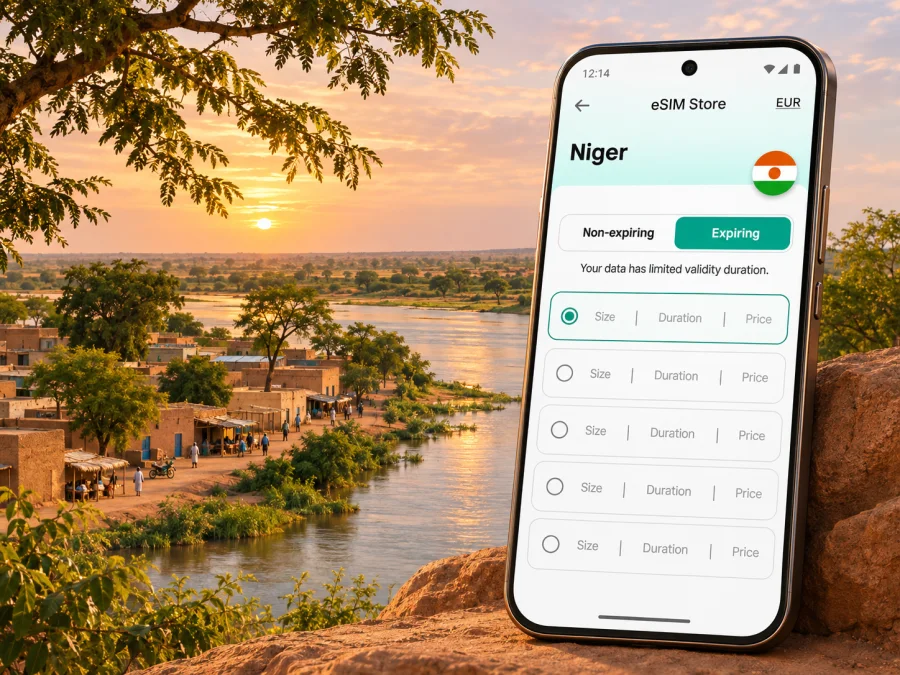
Tillaberi eSIM: mobile connection and internet for your trip
Tillaberi is a city in western Niger and the administrative centre of the region that shares its name. A visit here may involve meetings, field work, family travel or onward movement through the region. In each case, mobile internet can help with messages, maps, bookings and coordination, but it should be planned around the exact route and the conditions on the ground.
An eSIM is a digital SIM profile installed on a compatible, unlocked phone. It can provide mobile data under the terms of the selected plan, without replacing the physical SIM already in your device. Kaspersky eSIM Store is an app and website where you can select, purchase and activate an eSIM plan for an international trip. It is not a mobile network operator, and the quality of service depends on the local network and the plan’s stated coverage.
First, check whether the trip should go ahead
Connectivity planning cannot make a journey safe. Security conditions in the Tillaberi region can change quickly, and current government travel advice includes serious warnings for Niger and the region, with some authorities advising against travel. Before making plans, review your government’s latest advice and consult your host, employer or trusted local contact about access and movement. Recheck shortly before departure.
If the trip is approved and necessary, agree on a movement plan with the people responsible for your visit. Confirm who will meet you, how you will communicate if plans change, and what to do if mobile service is unavailable. Share your itinerary with an appropriate contact. Do not rely on a map app, a data connection or a rideshare service as your only way to find a driver or confirm a destination.
A phone is a coordination tool, not a substitute for local advice. Keep essential addresses and contacts offline, follow local instructions, and avoid posting sensitive travel details publicly.
Why mobile data can help in Tillaberi
In an unfamiliar city, small tasks often depend on being able to check information at the right moment. Mobile data may help you:
- message a host or colleague when your arrival time changes;
- confirm a meeting point before leaving your accommodation;
- open a saved map or look up a route while arranging transport;
- translate a short message or check a reservation;
- use email, work tools or cloud documents when a trusted connection is available;
- contact family and send updates through internet-based messaging apps.
These are practical uses, not promises of continuous service. Signal strength, network technology, congestion and disruptions vary by location. A plan’s country-level eligibility does not prove it will connect at every address in Tillaberi. Confirm that Niger is included, read network details shown at checkout, and keep a backup for time-sensitive communication.
An eSIM can help you prepare data before travelling while keeping your home SIM in the phone. It does not automatically provide a Nigerien number. Unless the plan says otherwise, treat it as mobile data; calls and SMS depend on your existing number or internet apps.
Getting online after arrival
If your itinerary brings you through Niamey and onward by road, confirm each leg with the person arranging your visit. Do not assume there is a public airport transfer, a particular bus, or a reliable on-demand taxi service in Tillaberi. Confirm the journey and pickup details with the person arranging your visit before you travel. Keep the driver’s name, vehicle details and destination in a place you can access without data, when appropriate.
After arrival, prioritize communication over browsing: confirm you have arrived, check the agreed next step and save route details. If a map loads slowly, stop somewhere appropriate and ask your host for guidance or use the agreed meeting point.
Arrival checklist
- Confirm the current security and movement advice before travelling.
- Verify the pickup, route and destination with your local contact.
- Save important addresses, phone numbers and meeting instructions offline.
- Check that your phone is charged and carry a suitable power bank if permitted.
- Keep your home SIM active if you need its number for calls or verification codes.
- Turn on mobile data for the travel eSIM only when you are ready to use it.
- Test messaging with your contact and agree what to do if it does not go through.
Choosing an eSIM plan for a city visit
Start with the route, not the size of the data package. A short stay based mostly at one location has different needs from a work trip with several scheduled journeys. Before choosing, verify that the plan covers Niger and check whether its terms describe coverage nationally, by network or by another geographic definition. A page for a country is a place to review available options; it is not evidence that one plan has service in every town or that any particular local operator supports the plan.
The regulator’s current operator information lists several mobile operators in Niger and distinguishes their licensed network technologies. That national information does not identify which network a travel eSIM uses in Tillaberi, nor does it confirm a particular product’s local coverage. If the plan details do not make the underlying access or coverage clear, treat that as an unanswered question and ask support before purchase. Do not infer eSIM support from the fact that an operator offers mobile data or that your phone supports eSIM.
Use the table as a decision aid, then compare it with the exact plan conditions shown for your destination.
| Your use in Tillaberi | What to estimate | What to check in the plan |
|---|---|---|
| Short visit, messages and coordination | A small amount of data may be enough if you avoid video and large uploads | Country availability, validity start, data allowance and top-up rules |
| Work requiring email and documents | Add room for attachments, calls over apps and updates | Whether hotspot use is permitted, speed or fair-use conditions, and validity |
| Frequent navigation and route changes | Maps can use data, especially when repeatedly loading new areas | Coverage wording, compatible network access and offline map preparation |
| Several cities or cross-border travel | The trip may need more than one destination’s coverage | Every country on the route, regional-plan exclusions and the plan’s full validity |
| Uncertain schedule | A longer validity period may be more useful than a large allowance | When validity starts and whether installation or first connection triggers it |
Estimate data from your habits, not a generic daily figure. Messaging and text-based navigation usually use less than video calls, streaming, autoplay feeds or photo uploads. Download necessary updates over trusted Wi-Fi before departure, pause automatic backups on mobile data, and check your phone’s data-usage screen during the trip. Its counter may differ from the plan’s.
Before paying, compare the plan’s price, allowance, validity, eligible destinations, network notes, tethering conditions, activation steps and refund terms. These details can change and are specific to the plan displayed at the time of purchase. Avoid choosing solely by the advertised data amount: a larger allowance is not useful if the validity does not fit your stay or the country is excluded.
When you are ready to review current options for the country, check eSIM plans for Niger. This is the country page for browsing; confirm the terms of the individual plan before purchase, especially its eligible network and coverage details for Tillaberi.
Set up the eSIM before you travel
If the plan is suitable, installing it before departure can make the first connection simpler, provided you have a stable internet connection and can follow the plan’s installation instructions. The exact menu names vary by phone and operating system. Keep the QR code or activation details accessible on another device or in a secure place if the installation flow requires them. Some plans allow a QR code to be scanned only once, so do not delete the profile or attempt a transfer unless the plan instructions say that it is supported.
Before installing, check that your phone model and regional variant support eSIM, that the device is not locked to a carrier, and that you can access the email or account containing the activation details. Check whether your device supports eSIM. If the compatibility result is unclear, consult the phone maker or your carrier for the exact model variant; two phones sold under a similar product name can differ by market.
A careful setup sequence is:
- Read the plan conditions and note the validity period and activation trigger.
- Connect to reliable Wi-Fi and open the device’s mobile-network settings.
- Add the eSIM using the supplied method, such as scanning the provided QR code.
- Label the line clearly, for example “Travel data”, while retaining your normal SIM label.
- Keep the home line selected for calls and SMS if you still need it; choose the travel eSIM for mobile data when the plan should be used.
- Enable data roaming for the travel line only if the plan’s instructions require it. The setting may be necessary for a travel eSIM to connect, but follow the plan guidance and watch for charges on your home SIM.
- If the plan activates on first connection, wait until the intended time to enable that line or connect to a supported network.
For platform-specific steps, use the Android eSIM installation guide or the iPhone eSIM installation guide. After installation, check the plan status in the app or account, but do not assume that an installed profile means it has already connected or that coverage is available at your location.
At the accommodation, office or meeting point
Buildings can weaken a mobile signal, and a connection that works outdoors may be less reliable indoors. If data stops, first check whether the phone has selected the travel eSIM for mobile data and whether airplane mode is off. Move to a suitable open area if it is safe and appropriate, then wait briefly for the phone to register. Restarting the device may help with some registration issues, but avoid repeatedly deleting or reinstalling the eSIM: the profile may not be reusable.
For work, agree with colleagues on a fallback before depending on mobile data for a call or file transfer. If your accommodation or office has Wi-Fi, ask who manages it and whether it is suitable for your work. Use the connection according to your organisation’s security rules. If you handle sensitive information, follow your employer’s device and network policies rather than assuming that any available Wi-Fi is appropriate.
A practical data-saving setup can reduce surprises:
- Disable automatic video playback in social and news apps.
- Pause photo and file backups until you are on a connection you intend to use.
- Download only the maps and documents needed for the next leg.
- Use text messages instead of video calls when bandwidth is limited.
- Check which SIM is selected for data after every settings change.
- Keep a small reserve for a route update or an urgent message.
If other people need your connection, confirm that the plan permits tethering and remember that a hotspot can consume data quickly. A second device may also need its own connection; sharing a connection can drain the phone battery and make your main device less available for calls.
If the connection does not work
Troubleshoot in a measured order. First check the plan status, destination eligibility and remaining validity. Then confirm that the eSIM line is enabled and selected for mobile data. Check the plan’s instructions for data roaming, network selection and APN settings; do not enter values copied from an unrelated operator or country. Toggle airplane mode once or restart the phone if the provider’s instructions recommend it. If service still does not register, contact the plan’s support channel over Wi-Fi and provide the device model, location at a general level, and the steps you have already tried.
| Symptom | First checks |
|---|---|
| eSIM is installed but no data works | Confirm the plan is active, Niger is included, and the travel line is selected for data |
| Signal appears but pages do not load | Check remaining data, roaming instructions and any plan-specific APN details |
| Connection works outside but not indoors | Try a permitted location with a clearer signal; indoor coverage can differ |
| Data disappears faster than expected | Review phone usage by app and pause background uploads or video autoplay |
| Home number stops receiving calls or SMS | Check that the home SIM remains enabled and that its roaming settings and charges are understood |
| QR code cannot be scanned again | Do not delete the profile; contact support because some activation codes are single-use |
A plan may rely on a local partner network, but the available network and signal can vary. Kaspersky eSIM Store does not control local infrastructure, and no eSIM can guarantee uninterrupted data in every building or on every road. If your work requires assured communications, arrange an organization-approved backup and escalation process before travel.
Keep your phone and information accessible
A dead battery can be as disruptive as a weak signal. Start each day with enough charge for the expected schedule, carry a power bank where allowed, and keep a paper or offline copy of essential contact information. Store identity and travel documents securely and follow the instructions of your employer or host. Consider using a screen lock and device-finding features, but do not rely on a tracking service if the phone is offline.
Avoid sharing sensitive schedules, accommodation details or real-time movements in public channels. Use messaging apps with the contacts you intended to reach, and verify unexpected requests to change a pickup or send money through a separate trusted channel. These are sensible travel habits regardless of which network or SIM you use.
Questions travellers ask
Does an eSIM guarantee mobile internet throughout Tillaberi?
No. A plan can list Niger as an eligible destination without guaranteeing service at every point in Tillaberi. Local network availability, indoor conditions, congestion and temporary disruptions can affect the experience. Review the plan’s precise coverage terms and keep an offline fallback.
Is Tillaberi the same as the Tillaberi region?
No. Tillaberi is a city and also the name of the surrounding administrative region. A plan listing Niger is country-level information; it does not describe town-by-town signal quality or movement conditions within the region.
Will a travel eSIM give me a local phone number?
Usually, travel data plans are intended for mobile internet and do not include a regular local number, voice calls or SMS unless the plan explicitly says so. Confirm the individual plan details. Internet calling and messaging apps may work over data, subject to connectivity and their own account requirements.
Can I install the eSIM before arriving?
Often, installation can be completed before departure, but the correct timing depends on the plan’s activation rule. Check whether validity begins at installation, at first connection or at another event. Follow the displayed instructions and keep the activation details until the profile is working.
Should I turn on data roaming?
Some travel eSIMs require data roaming on the eSIM line to connect. Follow the instructions for your selected plan and make sure the travel line—not your home SIM—is selected for data. Check your home operator’s roaming terms if you leave that line enabled.
What if my exact phone version is not listed as compatible?
Do not assume compatibility from the product family name. Check the full model number and regional variant with the device maker or your carrier, and confirm that the phone is unlocked. You can also use the compatibility checker before choosing a plan.
Can I move the eSIM to another phone later?
Do not count on it. Transfer and reinstallation rules vary by profile and plan, and a QR code may be single-use. Read the plan conditions before installation and contact support before changing devices.
A concise preparation plan
For a Tillaberi visit, handle decisions in this order: confirm that travel is appropriate under current official advice; agree on movement and check-in arrangements with a trusted local contact; verify the exact Niger plan and its coverage terms; check your phone’s eSIM support and unlock status; install the profile at the time recommended by the plan; save essential information offline; and test the intended data line before relying on it. Recheck the security situation and route close to departure, because connectivity planning does not replace current local guidance.
Prepare your eSIM for Niger
If your trip is proceeding and you have confirmed that the plan fits your device, destination and dates, use Kaspersky eSIM Store on the app or website to review the available options, select a suitable plan and follow its activation steps. Browse eSIM options for Niger and check the individual plan conditions before you travel. Keep your important route and contact details available offline, and use mobile data as one part of a wider communication plan.


