Travel connectivity guide
TIM eSIM in Brazil: activation and visitor guide
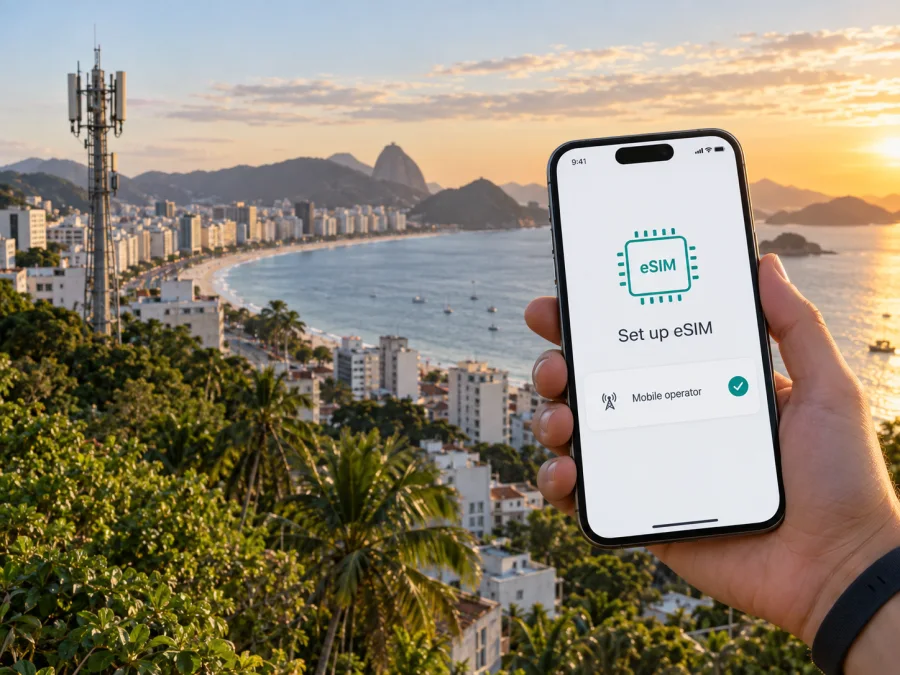
TIM eSIM in Brazil: how to connect before and during your trip
If you are travelling to Brazil and considering a TIM eSIM, the first things to check are whether your exact phone model supports eSIM, how a visitor can register a new line, and which parts of your itinerary appear on TIM’s coverage map. TIM publishes instructions for eSIM activation and a separate guide for foreign visitors using prepaid service. Those pages confirm that eSIM is part of TIM’s offer, while the visitor guide focuses on buying and registering a SIM in person; it does not set out a complete tourist eSIM process. Ask TIM to confirm the current route for your situation before you rely on a digital activation.
This guide covers the practical points: what TIM says about eSIM, what to prepare as a visitor, how activation works, how to check coverage and network support, and when a travel eSIM may fit a different need.
TIM and mobile service in Brazil
TIM is one of the mobile operators active in Brazil. For a traveller, the relevant question is not a ranking or a general claim about network quality, but whether TIM can register the kind of line you need, whether your handset can use it, and how the coverage map looks for your actual destinations. Those are separate checks: an eSIM-ready phone does not guarantee a signal at every stop, and a coverage indication does not complete account registration.
List the places where you will need maps, bookings, messages or work access, then inspect each in TIM’s current coverage map close to travel.
The map is a planning aid, not a guarantee of uninterrupted service indoors, in transit or at a particular address. Terrain, buildings and device bands can affect a connection.
Does TIM support eSIM in Brazil?
Yes. In its official “eSIM” FAQ and “eSIM Chip Virtual: como ativar, onde comprar e mais” guide, both checked on 27 September 2026, TIM describes eSIM as a digital subscriber profile for compatible devices. The pages explain compatibility checks, QR-code activation and conversion of an existing physical TIM SIM through Troca Chip. The FAQ says eSIM is available across TIM plan categories. These statements confirm general eSIM availability from TIM; they do not mean every phone, account state or visitor-registration route will qualify automatically.
An existing TIM customer may be able to convert an active line through the replacement process. A visitor first needs to establish eligibility, register and obtain a profile through a route TIM accepts for that customer. Its visitor FAQ describes prepaid registration and in-person SIM purchase, but does not promise that every visitor can start with an eSIM. Confirm the route before relying on remote setup.
TIM’s eSIM help also says that a compatible phone purchased abroad can use a TIM eSIM. That helps international travellers, but does not mean every model is compatible. Check the exact regional variant, enabled eSIM support, carrier-lock status and network bands.
What visitors should prepare
TIM’s “Estrangeiros no Brasil” FAQ, checked on 27 September 2026, says a visitor can buy a TIM SIM at a TIM-owned or partner store and register for an available prepaid service. The page asks for registration details including a passport number, RNE or foreign identity document, the address where the visitor is staying, the issuing country and other personal information. It adds that a foreign identity card is accepted only for people from the Mercosur countries it lists. Because document rules can be applied to a specific registration, check the current requirements with TIM before you go; bring your passport and the address of your accommodation, and do not assume that a photo or copy will be accepted in place of the document requested.
The public visitor instructions concern prepaid registration, while the eSIM instructions include a QR code and a self-service route for eligible existing customers. TIM does not spell out on the visitor page how those steps join up for a tourist seeking a new eSIM line. Ask whether you can register a new prepaid line directly as an eSIM, which identity document is accepted for your nationality, whether you must visit a shop, and how the activation profile is supplied. A short confirmation before arrival can help avoid reaching a counter without the document or account details needed.
If you are already a TIM customer, the online conversion process may ask you to confirm account details and the destination device. TIM’s SIM replacement guidance says the process is done on the mobile phone with mobile data active; the page also presents steps that use the Troca Chip portal. Follow the current on-screen flow for your account. Do not share a QR code or activation details with another person: they are intended to install your line on your device.
| Before you travel | What to check |
|---|---|
| Phone | Exact model and regional version support eSIM; device is unlocked for another operator. |
| Registration | Which document TIM accepts for your nationality, plus the requested lodging and personal details. |
| New line | Whether TIM can issue a visitor’s new prepaid line as eSIM and where registration must happen. |
| Coverage | TIM map for each town, route and place where you expect to use mobile data. |
| Setup | Reliable Wi-Fi for installation, access to device settings and a way to contact TIM if activation stalls. |
How TIM eSIM activation works
TIM’s setup guide shows a QR-code route for compatible Apple and Android devices. Menu names vary by model and software, so follow the current device-specific steps. A typical installation has these parts:
- Confirm the line and profile are ready. If this is a new line, complete TIM’s registration process first. If you are replacing a physical TIM SIM, make sure you have access to the account and the Troca Chip route that applies to you.
- Check the phone. Look in the device’s mobile or SIM settings for an option to add an eSIM. TIM’s FAQ gives this as a quick compatibility check and recommends consulting the manufacturer for the exact model.
- Prepare an internet connection. Keep Wi-Fi or another working data connection available while the profile downloads. Some replacement steps use mobile data; follow the path TIM shows for your case.
- Add the profile. Scan the QR code supplied by TIM, or enter activation details manually if the operator’s instructions offer that option for your device.
- Choose line settings. If more than one profile or physical SIM is present, label the lines and select which one should handle calls, messages and mobile data. Check the selections before leaving Wi-Fi.
- Test the connection. Turn Wi-Fi off briefly in a safe place, confirm that the TIM line registers, and open a basic page or messaging service. If it does not connect, return to Wi-Fi and check the profile status and line settings before trying another installation.
For device-specific setup guidance, see the Kaspersky eSIM Store Android instructions or iOS instructions, and review eSIM device compatibility.
A QR code does not replace line registration. Keep it private, and do not delete an active profile to troubleshoot unless TIM advises you to. TIM says recovery after loss, damage or reset can require validation or a store visit; ask about replacement before changing phones.
Network technologies and coverage checks
TIM’s coverage map and 5G help page, checked on 27 September 2026, describe 4G-family service and 5G, including 5G DSS and 5G. TIM explains that 5G DSS reuses infrastructure associated with 4G, while its 5G guidance says a compatible handset and presence inside a covered area are needed. The exact access method depends on the phone, local deployment and the line. These technology labels describe network generations and modes; they do not establish a particular speed or indoor experience for your trip.
Use TIM’s interactive map to check each city or neighbourhood and the places between stops. A general operator presence does not prove 5G availability. Verify both device support and the map indication for the specific area, and save addresses and maps for offline use.
Before departure, confirm that the phone supports the network bands used in Brazil and is unlocked. Enable the intended data line and review its roaming settings. If there is no service, check the coverage map and line settings before contacting TIM over Wi-Fi.
TIM’s coverage map is the appropriate place to check its reported footprint, and the operator’s 5G page describes the conditions for access. Both were reviewed on 27 September 2026. Network availability can change, so use the map close to departure and for the precise places on your itinerary. Avoid extrapolating from one city, airport or hotel to the whole country.
Local TIM service or a travel eSIM?
A local TIM line may suit someone who needs a Brazilian number or expects to use local service beyond a short visit. It involves TIM’s registration, setup, coverage and service conditions. A travel eSIM is generally considered for mobile data associated with an itinerary; its coverage and terms depend on the selected offer. Check details and do not assume it replaces a local number or includes calls and SMS.
For a short trip, consider whether you need a local number, can complete registration, and have a compatible phone. If you keep your home line active for calls or verification messages, check its roaming settings and which profile uses mobile data.
Kaspersky eSIM Store is an app and website that helps travellers choose, arrange and activate a travel eSIM for mobile internet abroad. Its Google Play listing, updated 9 July 2026 and reviewed on 27 September 2026, describes travel connectivity and guided setup. Consider it when preparing travel data separately from a local TIM line; review the Brazil destination page, current conditions and device compatibility. Kaspersky eSIM Store is not a mobile operator, does not own a network and does not itself provide mobile internet. It is not affiliated with TIM; the two services should not be presented as partners.
If you want to explore that travel option, view eSIM options for Brazil. Compare the current conditions shown there with what you need for the trip, and keep the distinction clear: a travel eSIM is intended for the selected travel connectivity, while TIM’s local service involves TIM’s own registration and activation process.
Frequently asked questions
Can a visitor use TIM eSIM in Brazil?
TIM confirms general eSIM availability and separately documents prepaid registration for foreign visitors. Its public visitor page describes buying and registering a SIM in person, but does not clearly explain how every visitor can obtain a new eSIM line. Ask TIM whether your nationality, documents and chosen registration route are eligible before relying on eSIM-only setup.
Can I use a phone bought outside Brazil?
TIM says a phone from another country can use its eSIM if the device supports the technology. Check the exact model, software, carrier lock status and network-band compatibility before you travel.
What documents should I take?
TIM’s visitor FAQ lists a passport number, RNE or foreign identity document, lodging address, issuing country and other personal details. It says foreign identity cards are accepted only for people from the Mercosur countries it names. Confirm the current rule with TIM for your nationality and bring the document the operator requests.
Does eSIM mean I will have 5G everywhere?
No. eSIM is a way to provision a mobile line; 5G access also depends on a compatible phone, the line and local 5G coverage. Check TIM’s map for each destination and use the technology details shown for that area.
Should I install before departure?
That depends on how TIM issues the profile and whether registration is complete. For a new visitor line, confirm with TIM whether activation can be completed before arrival or requires an in-person step in Brazil. For any travel eSIM, follow its installation and activation instructions and make sure you have a stable connection for setup.
Can I keep another SIM active?
Many compatible phones support more than one SIM profile, but their simultaneous-use rules vary. TIM says profiles can be stored on a device while only one eSIM profile is active at a time; use the phone’s own dual-SIM controls to confirm how a physical SIM and eSIM can work together on your model.
Final checklist
Before choosing TIM eSIM in Brazil, confirm the precise phone model supports eSIM and is unlocked; ask TIM how a foreign visitor can register a new line and obtain an eSIM profile; check the required identity document and lodging details; review the coverage map for every destination; and save setup and support instructions while you have internet access. If you mainly need travel data, consider a travel eSIM separately and review its current conditions. TIM and Kaspersky eSIM Store are independent services, and this article is not an endorsement or representation by TIM.


