Travel connectivity guide
Timisoara eSIM: Mobile Internet for Your Trip
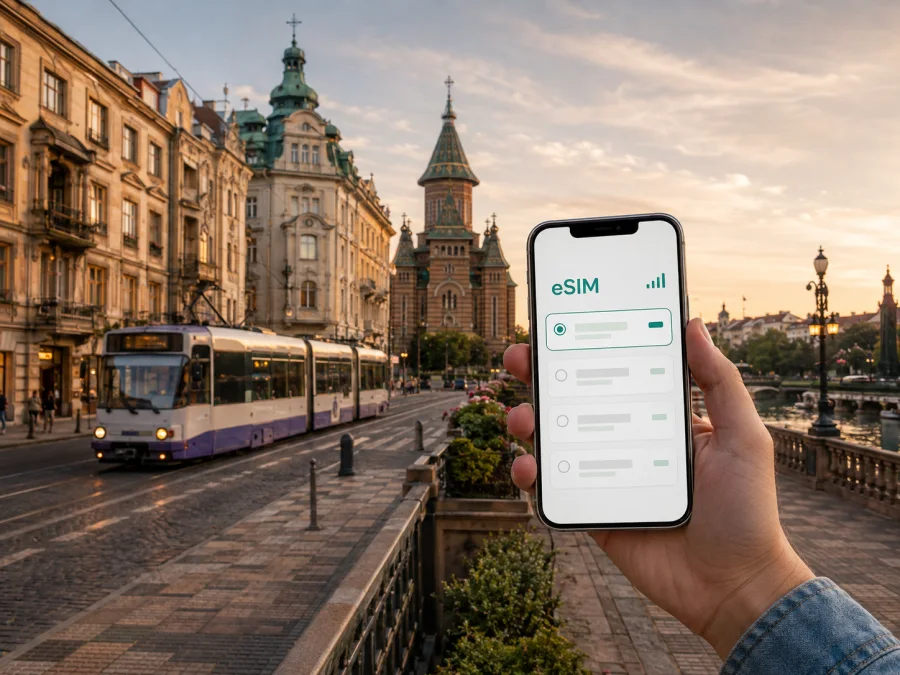
Timisoara eSIM for a reliable mobile connection and internet
Timisoara is a practical base for exploring western Romania, a short city break, a business visit, or a stop before continuing toward another European destination. The first hours can be busy: you may need directions from Traian Vuia International Airport, a ride to a hotel, a map of the centre, a message to a host, or a digital boarding pass for the next leg of your journey. A mobile data connection makes those small tasks much easier.
An eSIM is a digital SIM card that can be installed on a compatible phone without removing the physical SIM already in the device. For a trip to Timisoara, it can be used for mobile internet while you check routes, contact accommodation, use travel apps, send messages, or work between meetings. Kaspersky eSIM Store is an app and website that helps you choose, arrange, and activate an eSIM with a suitable plan for mobile internet during an international trip.
When mobile internet is useful in Timisoara
Typical city scenarios include:
- checking a route between Traian Vuia International Airport and your hotel;
- using navigation while walking through Cetate and around Union Square;
- finding a tram, bus, or trolleybus connection without printing a timetable;
- opening a hotel booking, event ticket, or meeting invitation on the move;
- sending a live update to colleagues or family through a messenger;
- planning a rail or road trip from Timisoara to another place in Romania.
An eSIM does not replace every communication method. It is primarily a way to arrange mobile internet. It does not automatically provide a regular phone number, voice calls, or SMS unless those features are expressly included in the conditions of the selected plan. You can still keep your usual SIM for calls and messages, while selecting the eSIM for mobile data if your phone supports dual-SIM use.
Arrival at Traian Vuia International Airport
Arriving with mobile data already prepared gives you a simple checklist to follow. Open your booking details, check the accommodation address, and save the route from the airport before leaving the terminal. Keep the destination and a contact name available in a note or offline copy.
Timisoara is served by Traian Vuia International Airport, which is outside the central historic area. Your onward route will depend on the time of arrival, the location of your hotel, and the transport option you choose. Avoid relying on one app or one route: keep the address in a note, screenshot a key reservation if needed, and make sure you can read the information when your phone is locked.
For a smooth first hour, prepare these items before takeoff:
- Save the full hotel or apartment address and a contact name.
- Keep your booking confirmation available in the app or in an offline copy.
- Mark the airport and accommodation on your preferred map.
- Check how your phone selects mobile data when two SIMs are active.
- Decide whether you want the eSIM to be active on arrival or only after reaching the city.
The last decision matters because the validity period and data usage rules differ by plan. Some travellers install an eSIM before departure and enable the line after landing. Others prefer to complete activation only when they are ready to use mobile data in Romania. Read the selected plan conditions carefully so you understand when its period starts.
Moving around the city: maps, public transport, and rides
Timisoara is known for its trams, buses, and trolleybuses, and public transport can be useful when your destination is beyond the compact centre. A navigation app helps you compare walking, public transport, and ride options, but the best route can change with the time of day, service conditions, or a temporary change. Check the route shortly before leaving rather than assuming that the morning plan will suit the evening.
The historic district of Cetate is a natural starting point for many visitors. Union Square, Victory Square, and the streets connecting them are easy places to orient yourself, but an online map remains useful for locating a particular entrance, café, hotel, museum, or meeting room. If you are walking along the Bega canal, a map can help you choose whether to continue on foot, cross to another side, or connect with transport toward a different district.
Travellers commonly move between several parts of Timisoara:
| Area or destination | Why data can help | What to check |
|---|---|---|
| Cetate and the central squares | Walking directions, reservations, meeting points | Exact entrance and street name |
| Bega canal area | Route planning for walks and connections | Which side of the canal your destination is on |
| Iosefin or the railway station area | Finding accommodation and onward transport | Departure time and platform information |
| Fabric and eastern districts | Reaching restaurants, events, or residential stays | Transport changes and the final walking section |
| Airport and hotel zones outside the centre | Transfer coordination and address sharing | Pickup point and destination details |
Use data economically by saving the hotel address, a city-centre map view, and important tickets when Wi-Fi is available. Offline information is useful, but you may still need data for route changes, bookings, or messages. A suitable eSIM plan supports those moments away from a hotel network.
Choosing an eSIM plan for a Timisoara trip
The right amount of data depends more on your routine than on the number of days printed on your itinerary. Maps, messages, and saved information require less than video meetings, frequent photo uploads, streaming, or continuous navigation.
Start with four questions:
- How long will you stay in Timisoara and Romania?
- Will you use data only in the city, or continue to other destinations?
- Will you need mobile data for navigation and messaging, or also for work and media?
- Do you need a short validity period or flexibility for a longer route?
Estimate your routine honestly. Include a margin for document access and updates on a work trip, or save information in advance when sightseeing. Photo uploads, video calls, cloud synchronisation, and streaming can consume data faster than basic navigation and messaging.
| Travel pattern in Timisoara | Data planning approach |
|---|---|
| Short stopover with airport, centre, and one hotel | Choose a plan that covers directions, messages, and bookings for the stopover period |
| Weekend city break | Allow for maps, restaurant or event searches, photos, and regular messaging |
| Business trip | Include email, calendars, document access, calls through internet apps, and a backup margin |
| Timisoara plus other Romanian cities | Confirm that the plan applies to the whole country, not only a single local point |
The country of the plan matters even when your hotel is in one city. Timisoara is the starting point, not a separate mobile destination. If you continue to Arad, Oradea, Cluj-Napoca, Bucharest, or elsewhere in Romania, check that the plan covers the whole route and validity period.
Before paying, review the plan page for its destination, data allowance, validity, price, and any usage conditions. Costs vary with country, traffic volume, and duration, so a plan that suits a two-day visit may not be appropriate for a week of remote work. If you want to prepare the next step now, you can choose an eSIM plan for a trip to Romania and compare the available conditions for your itinerary.
Hotels, work, and everyday planning
Timisoara has accommodation near the central squares as well as in quieter residential districts. Choose data volume by your routine, not the hotel category: leisure travellers need maps, bookings, and messages, while business visitors may also need email, documents, calendars, and internet-based calls.
Before a business trip, record each meeting address and the final walking section from the hotel. If you use a laptop hotspot, confirm that the plan conditions permit it and monitor the balance. Restrict background refresh, postpone large updates, and use hotel Wi-Fi for heavy downloads when appropriate.
Installing and activating an eSIM
Install the eSIM only after checking the conditions of your chosen plan. Your phone must support eSIM and should not be restricted by an operator lock. Some device models vary by region of sale, so the model name alone is not always enough. You can check your device compatibility before purchase.
The general sequence is straightforward, although menu names differ between manufacturers and operating-system versions:
- Connect to the internet and keep the purchase details or QR code ready.
- Open the mobile-network settings on the phone.
- Choose the option to add a mobile plan or eSIM.
- Scan the QR code or follow the activation flow shown in your profile.
- Label the new line clearly, for example as travel data for Romania.
- Select the eSIM as the line for mobile data when you are ready to use it.
- Turn on data roaming for the eSIM if the plan instructions require it.
- Test a map or a simple web page, then check which line is using data.
For device-specific steps, use the Android installation guide or the iOS installation guide. Installation and connection can take a few minutes and depend on the device and local network. If you want the plan to begin later, do not enable the travel line or data usage before you understand the plan’s activation rules.
Keep your primary SIM available if you need its number for calls, SMS, bank confirmations, or account recovery. Disable data switching if your phone offers that setting and you want to prevent accidental use of your home line. The exact names of these settings differ, so check the screen carefully after installation.
What to check before buying
An eSIM is convenient only when its conditions match your actual trip. Use this short review before confirming payment:
- Device: Does the phone support eSIM, and is it free from an operator lock? Check compatibility before you buy.
- Destination: Does the plan apply to Romania and to every stop you expect to make after Timisoara?
- Validity: When does the period begin, and does it cover your arrival and departure days?
- Data volume: Is the allowance appropriate for maps, messages, work, and media?
- Features: Are calls and SMS excluded, and is hotspot use addressed in the conditions?
- Activation: Will you use a QR code, an in-app profile, or another installation method?
- Settings: Might data roaming need to be enabled for the eSIM?
- Transfer: Can the installed eSIM be moved to another device? Do not assume that it can after activation.
- Returns: Review the refund terms because they depend on the purchase and usage conditions.
These checks are more useful than choosing a plan based on a single headline number. A low data allowance can become inconvenient during a work trip, while a large plan may be unnecessary for a brief stopover. Match the plan to the way you expect to use your phone in Timisoara.
Frequently asked questions
Is an eSIM useful for a trip to Timisoara?
It can be useful when you want mobile internet for maps, messages, bookings, work, and route changes without replacing your physical SIM. The practical value depends on device compatibility, the selected Romania plan, your data needs, and the local network available at the time.
Can I keep my usual number?
Yes, if your phone supports dual-SIM use and you keep the primary SIM active. The eSIM plan is intended for mobile internet unless voice and SMS are explicitly included. Configure the preferred line for data and review data-switching settings before travelling.
Should I install the eSIM before arriving?
You may install it before departure if your device is compatible and you have the required purchase details or QR code. Whether you should activate it immediately depends on the plan’s rules. Read when validity begins and enable mobile data only when you are ready to use it.
What if I need help during installation?
First check the device compatibility, the activation instructions, the selected data line, and the roaming setting. Make sure the phone has an internet connection during installation. If the issue persists, contact support and describe the device, the plan, and the exact screen or step where activation stopped.
Can eSIM replace hotel Wi-Fi in Timisoara?
It can reduce your dependence on Wi-Fi for navigation, messages, and other mobile tasks, but it should not be treated as an unlimited replacement for every connection. Check the plan allowance and conditions, especially if you need a hotspot, video meetings, or large downloads.
Prepare mobile internet for your Timisoara journey
The most reliable preparation is a short sequence: confirm that your phone supports eSIM, choose a plan for Romania that matches the full itinerary, review its data and validity conditions, install the profile while you have internet access, and select the correct line for mobile data after arrival. Keep the accommodation address and key travel details available offline as a sensible backup.
Kaspersky eSIM Store helps you choose, arrange, and activate an eSIM plan for mobile internet during an international trip through its app or website. Review the conditions, set up the eSIM at a convenient time, and use it for the practical moments that matter in Timisoara—from the first route out of the airport to the last message before your onward journey. Choose an eSIM plan for your Timisoara trip when you are ready to prepare your connection.


