Travel connectivity guide
Tofo eSIM: Mobile Internet for Mozambique Trips
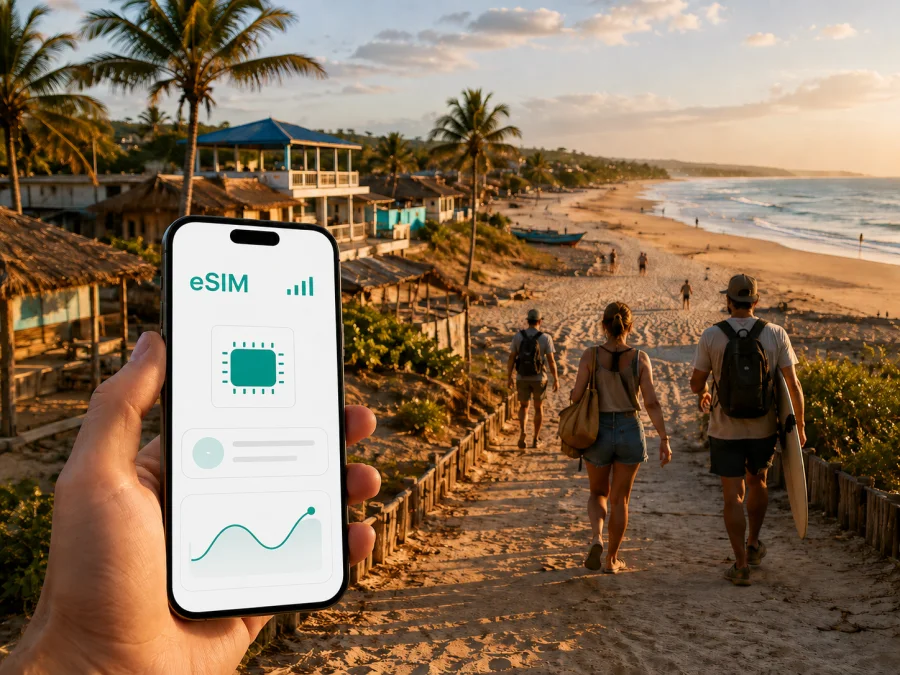
Tofo eSIM for mobile connection and internet during your Mozambique trip
Tofo is a small coastal town in Mozambique’s Inhambane Province, known for its broad beach, relaxed atmosphere and ocean activities. It is the kind of destination where your day may begin with a transfer from the airport, continue with a walk to a dive centre or market, and end with a request for a ride to a nearby beach. A dependable way to manage mobile internet makes each of those small transitions easier.
An eSIM is a digital SIM profile that can be installed on a compatible phone without removing your physical SIM card. For a trip to Tofo, it can be useful for maps, messages, accommodation details, ride coordination, weather checks and payments where mobile data is accepted. Kaspersky eSIM Store is an app and website that helps you choose, arrange and activate an eSIM with a suitable plan for mobile internet during an overseas trip.
Why mobile internet matters in Tofo
Tofo feels compact, but arrival pickups, maps, guesthouse messages and early excursion meeting points still require timely data.
Mobile data is especially useful for:
- checking the route from Inhambane Airport to your accommodation;
- sending your arrival time to a guesthouse or transfer driver;
- using maps while walking between the beach, market, restaurants and activity operators;
- confirming a meeting point for diving, surfing, snorkelling or an ocean trip;
- keeping a translation, weather or tide service available when planning the day;
- staying in touch with family while you are away from your accommodation;
- handling a change of plan when a road transfer, flight or excursion moves later.
Tofo is not a large grid of numbered streets, so accommodation names, beach access points and local landmarks often matter more than formal addresses. A saved pin or booking can be more useful than printed directions.
Arriving in Tofo through Inhambane
For many visitors, the final arrival point is Inhambane Airport, followed by a road transfer to Tofo. Check current flight and pickup details with your accommodation. A data connection is useful from the moment you land: read the latest message, confirm the driver’s description and contact the property if needed.
Before leaving home, save the following information offline as well as online:
- The full name and address or landmark of your accommodation.
- The name of the person or company arranging your transfer.
- A screenshot of the booking confirmation and transfer instructions.
The road section from the airport is short compared with a long overland journey, but the first minutes still set the tone for the trip. Keep the phone charged, avoid putting the travel eSIM away with your luggage, and make sure the profile is ready before you pass through the arrivals area. If you are travelling with checked baggage or arriving late, a message confirming that your driver is still waiting can remove unnecessary uncertainty.
After landing, confirm that the correct eSIM profile is visible, select it for mobile data, open the saved accommodation details and send a short arrival message. If the profile was installed before departure, check the plan instructions: some devices require data roaming to be enabled for the travel profile.
Choosing a data plan for a Tofo itinerary
The right plan depends less on the name of the destination than on the rhythm of your days. A traveller who walks from a guesthouse to the beach and uses Wi-Fi in the evening has different needs from someone who works online, uploads video or spends long hours outside the village on excursions.
Use this planning table as a starting point, then compare the current traffic allowance and validity period shown for Mozambique:
| Travel pattern in Tofo | Typical data tasks | What to check before choosing |
|---|---|---|
| Short stopover | Transfer messages, maps, bookings and occasional chats | A validity period that covers the arrival and departure days |
| Beach holiday | Navigation, activity coordination, messages, weather and photos | Enough data for several outdoor days, not only the airport transfer |
| Diving or surf trip | Repeated meeting-point messages, forecast checks and uploads | Whether your daily use includes media and whether the plan can be topped up |
| Remote work | Video calls, cloud documents, email and hotspot use | Data allowance, hotspot rules, validity and a backup connection plan |
| Multi-stop coast route | Maps, accommodation changes and transport coordination | Whether the plan is valid for the full Mozambique route and travel dates |
Photo backups, automatic app updates, video calls and streaming can use data faster than maps or short messages. Before departure, disable large uploads and automatic updates over mobile data.
If the trip includes Tofo and another Mozambican destination, check that the plan applies to the whole route rather than assuming that a city name represents a separate product. The country landing page is the relevant starting point for this city. You can choose an eSIM plan for a trip to Mozambique after deciding how long you will stay, how much data you are likely to use and whether you need the connection for work as well as travel.
Moving around the village and coast
Most of the central Tofo experience is easy to organize on foot. The beach, market, casual restaurants, guesthouses and many activity operators are close enough that walking is often the simplest option. A phone with mobile data still helps because the useful information is not always on a large sign: your accommodation may send a location pin, an instructor may change the meeting point, or a restaurant may share an updated opening time through a message.
For journeys between Tofo and Inhambane, shared minibuses known locally as chapas are a common budget option. Their timing and loading pattern can be less formal than a scheduled city bus, so ask your accommodation or a local operator where to wait and allow extra time. A private taxi or arranged transfer may be more practical when you have dive equipment, several bags, an early flight or a fixed appointment.
Trips towards Barra and other coastal stops are best planned as a transfer. Ask whether the vehicle is suitable for the road, keep the driver and return plan in one message thread, and save the route before leaving.
For an early excursion, confirm the pickup time the evening before, save the meeting point and leave enough battery for navigation and messages. An offline folder with your booking and transport contact is a useful companion to live mobile data.
Districts, beaches and where data is most useful
Tofo is better understood as a set of nearby areas than as a dense urban centre. The central beach and village area are convenient for food, accommodation and activity planning. Tofinho, just south of the main beach area, is associated with a quieter coastal setting and a different set of walks and surf conditions. The road towards Inhambane and the route towards Barra create a wider travel zone where a map and a confirmed transfer become more important.
Your data needs can change with the area:
- Central Tofo: use data for reservations, messages, maps and confirming activity times while moving between places on foot.
- Tofinho: keep navigation available for less familiar paths and use a saved pin for the property or beach access you intend to reach.
- Inhambane and Barra trips: store transport details, plan the return before setting out, and confirm Wi-Fi before relying on it for work.
These are planning points, not a promise that every street or beach access point has the same signal quality. Conditions depend on the selected plan, device, building and terrain, so make key reservations before leaving a reliable connection.
Hotels, guesthouses and working from Tofo
Accommodation in Tofo ranges from simple guesthouses to more service-oriented beach properties. Before booking, ask whether the property can arrange an airport transfer, where Wi-Fi is available, and what happens if you arrive after normal check-in. For a business trip, treat Wi-Fi as a supplement: keep email, messaging, authentication and essential documents accessible on mobile data.
If you plan to connect a laptop, confirm hotspot terms and test tethering before relying on it for a meeting. Schedule large uploads on Wi-Fi where possible.
Installation before departure or after arrival
Installing the profile before you travel is often more comfortable because you can use a stable internet connection and take your time. Activation may depend on the selected plan’s conditions, so read the information shown at the time of purchase. If you prefer to install after landing, keep access to Wi-Fi or another way to download the profile, and do not discard the purchase email or QR code.
Before installation, confirm three things: your phone supports eSIM, it is not locked to another operator, and the plan is valid for Mozambique for the dates you need. Regional versions of the same phone model can differ. Check whether your device supports eSIM before you complete the purchase.
When the plan is ready, follow this sequence:
- Connect to a stable Wi-Fi network or keep another working data connection available.
- Open the purchase or activation details supplied with the plan.
- Add the eSIM in your phone’s mobile-network settings or scan the provided QR code.
- Label the new profile clearly, such as “Mozambique travel”.
- Choose the travel profile for mobile data when you are ready to use it.
- Keep your primary line available for calls or messages if you still need it.
- Enable data roaming for the travel profile only if the plan instructions require it.
- Open a simple webpage or messaging app to check the data connection.
For detailed device steps, use the Android eSIM installation guide or the iOS eSIM installation guide. Menu names can vary with the operating-system version, so follow the labels shown on your phone. If the profile does not connect, check the selected data line, roaming setting, signal indicator and plan conditions before deleting anything. An eSIM profile may not be transferable after activation under the conditions of a particular plan.
Three Tofo travel scenarios
A short beach stop
For a short stay between the airport, accommodation and beach, choose a validity period that covers the full itinerary, install the profile before departure and keep transfer details offline. Your main use will be coordination, maps, messages, weather checks and occasional photo sharing.
A diving or work-and-coast itinerary
Early activity meetings and remote work both reward preparation. Confirm pickups the previous evening, keep the phone charged, test hotspot use if needed, and choose data capacity for calls and document access as well as sightseeing.
A preparation checklist
Before booking
- Confirm that the plan covers Mozambique and the full travel period.
- Estimate usage from your own habits.
- Check the device’s eSIM support and operator-lock status.
- Read whether the plan includes only data or any additional services.
Before flying
- Install the eSIM while you have stable Wi-Fi, if the plan allows it.
- Save the activation details and accommodation information offline.
- Turn off automatic updates and cloud backups over mobile data.
- Tell your accommodation your expected arrival time.
After landing
- Select the travel eSIM for mobile data.
- Enable data roaming for that profile only when required by the instructions.
- Keep the primary SIM’s roaming settings under control to avoid unexpected charges.
- Send a short arrival message and confirm your transfer.
- Test maps and messaging before leaving the airport area.
Common questions about using an eSIM in Tofo
Can I use an eSIM for calls?
Usually the travel profile is intended for mobile data, not a traditional phone number. Internet-based calls and messages may work through your usual apps, but regular voice calls and SMS are included only if the selected plan explicitly states that they are.
What if I travel from Tofo to Inhambane or Barra?
Check that your Mozambique plan applies to the whole route and keep the transfer details in one place. Coverage and performance can vary by location, device and local network, so do not treat a plan as a guarantee for every road or beach. Arrange transport and return timing before leaving the village.
What should I do if mobile data does not start?
Confirm that the eSIM profile is enabled, the correct line is selected for mobile data, and data roaming is set according to the plan instructions. Restart the phone if needed, move to an open area and check whether the plan has begun or expired. Do not delete the profile until you have reviewed the support instructions and plan conditions.
A calmer way to stay connected in Tofo
The best setup for Tofo is simple: know how you will leave the airport, keep the first accommodation details available offline, plan data around your actual routine, and have a working connection for the moments that cannot wait. A compact village still involves transfers, meeting points, weather decisions and messages, especially if your trip includes diving, surfing, work or nearby beaches.
Kaspersky eSIM Store helps you compare the available direction and data options, complete the eSIM setup and activate the chosen profile for your overseas trip. Check compatibility first, read the plan’s validity and data conditions, then choose an eSIM plan for your Tofo journey in Mozambique and prepare the profile while you still have a stable connection.


