Travel connectivity guide
Tokmok eSIM: Mobile Internet for Travel
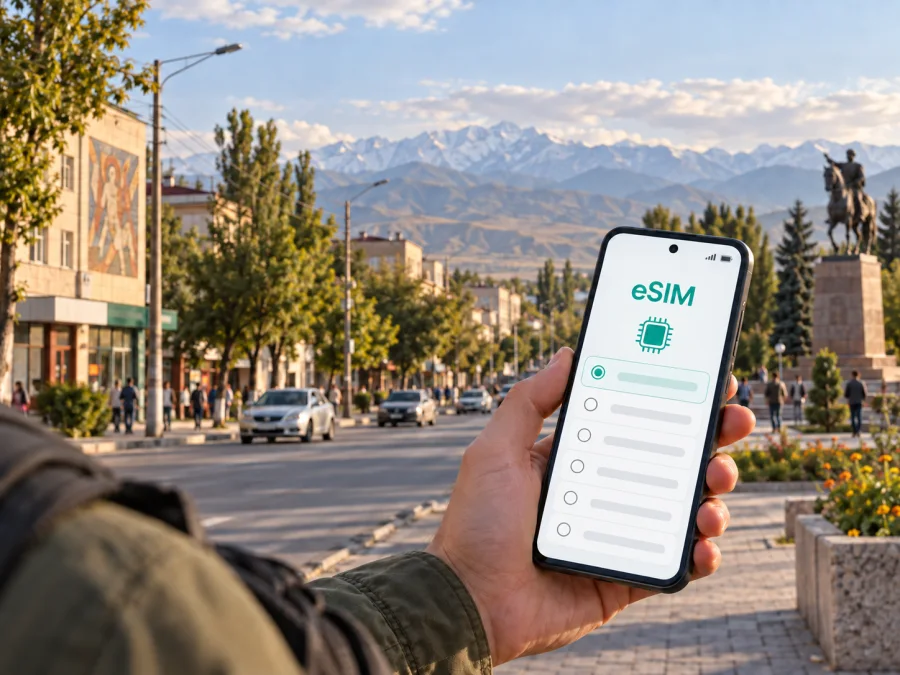
Tokmok eSIM: mobile connection and internet for your trip
Tokmok is a practical base for exploring the eastern part of the Chüy Valley. You may arrive after a flight to the Bishkek area, continue by road from the capital, stay for a business visit, or use the city as a stop before visiting the Burana archaeological site and nearby mountain valleys. In each case, mobile internet helps with the first transfer, map directions, messages, reservations and changes to the route.
An eSIM, or digital SIM, can be prepared before the journey so that you do not have to look for a physical SIM card immediately after arrival. Kaspersky eSIM Store is an app and website where you can choose, arrange and activate an eSIM with a suitable plan for mobile internet during an overseas trip. The plan conditions remain the important reference: check its destination, data allowance, validity period and activation terms before you travel.
Why mobile internet matters in Tokmok
Tokmok is not a resort complex with every travel service concentrated in one building. Your day may combine a hotel or guesthouse in the city, a taxi or minibus, a market stop, a meeting on another street and a trip beyond the urban area. A working data connection gives you one practical layer of continuity between those points.
You may need it to:
- confirm the address of accommodation when the driver is unfamiliar with the street;
- compare a map route on foot with a road route by taxi or minibus;
- translate a message or read a booking detail while moving through the city;
- send your arrival time to a host, colleague or family member;
- check a meeting location when plans change;
- use a messenger for calls and messages when the chosen plan is data-only;
- save time during a short stopover instead of searching for Wi‑Fi first.
Arrival in Tokmok: prepare the first transfer
Many international travellers reach northern Kyrgyzstan through the Bishkek area and then continue east by road. Tokmok is east of Bishkek in the Chüy Valley, so the final part of the journey is often a road transfer rather than a direct international arrival in the city. The exact travel time depends on traffic, weather, the chosen vehicle and the starting point.
Before leaving the airport or Bishkek, complete the parts of your digital preparation that require a stable connection:
- Open the address of your accommodation and save its name in the local script if it is available.
- Send the host or colleague an approximate arrival window rather than promising an exact minute.
- Check the road route and keep a screenshot or offline map area for the last part of the journey.
- Confirm where the driver will meet you and which entrance or landmark is easiest to recognise.
- Keep your regular SIM active for essential calls if you need it, but select the travel eSIM for mobile data only when you are ready.
A simple arrival checklist
- The eSIM profile is installed or ready to install.
- Your phone has enough battery for the transfer.
- The accommodation address is saved in more than one place.
- Mobile data is assigned to the intended eSIM profile.
- Data roaming is enabled for that eSIM only if the plan instructions require it.
- Automatic updates and large cloud backups are paused until you understand the data allowance.
Departure points and timetables for buses, minibuses and shared taxis can change. Verify the details locally on the day and allow extra time.
Moving around the city
Move around Tokmok in short, confirmable stages: accommodation to the centre, centre to a meeting, then back to the place where you are staying. A map pin may not be enough for a driver, so keep the address, a nearby landmark and the recipient’s contact together.
For a local ride, share:
| What to send | Why it helps |
|---|---|
| The destination name and street | Reduces confusion when names have different transliterations |
| A map pin | Shows the exact entrance or location selected on the map |
| A nearby landmark | Helps when the building number is hard to see |
| Your arrival time | Lets the host or colleague plan for delays |
| A return meeting point | Makes a later pickup easier to coordinate |
Use data selectively. Download the necessary map area when you have reliable access, then reserve live data for messages and route changes. Reduce screen brightness and carry a power bank when walking.
Choosing an eSIM plan for Tokmok
Choose the plan for the country and the whole route, not only for the hours in Tokmok. If the plan is limited by destination or validity, read those conditions before installation.
Start with four questions:
- How long will you be in Kyrgyzstan, including travel days outside Tokmok?
- Will you use maps and messaging only, or also video calls, work systems and photo uploads?
- Will several devices share the connection through a hotspot, if the plan and device permit it?
- Do you want a smaller allowance for a short stopover or more room for work and frequent navigation?
| Travel pattern in Tokmok | Typical data behaviour | What to consider |
|---|---|---|
| One-day stop or Burana visit | Maps, messages, reservations and occasional photos | A short-validity or smaller-data option may be sufficient if the terms fit |
| Two- to five-day city stay | Regular navigation, messengers, browsing and bookings | Match validity to the full stay, including arrival and departure days |
| Business trip | Video calls, email attachments, cloud tools and taxi coordination | Allow more data and keep a backup Wi‑Fi option for large files |
| Road itinerary through Kyrgyzstan | Navigation across several places and frequent route updates | Confirm that the plan applies to the country and remains valid for the complete route |
The figures in a plan describe limits, not a promise of a particular speed in every place. Video, photo backup and operating-system updates can use data quickly, so control automatic downloads and background refresh before departure.
An urban connection and a rural road section are different use cases. For Burana, Chon-Kemin or another destination outside the city, download essential information in advance and keep the accommodation address, transport contact and next destination offline.
In the middle of your planning, you can choose an eSIM plan for travel in Kyrgyzstan after comparing the destination, validity period and data allowance with your Tokmok itinerary. This keeps the purchase decision tied to the actual journey rather than to a generic data amount.
Accommodation and work routines
Accommodation in Tokmok can be central, on a quieter street or outside the busiest area. Save the entrance, reception contact and a nearby landmark. If the address is difficult to identify, agree on a pickup point before leaving and send an arrival window to the host or colleague.
For a business trip, keep email, messaging and authentication tools available, while postponing large uploads until a reliable fixed connection is available. Test the meeting application and chosen data line before a call. If you need a phone hotspot for a laptop, check the plan terms, battery level and expected data load first.
A short route from Tokmok to Burana
Burana Tower and the archaeological area around ancient Balasagun are commonly visited from Tokmok as a regional excursion. The site is a short road trip southwest of the city, so navigation and return transport are part of the plan. The connection-related preparation is simple but important: save the destination, clarify whether the driver waits, and agree on where you will meet for the return journey.
For this kind of half-day route, load the main map area, send the driver the exact destination and return window, keep a screenshot of the pickup point, and check the route back to Tokmok before leaving. Avoid streaming video so that data remains available for maps and messages.
The same logic works for a longer itinerary. If Tokmok is a stop between Bishkek and another destination, save each next address and write down the order of travel. One clear itinerary is easier to manage than a list of isolated map pins.
Installing and activating an eSIM
Install the eSIM with a stable connection and time to read each confirmation screen. You can do it before leaving home or after arriving in Tokmok, depending on the plan’s activation rules. Installation and activation can be separate steps.
Before you begin, check that the phone supports eSIM and is not locked to a mobile operator. Some models differ by market or region of sale. You can check your device compatibility before selecting a plan.
1. Prepare the conditions
Connect to reliable Wi‑Fi or another data line. Have the QR code or profile details available, keep the phone charged and do not delete your existing SIM profile.
2. Add the eSIM profile
Open the mobile-network settings, choose the option for adding an eSIM and follow the on-screen instructions. If you scan a QR code from another screen, make sure the code is readable and do not photograph or share it unnecessarily.
3. Select the data line
Label the profile clearly, set it as the mobile-data line when needed and check that the phone will not switch to the regular SIM for data automatically.
4. Review roaming and activation
Some devices or plans require data roaming for the travel eSIM. Follow the plan instructions. If the connection does not appear, wait a few minutes and check the selected line before changing other settings.
For platform-specific steps, use the Android installation instructions or the iOS installation instructions. The menu names can differ between phone models and operating-system versions.
What to check before purchase and after activation
The following checklist is short enough to use at the airport and detailed enough for a business trip:
- [ ] The destination is Kyrgyzstan and the validity covers the complete Tokmok itinerary.
- [ ] The data allowance fits maps, messages, work and any planned hotspot use.
- [ ] The device compatibility check confirms that the phone supports eSIM and is not operator-locked.
- [ ] The phone has space for another mobile profile.
- [ ] The QR code or profile is accessible without searching through many messages.
- [ ] Mobile data is assigned to the intended profile.
- [ ] Data roaming is enabled only when the selected plan requires it.
- [ ] Automatic updates, cloud backups and high-resolution video are controlled.
- [ ] The accommodation address and transport contacts are saved offline.
- [ ] You know how to contact support if installation or activation raises a question.
After activation, open a map and a simple webpage or messenger conversation. This confirms that the phone is using the intended data line. Do not judge a plan by one indoor room or one brief pause in service; move to an open area, recheck the selected profile and allow for local network conditions. If the problem continues, review the plan instructions before changing several settings at once.
Practical scenarios
Business visit or onward route
Test the meeting application, use mobile data for coordination and keep large uploads for a reliable fixed connection. If Tokmok is one stage of a wider itinerary, save the next address and transport point before leaving, then check that the plan remains valid for the following days.
Frequently asked questions
Does an eSIM replace my regular phone number?
Not usually. eSIM plans in this travel scenario are intended for mobile internet and may not include a regular phone number, voice calls or SMS. Check the specific terms. You can use messengers for calls and messages when your data connection is available.
Should I install the eSIM before travelling?
Installing before departure can make the arrival routine easier, but the correct timing depends on the plan’s activation conditions. Use a stable connection, follow the instructions and confirm when validity begins. If you prefer to install after arrival, prepare the QR code, accommodation details and a backup connection first.
Will the same plan be useful outside Tokmok?
It may be, if the plan applies to Kyrgyzstan and remains valid for the full route. Check the conditions before travelling to Burana, Chon-Kemin or another region, and save essential information offline for rural stretches.
What if mobile data does not work after installation?
Confirm that the eSIM is enabled, selected for mobile data and configured according to the plan instructions. Check the device’s roaming setting if required, move to a different location and allow a few minutes for registration. If the issue remains, contact support with the device model and the steps already completed.
A calm plan for staying online in Tokmok
The most reliable preparation is simple: match the eSIM plan to the whole Kyrgyzstan route, check the phone before purchase, save the first addresses, install the profile with time to spare and control background data. In Tokmok, that preparation supports the moments that actually shape a trip—finding the transfer, reaching accommodation, meeting a colleague, navigating the city and returning from a regional excursion.
When your itinerary and device are ready, choose an eSIM plan for your Tokmok trip, review its conditions and activate it according to the instructions. Kaspersky eSIM Store helps you complete that choice through its app and website, while the local network and the selected plan determine the connection in practice.


