Travel connectivity guide
Torteval eSIM: mobile internet in Guernsey
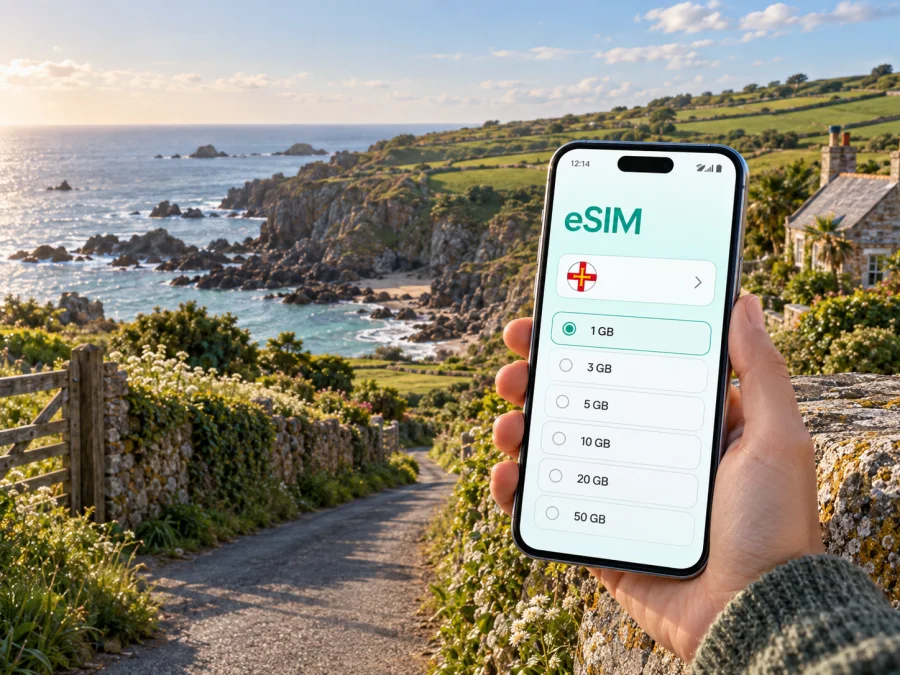
Torteval eSIM: mobile connection and internet for a trip to Guernsey
Torteval is a practical base for a quieter Guernsey itinerary of country lanes, cliff paths, bays and historic sites. You may need mobile internet to confirm an arrival plan, find a lodging entrance, check transport, contact a taxi, read a map on a coastal walk or send a work message.
An eSIM, or digital SIM, can prepare mobile data for Guernsey without looking for a physical SIM card after arrival. Kaspersky eSIM Store is an app and website where you can choose, arrange and activate an eSIM with a suitable plan for mobile internet during an overseas trip. Choose the device, destination, allowance and start conditions that fit your Torteval itinerary.
Why mobile internet matters in Torteval
Torteval is a parish in the southwest of Guernsey. The places visitors come to see are spread between lanes, coast and headland: the parish church, Rocquaine Bay, Fort Pezeries, Pleinmont and nearby walking areas are separate stops rather than one compact pedestrian district. A phone with mobile data can make the day easier in several small but important ways.
- Arrival: confirm the address of a cottage, guesthouse or hotel and message the host if your timing changes.
- Movement: check the next bus, compare a taxi option, or plan the walk from a stop without waiting for café or accommodation Wi-Fi.
- Navigation: follow a route through lanes and to a coastal path while keeping your planned return in view.
- Bookings: open a reservation, read a confirmation, or contact an activity provider before leaving the accommodation.
- Work: join a short call, send a document, or use a hotspot for a laptop when your lodging connection is not convenient.
- Safety and coordination: share an updated meeting point with companions and keep essential travel details available.
Download important confirmations and maps in advance because coverage and battery life can vary with terrain, weather, buildings and the local network used by a plan.
Torteval travel scenarios where an eSIM is useful
A first afternoon after arriving
After landing or reaching Guernsey by sea, you may be dealing with luggage, a transfer, check-in instructions and an unfamiliar road layout. Keep the accommodation address, host contact and booking confirmation in your phone before leaving the arrival point.
If your route starts in St Peter Port, allow time to understand the island’s transport pattern before heading west. Torteval is better approached as a sequence of villages, lanes and coastal destinations. A practical arrival checklist is:
- Confirm the accommodation address and check-in window.
- Save the address in your map application and take a screenshot of the key route.
- Check whether the host expects a call, message or key-box procedure.
- Keep a taxi number or transfer arrangement accessible offline.
- Decide whether the eSIM should be the line for mobile data immediately or only after your usual home line is no longer needed.
A day of walking and coastal viewpoints
The Pleinmont headland and west-coast surroundings reward a slower itinerary. You might combine a walk with views over the coast, Fort Pezeries, the Table des Pions or the Pleinmont Observation Tower when it is open. Other routes pass through lanes and valleys before reaching the coast. Data helps you check the next stage, but it should support preparation rather than replace it.
Before setting out, save the day’s route, note the last realistic return option and tell someone where you are going. Carry a charged phone and, for longer walks, a power bank. On cliff paths and in exposed areas, do not assume that the same connection quality will be available at every viewpoint. The eSIM is a convenient way to keep the phone ready for navigation and messages; it is not a substitute for sensible walking preparation.
A short business stay
Torteval can suit a traveller who wants quiet accommodation after meetings elsewhere on Guernsey. Email, authentication, maps, messages and occasional laptop tethering may matter more than streaming. Prepare three layers: the eSIM for mobile data, accommodation Wi-Fi where suitable, and offline copies of meeting details. Check hotspot conditions and the selected data line before departure.
Choose a plan for the whole Guernsey itinerary
Even when the accommodation is in Torteval, your plan should match the whole route. You may arrive through the airport, spend time in St Peter Port, travel to the west coast or visit another parish. Select the destination and validity period shown for the plan, then compare the data allowance with your likely use.
The following simple guide is more useful than a universal data estimate:
| Travel pattern | Typical online tasks | What to consider |
|---|---|---|
| Quiet weekend in Torteval | Messages, maps, confirmations, occasional browsing | A smaller allowance may be enough if you download maps and media in advance. |
| Walking-focused break | Route checks, transport searches, messages, photos | Leave room for repeated map use and photo uploads; carry a charger. |
| Island-wide sightseeing | Navigation, bookings, travel updates, messaging | Choose a plan that covers the full stay rather than only the first parish. |
| Business trip | Email, authentication, cloud files, calls and possible hotspot use | Allow for work traffic and review hotspot conditions before purchase. |
These are planning categories, not promises about a particular allowance. Video, automatic photo backup, app updates and a laptop hotspot can consume data quickly. Turn off automatic updates while travelling and review which applications may use mobile data in the background.
When you are ready to compare current options for the destination, choose an eSIM plan for your trip to Guernsey. The page lets you review the available destination offer and its conditions; choose the validity period and data allowance that fit your actual itinerary.
How to prepare the eSIM before leaving
Installing an eSIM before the trip can reduce arrival tasks. Use reliable Wi-Fi or mobile data and enough battery for installation. Do not delete a working profile or reset the phone without checking the device instructions.
Step 1: Check the device
Make sure the phone or tablet supports eSIM and is not locked to another operator. Some models differ by market or regional version. Before choosing a plan, check whether your device supports eSIM. On a work phone, confirm that management settings allow a second profile.
Step 2: Choose the destination and plan
Select the destination for the Guernsey trip and review the plan’s data allowance, validity and activation conditions. Read when the validity begins: depending on the offer, it may be tied to installation, activation or the first connection to a supported network. Keep the confirmation available in your profile or email.
Step 3: Install the profile
Use the operating-system flow or the QR code supplied with the eSIM. See the Android installation instructions or the iOS installation instructions. Menu names can differ between versions, so follow the labels on screen.
Step 4: Label and select the lines
Give the new profile a clear label such as “Guernsey trip”. Keep your usual number for calls and messages if needed, and set the travel eSIM as the mobile-data line. If the plan requires data roaming for the eSIM, enable it for that profile and check the home line settings.
Step 5: Test the setup
Before leaving Wi-Fi, open a web page or send a message using the travel profile. If it does not connect, check the selected data line, review activation instructions and restart the phone if recommended. Keep the QR code and purchase details until the trip is over.
Getting around from a Torteval base
Guernsey’s island-wide bus service is useful for reaching coastal areas, attractions and St Peter Port, but schedules and payment arrangements can change by season or route. Check the current journey before setting out, especially for a timed booking or a return after a walk. Journey-planning information may include route options, stop details and live updates.
Torteval also suits a mixed transport plan. Use a bus for a longer connection, walk between nearby sights where appropriate, and consider a taxi when luggage, a late arrival, mobility needs or a tight schedule make that simpler. Save key details before leaving.
A useful movement checklist
- Check the departure point, not only the route number.
- Allow extra time for narrow lanes, walking to a stop and weather changes.
- Confirm the return option before starting a coastal walk.
- Keep the accommodation address written in a form a driver can read easily.
- Use contactless payment or another accepted method only after checking the current transport instructions.
- Carry a small offline backup: booking reference, meeting point and emergency contacts.
For navigation, distinguish between a place name and an exact entrance. “Pleinmont” may describe a headland or a cluster of nearby attractions, while your destination could be a car park, path entrance, tower or accommodation on a different lane. Open the detailed address before you set off and save a screenshot when the signal is strong.
Practical data use around Torteval
At the southwest edge of Guernsey, route choices can branch between lanes, coast and headland. Use data to confirm the next stop, check weather and message a companion, but download essential information first. Before visiting Fort Pezeries, the Table des Pions or the Pleinmont Observation Tower, check access and opening arrangements.
Many Torteval stays are in quiet lanes or converted buildings. Save the exact property name, address, host message and check-in instructions, especially if arriving after dark. If St Peter Port is your arrival point or transport interchange, check the Torteval return plan before leaving the harbour or terminus.
Keep data under control
An eSIM makes the travel line easy to select, but good settings still matter. On the first day, review:
- Mobile data line: confirm that the Guernsey trip profile is selected.
- Data switching: disable automatic switching to the home line if your device offers it.
- Background use: restrict large updates and cloud synchronisation until Wi-Fi is available.
- Hotspot: use it only when needed and check the plan conditions.
- Battery: lower screen brightness, carry a power bank and use offline maps for longer walks.
- Balance or allowance: monitor use in the app or profile so you can adjust your habits early.
Keep your usual SIM available if you need incoming messages or account verification, but remember that dual-SIM behaviour differs between devices. A call or SMS may still be charged by your home operator. The eSIM plan is intended for mobile internet; it does not automatically provide a separate telephone number, voice calls or SMS unless the chosen conditions say otherwise. Messaging and calling apps can work over data.
FAQ about eSIM for Torteval
Is an eSIM useful if I am staying in Torteval rather than a town?
Yes. A rural stay can create more need for maps, directions, host messages and transport checks between separate places.
Should I install the eSIM before travelling?
Usually, preparing it before departure is easier because you can use reliable Wi-Fi, read the instructions and test the profile. Follow the activation conditions.
Can I use the eSIM for phone calls?
Not as a separate number unless the chosen plan explicitly includes that feature. In the standard travel-data scenario, use internet messengers for calls and messages, while your usual SIM remains available according to your home operator’s settings and charges.
Do I need Wi-Fi in Torteval if I have an eSIM?
No. Wi-Fi can be useful for large downloads or video calls, while an eSIM can help with navigation and messages away from the property. Availability depends on the accommodation, device, local network and plan.
What if the eSIM does not connect after arrival?
Check that the eSIM is enabled, selected for mobile data and permitted to use data roaming when required. Confirm that the phone is not using the home SIM for data, restart it and review the activation instructions. If the issue continues, contact support with the device model and plan details.
Is Torteval a good base for a short stopover?
It can work if your priority is a quieter rural and coastal part of Guernsey and you have enough time for transfers. For a short stopover, calculate the journey from your arrival point, the opening times of your chosen sight and the return connection before choosing accommodation. Keep details offline.
A calm connection plan for your trip
For Torteval, check the device, choose a destination plan, install and test the eSIM on reliable internet, download essential details and plan returns from remote stops. Then use it for navigation, transport, bookings, work messages and contact with companions.
Kaspersky eSIM Store helps you choose, arrange and activate an eSIM with a suitable plan for mobile internet abroad. The terms, allowance and validity depend on the option you select, so review them before installation and keep your confirmation at hand.
Prepare your Torteval journey
When your device is ready, choose an eSIM plan for travel in Guernsey and complete the setup before you leave. A prepared data line lets you focus on the lanes, coast and quiet viewpoints of Torteval while keeping the practical parts of the journey within reach.


