Travel connectivity guide
Touba eSIM: Mobile Internet & Travel Guide
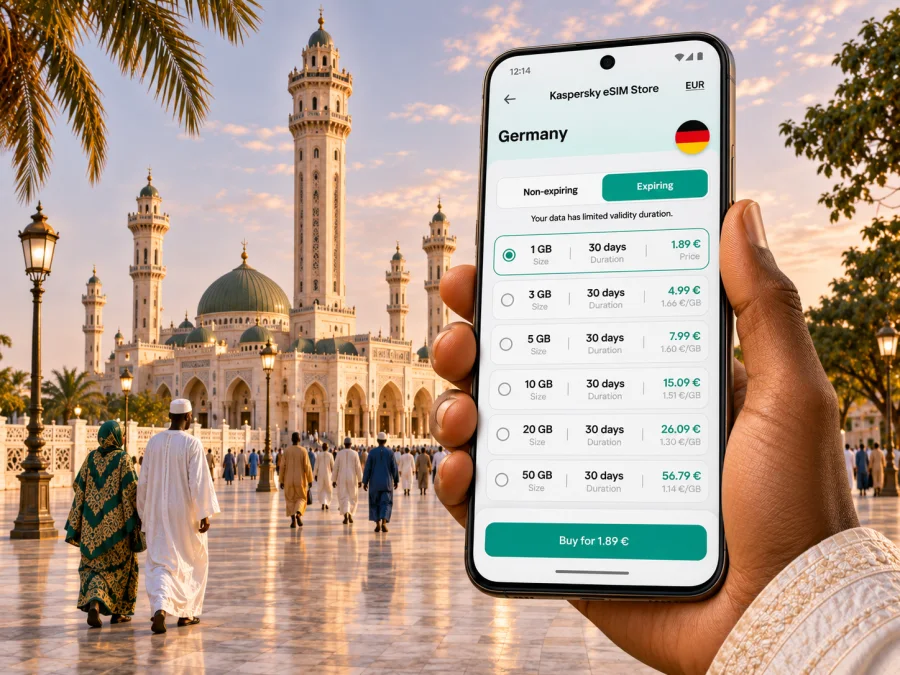
Touba eSIM: Mobile Connection and Internet for Your Visit
Touba is one of Senegal’s most distinctive destinations: a major religious centre shaped around the Great Mosque and a busy regional city in the Diourbel area. For a visitor, mobile data is useful well beyond finding a route. It can help coordinate a driver, share a meeting point, translate a message, check opening or travel arrangements, and keep in touch while moving between the mosque precinct, markets, accommodation and the wider region.
An eSIM can make that planning easier if your phone supports it and the selected plan is valid for Senegal. It is a digital SIM profile installed on a compatible device. A travel data plan can provide mobile internet without replacing your physical SIM, but it does not automatically include a local phone number, voice calls or SMS. Check the specific plan conditions before relying on it for any service beyond data.
Why mobile data is practical in Touba
Touba’s scale and street pattern make a working map useful, especially on a first visit. The Great Mosque is the city’s central landmark, and major roads and neighbourhood routes lead toward or circle around it. Confirm the exact entrance, pickup location or address with your host; a pin shared in a messaging app can save time when landmarks are unfamiliar.
Mobile internet is helpful for everyday tasks such as:
- checking a route from your accommodation to the Great Mosque or a local meeting point;
- contacting a driver if the pickup point changes;
- translating a short message or checking a place name;
- sharing your location with a travel companion;
- confirming onward transport to Mbacké, Diourbel or another Senegalese destination;
- accessing reservations, maps and travel documents stored online.
Save your lodging address, important phone numbers, booking details and an offline map before leaving a reliable Wi-Fi connection. Keep the destination name as well as the map pin; a driver may recognize a local landmark more readily than an online listing.
Arriving in Senegal and continuing to Touba
Most international visitors arriving by air begin in the Dakar area and continue inland by road. The national road network includes the Thiès–Diourbel–Touba motorway known as Ila Touba. From your arrival point, allow time to collect luggage, clear formalities, meet your driver and complete the onward journey. Travel duration varies with traffic, stops, weather and the pickup arrangement, so avoid planning a close connection based on a generic online estimate.
Before you depart, confirm whether your driver will meet you inside the terminal, at a designated curbside point or elsewhere. Agree on a recognizable meeting point, save the driver’s number, and share your flight details if you have arranged a pickup. If you use a taxi or shared vehicle, confirm the destination and fare arrangement before setting off. For public or shared transport, schedules and boarding locations can change; verify current details locally rather than assuming a past timetable is still valid.
This is a useful moment for mobile data: after landing, you may need to contact a driver or accommodation before you have access to hotel Wi-Fi. But do not assume an eSIM will connect as soon as the plane lands. Installation, activation timing, supported networks and coverage depend on the plan and device. Read the plan instructions while you still have dependable internet and keep the provider’s setup details available offline.
Getting oriented around the city
Touba’s principal point of reference is the Great Mosque. The city is often described as having a radial layout, with important routes oriented toward the mosque and a surrounding ring road helping organize movement. In day-to-day travel, however, a map pin is only one part of navigation: traffic, temporary diversions, construction, prayer times and large gatherings can affect the quickest way to reach a place.
Use a simple navigation routine:
- Search for the destination by its full name, then compare the result with the address sent by your host.
- Ask your accommodation or local contact which entrance or nearby landmark is appropriate.
- Share the intended pickup point with your driver before you start walking.
- Keep the map open only when needed, and confirm turns with a local contact if a route looks uncertain.
- Download an offline map for Touba and the route from your arrival city as a backup.
Markets, commercial streets and neighbourhoods can be busy, and a nearby-looking destination may still take time to reach. If your phone loses data, use the saved pin and written address instead of repeatedly refreshing a map. A small power bank is helpful on a long transfer day, especially if you use navigation, translation and messaging throughout the journey.
The Great Mosque and respectful visits
The Great Mosque is not simply a photo stop: it is the spiritual heart of the Mouride community and a place of worship. Visitors should treat the precinct with care. Dress modestly, keep your voice low, follow signs and instructions from local staff, and ask before photographing people or entering areas whose access is unclear. If you are unsure whether a space is open to visitors, ask a local guide or host rather than assuming that every part of a religious site is accessible.
Save the route and relevant contact details beforehand, silence notifications, and avoid using your phone in a way that interrupts prayer or others. If you take photographs, be considerate of worshippers and follow local restrictions.
The city becomes exceptionally busy during the Grand Magal, an annual pilgrimage commemorating Cheikh Ahmadou Bamba. Its date follows the Islamic lunar calendar and therefore shifts from year to year on the Gregorian calendar. During this period, transport, accommodation, roads and mobile networks may be under greater pressure than on an ordinary day. Confirm arrangements close to your travel date, leave generous time for movements, and agree on meeting points in advance. Do not rely on a single live map pin in a dense crowd; choose a clear landmark and a backup time and place to reconnect.
Choosing an eSIM for a Touba trip
A city name alone does not determine whether a plan will work. Check that the plan covers Senegal, confirm its validity period and data allowance, and read any network or activation conditions shown before purchase. Where the exact network partner or local performance is not clearly stated, treat that information as unconfirmed and ask the seller or support team before depending on it.
| What to check | Why it matters in Touba |
|---|---|
| Destination coverage | Confirm that the plan includes Senegal; regional or multi-country plans may have different terms. |
| Data allowance | Maps, video calls and cloud backups use data at different rates. Pick an allowance based on your habits, not just trip length. |
| Validity and start time | Some plans begin on installation, while others start on first network connection. Follow the stated rule. |
| Supported network and service | Check the plan’s listed local network arrangements and whether it is data-only. Do not assume calls or SMS are included. |
| Device and carrier lock | The phone must support eSIM and be allowed to use another carrier’s profile. |
| Tethering and top-ups | If you need to connect a laptop or add data, confirm those options in the plan details. |
Kaspersky eSIM Store is an app and website where travellers can choose, purchase and activate an eSIM with a suitable plan for mobile data abroad. The available destination options and terms can change. You can browse current destination options for Senegal, then select Senegal and check the exact coverage, data amount, validity, partner-network information and price displayed for the plan you intend to use.
Estimate the data you may need
Estimate your daily use and multiply by the number of days, leaving a margin for the drive and days without dependable Wi-Fi. Messages and occasional route searches use less data than video calls or photo uploads. Download maps and work files in advance, and pause automatic cloud backups if your allowance is limited.
Check the phone before you buy
eSIM capability varies by exact device model, sales region and carrier status. Two phones with nearly identical names can have different SIM features, and some devices are locked to a particular carrier. Check the manufacturer’s specifications for your exact regional variant and confirm that the phone is unlocked. You can check whether your device is compatible with eSIM before choosing a plan.
Also check practical setup details: your operating system is up to date, you can sign in to the app or website, and you have a stable connection available for installation. Keep your physical SIM active if you need your usual number for calls or account verification. Review your home operator’s roaming settings so that mobile data does not switch to a costly line unexpectedly.
Install and activate before the road trip
If the plan permits it, install the eSIM before leaving home or while connected to dependable Wi-Fi. The exact process depends on your device and the plan, so follow the on-screen instructions rather than deleting or reinstalling a profile unnecessarily. Installation and activation are not always the same step: check when the validity period begins and whether you should enable the profile only on arrival.
For step-by-step help, use the Android eSIM installation instructions or the iPhone eSIM installation instructions. Before travel, confirm that the profile appears in your phone’s mobile or SIM settings, understand which line is selected for mobile data, and keep the activation information accessible. Do not remove an installed eSIM unless the plan instructions or support team tells you to; some profiles cannot be installed again after deletion.
On arrival, enable the travel eSIM according to its instructions, select it for mobile data if required, and check the phone’s status. If it does not connect, use Wi-Fi where available and review the plan’s activation steps, data roaming setting and supported network selection. Avoid changing several settings at once; note what you change so you can restore the previous configuration. If connection remains unavailable, contact the plan’s support channel with the device model, location and a concise description of the steps already tried.
What to do if the connection is slow or unavailable
Check that the eSIM line is enabled and selected for mobile data, that the plan has started and still has data, and that airplane mode is off. A single restart may help the phone register again. If the signal is weak, move to a safe open location; if pages do not load, try messaging or another low-data task.
Review the plan’s activation and supported-network instructions before changing settings. A signal indicator does not guarantee usable data, and performance can vary by location, time and congestion. Use accommodation Wi-Fi where appropriate, ask your host for help, and keep the next address offline. If the issue continues, contact the plan’s support channel with your device model, location and the steps you tried.
A data-only eSIM may not replace your regular number for calls and SMS. Check roaming costs before enabling your home SIM, and use internet calling only when both parties and the connection support it.
A simple preparation checklist
Before leaving for Touba, confirm the essentials:
- [ ] The plan explicitly covers Senegal and its validity dates fit your itinerary.
- [ ] Your exact phone variant supports eSIM and is not carrier-locked.
- [ ] You understand whether installation starts validity or whether activation happens later.
- [ ] Your main lodging address, host contact and driver details are saved offline.
- [ ] You have downloaded an offline map and know how to reach the next stop without data.
- [ ] Your phone is charged, and you have a cable or power bank for the road.
- [ ] Your home SIM and roaming settings are configured for the calls or messages you still need.
- [ ] You have a backup meeting point and enough time for travel delays.
This small preparation routine reduces reliance on a perfect signal. It also makes it easier to handle the most common arrival tasks without having to search for a SIM shop immediately after a long flight.
Frequently asked questions
Does an eSIM guarantee mobile internet everywhere in Touba?
No. Performance depends on the plan’s network arrangements, device compatibility, local availability and congestion. Check current plan details and keep offline navigation and contacts as backups.
Can I use an eSIM for only one day?
That depends on the plans currently offered and their validity rules. Compare the activation trigger and expiration with your full itinerary, including the road journey.
Will a travel eSIM give me a Senegalese phone number?
Not necessarily. Many travel eSIMs are data-only. Check the selected plan for voice and SMS; if these are not listed, use your regular number or internet messaging where available.
Should I install the eSIM before flying?
If advance installation is allowed, doing so over reliable Wi-Fi can simplify arrival. Check when validity begins, and keep the setup instructions accessible.
What if my phone does not support eSIM?
Consider a compatible unlocked device, a local physical SIM or Wi-Fi, subject to availability and plan terms. Confirm your exact device variant before buying an eSIM.
Is data useful during the Grand Magal?
It can help with coordination, but crowd levels and network demand may be higher. Agree on a landmark and backup meeting time, and save directions offline.
Prepare your connection for Touba
Before travelling, check your device, compare current Senegal plan details and install the eSIM according to its instructions. Save the route from your arrival point, accommodation address and key contacts offline, then use mobile data for the updates and coordination that matter during the visit. Open Kaspersky eSIM Store to browse current eSIM options for Senegal and choose a plan only after confirming its destination, data allowance, validity and activation terms.


