Travel connectivity guide
Tozeur eSIM: Mobile Internet for Tunisia Trips
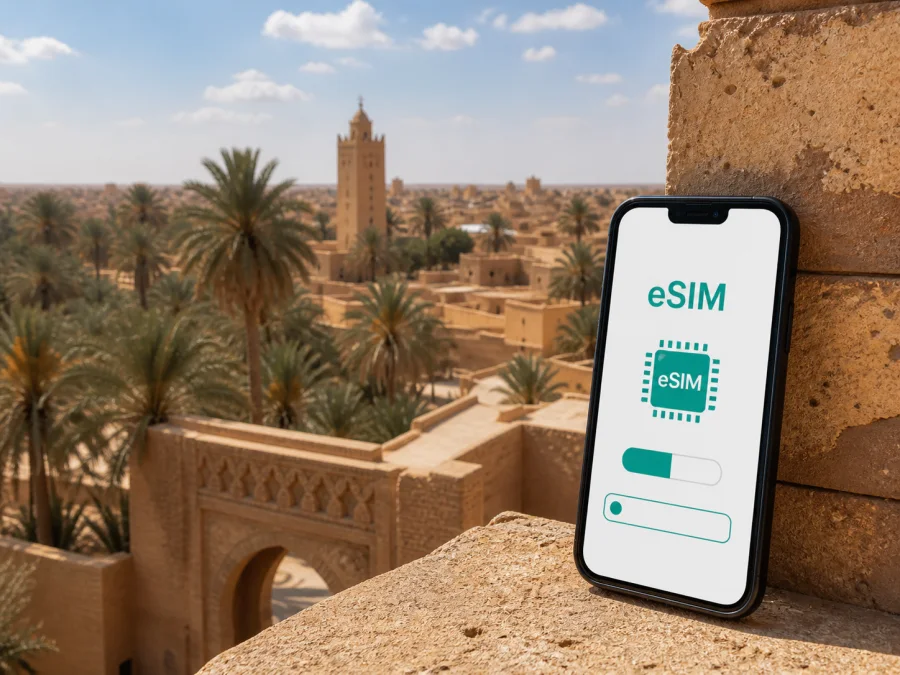
Tozeur eSIM: mobile connection and internet for your trip to Tunisia
Tozeur is a practical base for discovering the oasis landscapes of south-western Tunisia, but a trip here often involves more than checking in at a hotel. You may need to coordinate an airport transfer, open a map at the edge of the palmeraie, confirm a driver’s meeting point, message a hotel, or look up the conditions for a day trip while moving between the city and the desert. An eSIM can give you a way to use mobile internet without changing the physical SIM card in your phone.
Kaspersky eSIM Store is an app and website where you can choose, arrange, and activate an eSIM with a suitable tariff for mobile internet during an international trip. For Tozeur, the useful question is not simply how much data you can buy. It is how you expect to use your phone from the airport to your accommodation, through the medina and palm oasis, and on excursions beyond the city.
Why mobile internet matters in Tozeur
Tozeur combines a compact city with a large surrounding landscape. The airport is outside the built-up centre, the historic medina has streets that are easier to understand on foot than from a car, and many memorable outings lead away from the city toward oases, mountain villages, or the salt-lake landscape. Your phone therefore becomes a practical travel tool rather than just a way to browse.
The first hours after arrival
At Tozeur–Nefta International Airport, a connection can help you:
- open your accommodation details while you are still arranging the transfer;
- send your arrival time to a hotel, guide, or driver;
- compare the meeting point shown in a message with the location on a map;
- translate a short exchange when you need to clarify a pickup;
- check a route before leaving the airport area.
The airport is close enough to Tozeur for the transfer to be a short local journey, but the exact time depends on the road, traffic, and where you are staying. Keep the accommodation name and address available offline as well. A backup is useful if your phone is restarting, your battery is low, or you have not yet selected the eSIM as the active data line.
Moving between the city and the oasis
Tozeur’s medina, central streets, palm-grove routes, and hotel areas require different navigation habits. In older streets, use a map to identify a gate or landmark; around the palmeraie, a guide’s pin and a clear meeting point may matter more. Save every destination in written and map form, then screenshot the route and contact details before setting out.
A city where the itinerary can expand
Tozeur is also a base for trips toward Nefta, Chott el Djerid, and the mountain oases around Chebika, Tamerza, and Mides. These are separate places, so review the tariff’s Tunisia coverage and conditions before leaving the city.
Plan your connection around your Tozeur itinerary
The suitable package depends on your route and habits: a traveller who checks messages and a remote worker joining video calls have different data needs.
Start with the route, not the number of days
Write down the places where you expect to use data:
- The airport and transfer to Tozeur.
- Your hotel, guesthouse, or desert-camp meeting point.
- The medina and central streets.
- The palmeraie and nearby attractions.
- Any route to Nefta, Chott el Djerid, or the mountain oases.
- Your return journey and onward connection.
This prevents choosing a tariff only for hotel nights while overlooking travel days. If you are combining Tozeur with Tunis, Djerba, Hammamet, or another Tunisian destination, make sure the selected direction covers the whole route.
Match the package to how you use your phone
| Travel pattern | Typical use | Planning point |
|---|---|---|
| Short stop in Tozeur | Messages, maps, bookings | Restrict video and automatic backups if the package is small |
| Excursion-heavy stay | Maps, photos, coordination | Allow for travel days and repeated navigation |
| Work trip | Email, documents, calls | Estimate meetings and file transfers separately |
| Family or multi-city trip | Several devices and destinations | Confirm the package and device-sharing conditions |
These are planning categories, not promises about a particular package. Check the actual data allowance, validity period, activation conditions, and any top-up or refund terms shown for the tariff you select. A package with a longer validity may be more practical than one sized only for a single hotel stay if your itinerary includes a late departure or an overnight journey.
Keep the primary SIM available for its original role
If your device and carrier support dual-SIM use, keep your usual number available while selecting the travel eSIM for mobile data. Turn off automatic data switching and review roaming for the home line. The travel eSIM is for mobile internet and does not provide a separate ordinary number, calls, or SMS unless the selected tariff says otherwise. Voice calls, video, uploads, and cloud synchronization use more data than short messages.
Choosing and preparing an eSIM for Tunisia
Kaspersky eSIM Store helps you review a destination and the conditions of available tariffs, then complete the setup flow through the app or website. It does not replace the local mobile network, and the network experience depends on the selected tariff, the local network used by that tariff, your device, and the conditions in the area.
For a Tozeur trip, review the available mobile-internet options for Tunisia after you have a realistic route in mind. Compare the package size and validity with your expected use in the city and on excursions. A large allowance is not automatically the right choice, while a small allowance can become inconvenient if you rely on navigation, remote work, or image uploads every day.
A five-minute selection checklist
Before confirming a tariff, check:
- Destination: Tunisia is included, and the package fits any other Tunisian stops on your itinerary.
- Validity: The active period covers the days when you need data, including arrival and departure days where relevant.
- Allowance: The amount of data matches maps, messaging, calls, uploads, and work tasks you listed.
- Activation: You understand when the validity begins and what action is required after installation.
- Device: Your phone supports eSIM and is not restricted by an operator. Check your device compatibility before buying.
- Settings: You know where mobile data, data roaming for the eSIM, and automatic data switching are located on your phone.
- Practical access: You will have Wi-Fi or another internet connection when you need to download the eSIM profile.
Conditions can vary by tariff. If the package page gives a specific activation window, expiry rule, or top-up condition, use that information as the controlling detail for your plan.
Use a connection across Tozeur
In the medina, save the entrance, accommodation, and meeting point before walking into the shaded streets. In the palmeraie, a guide’s pin or a named landmark may be more useful than a street number. Keep both a written description and a map view.
Tozeur accommodation ranges from central properties to hotels near the oasis or at the edge of town. Save the address, entrance description, check-in time, and a contact method. For an early excursion or late arrival, confirm where a vehicle can stop.
For routes toward Nefta, Chott el Djerid, or the mountain oases, confirm stops and pickup times. Roads and schedules can change, so verify the plan and download essential details before leaving. Business travellers should test authentication, email, document sharing, and meeting apps before departure; include any permitted hotspot use in the data estimate.
How to install the eSIM
Install the profile with a stable internet connection, enough battery, and the QR code or profile information supplied after the order. Your phone must support eSIM. Menu labels differ, so keep the relevant guide open on another device: Android installation instructions or iOS installation instructions.
Before installation
- Confirm that the device is compatible and not carrier-locked. Check your device compatibility.
- Connect to Wi-Fi or another reliable internet source.
- Charge the phone and keep the QR code accessible.
- Read the tariff’s activation and validity conditions.
- Decide whether the eSIM should be used for data immediately or after arrival.
Basic installation sequence
- Open mobile-network or cellular settings.
- Choose the option to add an eSIM or mobile plan.
- Scan the supplied QR code or enter the profile details as instructed.
- Label the new line so that you can identify it as the travel eSIM.
- Select the eSIM for mobile data when you want to use it.
- Enable data roaming for the eSIM if required by the tariff or setup instructions.
- Wait a few minutes for registration and test a simple webpage or message.
Do not remove the eSIM simply because the first connection is not immediate. Check the line selected for data, the signal indicator, the required roaming setting, and the package status first. If you installed the profile before travel, you can leave the line turned off until you reach Tunisia if that matches the tariff conditions. The activation moment and the start of validity are not necessarily the same for every product, so follow the information shown for your selected tariff.
What to check if data does not work
Use this order so that a small settings issue does not become a larger one:
- Confirm that the eSIM line is switched on.
- Confirm that it is selected as the mobile-data line.
- Check whether data roaming is enabled for that line when required.
- Turn airplane mode on briefly, then turn it off.
- Restart the phone if the signal has not appeared after a few minutes.
- Review the tariff status, validity, and remaining data.
- Move to an open location if a building or terrain is affecting the signal.
Keep the physical SIM active only for the functions you need. If the phone offers automatic data switching, disable it while troubleshooting so you can see which line is actually carrying data. Avoid changing several network settings at once; record the original arrangement so you can restore it.
Keep data use predictable
Use hotel Wi-Fi for system updates, large media transfers, and photo backups. Cache maps before longer excursions, close navigation when you arrive, and check the balance or usage view during a multi-day stay. If plans change, review the selected product’s top-up, transfer, or refund terms rather than assuming unused data can be moved or returned.
Frequently asked questions
Is an eSIM useful for a short stopover in Tozeur?
Yes, it can be useful when you need data for an airport transfer, hotel messages, navigation, and a few bookings without buying a physical SIM on arrival. Choose a package whose validity and allowance cover the stopover, and check when the tariff starts counting.
Can I use the same eSIM on a trip beyond the city?
Possibly, if the tariff covers Tunisia and remains valid for the dates of the excursion. Tozeur is a base for routes beyond the urban area, so review the destination and conditions before setting out. Network availability can vary by location and terrain.
Will an eSIM give me a Tunisian phone number?
No, not unless the specific tariff explicitly includes one. In this use case, the eSIM is for mobile internet and does not include ordinary calls or SMS. Internet-based messaging and calling apps can be used when their requirements are met.
Should I install the eSIM before flying to Tunisia?
You can install it before departure if your device is compatible, you have a reliable internet connection, and the tariff conditions permit that timing. You may enable the line after arrival if that matches the activation rules. Installation and the start of validity are not necessarily the same event.
What if my phone supports two SIMs?
Use the eSIM as the data line and keep the other line for the functions you need, if dual-SIM operation is supported. Turn off automatic data switching and review roaming settings for both lines. The menu names vary by device.
What should I do before an oasis excursion?
Save the meeting point, accommodation contact, route details, and return plan. Carry water, protect the phone from heat, and keep a battery reserve. Keep essential information offline in case the signal is intermittent.
Final preparation checklist
On the day before departure, confirm:
- Tunisia is the correct destination in the selected tariff.
- The validity period covers the full Tozeur itinerary.
- Your device supports eSIM and is not carrier-locked.
- The QR code, profile details, and installation guide are accessible.
- Your accommodation address, airport transfer, and key map details are saved offline.
- You know which line will be used for mobile data.
- You understand whether data roaming must be enabled for the eSIM.
- Your phone is charged and has storage for the eSIM profile.
Tozeur rewards a flexible plan: the city’s medina and oasis are close to everyday services, while the most distinctive landscapes require more deliberate transport and timing. Prepare the connection around that difference, keep the tariff conditions visible, and use your phone as one part of a broader travel plan.
Choose your eSIM for Tozeur
When your route, device, and data needs are clear, you can choose an eSIM tariff for your trip to Tunisia through Kaspersky eSIM Store. Review the allowance and validity, install the profile on a compatible device, and activate it according to the selected tariff’s instructions so that mobile internet is ready for the airport, the city, and the roads beyond Tozeur.


