
Travel connectivity guide
Trabzon eSIM for mobile internet in Turkey
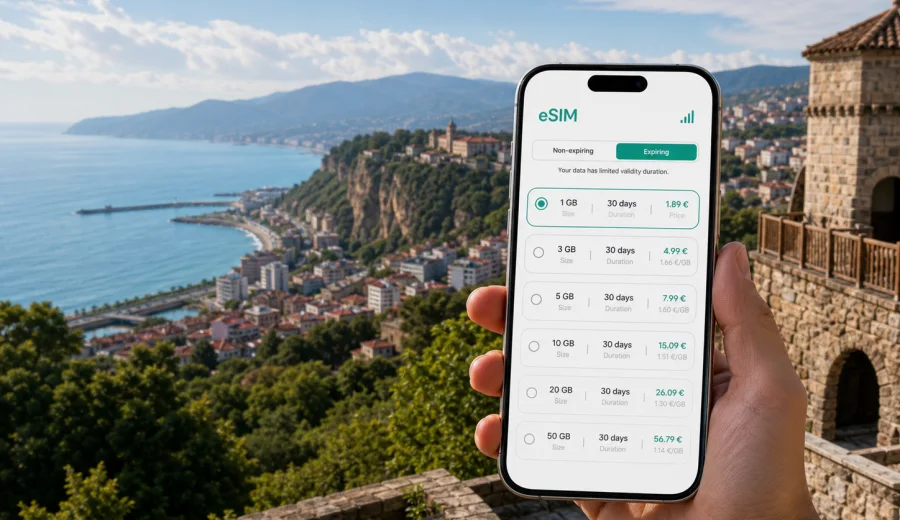
Trabzon eSIM: mobile connection and internet for a trip to Turkey's Black Sea coast
Trabzon is a practical city for travelers who want the Black Sea, mountain routes, business meetings, family visits, and short regional trips in one itinerary. It is also a city where mobile internet starts mattering before you reach your hotel. You may need maps at Trabzon Airport, a ride to Meydan, a message to your host in Ortahisar, or navigation for a day trip toward Sumela Monastery, Uzungol, Rize, or the highlands.
An eSIM can make those first travel tasks easier because you do not need to look for a physical SIM card after arrival. You choose a suitable data plan for Turkey, install the digital SIM on a compatible device, and use mobile data for maps, messaging, transport apps, translation, email, and travel documents. Kaspersky eSIM Store is an app and website where you can choose, arrange, and activate an eSIM with a suitable mobile data plan for an international trip.
This guide is focused on Trabzon, not Turkey in general. It covers arrival, local movement, hotels, districts, business scenarios, stopovers, day trips, data planning, installation, and the checks worth doing before you travel.
Why mobile internet matters in Trabzon
Trabzon is compact in the center, but many useful places are spread along the coast or uphill from the sea. Hotels can be near the waterfront, Meydan, Kalkinma, Yomra, or Akcaabat, and many routes from Trabzon head into valleys or mountain roads. A stable mobile data setup helps you avoid relying only on airport Wi-Fi, hotel networks, or a shop visit on your first day.
Typical moments when an eSIM can help in Trabzon:
- after landing, when you need your hotel address, ride details, or a message thread;
- while checking live traffic along the coastal road;
- when using maps around Meydan, Ortahisar, Boztepe, and the waterfront;
- when sharing your location with family or colleagues;
- during business travel, when you need email, calendar updates, and document access between meetings;
- on day trips where Wi-Fi is not part of the plan;
- when your main SIM should stay in the phone for banking codes or personal calls.
An eSIM for a trip is mainly about mobile data. It usually does not include a local phone number, voice calls, or SMS unless the specific plan terms say otherwise. For calls and messages, travelers often use internet-based apps over mobile data.
Quick answer: when is an eSIM useful in Trabzon?
An eSIM is useful in Trabzon if you want mobile internet without buying a physical SIM card after arrival. It can help with maps, taxis, hotel check-in, translation, messaging, and route planning from the airport to the city center, from Trabzon to Akcaabat, or from the city into the Black Sea highlands. Before buying a plan, check that your phone supports eSIM and is not locked to one carrier.
That short version is enough for many travelers. The rest of the guide helps you choose data, avoid setup mistakes, and plan around real Trabzon travel scenarios.
Arrival at Trabzon Airport
Trabzon Airport is close to the city, but the first 30 minutes still involve decisions: pickup point, hotel address, traffic, and whether you are heading into the center or continuing along the coast. If you already have an eSIM installed, you can usually turn on the correct mobile data line after landing and continue with your trip tasks.
Useful arrival checklist:
| Moment | What mobile data helps with |
|---|---|
| Before passport control or baggage claim | Checking hotel messages, ride details, and travel documents already stored on the phone |
| Outside the terminal | Opening maps, ride apps, or a saved route to Meydan, Ortahisar, Yomra, or Akcaabat |
| On the transfer | Watching traffic, sending your arrival time, and checking whether your accommodation has late check-in instructions |
| If plans change | Finding another hotel, confirming a bus route, or contacting a local host |
If you depend on airport or cafe Wi-Fi, every small change becomes less convenient. With an eSIM, the point is not to make travel perfect; it is to reduce the number of steps between landing and being able to use your phone normally.
Moving around Trabzon with mobile data
Trabzon has a walkable core, but travelers often move between neighborhoods, viewpoints, waterfront areas, restaurants, universities, clinics, offices, and nearby towns. In the city center, data helps with pedestrian routes around Meydan, Uzun Sokak, Ortahisar, and the old town streets. For day trips toward Sumela Monastery, Macka, Uzungol, Rize, or highland areas, keep offline maps as a backup. eSIM does not guarantee coverage in every place, but preparing mobile data before the trip makes the city and regional part of the journey easier to manage.
How much data to plan for Trabzon
The right data volume depends on what you do on your phone. A traveler using maps, chat, email, and light browsing will use much less than someone uploading video, using cloud storage, streaming, or working from a laptop hotspot.
Use this planning guide:
| Travel style | Typical usage in Trabzon | Data planning logic |
|---|---|---|
| Short stopover | Maps, messaging, hotel details, a few searches | Choose a small plan if the trip is one or two days and most heavy use stays on hotel Wi-Fi |
| City break | Navigation, restaurants, translation, photos shared in chat | Choose a plan with enough data for daily movement and evening browsing |
| Business trip | Email, calendars, messengers, documents, video calls if needed | Choose more data and check whether hotspot use is allowed by the plan terms |
| Regional route | Trabzon plus Uzungol, Sumela, Rize, or highlands | Choose a plan for Turkey and allow extra data for navigation and route changes |
| Family travel | Several people asking for maps, bookings, and shared updates | Avoid planning only for one light user if one phone will be the main travel device |
For reliable planning, separate essential data from comfort data. Essential data includes maps, bookings, messengers, transport details, banking notifications, and email. Comfort data includes streaming, large uploads, long video calls, and automatic cloud backups. If you control the second group, a moderate plan can last much longer.
Choosing an eSIM plan for a Trabzon trip
For a city trip to Trabzon, the destination is Turkey, so the country plan should match Turkey rather than a separate city page. The most important filters are data volume, validity period, price, activation rules, and whether the plan covers the whole route you expect to take.
Check these points before you choose:
- destination: Turkey, if your trip is centered on Trabzon and nearby places in the country;
- validity: enough days for the full stay, including arrival and departure days;
- data volume: enough for navigation, messages, bookings, and work tasks;
- activation timing: when the validity period starts according to the plan terms;
- device compatibility: eSIM support and no carrier lock;
- hotspot rules: important if you plan to share data with a laptop or another traveler;
- top-up or replacement logic: useful if your trip changes.
If Trabzon is part of a wider trip through Turkey, the country plan is usually the relevant choice. If your itinerary continues across borders or through multiple countries, check whether a regional plan better fits the route. Do not assume a plan covers a place just because the route is geographically close; always read the destination list and plan terms.
For a Trabzon-focused itinerary, you can choose a mobile data plan for Turkey in Kaspersky eSIM Store before you arrive, then keep the installation details ready on your phone. This is especially useful if your flight arrives late, your hotel is outside the city center, or you are leaving Trabzon soon after landing for a Black Sea route.
Installing eSIM before the trip or after arrival
You can usually install an eSIM before departure while you have a stable Wi-Fi connection, then activate mobile data for the eSIM when the plan terms and your travel timing make sense. The exact steps depend on the device and the selected plan, so follow the instructions shown after purchase.
General setup flow:
1. Check that your phone supports eSIM and is not locked to a carrier.
2. Choose the destination and a suitable data plan.
3. Complete the purchase and open the installation details.
4. Install the eSIM by following the on-screen steps or using the QR code.
5. Select the eSIM line for mobile data when you are ready to use it.
6. If the instructions require it, enable data roaming for the eSIM profile.
7. Keep your primary SIM available for calls or SMS if you still need it.
For device-specific setup, use the Android installation instructions or the iOS installation instructions. Install while you have a stable connection, and avoid deleting an eSIM profile unless you are sure the plan terms allow reinstalling it.
Device compatibility checks
Not every phone supports eSIM, and some models differ by region or carrier. Before you buy a plan, check your device and make sure it supports eSIM. Also check that the phone is not locked to one mobile operator, because a carrier lock may prevent another mobile data profile from working.
Practical checks before a Trabzon trip:
- confirm that your exact phone model supports eSIM;
- update the operating system if you normally postpone updates;
- make sure you can access the email or account where installation details will arrive;
- keep enough battery for installation and activation steps;
- do not wait until you are in a taxi queue with low battery and weak Wi-Fi;
- save the QR code or instructions in a place you can reach during travel.
The best time to solve compatibility issues is before you leave. If the phone cannot add an eSIM profile, a travel day becomes the wrong moment to discover it.
Where mobile data helps most in Trabzon
Trabzon rewards travelers who can adapt during the day. Weather can influence viewpoints, traffic can change coastal travel times, and restaurants or meeting locations may shift. Mobile internet helps in small, repeated ways.
Useful local examples:
- Meydan and Uzun Sokak: maps, food searches, messages, and walking routes;
- Ortahisar: navigation through older streets and photo location planning;
- Boztepe: route checks, ride coordination, and weather updates before going uphill;
- Trabzon waterfront: meeting points, walking routes, and restaurant searches;
- Kalkinma and university areas: hotel navigation and business travel movement;
- Yomra and shopping areas: taxi details, route timing, and family coordination;
- Akcaabat: restaurant plans, coastal routes, and return timing;
- Sumela, Macka, Uzungol, or Rize routes: offline backup plus live updates where coverage is available.
The value is not only speed. It is the ability to make decisions without asking for Wi-Fi, searching for a shop, or handing your phone to someone to explain an address.
FAQ: eSIM for Trabzon
Is there a separate eSIM plan only for Trabzon?
For a city trip, you normally choose a plan for the country where the city is located. For Trabzon, that means Turkey. Check the plan destination and conditions before purchase.
Can I install eSIM before flying to Trabzon?
In many cases, yes. Installing before departure can be convenient because you can use stable Wi-Fi and avoid setup pressure after landing. Read the selected plan terms so you understand when validity and data use begin.
Will eSIM give me a Turkish phone number?
Travel eSIM plans for mobile internet usually focus on data and may not include a local phone number, voice calls, or SMS. If calls and messages are important, check the specific plan terms and use internet-based calling apps where appropriate.
Can I use eSIM for trips from Trabzon to Uzungol or Sumela Monastery?
Choose a Turkey plan if your route stays in Turkey, and keep offline maps as a backup for mountain or valley routes. Mobile coverage can vary by location and local network conditions.
Should I still use hotel Wi-Fi?
You can use hotel Wi-Fi for large downloads, cloud backup, or video calls if the connection is stable enough for your needs. eSIM is useful when you are moving around the city, arriving at the airport, or do not want to depend on public Wi-Fi.
What should I do if my eSIM does not connect?
Check that the eSIM profile is installed, selected for mobile data, and configured according to the plan instructions. Also check whether data roaming should be enabled for that profile. If the issue continues, contact support with your device model and the steps you have already tried.
Final preparation checklist
Before you leave for Trabzon, make sure you have:
- a compatible, unlocked eSIM-ready device;
- a Turkey data plan that matches your stay length and route;
- installation instructions saved and reviewed;
- offline maps for Trabzon and any mountain or coastal day trips;
- your hotel address and booking details saved offline;
- mobile data settings checked for your primary SIM and eSIM;
- a realistic data plan for work, navigation, messaging, and photo sharing.
With those basics ready, mobile internet becomes one less thing to solve during the trip. You can focus on arrival, routes, meetings, food, viewpoints, and the Black Sea itinerary instead of searching for a SIM counter or depending on public Wi-Fi.
If Trabzon is your next destination, you can prepare an eSIM data plan for Turkey in Kaspersky eSIM Store, install it on a compatible phone, and keep mobile internet ready for the first hours in the city and the routes that follow.