Travel connectivity guide
TracFone Wireless eSIM in Puerto Rico: what to check
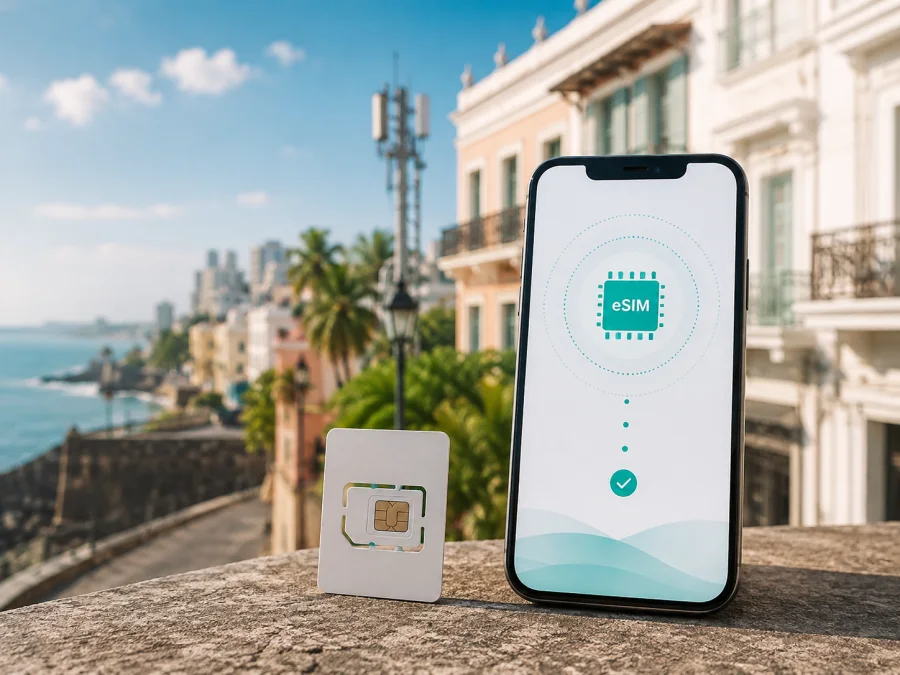
TracFone Wireless eSIM in Puerto Rico: what travelers should check
Published: September 7, 2026. Public information checked on September 7, 2026.
TracFone Wireless is a trademark of its respective owner. Kaspersky eSIM Store is not affiliated with TracFone Wireless and is not its official partner or distributor. Service conditions can change, so confirm them with the relevant service before activation.
If you are searching for “TracFone Wireless eSIM in Puerto Rico”, three questions matter: is the service offered for the intended location, can your exact phone use the digital SIM, and does the activation route shown for your line support your use? TracFone Wireless has a prepaid, no-contract position in the United States and Puerto Rico, while its current public activation material describes eSIM as an option for eligible devices. Those points are a useful starting place, not a universal guarantee for every visitor or phone.
TracFone Wireless in Puerto Rico
TracFone Wireless presents prepaid and no-contract mobile service. Its public pages describe online activation, bring-your-own-phone checks, account management and coverage checking. The operator’s terms state that TracFone Wireless service can be activated only where it is offered and supported. Those terms specifically mention the United States, Puerto Rico and the US Virgin Islands when explaining the geography of ordinary service and the limits of calling outside that area. Puerto Rico is therefore named in the operator’s service information; its availability should not be inferred solely from the brand’s broader US presence.
The pages reviewed on September 7, 2026 describe prepaid and no-contract service generally. I did not find a clearly identified, current tourist eSIM offer for Puerto Rico. Do not assume that a visitor product exists or that every account can use the same activation route. Ask TracFone Wireless which service is available for your address or intended use, whether a new line can be activated with eSIM, and which account or identity steps apply.
What the public eSIM pages confirm
The current TracFone Wireless activation page includes an eSIM path and explains how to find a device’s digital-SIM identifier. It currently lists eSIM activation for specified iPhone generations and Galaxy S24 and later. The TracFone Wireless Help Center contains an eSIM category and an activation FAQ explaining that an eligible device is offered an eSIM option during an activation request. Together, these pages confirm a general eSIM activation workflow for eligible hardware.
They do not say that every eSIM-capable phone, account type or Puerto Rico activation is eligible. I did not find a current public TracFone Wireless page that guarantees universal TracFone Wireless eSIM availability for all Puerto Rico users. Treat eligibility as dependent on the exact phone, line and location until TracFone Wireless confirms it. This is particularly important if you are already abroad, moving an existing number or bringing a phone purchased in another market.
Check your phone before activation
An eSIM is a digital SIM profile stored in compatible phone hardware. It removes the need to insert a plastic card, but the phone still needs supported hardware, an internet connection during setup and an eligible profile.
Use this preparation list:
- Confirm the model and regional version support eSIM.
- Check that the phone is unlocked if you plan to use another travel service.
- Find the IMEI or digital-SIM identifier in Settings.
- Arrange stable Wi-Fi or another internet connection for installation.
- Keep access to the account, email and verification method used for activation.
- Decide which line will handle calls and messages and which will handle mobile data.
- Review data roaming for the home line before departure.
- Save the operator’s support route and your booking details offline.
TracFone Wireless’s activation page says that iPhone users can look under Settings, General and About; Android users should use About phone or a similar device-information menu. Menu labels vary by manufacturer and software version.
A phone can show an eSIM menu and still be unsuitable for a particular service. Regional models may differ in bands or software restrictions, and a carrier lock can prevent a separate travel profile from working. TracFone Wireless’s terms say that a customer bringing a phone is responsible for ensuring it is unlocked and compatible. Complete the operator’s device check before relying on the phone for maps, messages or contact with accommodation.
Activation scenarios
You already use TracFone Wireless
If you are replacing a phone, ask TracFone Wireless whether your line can be moved to eSIM on the new device. Number transfer and account status can affect the process. Do not remove a working profile until instructed.
You are activating a new line
Start with the operator’s activation page and enter the requested IMEI or digital-SIM identifier. Select a digital-SIM option only if it is offered after the eligibility check. If the flow offers only a physical SIM or sends you to customer care, follow that result.
The public activation workflow explains that an eligible digital-SIM IMEI can continue without a physical card, but it does not promise the same outcome for every Puerto Rico line. Confirm the destination and service eligibility before treating the phone as ready for travel.
You need mobile internet for a short trip
First decide whether you need a regular local line or data while keeping your home number available. A local operator activation may involve an account, eligibility and a phone number. A travel eSIM is usually selected for a destination and commonly used for mobile data.
Kaspersky eSIM Store is an application and website that helps a user choose, arrange and activate an eSIM with a travel data plan. It is not a mobile operator, does not own TracFone Wireless or any other network, and does not provide network coverage. Its Puerto Rico route is a separate travel-data option to consider when local operator eSIM eligibility or account activation is not confirmed. Read the current conditions shown for the destination before activation.
Local line or travel eSIM?
The technologies may look similar, but the service relationship is different:
| Question | TracFone Wireless line | Travel eSIM |
|---|---|---|
| Relationship | Operator account and local eligibility | Destination-focused travel connectivity |
| Setup | Operator activation and device check | Online arrangement and eSIM installation |
| Phone number | Depends on the activated line | Often data-focused; check the description |
| Coverage | Operator location and device tool | Destination page and service conditions |
This is a reference to service models, not a comparison of specific products or service conditions. If ordinary calls or SMS are essential, confirm that requirement before choosing a data-focused travel eSIM. On a dual-SIM phone, controls vary by model.
When you are ready to review the travel route, use eSIM options for Puerto Rico after checking the device and deciding which line should carry mobile data.
Coverage and supported technologies
TracFone Wireless’s coverage page provides a coverage-checking workflow for location and device information. It describes service over carrier networks rather than presenting TracFone Wireless as their owner. TracFone Wireless’s terms likewise state that the networks carrying voice, text and data are owned and operated by licensed commercial mobile-radio providers, not by TracFone Wireless.
For technology, TracFone Wireless’s current pages say that its service plans are compatible with 4G LTE and 5G, and that a 5G-capable phone is required for 5G service in a 5G coverage area. Its 5G FAQ also says that 4G devices continue to work on a 5G network, subject to service and coverage conditions. These statements describe supported standards, not a promise of a particular connection at every address.
Coverage can vary by place, device, terrain, buildings, weather and outages. TracFone Wireless’s terms say that coverage maps are approximate, do not guarantee service availability and can include areas with limited or no service. For Puerto Rico, enter the location and device details in the current coverage tool. If your trip includes interior spaces, rural roads, mountains or a boat excursion, plan for changing coverage.
How to install a travel eSIM
If a travel eSIM fits your needs, prepare it while you have reliable internet.
1. Check compatibility
Confirm eSIM support and verify that the phone is not locked to another operator. Regional variants can differ, so use a current compatibility check when available.
2. Arrange the service
Choose Puerto Rico in the Kaspersky eSIM Store app or website and read the current service description. The store helps the user select, arrange, install and manage a travel eSIM; it is not the carrier providing the radio network.
3. Install the profile
Open the eSIM in your profile and follow the on-screen instructions. If a QR code is supplied, scan it from the phone’s mobile-network settings. Keep the phone on stable Wi-Fi during installation, and do not repeatedly scan the same activation code.
4. Select mobile data
Open SIM or mobile-network settings and select the travel eSIM for mobile data. Keep the home line available for calls or messages only if that is your intention. Some devices require data roaming to be enabled for a travel eSIM; check the provided instructions and review the home line separately.
5. Test after arrival
Allow the phone time to register with an available local network. Confirm that the travel profile is selected for data and that the home line is not using data unintentionally. If there is no connection, review the selected line and roaming setting, restart once, and follow the service support route. Do not change many settings at once.
Restrictions and troubleshooting
Activation is not proof of coverage. The phone still needs an available network where it is being used, and the service can have geographic, account and device conditions. Ask TracFone Wireless about Puerto Rico specifically if your connection is needed for navigation or emergency preparation.
A travel eSIM may be data-only and may not include a regular phone number, cellular voice or SMS. Internet calls and messaging can work through apps when accounts were prepared beforehand, but that is not the same as ordinary cellular voice service. Tethering and multiple active SIMs depend on the phone and service conditions.
If mobile data fails, use this sequence:
- Check that Airplane Mode is off and the intended line is on.
- Confirm that the travel eSIM is selected for mobile data.
- Check the travel profile’s roaming setting if the device requires it.
- Move to an open area and wait briefly for registration.
- Restart the phone once and review the line settings again.
- Contact support with the exact device model and error message.
For TracFone Wireless, start with the operator’s activation, coverage and Help Center flows. If the eligibility result does not offer eSIM, treat that as the current result for the checked line. For a travel eSIM, check the purchase profile and installation status in the app or website, and avoid deleting the profile while abroad unless support instructs you to do so.
FAQ
Is TracFone Wireless eSIM available in Puerto Rico?
TracFone Wireless’s current activation pages confirm an eSIM option for eligible devices in its general workflow, and its terms name Puerto Rico in the service geography. I did not find a public page guaranteeing every eSIM activation for every Puerto Rico user. Check the exact device, line, address and account route with TracFone Wireless before relying on it.
Is there a separate TracFone Wireless tourist eSIM offer?
The public pages reviewed describe prepaid and no-contract service generally, but I did not find a clearly identified tourist-specific eSIM offer for Puerto Rico. Ask the operator for current visitor options and restrictions.
Does Kaspersky eSIM Store replace TracFone Wireless?
No. Kaspersky eSIM Store is an app and website that helps users choose, arrange and activate an eSIM travel-data service. It is not an operator, network owner or mobile-internet provider. It can be considered as a separate travel-data route when local operator eSIM availability is not confirmed.
Conclusion
TracFone Wireless has a documented general eSIM activation route for eligible devices and publicly identifies Puerto Rico within its service geography. The available evidence does not support a blanket promise that every TracFone Wireless eSIM activation works for every traveller in Puerto Rico. Use the exact device and line details in the operator’s current tools, and ask TracFone Wireless to confirm the result.
If you need a separate mobile-data route for a short visit, Kaspersky eSIM Store can help you review a Puerto Rico travel eSIM, check compatibility and complete installation through its app or website. It remains separate from TracFone Wireless and the underlying network. Whichever route you choose, verify conditions on the day of activation, prepare the compatible phone in advance and keep an offline backup for essential travel information.
This article was checked on September 7, 2026 against TracFone Wireless’s activation page, Help Center eSIM and activation sections, coverage page and terms and conditions, plus the Puerto Rico page and product information of Kaspersky eSIM Store. Public service conditions, coverage, supported devices and activation routes may change; confirm them again with the relevant service before activation.


