Travel connectivity guide
Triesen eSIM: Mobile Internet in Liechtenstein
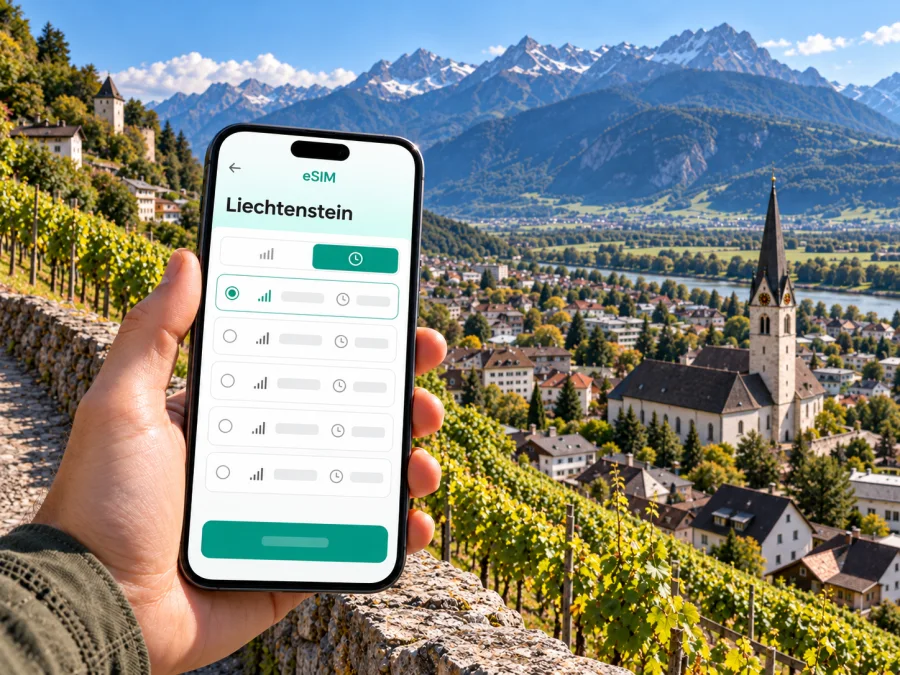
Triesen eSIM: a practical guide to mobile connection and internet in Liechtenstein
Triesen is a useful base for a trip through Liechtenstein: it sits just south of Vaduz, between the Rhine Valley and the mountain slopes. A mobile data connection can help you check a bus connection, find your accommodation, follow a walking route, or message someone after arriving. An eSIM is one way to prepare that connection without replacing your physical SIM card.
A geographic note helps set expectations: Triesen is officially a municipality, often described locally as a village, rather than a city in the large urban sense. The advice below focuses on the place travelers mean when they search for Triesen: the village centre, nearby sights, local transport, and onward journeys through Liechtenstein.
Why mobile internet is useful in Triesen
Triesen has a compact village centre, but a visit can quickly extend beyond it. You may walk between the older settlement, accommodation, a bus stop, a vineyard, and the start of a hillside path. A map helps you understand these distances and choose where to change from walking to a bus. Live data is also useful for checking a timetable shortly before you leave, since service updates or seasonal schedules can affect a planned connection.
The municipality’s profile describes Triesen as Liechtenstein’s third-largest municipality by population, with 5,610 residents recorded at the end of 2024. It lies between the Rhine and the Alpine landscape. In the older village area, traditional buildings and vineyards sit alongside chapels; farther out, the setting becomes more rural and steep. That change of terrain matters when you plan a route: a short distance on a map may involve a climb, and an offline map is a sensible backup for a walk.
A phone can be useful for more than directions. Travelers commonly rely on it to:
- retrieve a hotel or apartment booking and contact the host;
- check a bus departure and identify the correct stop;
- look up opening hours before walking to a sight;
- use translation, messaging, or a ride service where available;
- share a location with a companion or contact home;
- access a work calendar, meeting details, or a video call while away.
None of these tasks requires constant high data use. The main benefit is having the option to look up current information when plans change, rather than depending entirely on public Wi-Fi or a saved screenshot.
Arriving in Triesen: plan the whole transfer
Liechtenstein has no airport of its own. The official tourism information lists Zürich-Kloten, Altenrhein, and Friedrichshafen among the nearest airports, with Zürich about 115 km away and Altenrhein about 50 km away. The best arrival point depends on your flight and onward connections, so compare the complete journey to Triesen rather than choosing an airport by distance alone.
For rail travel, the tourism office points visitors toward stations at Sargans and Buchs in Switzerland and Feldkirch in Austria, where they can transfer to LIEmobil buses into Liechtenstein. From an airport, the practical sequence is usually a train or road transfer to one of these interchange points, followed by a bus or taxi for the final leg. Check the connection for your actual arrival time: late arrivals, Sunday service, public holidays, and disruptions can change which option is convenient.
Before leaving the airport or station, make sure you can access:
- Your accommodation address in a saved note, including the postal code if available.
- The route from your arrival station to the bus stop or taxi pickup point.
- Your ticket details and any transfer information.
- A map of Triesen that remains available if mobile data drops.
- A way to contact your host if your arrival is delayed.
The ride from a large airport can cross network borders before you reach Liechtenstein. If you use your home SIM, check its roaming zone and prices for Switzerland, Austria, and Liechtenstein separately. A plan that includes one of these places does not automatically include the others.
Getting around the village and nearby destinations
LIEmobil is the public transport operator for Liechtenstein. Its published 2026 timetable includes the local bus route between Triesen and Vaduz, and official tourism information describes bus connections from the country’s rail interchange stations. Use the current timetable for the day and stop you need instead of relying on a general route summary. The exact service, frequency, and operating hours vary by line and date.
Triesen’s centre is walkable for many visitors, but the municipality extends from the Rhine plain into the mountains. Accommodation, a trailhead, or a hillside viewpoint may be at a noticeably different elevation from the village’s main road. Check the route profile as well as the distance, especially if you are carrying luggage, traveling with children, or returning after dark.
Instead of trying to remember every connection, save the route and stop you need, then check the current timetable on the day. Download an offline map for walks, especially if you plan to leave the village centre. A phone is a planning aid, not a substitute for local signs or current trail conditions. In the mountains, weather matters more than a map estimate; ask locally if you are unsure whether a path is suitable.
Village sights, walks, and places to save
Triesen is not simply a stop between Vaduz and the mountains. Its historic core gives you a reason to slow down and explore on foot. The municipality describes its older centre as a group of historic houses framed by vineyards and chapels. The Chapel of St. Mamerten stands on elevated ground above the village; the official tourism listing identifies it as the oldest chapel in Liechtenstein. The approach and surrounding terrain make a map useful, but check access and walking conditions before you go.
The old weaving mill, built in 1863 and now a protected industrial site, gives a different view of Triesen’s history. The contrast between village architecture, former industry, and the mountain backdrop is part of what makes a short walk here distinct from a visit to a larger city. Other possible stops include the parish area, local sports and leisure facilities, and the paths linking the village to the wider landscape. Confirm opening times for indoor venues before you travel; not every public building or cultural space is open to casual visitors at all times.
For a first walk, save your accommodation, nearest bus stop, the places you hope to visit, and a return option. This is especially useful on a day trip from Vaduz, Sargans, or Buchs when you have a fixed onward connection. Save places before leaving Wi-Fi, then use mobile data for updates rather than repeatedly loading a map.
Choosing an eSIM plan for Triesen
An eSIM plan is tied to a country or region and to its stated data allowance, validity, and other conditions. For a stay in Triesen, confirm that Liechtenstein is included as the destination. A Europe or regional plan may include it, but the label alone is not enough: read the country list and the plan details. If your itinerary also includes Switzerland or Austria, check those destinations separately.
Kaspersky eSIM Store is an app and website where you can choose, purchase, and activate an eSIM with a suitable plan for mobile internet during an international trip. Plan details can change, so review the current destination list, data amount, validity, and price at the time you make your selection. Explore the available data plans for Liechtenstein before you travel, and compare the stated allowance with how you expect to use maps, messaging, work apps, and media.
Estimate data from the way you will use your phone: maps and messages are modest needs, while video calls, streaming, and frequent photo uploads can use much more. Compare the included data with your trip length and check whether unused data expires or adding data later is possible; do not assume either without reading the plan terms.
| Travel pattern | Compare before choosing |
|---|---|
| Day visit | Country coverage, validity, and enough data for maps and messages |
| Several nights | Trip length, allowance, and expiry rules |
| Remote work | Meeting and file-transfer needs; hotspot terms |
| Cross-border route | Every country included and the plan’s validity |
A data-only eSIM generally does not replace a conventional phone number. Check the specific plan terms for voice calls and SMS. You can keep your usual SIM active for calls or messages if your device supports dual SIM, but your home carrier may charge roaming fees. Messaging and internet calls can work over data, subject to the app and the connection available at the time.
Liechtenstein is not the same as Swiss roaming
Liechtenstein is a separate country with its own licensed mobile network operators. The national communications authority lists Telecom Liechtenstein AG, Swisscom (Schweiz) AG, and Salt (Liechtenstein) AG as licensed operators with their own radio networks. The current Liechtenstein destination page in Kaspersky eSIM Store names 7ACHT and FL1 in its local-provider information. Check the terms for the particular package you select; a provider label does not guarantee a signal at every address. This distinction matters when comparing a plan that covers Liechtenstein with a Swiss roaming allowance or a Swiss network name that happens to appear on your handset.
The national communications authority warns that signals from foreign mobile stations can reach border areas, so a phone may register on a network from another country. Your home carrier’s roaming charges and the selected eSIM’s coverage are separate. Check both, and if the displayed network seems unexpected, pause data use until you confirm the selected line and plan terms. Manual network selection can help in some cases; follow the eSIM instructions and restore automatic selection when appropriate.
Check the network again when traveling near the Rhine or crossing into Switzerland or Austria. Do not infer plan coverage or price from a network name alone: the destination list and conditions for your exact plan determine what is included.
Check your phone before you buy
Device support depends on the precise model, its market version, and whether the phone is carrier-locked. Some regional variants of a model may differ, so a family name or a similar model number is not conclusive. Before paying, check the device settings for an option to add an eSIM, confirm the exact variant with the manufacturer or seller, and make sure the phone is not locked to a carrier. Check whether your device supports eSIM.
Also check that you can connect to Wi-Fi or another internet connection while installing the eSIM. Keep access to the QR code or activation details on a second screen or saved location if the same phone will be used for setup. Do not delete an installed eSIM profile just because it is not currently selected for mobile data; some profiles cannot be installed again after deletion.
How to install and use the eSIM
The exact menu names vary by operating system and model, but the general sequence is:
- Confirm that the device supports eSIM and is unlocked.
- Choose a plan that lists Liechtenstein and review its allowance, validity, and activation conditions.
- Install the eSIM over a stable internet connection, following the instructions supplied with the plan.
- Label the new line clearly, for example “Travel data,” so it is easy to identify.
- Set the travel eSIM as the mobile-data line when you want to use it.
- Enable data roaming for that eSIM only if the plan’s instructions require it; this setting may be needed for some travel plans.
- Keep your home SIM’s data roaming off unless you have checked its charges and intend to use it.
- After arrival, confirm the selected data line and the network shown on the phone.
For device-specific steps, use the Android eSIM installation guide or the iOS eSIM installation guide. Install before departure if you want to avoid doing setup while carrying luggage, but read the plan’s activation rules first. Installing a profile and beginning its validity period are not always the same event; the plan terms explain when the clock starts.
If data does not work, confirm that airplane mode is off, the intended eSIM is enabled, mobile data is assigned to it, and the plan remains valid. Restarting the phone may help it register again. If service still fails, use the plan’s support route rather than deleting or repeatedly reinstalling the profile.
Practical itineraries
Arrive by rail, then continue by bus. Check the LIEmobil connection from Sargans, Buchs, or Feldkirch and save your accommodation address offline. In Triesen, verify the final walk; the nearest stop may not be the easiest with luggage if your accommodation is uphill.
Spend a day between Triesen and Vaduz. Save the bus route in both directions and check the return timetable before visiting a hillside sight. Leave time for the walk and recheck departures if your plans change.
Work from a hotel or guesthouse. Ask about Wi-Fi before relying on it. Estimate data use for meetings and cloud files, and confirm whether the eSIM plan permits tethering before using your phone as a hotspot.
Continue into Switzerland or Austria. Check that each country is included in your plan. Save tickets and maps in advance so a temporary loss of data does not interrupt the journey.
FAQ
Is Triesen a city?
Triesen is a municipality in Liechtenstein and is often described as a village. It is immediately south of Vaduz. This guide uses “city” in the broad travel-search sense while keeping the official geographic description clear.
Is there an airport in Triesen or Liechtenstein?
No. Liechtenstein has no airport. Travelers generally arrive through nearby airports in Switzerland, Austria, or Germany and continue by train, bus, car, or taxi. Check the full route to Triesen for your arrival time.
Does an eSIM for Switzerland automatically work in Triesen?
Not necessarily. A Swiss plan and a Liechtenstein plan are not interchangeable by default. Confirm that Liechtenstein appears in the plan’s included destinations and check the terms for any regional package.
Will a travel eSIM give me a local phone number?
Usually, a data-focused travel eSIM is for mobile internet and does not include a regular number, calls, or SMS unless the plan explicitly says so. Check home-carrier roaming costs if you keep your usual number active.
Should I leave data roaming on?
Use the setting required by the eSIM’s instructions. Some travel eSIMs require data roaming to be enabled for that profile. Keep roaming disabled on your home SIM unless you have confirmed the charges and want to use it.
Can I rely on mobile data on a walk above the village?
Do not assume continuous coverage on every path or hillside. Download a map in advance, check weather and trail information, and carry enough battery.
What if my phone connects to a Swiss or Austrian network in Liechtenstein?
Border-area signals can cross national boundaries. Check the active SIM or eSIM and its coverage terms before using data. The displayed network name alone does not confirm whether usage is included.
Prepare your connection before the trip
Before leaving, save your accommodation details, the route from your arrival station, the LIEmobil timetable for your travel day, and an offline map of Triesen. Check that your handset supports eSIM, compare country coverage with your full itinerary, and keep your home SIM’s roaming conditions in mind. These small checks make it easier to navigate the village and adjust plans if a transfer changes.
When you are ready, review the current Liechtenstein eSIM data options in Kaspersky eSIM Store, choose a plan whose country coverage, data amount, and validity fit your journey, then install it on a compatible device. Read the plan’s activation instructions before departure so you know when service begins and what to select after you arrive.


