Travel connectivity guide
Triesenberg eSIM: Mobile Internet in Liechtenstein
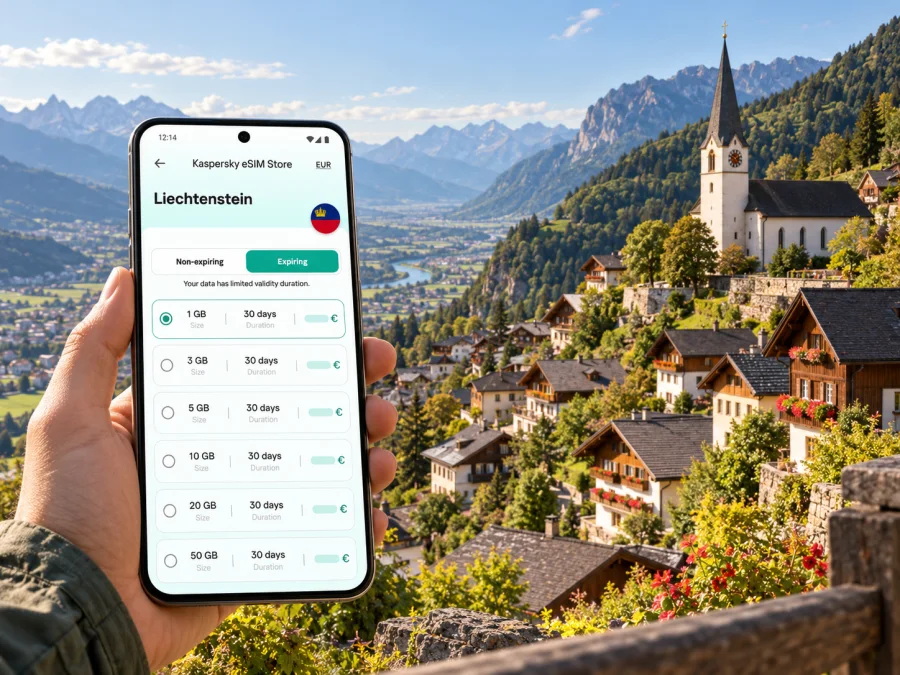
Triesenberg eSIM: mobile connection and internet for a mountain stay
Triesenberg is a hillside municipality in Liechtenstein, not a large urban centre with a compact grid. The village sits above the Rhine valley, while the municipality also includes places such as Steg and the mountain resort of Malbun. That layout shapes a visitor’s connectivity needs: checking a bus, following a walking route, contacting accommodation or looking up a change of plan while moving between the village and higher ground.
An eSIM can make mobile data easier to prepare. Choose a plan whose terms include Liechtenstein, install the digital SIM on a compatible, unlocked device and use it for maps, messaging, bookings and other data tasks. It does not guarantee reception on every trail or inside every building. Terrain, the network available at your location, your device and the plan terms all matter.
This guide focuses on mobile internet for a Triesenberg visit: arriving from the valley, moving between the village and mountain destinations, planning a walk or ski day, and preparing an eSIM without confusing country-level availability with service in a particular spot.
Why a stay in Triesenberg needs a little planning
Many city guides assume visitors spend most of the day in adjacent neighbourhoods. Triesenberg is different. You might stay near the village centre, take a bus towards Steg or Malbun, travel down to Vaduz for an appointment and return to accommodation on the slope. A route that looks short on a map can involve a change in elevation, a less frequent connection or a walk from a stop to a trailhead.
Triesenberg is part of Liechtenstein, not a district of Switzerland or Austria. Those countries are nearby and may be part of a wider itinerary, but a plan for Switzerland alone should not be assumed to include Liechtenstein. Check the precise destination list before checkout if you will cross a border.
The village centre, Steg, Malbun and Gaflei are different points in a mountain area, with different starting points, elevations and transport patterns. Use a current map and timetable for the exact walk or connection. Mobile data is useful for checking a service notice or weather update, but save stable details offline too: a map, your accommodation address, booking references and the return connection. A phone may lose reception, run out of battery or be affected by cold weather.
Arriving and getting oriented
Visitors generally approach Liechtenstein by rail through a nearby station in Switzerland or Austria, then continue by bus. The best connection depends on your starting point and travel date. Triesenberg is reached by road; plan the final bus leg rather than expecting a train to arrive in the village.
Use this sequence to check the journey:
- Identify the station or valley town where you change to a bus.
- Check the connection to Vaduz or another suitable transfer point.
- Look up the onward service to Triesenberg, Steg or Malbun.
- Confirm the stop closest to your lodging or walk, not just the destination name.
- Save the final route and accommodation address before leaving reliable Wi-Fi.
LIEmobil’s network includes a route between Vaduz, Triesenberg and Malbun via Steg, plus local services connecting parts of Triesenberg with the centre and main routes. Service patterns can vary by day and season; confirm the date-specific timetable and operating notices. Save a screenshot of your return journey before a hike, but recheck it on the day in case of changes.
The municipality spreads across a slope, so accommodation described as “in Triesenberg” may not be a short, level walk from every other address. Check the final approach, elevation and luggage situation. If you arrive after dark, ask your host for directions from the nearest stop and save them in advance.
Moving between the village, Steg and Malbun
The bus route between Vaduz, Triesenberg and Malbun passes through Steg. Local services also connect parts of the municipality with the centre and main route. Mobile internet does not replace a timetable; it helps you consult timetables, notices, maps and messages as plans change.
| Part of the visit | What to plan | Useful online task |
|---|---|---|
| Village centre | Locate your lodging, meeting point or attraction | Open saved directions and message your host |
| Steg | Confirm the correct stop and walking route | Compare the stop with your map and check conditions |
| Malbun | Check connections in both directions | Recheck a service notice and coordinate with your group |
| Gaflei or another high point | Verify service on your travel date | Save route details and confirm the return plan |
| Vaduz connection | Allow time between valley and mountain routes | Check journey changes and update your arrival estimate |
Treat the mountain leg as its own part of the day. If travelling from Vaduz to Malbun, confirm where to get off and whether a transfer is needed. A walk may start at a stop outside the resort centre. Return services can depend on the date, season and operating notices; an old screenshot is not proof that a bus still runs at that time.
For walks, save the route before leaving and keep enough battery for the return. Carry a suitable backup map or route note; cold weather can reduce battery performance.
If driving, use data for route updates but follow local signs and restrictions. Check that conditions suit your vehicle and experience.
Choosing an eSIM plan for a Liechtenstein stay
You do not need a city-specific tariff just because Triesenberg is your destination. Choose a plan whose terms include Liechtenstein and whose data allowance and validity fit the trip. A country plan may suit a stay centred on Liechtenstein; a regional plan can help if the itinerary also includes neighbouring countries. Never infer cross-border inclusion from a plan name alone.
Before purchase, compare:
- Included destinations: confirm Liechtenstein explicitly. Check Switzerland and Austria separately if you will visit them.
- Data allowance: maps, messaging and email differ from video calls, uploads or streaming, which can use data faster.
- Validity: match the active period to your dates, and check when it begins and whether scheduled activation is available.
- Network conditions: the current plan terms identify the relevant local or partner networks. No plan can promise identical reception in a valley, indoors and on a ridge.
- Device requirements: your phone must support eSIM and be unlocked. Regional versions of the same device family can differ.
- Data-only use: unless stated otherwise, do not expect a new phone number, ordinary calls or SMS. Keep your regular number available if needed.
To review current destination options, choose an eSIM data plan for Liechtenstein. This is the country page, not a special Triesenberg tariff. Check live plan details, included destinations, duration and price when selecting; they can change.
Match the plan to your travel pattern
A short stay with light use may need less data than remote work, video calls or frequent photo uploads. Estimate usage from the activities you expect, then add a buffer if changing plans would be inconvenient. The largest allowance is not automatically the best fit if its validity misses your dates or it excludes a country on your route.
| Travel pattern | Typical data tasks | Planning approach |
|---|---|---|
| Weekend in the village | Messages, maps, bookings, occasional searches | Save maps and addresses; estimate light daily use |
| Hiking and excursions | Route, weather, transport and messages | Keep maps offline and reserve data for live updates |
| Work trip | Email, documents, authentication, possible calls | Check app demand and whether tethering is allowed |
| Multi-country itinerary | Navigation and messaging across borders | Confirm every country in the selected plan’s terms |
| Longer stay | Regular use and possible top-ups | Compare validity and top-up conditions |
Wi-Fi at your accommodation may help with larger downloads, but it will not follow you onto a bus or trail. You can use your home SIM for voice or SMS and set the eSIM as the mobile-data line, depending on your device settings and home operator’s charges. Check those charges before travel.
Check your phone before travel
Compatibility depends on the exact device. Manufacturers may sell regional variants under one model name, and eSIM support can differ by model number, software and carrier lock status. Do not rely only on a general list or another person’s phone.
Before purchase, check whether your device supports eSIM and confirm it is unlocked. Also check that the operating system is up to date and that you can connect to Wi-Fi during setup. For a work-managed phone, ask whether the administrator restricts adding another mobile profile.
Quick check:
- Find the exact model or model number in device settings.
- Confirm eSIM support for that regional version.
- Check that the phone is not carrier-locked.
- Keep the purchase account and installation details accessible.
- Leave time to install and test the profile before you need it.
Do not delete an eSIM profile while troubleshooting unless the plan instructions say it can be installed again. Some activation codes are intended for one installation, and transfer rules vary. Contact support before removing the profile if you are unsure.
Install and activate before the mountain leg
You can often prepare an eSIM before travelling, then select it for mobile data when appropriate. Device screens differ, so follow your phone’s current instructions. See the Android eSIM installation guide or the iOS eSIM installation guide.
- Connect to stable Wi-Fi and open your order or eSIM profile.
- Read the plan’s activation and validity conditions.
- Add the eSIM through mobile-network settings or the supported in-app flow.
- Label the profile clearly, such as “Liechtenstein data”.
- Keep your home SIM enabled if needed for calls or messages, while checking its roaming charges.
- Select the travel eSIM for mobile data when ready to use it.
- If the plan instructions require data roaming for that eSIM, enable it for that profile and follow the stated conditions.
- After arrival, allow time for registration and confirm which profile is being used for data.
Installation and first network registration are separate. The start of validity depends on the plan: it may be tied to purchase, installation, first connection or a scheduled time. Follow the selected plan’s terms. If you want to wait until arrival, keep mobile data assigned to your usual line until then.
If there is no service, check that the profile is on and selected for data, confirm that the plan includes your current country, and review any required roaming or access-point settings. Follow the device instructions, try a more open location and allow time for registration. Reception varies with terrain and buildings; one weak-signal location does not establish whether the plan is active elsewhere.
Using data for maps, messages and work
Be deliberate about what needs a live connection. Use data for things that change—a bus notice, a host’s message, a weather update or a new meeting point. Save stable information such as addresses, booking references, maps and walking notes before setting out. This helps if reception drops or you keep your phone away for part of a walk.
For navigation, search by the full destination name and verify the pin. It may point to a car park, stop or access road rather than the entrance you need. For a trail, confirm the starting point and return connection instead of following the first route an app suggests.
For work, download key documents on Wi-Fi. Check whether your plan allows tethering; laptop synchronisation and updates can use data quickly.
A data-only eSIM can support internet calls and messaging apps, but does not automatically provide a local number. Keep another calling option if contacts need to reach you by regular phone call.
Practical scenarios
Weekend based in the village
Save the accommodation address, a local map and reservation details before departure. A modest allowance may be enough for messages, route checks and searches, depending on your habits and apps. Check the return bus before a walk and keep an offline copy in case you cannot refresh the timetable.
Day trip to Malbun
Check outbound and return legs, including the stop and any seasonal notes. Download your walking route, review weather and trail information, and use live data for changes rather than as your only navigation source. If travelling as a group, agree on a meeting point and time while everyone is connected.
Meeting in Vaduz, overnight in Triesenberg
Save the venue address and check the bus from your nearest stop. Leave time for the change between valley and mountain routes. Keep your usual number available if colleagues expect a standard call, and use the eSIM data line for maps, email and messages if that suits your setup.
Crossing a border
A Liechtenstein itinerary may also include Switzerland or Austria. A Liechtenstein plan does not automatically cover Switzerland, and “Europe” can mean different destination lists. Check every country in the plan terms, as well as roaming settings, before crossing. Save an offline map in case the phone takes time to connect to another local network.
If your connection is unreliable
In a mountain municipality, reception can change over a short distance. Hills, valleys, buildings, weather, indoor location and the network in use can all affect it. Kaspersky eSIM Store is an app and website for choosing, purchasing and activating an eSIM with a suitable travel data plan; local network conditions determine where the device connects. No plan label can promise a particular signal in a room or along every trail.
Try these steps:
- Check that mobile data is enabled and assigned to the intended eSIM.
- Confirm the profile is active and the plan covers your location.
- Review device notices and plan-specific settings.
- Move outdoors or to a more open area and allow time for registration.
- Restart the phone if the setup instructions recommend it.
- Use Wi-Fi or your home SIM for an urgent message if available, checking roaming charges.
- Contact support with the device model, location, time and steps already tried.
Do not delete the eSIM as a first step. If its activation profile is single-use, removal may make reconnection harder. Keep the profile and follow the plan provider’s troubleshooting instructions.
Frequently asked questions
Is Triesenberg in Liechtenstein?
Yes. Triesenberg is a municipality in Liechtenstein. Nearby Switzerland and Austria are separate countries, so check whether a plan includes them if your itinerary crosses a border.
Is there a special eSIM plan for Triesenberg?
A city-specific plan is not required based on the destination name. Select a plan whose terms include Liechtenstein, then check its allowance, validity and network conditions. The country page shows current options, not a tariff exclusive to Triesenberg.
Will mobile internet work on every trail or inside every hotel?
That cannot be guaranteed. Reception depends on the local network, terrain, buildings and device. Save maps and key details offline, and check current route conditions before setting out.
Can I use an eSIM for ordinary calls and SMS?
A data-only eSIM does not include a standard number or ordinary calls and SMS unless the plan explicitly says otherwise. Internet messaging and voice apps can work over data; your regular SIM may remain available for calls under its own terms.
Should I install an eSIM before arriving?
You can often install it in advance over Wi-Fi. Read the activation rules first because validity starts at different points for different plans. Keep your usual data line selected until you want the travel eSIM to be used.
Does a European plan include Liechtenstein?
Not necessarily. Check the exact destination list; the word “Europe” does not guarantee the same countries in every product.
What if eSIM support differs between regional phone versions?
Check the exact model number and variant sold in your market, not only the product family name. Confirm it is unlocked and use the compatibility checker before choosing a plan.
Prepare your connection before you go
Before visiting Triesenberg, confirm the final bus and stop, save your address and route offline, check your phone’s exact eSIM compatibility, and read the plan’s destination and activation terms. Keep a backup for navigation and return travel, especially when heading above the village or travelling outside busy service periods.
Kaspersky eSIM Store is an app and website where you can choose, purchase and activate an eSIM with a suitable data plan for an international trip. Review the current Liechtenstein options and choose a plan for your trip to Triesenberg, then install it using the instructions for your device. The country page shows Liechtenstein plans; the selected plan’s terms determine its allowance, validity and network conditions.


