Travel connectivity guide
Trinite eSIM: Mobile Internet for Your Trip
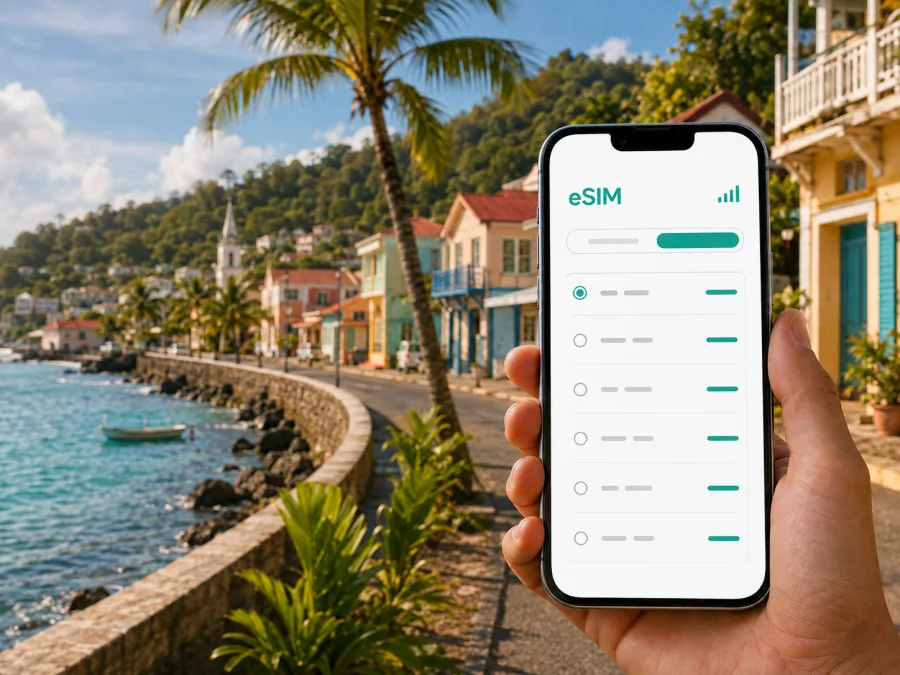
Trinite eSIM: mobile connection and internet for your trip
Trinite is a practical base for exploring the Atlantic side of Martinique. You may arrive through the island’s international airport near Le Lamentin, continue by road towards the northeast, and then divide your time between the town, the Caravelle peninsula, Tartane and other coastal stops. In each of these situations, mobile internet helps with navigation, messages, reservations and changes to the day’s plan.
An eSIM, or embedded SIM, is a digital SIM profile installed on a compatible phone. For a trip to Trinite, it can give you a way to use mobile data without removing your usual physical SIM card. Kaspersky eSIM Store is an app and website where you can choose, arrange and activate an eSIM with a plan for mobile internet during an international trip. The useful question is not simply whether you need “an eSIM for Martinique”, but how you will move around Trinite, how long you will stay and what you will do online.
Why mobile data matters in Trinite
Trinite has a different rhythm from the busiest urban areas of Martinique. The centre is compact, while many useful places for a traveller are spread along roads leading to the coast, the peninsula or nearby settlements. A data connection is therefore most useful when you are moving between points rather than standing in one place.
During the first hours after arrival, you may need to:
- open the address of your accommodation and confirm the check-in details;
- compare a taxi, transfer or rental-car option;
- use a map while leaving the airport area and heading towards Trinite;
- message a host if your arrival time changes;
- translate a short phrase or check a booking confirmation;
- find a shop, pharmacy, café or fuel station without first locating Wi-Fi.
Once you are settled, the same connection supports a more flexible day. You can check the road before leaving, share your location with a travel companion, reserve an activity, contact a guide or look up the opening information for a place you plan to visit. None of these tasks requires a constant stream of data, but together they make a noticeable difference when a connection is not available at the exact moment you need it.
Trinite is also relevant for travellers who are not staying in the town itself. A hotel or holiday rental in the surrounding area may be convenient for a coastal itinerary, while a visitor based elsewhere on the island may pass through Trinite on a day trip. In both cases, a plan selected for the correct destination is more useful than assuming that a connection arranged for another country or region will apply to the whole journey.
Arrival in Trinite: plan the first few hours
The airport is not in Trinite, so your arrival and your stay in the town are separate stages of the trip. Preparing the eSIM before departure can make the transition simpler: the profile and plan can be ready while your regular SIM remains available for the settings and contacts you normally use. If you prefer to install after landing, keep the relevant purchase information accessible and use a reliable Wi-Fi connection for the setup.
Before leaving the airport area, save the accommodation address, check-in details, meeting point and intended data line. This helps during handovers and prevents decisions while the phone switches SIM profiles.
The first connection check should be simple. Turn on the eSIM line, select it for mobile data, and wait for the phone to register. If the plan’s instructions require data roaming for that eSIM, enable it for that line only. Keep data roaming disabled on your home line unless you have checked its conditions. The exact names of menus vary by phone, so follow the on-screen wording for your model.
Moving around the town and the coast
The most convenient transport choice depends on the shape of your itinerary. If you are staying near the centre and have a short list of places, walking and pre-arranged transport may be enough. If you want to combine Trinite with the peninsula, beaches, viewpoints or Tartane, a rental car can make the route more flexible, but it also makes navigation and parking planning part of the day.
Use mobile data for decisions that are difficult to make in advance:
| Situation | What the connection helps you do | Practical preparation |
|---|---|---|
| Airport transfer | Share the accommodation address and coordinate a meeting point | Keep the address in a note and a screenshot |
| Drive to Trinite | Follow the route and adapt if the departure time changes | Download or save key map areas when possible |
| Exploring the centre | Locate a café, shop or service without searching for Wi-Fi | Save the name of your accommodation |
| Coast or peninsula day | Check the route between several stops and message companions | Start with a charged phone and power bank |
| Return to accommodation | Confirm the final route after sunset or after a change of plans | Keep the address easy to copy into a map |
The table is about preparation, not a promise that every road or service has the same signal conditions. Hills, buildings, vegetation, weather and the particular local network used by a plan can affect the experience. For this reason, keep a basic offline fallback: the accommodation address, booking details, important contacts and a rough outline of your route.
If you use a taxi or private transfer, send both the full address and a recognizable meeting point. With several travellers, agree who will keep the reservation and accommodation details offline so the whole group does not depend on one phone.
Accommodation, work and everyday errands
Where you stay in Trinite affects your route. A room near the centre may simplify errands, while coastal or out-of-town accommodation can require more planning for transport, supplies and the return journey. Before travelling, save the exact address, check-in details, host contact and nearest practical transport point. Hotel or rental Wi-Fi is useful for large downloads, while mobile data supports the journey between accommodation, meetings and activities. Business travellers should estimate messages, authentication prompts, document uploads and hotspot use separately from personal browsing.
Choose a plan for your Trinite itinerary
There is no single correct data allowance for every visitor. A short stopover with occasional maps and messages has a different profile from a week of driving, remote work and frequent photo uploads. Start with your activities, then check the plan’s destination, data volume, validity period, price and activation conditions.
Match the plan to the way you will use Trinite: a short stopover may need only arrival messages, maps and booking checks; an island road itinerary needs more route checks; a work trip should account for documents, messenger calls and possible hotspot use; a photo-heavy holiday may use considerably more data for backups and video.
Maps and messages usually require less data than video streaming, cloud backups or using a laptop through a hotspot. A larger allowance is not automatically better: review the validity period and any conditions for additional data.
For a trip focused on Trinite, choose Martinique as the destination in the selection flow. If your route also includes another country or a longer regional itinerary, check whether the relevant plan covers every intended stop. The country or region in the plan should match your actual route; do not rely on the city name alone.
When ready to compare options, you can choose an eSIM plan for your trip to Martinique. Kaspersky eSIM Store helps you review the direction and plan details, complete the order and keep the eSIM available for installation. The choice remains yours and should reflect the length and style of your Trinite itinerary.
Install the eSIM before departure or after arrival
Installing before departure is often convenient because you can complete the steps when you have time and a dependable internet connection. Some travellers prefer to wait until arrival so the travel line is not selected accidentally at home. Both approaches can work if you read the plan conditions and understand when activation or validity begins.
A simple installation sequence
- Check the device. Confirm that the phone supports eSIM and is not locked to a different operator. Device support can vary by model and region of sale, so check your device compatibility before you commit to a plan.
- Open mobile-network settings. Look for an option such as “Add eSIM”, “Add mobile plan” or an equivalent menu item.
- Use the provided activation method. Depending on the flow, this may be an in-app step or a QR code shown in your order information. Keep the phone connected to Wi-Fi during setup if the instructions request it.
- Label the line clearly. Use a name such as “Martinique trip” so that you can distinguish it from your home SIM.
- Choose the data line. Set the travel eSIM as the line for mobile data when you are ready to use it. Keep calls and messages on your usual line if that matches your needs and its conditions.
- Check the connection. After activation, open a simple page or send a message. Registration may take a few minutes and depends on the device and the local network used by the selected plan.
For more detailed device-specific steps, use the Android installation instructions or the iOS installation instructions. Menu names can differ between Android versions, iPhone models and regional settings, so the instructions for your platform are the best reference for the final taps.
If you install after landing, use dependable Wi-Fi, open the order information and follow the same sequence. Do not delete your home line; if several SIM choices appear, confirm which profile is selected for mobile data. If the connection does not appear, check the destination, data line and any data-roaming requirement, then restart the phone if necessary. Contact support with the device model and failed step if the issue remains.
What eSIM can and cannot replace
An eSIM plan for travel is mainly a way to use mobile data. Unless the specific conditions say otherwise, it does not include a regular local phone number, standard voice calls or SMS. Internet messaging and calling services may still work through the data connection.
Your home SIM can remain active for calls or messages if its roaming conditions are acceptable. To limit unexpected charges, review the mobile-data line and automatic data switching. An eSIM also does not replace a charger, offline information or local transport planning. Keep these basics available:
- accommodation address and check-in details;
- a charged power bank for long road days;
- offline copies of essential confirmations;
- a note explaining which SIM is the data line.
This is particularly sensible for routes that leave the town centre. Conditions can vary with the surroundings, and a phone with no battery cannot open a map even when a plan is active.
Checklist before leaving home
Use this checklist the day before departure:
- [ ] Confirm that the device supports eSIM and is not operator-locked.
- [ ] Select a plan for Martinique and review its data volume, validity and conditions.
- [ ] Make sure the phone has enough battery and storage for the setup.
- [ ] Install the eSIM while connected to a reliable network, or save the order information for later.
- [ ] Label the travel line so it is easy to identify.
- [ ] Decide whether the home line should remain active for calls and messages.
- [ ] Check which line will be used for mobile data.
- [ ] Read whether data roaming needs to be enabled for the eSIM.
- [ ] Save the Trinite accommodation address and booking confirmation offline.
- [ ] Keep Android or iOS installation guidance available if you need it during the trip.
After arrival, perform one small test rather than changing many settings at once. Select the intended data line, wait for registration, and try a light task such as opening a map. If the result is not as expected, return to the plan conditions and device settings before assuming that the eSIM profile is defective.
Frequently asked questions
Will the eSIM give me a phone number for Martinique?
Not normally. A travel eSIM plan is generally intended for mobile data and does not include a regular phone number, voice calls or SMS unless the individual plan states otherwise. Internet messaging and calling services may be used through the data connection.
What if I plan to leave Trinite during the trip?
Check the destination list and regional scope of the selected plan. A plan chosen for Martinique may fit an itinerary within the island, while a journey that crosses a national border may require a different destination or regional option.
What should I do if activation fails?
Check device compatibility, operator lock status, the selected data line, the plan destination and any data-roaming requirement. Confirm that the phone has an internet connection during setup, then restart it if necessary. If the issue continues, contact support with the device model and the exact step that failed.
Stay prepared for Trinite
An eSIM helps bridge the gap between arrival, transport, accommodation and the next stop in Trinite. Prepare the profile before departure, choose the travel line when ready and keep essential details offline.
Kaspersky eSIM Store helps you choose, arrange and activate an eSIM with a suitable travel plan through its app or website. When your destination, dates and expected usage are clear, move on to choosing an eSIM plan for Martinique and prepare mobile internet for your time in Trinite.


