Travel connectivity guide
Trinity eSIM: Mobile Internet for Jersey Travel
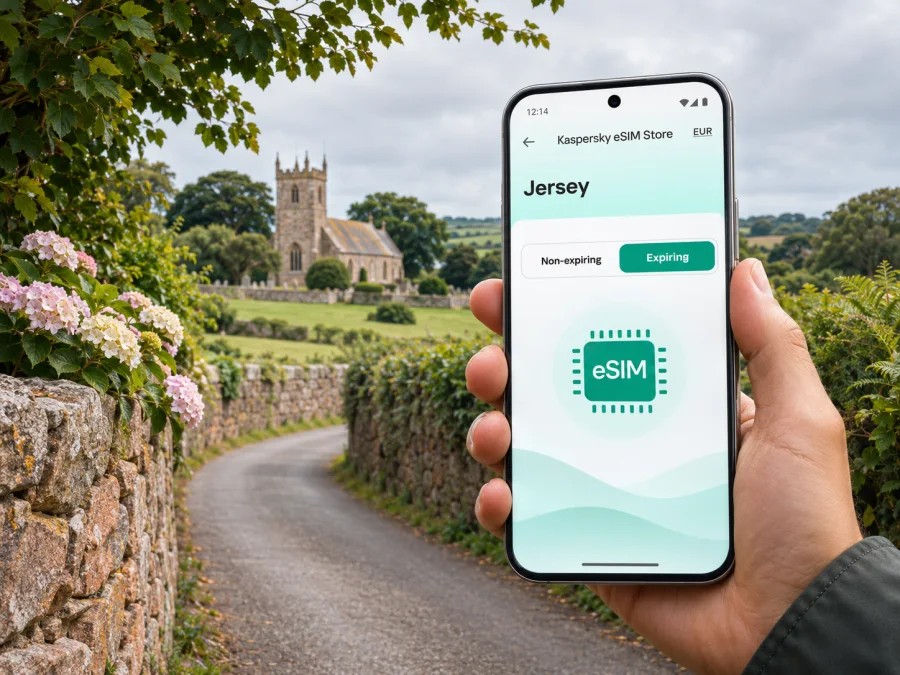
Trinity eSIM: mobile connection and internet for a Jersey trip
Trinity is a parish in Jersey, not a separate city or an urban district. That matters when you plan a visit: accommodation, walks and attractions are spread through a rural landscape, and getting around may involve buses, a hire car, cycling or walking. Mobile internet can help you check directions, timetables, opening information and messages while moving between the parish and St Helier, but no connection should be treated as guaranteed on every road or indoors.
Jersey itself is a self-governing Crown Dependency and is not part of the United Kingdom. Its close ties with Britain do not make it safe to assume that a UK mobile package or a UK eSIM destination automatically includes the island. Before you buy, check that the package terms name Jersey or otherwise explicitly include it. This guide focuses on practical preparation for Trinity and uses “Trinity” as the requested destination name while distinguishing it from the wider island.
What to expect in Trinity
Trinity is one of Jersey’s twelve parishes. It is a rural area of lanes, fields, hedgerows and small settlements rather than a compact town centre. Jersey’s 2023 land-area figures put Trinity at about 13 square kilometres, so an address, bus stop and visitor site may be farther apart than they look on a small map.
The parish suits visitors interested in countryside, heritage and a slower pace. The Parish Church of the Holy Trinity, local lanes and guided walks are among the points of interest. The Jersey Folklore Walk is described as a route through Trinity’s lanes and green paths. The Pallot Steam, Motor & General Museum is also in the parish; check its current opening dates and access arrangements before setting out because schedules can be seasonal.
Mobile internet is useful for finding a guesthouse, checking a tour meeting point, confirming a bus connection, contacting a host or looking up updated opening information. It is still sensible to keep the accommodation address, booking details and a return route available offline. A data eSIM can provide an internet option without replacing a physical SIM, but it is not a substitute for offline directions or local transport information.
Plan the journey from the airport
Jersey Airport is on the island, while Trinity is inland, north-east of St Helier. The airport’s official bus information says the stop is immediately outside Arrivals and lists route 10 as a cross-island service through Trinity, St John, St Mary, St Peter and St Brelade. This is useful orientation, not a guarantee that a particular departure will suit your arrival or stop near your accommodation. Confirm the current timetable and nearest stop before travelling.
| Arrival need | Useful preparation |
|---|---|
| Bus to Trinity | Check route 10, the stop name and a suitable return connection |
| Taxi or hire car | Save your full address and a map pin before leaving the terminal |
| Meet a host or guide | Save their contact details and agree on a clear meeting point |
| Late arrival | Confirm check-in instructions and a backup contact method |
Use airport Wi-Fi if available to confirm your route and eSIM status before leaving. If the bus is inconvenient, compare a taxi or prearranged transfer with your arrival time and luggage. If your itinerary includes another country before Jersey, verify each destination separately: stopover coverage does not prove the island is included.
Getting around without a city grid
Treat Trinity as a parish with several destinations, not as one central point. A phone map can help with walking and bus transfers, but country roads may have narrow or winding sections. Follow signed footpaths where appropriate, use safe crossings and never navigate while driving or cycling. Download an offline map even if your eSIM is active.
The airport identifies route 10 as a cross-island service passing through Trinity. Check the operator’s live timetable on the day: frequency, operating hours and stop locations may not fit your exact destination or activity. Save the return option before starting a walk.
A practical navigation routine:
- Enter the complete destination and confirm the parish and postcode where available.
- Compare the route with your host’s or attraction’s directions.
- Check whether the final section is a walk from a bus stop.
- Save the address, route and a nearby landmark offline.
- Confirm the return journey before leaving, especially for evening plans.
- Keep enough battery for directions and a message if plans change.
Choosing an eSIM for Trinity and Jersey
For a Trinity visit, check the destination at island level. Search the destination list for “Jersey” and read the package coverage terms before payment. Do not infer inclusion from the word “UK,” from proximity or from Jersey’s close ties with Britain. If the current terms do not clearly name Jersey or include it, ask the service’s support team before buying.
Browse the Kaspersky eSIM Store website to check current destination options
Kaspersky eSIM Store is an app and website where travellers can choose, purchase and activate an eSIM with a suitable data plan for an international trip. The site lets you review current destinations and the conditions shown for each plan; it does not confirm that every destination or device is supported. Offers, partner networks, activation rules and coverage can change, so use current plan details when deciding.
Compare the plan with your itinerary:
| Check | What to look for |
|---|---|
| Destination | Jersey is named or clearly included; do not assume UK coverage includes it |
| Data allowance | Enough for maps, messaging, browsing and planned work |
| Validity | Dates fit your stay and any activation condition |
| Activation | Whether validity begins on installation, first connection, purchase or a set date |
| Top-ups and hotspot | Confirm availability and limits in the plan terms |
Estimate data by activity. Maps and text are lighter than video calls, frequent photo uploads, cloud backups or streaming. Disable automatic updates and photo syncing over mobile data if you want to conserve the allowance. Check usage during the trip.
Travel eSIM plans commonly provide data rather than a local phone number. Ordinary calls and SMS may still depend on your home SIM and its roaming terms. Internet calls and messages can use data through compatible apps; keep a way to contact your accommodation if data is unavailable.
Check the phone before you pay
Before buying, confirm that your exact device supports eSIM and is unlocked for another provider’s service. Support can vary by model number and by regional version, even when devices share a family name. Check the phone settings for an option to add a mobile plan, compare the exact model with manufacturer information and ask the original carrier about an unlock if needed.
Check whether your device is compatible with eSIM
Before departure, make sure you can access the purchase account and email, charge the phone and download installation instructions over reliable Wi-Fi. If installation uses a QR code displayed on the same phone, use the app’s direct installation flow or open the code on a second device when required by the instructions.
Install and activate with a clear plan
Screens differ across Android manufacturers and iOS versions. Follow the instructions for your eSIM and device, and install with stable internet access. Do not delete a profile just because it does not connect immediately; first check activation terms and support guidance, since some profiles may not be reusable after removal.
Use the Android eSIM installation guide or the iOS eSIM installation guide for device-specific steps.
- Recheck destination, data, validity and activation terms.
- Install over Wi-Fi before travel if the plan permits.
- Label the new line “Travel data” so it is easy to identify.
- Choose the travel eSIM for mobile data and retain your home line for calls if needed.
- Disable automatic data switching if you want to avoid unexpected home-line data use.
- On arrival, enable the eSIM and follow its instructions for roaming or network selection.
- Open a webpage or map to confirm data and check which line is selected.
If data does not start, check that the eSIM is enabled, selected for mobile data, activated and not in airplane mode. Follow any manual network instructions. Restarting can help after settings changes; deleting and reinstalling the profile should not be the first step. Contact support over Wi-Fi if the issue continues.
Use mobile data thoughtfully around Trinity
Connectivity can vary by location, indoor walls, terrain, congestion and the network used by a plan. A signal on one lane does not guarantee the same result inside a stone building or elsewhere. Keep essential information offline and use data as a convenience, not your only source of directions.
Before a day out, save:
- your accommodation address and host contact details;
- an offline map covering Trinity and the route back;
- bus stop names and a return timetable screenshot;
- booking confirmations and opening information checked for your date;
- a power bank if you will be out for several hours.
For remote work, download documents on reliable Wi-Fi, test your call setup and keep a backup plan. Do not assume a rural location will provide the same upload quality as a town centre. For an important meeting, choose accommodation or a workspace with confirmed Wi-Fi.
A day-trip planning example
Suppose you are staying near Trinity Parish Church, have a morning walk booked and plan to dine in St Helier. Before leaving, download the route, check the guide’s meeting point and note the nearest bus stop. Confirm the attraction’s opening details and the last suitable bus connection. If timing is tight, keep a taxi or revised itinerary in mind.
Save the dinner address and a route from the stop. If plans change, message your host while you have signal or Wi-Fi. For a short stopover, keep the return-to-airport route and next departure information offline, and choose one confirmed destination rather than several rural stops with uncertain connections.
Where to stay and what to save
A Trinity stay may be close to a walk or countryside setting, while the exact address may be less obvious than a hotel on a main street. Ask the property which stop is convenient and whether the last stretch is suitable on foot with luggage. Save the full postal address and check-in instructions.
| Save this | Include |
|---|---|
| Accommodation | Full address, postcode, check-in instructions and contact method |
| Arrival | Airport transfer and backup option |
| Local transport | Stop names and return details |
| Activities | Booking reference, meeting place and opening schedule for your date |
| Connectivity | eSIM destination and activation notes, plus your home SIM roaming choice |
If Wi-Fi matters for work, confirm whether it reaches your room and supports your needs. A mobile eSIM can complement accommodation Wi-Fi, but neither connection should be assumed to work everywhere.
Common questions
Is Trinity a city?
No. Trinity is one of Jersey’s parishes and has a rural character. Search by full place name and address rather than expecting one city centre.
Is Jersey included in a UK eSIM plan?
Not automatically. Jersey is a Crown Dependency and not part of the UK. Check the exact plan terms for Jersey before buying.
Does the airport bus go through Trinity?
The airport’s public-bus information lists route 10 as a cross-island service through Trinity and several other parishes. Check the live timetable and stop details for your date; it may not take you to a particular address.
Will an eSIM give me a Jersey phone number?
Do not assume so. Travel eSIMs commonly provide data only unless the specific terms state otherwise. Check the plan if ordinary calls or SMS are important.
Can I install the eSIM after landing?
That depends on the plan instructions and your internet access. Installing over stable Wi-Fi before departure can make arrival easier when permitted. Check when validity begins.
What if the connection fails?
Check eSIM activation, the selected data line and any network instructions. Use saved maps while troubleshooting and contact support over Wi-Fi if needed.
Before you set off
- [ ] Accommodation and activity addresses are saved in full.
- [ ] You checked the current airport transfer and route serving Trinity.
- [ ] The plan terms explicitly include Jersey for your dates.
- [ ] Your exact device variant supports eSIM and is unlocked.
- [ ] You know when validity begins and which line uses mobile data.
- [ ] Instructions and support details are accessible offline or on another device.
- [ ] Offline maps, bookings and return directions are saved.
- [ ] You understand your home SIM’s data-roaming setting.
Trinity rewards a flexible itinerary: plan the main route, check the return connection and leave room for a walk or a change in weather. Combine current local information with offline essentials and a data option that explicitly covers Jersey. When ready, visit the Kaspersky eSIM Store website to review current destinations and plan conditions, confirm Jersey is included for your trip, and install the chosen eSIM using the instructions for your device.


