Travel connectivity guide
Trou aux Biches eSIM: Mobile Internet in Mauritius
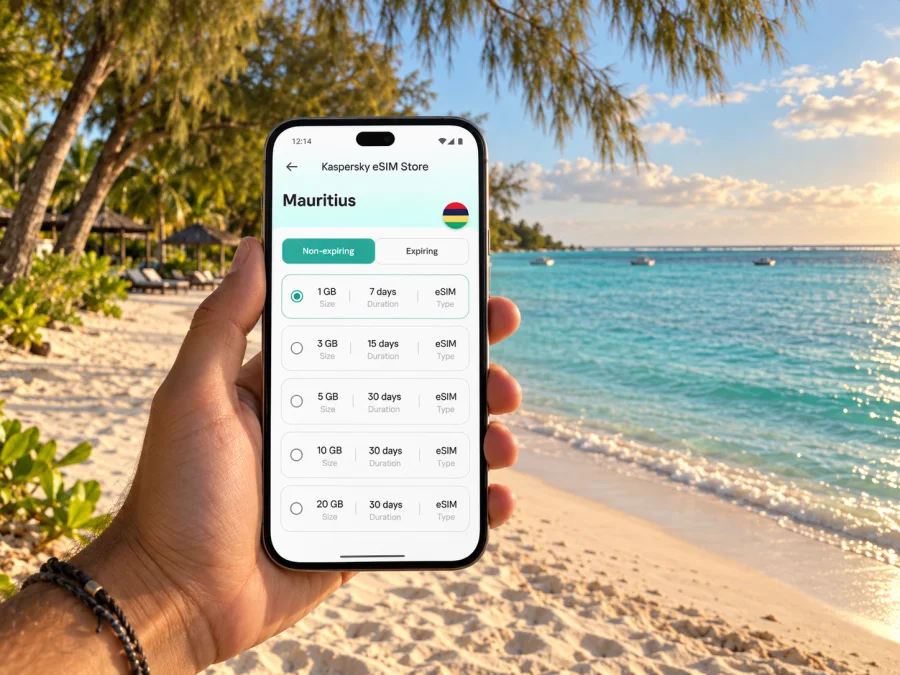
Trou aux Biches eSIM: Mobile Connection and Internet for Your Trip
Trou aux Biches is a beach village on the northwest coast of Mauritius. A day here may move between the lagoon, a local errand, and dinner nearby, while an excursion can take you toward Mont Choisy, Grand Baie, or elsewhere on the island. Mobile data helps with the transitions: checking a route, confirming a transfer, finding your accommodation, messaging a host, or looking up a place to eat.
An eSIM is a digital SIM profile for mobile data that is installed on a compatible device. Kaspersky eSIM Store is an app and website where you can choose, arrange, and activate an eSIM with a suitable plan for an international trip. Plan terms and network conditions depend on the selected offer, so review them before purchase.
Arriving in Trou aux Biches
Most visitors arrive at Sir Seewoosagur Ramgoolam International Airport, across the island from the northwest coast. Plan the onward journey before landing: a prearranged transfer, taxi, rental car, or public-transport route with connections. Mobile data can help you meet a driver, follow directions, or coordinate a change.
Save your accommodation address, booking details, transfer contact, and arrival instructions for offline access. Ask your host for a map pin as well as a written address; a property name alone may not identify the right entrance. If you expect to navigate online, review the route while you have Wi-Fi and download the surrounding map area if your app permits it.
Arrival checklist
- Keep the exact accommodation address and map pin in a note.
- Confirm where a driver or host will meet you.
- Keep your booking confirmation available offline.
- Check that your eSIM profile is installed and know which line is set for mobile data.
- Carry a charger or power bank for a long travel day.
- Keep your usual number available if you need it for calls or account verification.
A data eSIM is not automatically a second phone number. Unless the selected offer explicitly includes calling and SMS, treat it as mobile data. Internet messaging and calling apps can work over data, while your regular SIM can remain available for services tied to its number.
Finding your way around the north coast
The public beach and lagoon are useful reference points in Trou aux Biches. Nearby Mont Choisy and Grand Baie can be part of the same coastal itinerary, but they are separate stops. Grand Baie has a busier mix of shops, restaurants, and services; Mont Choisy is another coastal area. Confirm the exact destination and pickup point, especially when a listing uses a hotel or beach name informally.
Addresses can be described by a road, lane, property name, or nearby landmark rather than a numbered city grid. Ask your accommodation for a dropped pin and written directions, then compare both before setting out. Save your lodging and planned stops in a map app, and keep offline access as a fallback if data is temporarily unavailable.
| Before leaving | While travelling |
|---|---|
| Save the accommodation pin and written address. | Compare the pin with nearby road names before walking. |
| Check the next stop and a return option. | Recheck directions after a bus change or beach visit. |
| Save host and transfer contacts. | Message if a pickup point or meeting time changes. |
| Download a map area if available. | Keep the destination ready to show a driver if helpful. |
Protect your phone from sand, heat, and water; keep it secured when swimming.
Buses, taxis, and getting around
Public buses serve destinations along the north coast, and published routes connect Trou aux Biches with places including Port Louis and Grand Baie. Routes, stops, and operating details can change. Check the current timetable and the specific stop for your travel day instead of relying on an old screenshot. A map estimate may not include waiting time, and some journeys require a change, so allow extra time for luggage, appointments, or onward connections.
Airport public-bus services connect the airport with destinations including Port Louis and towns in the southeast. Reaching Trou aux Biches by bus may involve onward connections. If you arrive with luggage, late in the day, or on a tight schedule, compare that itinerary with a prearranged transfer or taxi. Keep the pickup point, address, and contact details available offline in case you need them before your eSIM is active.
A taxi or arranged ride can simplify a direct trip to a specific property. Confirm the destination and meeting point before setting off. If you rent a car, save the route and accommodation pin in advance. Set navigation before driving or ask a passenger to manage it; do not handle the phone while the vehicle is moving.
Choose transport around the day you have planned:
- Airport arrival with luggage: a transfer or taxi can reduce changes. Keep the booking and driver details at hand.
- A coastal outing: check the bus direction and return timing before leaving the village.
- A flexible day by car: save key locations first, then use mobile data for updated directions.
- An evening meal or short errand: confirm the venue and return plan before setting out.
Mobile data supports these decisions; still confirm transport details and pickups.
Choosing an eSIM plan for Trou aux Biches
The right data amount depends on how you use your phone. Someone who mostly relaxes by the lagoon and uses accommodation Wi-Fi may need less mobile data than a traveller navigating throughout the day, sharing photos, joining video calls, or moving around Mauritius. Compare the available plan’s data allowance, validity, destination, price, and usage conditions with your itinerary.
Kaspersky eSIM Store is an app and website for choosing, arranging, and activating an eSIM with a suitable plan for mobile internet on an international trip; it is not a mobile network operator. To review options for the country where Trou aux Biches is located, see eSIM plans for Mauritius. Read the selected plan’s terms before completing your purchase.
Estimate your typical use
- Light use: occasional map checks, messaging, and brief searches. Wi-Fi can handle some larger downloads.
- Regular travel use: frequent navigation, booking updates, messages, web searches, and photos shared during the day.
- High use: video calls, cloud backups, regular uploads, or streaming over mobile data. These activities can use data quickly.
Treat these categories as a guide: app settings, syncing, and navigation affect consumption. Check recent phone usage and leave room for changes.
| Plan detail | Why to check it |
|---|---|
| Destination coverage | Confirm Mauritius is included and matches your route. |
| Data allowance | Match it to maps, messaging, work, and media habits. |
| Validity | Check that it covers the dates you intend to use the eSIM. |
| Activation rules | Understand when the plan starts counting down and what action begins use. |
| Hotspot terms | Check whether sharing data with a laptop is permitted. |
| Network conditions | Read any stated limits rather than assuming identical service everywhere. |
If your itinerary goes beyond Trou aux Biches, consider the whole route through Mauritius when checking the plan. For a trip across borders, confirm each destination separately; do not infer coverage from a city name.
Prepare your phone before you travel
An eSIM requires a compatible device that can add another profile. Support can vary by exact model and market, and the device may also need to be unlocked. Check whether your device supports eSIM before choosing a plan. Make sure you can access the account, email, or app with the installation details when you are ready to set up.
Read the selected plan’s instructions before departure and use a stable internet connection for setup. If your phone allows line labels, a name such as “Mauritius data” can help you distinguish the travel profile from your regular SIM. Menu names vary by model and operating-system version, so follow the instructions for your device.
Installation and first connection
- Review the plan. Confirm destination, data amount, validity, and when use begins.
- Open the device guide. Follow the steps for Android or iOS.
- Add the eSIM profile. Use the method provided for the plan, such as scanning a QR code or completing setup in the app. Do not remove the profile unless the instructions say to.
- Label the travel line. Make it easy to identify when selecting mobile data.
- Choose data settings. Select the travel eSIM for mobile data when you intend to use it; keep your regular line settings as needed.
- Follow activation guidance. Some plans require an action on arrival; others may work differently. Use the instructions for your selected plan.
- Test a simple task. Once the eSIM should be active, open a map or send a short message through an internet app.
Some devices or plans may require data roaming to be enabled for the travel eSIM. Follow the plan’s directions and check that the setting applies to the correct line. If the connection does not work, confirm the profile is on, selected for data, and within its validity period before changing several settings at once.
Mobile data for different kinds of visit
A beach holiday
A relaxed stay still involves online tasks: messaging accommodation, arranging a ride, checking a restaurant, or finding a nearby shop. You may spend much of the day offline or on Wi-Fi, then need data while walking or travelling. Choose a plan that fits your dates and realistic daily use. Turn off automatic video playback and large cloud uploads over mobile data if you want to manage consumption.
A work trip
If you are combining meetings with a coastal stay, confirm whether your accommodation Wi-Fi suits your work needs. A phone hotspot may help with a laptop only if the selected plan permits tethering. Save meeting addresses and documents offline, and allow time to travel between the coast and your appointment. Mobile data helps with schedule changes, but it should not be treated as a guarantee of uninterrupted service; keep a backup contact method for important meetings.
A short stop or day trip
For a brief stop, save the return route, flight details, and booking information before leaving. Check the plan’s validity rules and current transport information. A trip to Grand Baie, Port Louis, or another part of Mauritius may involve a different route and departure point from a beach day. Save both destination and return options, then use mobile data for updates while keeping offline maps available as backup.
If the eSIM does not connect
Start with the basics: confirm the eSIM profile is turned on, selected for mobile data, and that airplane mode is off. Check the plan’s validity and whether its activation step is complete. If the instructions specify a network setting or data roaming, follow them for the travel line.
Avoid deleting the eSIM profile as a first response; some profiles cannot be installed again after removal. Keep setup information accessible, and consult the support details associated with the purchase if the problem continues. You may be asked for your device model, location, and the steps already tried. Do not send account credentials in an open message.
While troubleshooting, use offline maps, saved bookings, or accommodation Wi-Fi. Ask your property or a local service point for directions if needed.
Frequently asked questions
Is Trou aux Biches a useful base for exploring the north?
It can suit visitors who want to stay near the coast and make occasional trips to nearby places. The best base depends on your plans and transport. Check the route and return arrangements for each outing rather than assuming neighbouring beach areas are walkable from your accommodation.
Can I take a public bus from the airport directly to Trou aux Biches?
Airport bus services connect with places including Port Louis and destinations in the southeast. Reaching Trou aux Biches may involve onward connections, so check the current official timetable for your travel date. With luggage or a late arrival, compare that plan with a prearranged transfer.
Does a travel eSIM include calls and SMS?
Not necessarily. A data-focused plan does not provide a regular phone number, calls, or SMS unless its terms specifically include them. Internet calling and messaging apps can use data, and your regular SIM can remain available for its number.
How much data should I choose?
Estimate from your own habits: maps, messages, work calls, photo uploads, and video use consume data differently. Compare the allowance and validity with your itinerary, and reduce background syncing if you want to conserve data. There is no universal amount for every trip.
Get ready for your stay
Before leaving, save your accommodation pin, transport plan, current route information, and access to your booking or host contact. An eSIM adds a practical mobile-data option for navigating the coast, coordinating a pickup, and adjusting plans during the day. Compare the terms that matter to your visit, prepare the profile using its instructions, and keep offline information close at hand.
When you are ready, choose an eSIM plan for your trip to Mauritius through the Kaspersky eSIM Store app or website. Check the destination, data allowance, validity, and activation terms before completing your selection.


