Travel connectivity guide
Trujillo eSIM: Mobile Internet in Peru
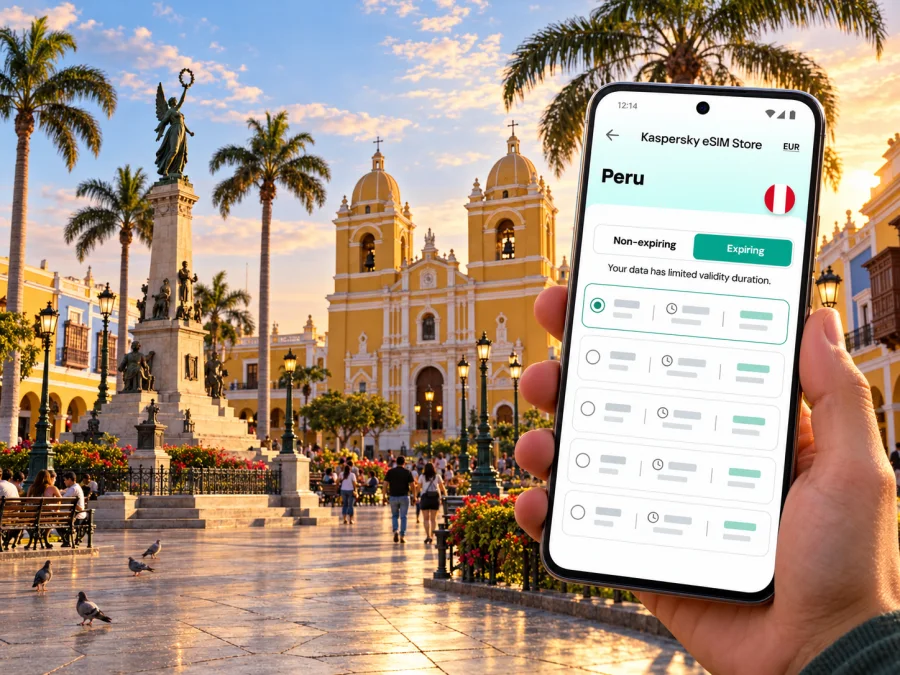
Trujillo eSIM: mobile connection and internet for Peru’s northern coast
Trujillo rewards a flexible itinerary. The historic center is compact enough for a walking day, while the airport, Chan Chan and the Pacific coast each pull you in a different direction. Mobile internet can help you check a pickup point, confirm a hotel entrance, translate a menu or adjust plans when a visit takes longer than expected. An eSIM gives you a digital way to access mobile data while travelling, provided your device supports it and the selected plan covers your destination.
This guide focuses on practical connectivity around Trujillo: arriving at Capitán FAP Carlos Martínez de Pinillos International Airport, finding your way into the center, exploring the city’s historic streets, and making day trips to Chan Chan and Huanchaco. The network, available service and speed depend on the local provider, your location, your device and current conditions; no travel plan should assume a particular signal in every building or on every road.
What to plan before you arrive
Trujillo is the capital of Peru’s La Libertad region on the northern coast. Visitors often combine the historic center with nearby archaeological and seaside outings, so mobile data is most useful for transitions: airport to accommodation, one landmark to the next, and the city to the surrounding sites.
Before departure, save your lodging’s full address, map pin, pickup instructions and a map of Trujillo for offline use. Ask which entrance or landmark to use, especially if the accommodation is on a historic street. Confirm how you will leave the airport, and check the eSIM plan’s destination, data allowance, validity and activation terms. Keep key booking details in screenshots or notes in case you cannot get online immediately.
An eSIM provides mobile data, but it does not automatically replace your home phone number. Unless the selected plan says otherwise, do not expect a local number, standard calls or SMS. Internet-based messaging and calling apps need a working data connection and may have their own requirements.
Landing at Trujillo airport
The airport serving Trujillo is Capitán FAP Carlos Martínez de Pinillos International Airport, in the Huanchaco district within Trujillo province. Visitors continue by road to the historic center or the coast. Peru Travel currently gives an approximate 25–30-minute taxi ride from the airport to the historic center; treat that as an estimate because traffic, pickup arrangements and your exact destination affect the trip.
Before leaving the terminal, make sure you can access your lodging address, booking details and pickup instructions without relying on a live connection. If you have installed an eSIM, check that its profile is enabled and selected for mobile data. Some plans require data roaming for that eSIM; follow the plan’s instructions and also review your home SIM’s roaming and automatic data switching settings.
Huanchaco is both the airport district and a coastal destination, but those are separate stops. If you are staying by the sea, confirm the exact address with your host rather than assuming that “Trujillo” on a booking refers to the historic center. Share the address or map pin with your driver.
Getting around the historic center
Plaza de Armas is a useful orientation point. The Liberty Monument and cathedral are easy landmarks, with churches, museums and colonial-era houses among the surrounding streets. Peru Travel identifies the cathedral, San Agustín, Santo Domingo and San Francisco churches, museums and historic houses as city sights. Start at the square, group nearby stops into a walk, and use a map when you need a particular entrance or want to return to your hotel.
| Part of the visit | How mobile data can help | A useful backup |
|---|---|---|
| Walk from Plaza de Armas | Find a museum, church or meeting point | Save the location and a screenshot |
| Lunch in the center | Translate a menu or message your group | Keep the restaurant name and address in notes |
| Return to your stay | Confirm the street and entrance | Carry the written hotel address |
| A change of plan | Check details or contact a provider | Verify time-sensitive details directly |
When arranging a ride, a map pin is clearer than a broad destination name. Compare the destination in the booking or message with the address you intend to reach. A saved address can still be shown to the driver if a map will not load.
Choosing where to stay and how to stay oriented
Staying near the historic center can reduce transfers between Plaza de Armas, churches, museums and restaurants. A quieter street, hotel amenities or a coastal atmosphere may matter more to you, so compare the lodging’s actual address with your plans before booking.
Huanchaco offers a coastal base associated with traditional reed boats and surf culture. Peru Travel places it about 13 kilometres from Trujillo and describes the caballitos de totora as a longstanding local tradition. It may suit a trip focused on the sea, while the historic center and Chan Chan become separate outings. A map estimate is not a promise of travel time; traffic and pickup locations change it.
Save your accommodation pin and a nearby landmark. This helps if an entrance is hard to spot or a driver drops you close by. Keep the phone charged before a long day, especially if you expect to use maps, translation and the camera.
Estimate your data needs
There is no universal data amount for a city trip. Maps and messaging use data differently from video, photo uploads and online meetings. List your expected daily tasks, download maps and documents in advance, and check whether your accommodation offers Wi-Fi. Then compare the exact plan’s data amount and validity with your stay. If you will travel elsewhere in Peru, confirm the plan’s geographic scope rather than assuming a city plan covers every destination.
For a short break, use mobile data for navigation, messaging and practical searches, and save large downloads for a suitable Wi-Fi connection. For work travel, account for video calls, cloud files and hotspot use; check whether the plan permits hotspot use before relying on it.
Prepare your eSIM for Trujillo
Kaspersky eSIM Store is an app and website where you can choose, arrange and activate an eSIM with a suitable data plan for an international trip. Compare the current Peru options with your itinerary, checking data, validity, coverage description and activation terms. You can browse current mobile data options for Peru; this is the country page, not a separate Trujillo city tariff.
Compatibility depends on the exact device variant, and a carrier lock can prevent use with another provider. Check the model and unlock status before purchase. If needed, check whether your device supports eSIM, then verify with the manufacturer or seller.
A practical setup sequence:
- Confirm eSIM support for the exact model and make sure the phone is unlocked.
- Choose Peru and compare data, validity and geographic scope with your route.
- Read activation details; installing a profile and starting data use may be separate events.
- Install while you have a reliable connection, following the phone’s prompts.
- Label the line clearly, select the intended data SIM and review roaming and automatic switching settings.
- Confirm the profile appears in settings and keep activation details accessible.
Menus vary by device and operating-system version. Use the Android eSIM installation guide or the iPhone eSIM installation guide. The Android guide follows Samsung settings, so menu names may differ on other phones.
Using data during a day in and around Trujillo
A day may take you from the historic center to an archaeological site and then to the coast. The points to plan are different in each place.
Morning in the center: group nearby sights instead of crossing the area repeatedly. Save your next stop before entering a museum or church, and agree on a specific meeting point rather than “near the square.”
Excursion to Chan Chan: this major Chimú earthen city lies just outside Trujillo. Peru Travel gives an approximate 20-minute road trip from the city to the citadel. Confirm transport, access and opening details for your date with the relevant provider. Save the route and return pickup point before leaving; bring water, sun protection and comfortable shoes for time outdoors.
Afternoon in Huanchaco: decide on the transfer and return point before leaving the center. Save your accommodation or other destination, check activity arrangements with the provider, and choose a clear group meeting point. Avoid relying on a last-minute search for essential details.
Workday with a short sightseeing window: save office, hotel and meeting addresses, and leave a buffer between calls and transfers. Check whether hotspot use is allowed if you need a laptop connection, and download important files in advance.
Short stopover or one-night visit
If Trujillo is one stop on a longer route, prioritize setting up the essentials rather than planning an ambitious route. Before landing, make sure you can find the airport pickup, accommodation and the next departure point. For a brief visit, one walk through the historic center may be more realistic than combining it with both Chan Chan and Huanchaco. Mobile data helps coordinate changes, but saved directions and an offline copy of your key details are still valuable if your arrival runs late or an app cannot load.
If you have only a few hours between transport connections, confirm the time needed to return to the airport or bus terminal with a local transport provider. Do not use an online map’s estimate as a guarantee. Keep your luggage plan clear and avoid leaving essential documents or the only copy of your onward details on a device that may run out of battery.
When mobile data does not connect as expected
A new eSIM profile may need a short time to register after setup, and the exact process depends on the plan and device. If data is unavailable, work through the basics calmly:
- Check that the eSIM profile is switched on and selected for mobile data.
- Confirm that the plan is valid for Peru and has not expired or reached its data limit.
- Review the plan’s activation instructions, including whether data roaming should be enabled for that profile.
- Turn airplane mode on briefly and off again, or restart the device if the profile instructions allow it.
- Check that your phone is not still set to use another SIM for mobile data.
- Move to a different location and retry; indoor construction and local network conditions can affect reception.
- If the issue continues, contact the service’s support team using the details in your order or account. Keep the plan name and device model available, but do not share account passwords or one-time security codes.
A troubleshooting step cannot guarantee service in a particular place. If you need to make an urgent call, use the appropriate local emergency channel or ask a nearby staffed venue for assistance rather than relying on mobile data.
Practical checklist for the day before departure
- [ ] Confirm the airport, arrival time and pickup method.
- [ ] Save your accommodation address, map pin and contact details offline.
- [ ] Check the exact eSIM model compatibility and device unlock status.
- [ ] Read the Peru plan’s coverage description, data amount, validity and activation terms.
- [ ] Install the profile while you have a reliable internet connection, if the plan’s instructions allow advance installation.
- [ ] Keep the QR code and order information accessible after setup.
- [ ] Set the intended mobile data line and review roaming settings on both SIMs.
- [ ] Download a map and any tickets, confirmations or translations you may need offline.
- [ ] Carry a charging cable or power bank for a full day away from your accommodation.
- [ ] Verify changing opening hours, transport arrangements and tour details with the relevant venue or provider.
Frequently asked questions
Is an eSIM useful for a visit to Trujillo?
It can help with maps, messaging and travel searches without a physical travel SIM. Check phone compatibility, Peru coverage in the plan and local conditions.
Does a Peru eSIM guarantee service throughout Trujillo?
No. Reception and performance vary with provider, device, location and current conditions. Keep offline directions for important journeys.
Will a travel eSIM give me a Peruvian phone number?
Not unless the specific plan says it includes a number, calls or SMS. Assume it is for data and use internet-based apps when a connection is available.
Can I install the eSIM after landing?
That depends on the setup method and whether you can get online. Installing before departure can make arrival easier, but follow the plan’s instructions so you know when validity begins.
Can I use one eSIM for city and day trips?
Check the plan’s stated geographic scope. Even within the same region, connection quality can vary by location and uninterrupted service is not guaranteed.
What if my phone has two SIMs?
Many dual-SIM phones can keep a home line for calls and use an eSIM for data, but settings vary. Confirm the active data line and review automatic switching and roaming.
What if I use more data than expected?
Check your remaining allowance and look for background uploads, backups or video. Use Wi-Fi for large downloads when practical, and review current conditions before adding data.
Make your Trujillo trip easier to navigate
The simplest connectivity plan is the one that fits your actual route: a compatible, unlocked device; a Peru eSIM plan whose data and validity suit your stay; and offline copies of the details you may need on arrival. Around Trujillo, use mobile data to connect the airport, your accommodation, the historic center, Chan Chan and Huanchaco, while keeping saved maps and addresses for places where a live connection may not be available.
When you are ready, use Kaspersky eSIM Store to review the current Peru eSIM options for your trip, check the terms, and choose a plan that matches your itinerary. Install the eSIM using the instructions for your device and activate mobile data according to the plan’s directions.


