Travel connectivity guide
Tsetserleg eSIM: Mobile Internet in Arkhangai
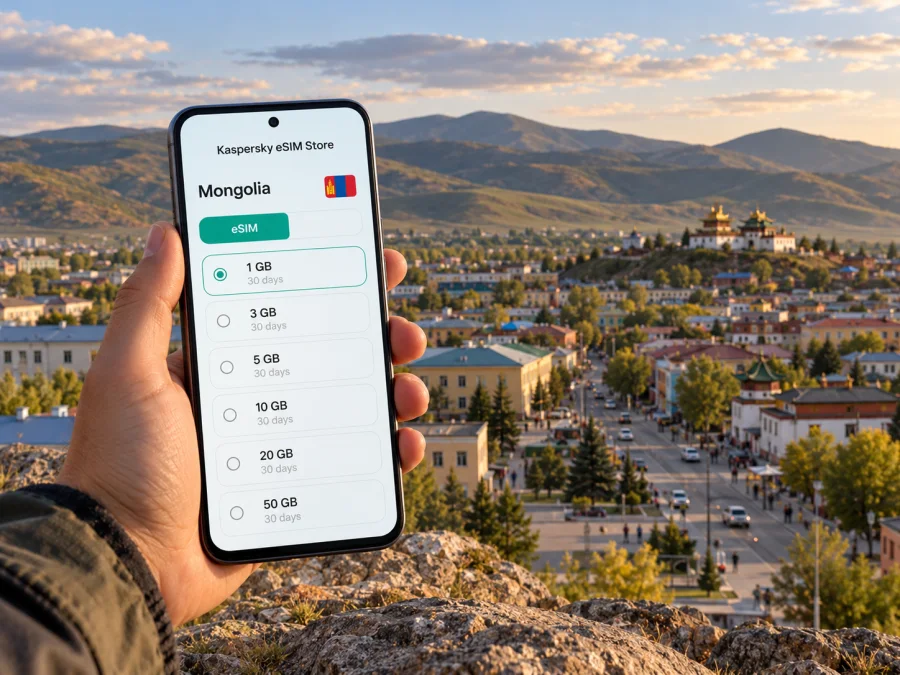
Tsetserleg eSIM: mobile connection and internet for your trip
Tsetserleg is a small regional town in central Mongolia and a practical base for exploring Arkhangai. A reliable mobile connection can make the trip easier: check a route before leaving, message your guesthouse about arrival, translate a sign, or look up opening times while walking around town. An eSIM can help you prepare mobile internet without removing the physical SIM you use at home, provided your phone supports eSIM and is not locked to a carrier.
This guide focuses on the town and the journeys that commonly bring visitors here. It also explains what an eSIM can and cannot do, how to choose a data allowance, and what to check before setting off beyond the built-up area. Coverage and plan conditions depend on the local network and the selected offer, so treat connection outside town as something to verify rather than assume.
Tsetserleg at a glance
Tsetserleg is the administrative center of Arkhangai Province (aimag), in Erdenebulgan soum. The provincial government describes it as about 480 km from Ulaanbaatar. The surrounding Arkhangai region includes the Khangai mountain landscapes, river valleys and rural settlements, so a stay in town may be only one part of a longer itinerary.
| Trip detail | What to plan for |
|---|---|
| Where you are going | Tsetserleg, Arkhangai Province, Mongolia; the administrative unit is Erdenebulgan soum. |
| Distance from the capital | The Arkhangai provincial government lists 480 km from Ulaanbaatar. Road time varies with route, weather, stops and road conditions. |
| Main travel pattern | Plan the connection for the whole journey, not just the time spent in town. Confirm current passenger transport or driver arrangements before departure. |
| Useful phone tasks | Offline maps, accommodation messages, translation, itinerary notes, online payments where accepted, and contact with your driver or host. |
| Beyond the center | Network availability can change with terrain and distance. Check the relevant operator coverage information for each stop and keep offline alternatives. |
Tsetserleg is not a district of Ulaanbaatar, and it is not the name of the province. It is the provincial center in Arkhangai. That distinction matters when choosing a destination-specific data plan: a Mongolia plan is the relevant starting point, while the city name helps you plan how and where you will use it.
When mobile internet is useful in Tsetserleg
The town is compact compared with a capital city, but a trip here often involves unfamiliar streets, several stops and onward travel. Mobile data is most useful when it reduces small uncertainties throughout the day:
- On arrival: send a message to your accommodation, confirm a pickup point, or share an updated arrival time if the journey takes longer than planned.
- While walking: use a map to find a guesthouse, a local service, a place to eat or a landmark. Save the destination name in writing as well; spelling and transliteration can vary between map listings.
- At a cultural site: check visitor information or translate a short notice. Respect any local rules about photography and quiet areas.
- For work: receive email, join a short call when the connection allows, and keep essential documents accessible offline in case the signal changes.
- Before leaving town: confirm the next stop and tell someone your itinerary. Download maps and booking details before heading into a rural area.
A data connection is not the same as continuous coverage. Buildings, local network load, terrain, weather and the route you travel can all affect service. Do not rely on a live map as the only navigation method for a long countryside drive. Save the route, address and contact details in advance, and agree on a fallback meeting point with your driver or host.
Choosing an eSIM for a Tsetserleg itinerary
An eSIM is a digital SIM profile installed on a compatible device. It can provide mobile data over a participating local network according to the terms of the selected plan. Kaspersky eSIM Store is an app and website where you can choose, arrange and activate an eSIM with a suitable plan for an international trip. The available data allowance, validity, network arrangements and price are shown with the offer and can change; review those terms before purchase.
Begin with your itinerary rather than a generic “city plan.” Estimate how many days you will need data, how often you will use maps and messaging, and whether you will travel outside Tsetserleg. A short town visit with accommodation Wi-Fi may use less mobile data than a multi-day road trip with frequent navigation, photo uploads and calls over internet apps.
| Your use pattern | A sensible planning approach |
|---|---|
| One or two days in town | Prioritize arrival messages, maps and essential browsing. Download offline maps before travel and connect to trusted Wi-Fi when convenient. |
| Several days with regular navigation | Allow for repeated map use, messaging and browsing. Check the plan’s total data and validity rather than choosing only by the headline price. |
| Remote work or frequent video calls | Video can consume data quickly and may not be dependable on a mobile signal. Use Wi-Fi when available, reduce video quality, and keep a backup way to join or reschedule. |
| A route through several provinces | Confirm that the plan’s destination and network terms cover the complete route. A city name alone does not confirm service at every rural stop. |
| Keeping your home number active | If your phone supports dual SIM, keep the home SIM for calls or verification messages and select the travel eSIM for mobile data. Check roaming charges with your home carrier. |
Before selecting a plan, read the current offer details carefully. Look for the destination, data amount, validity period, when the validity begins, supported network access, hotspot rules if relevant, and any restrictions on activation or top-ups. Do not assume every plan includes a voice number or SMS: many travel data plans are for internet access only. Messaging and voice calls through apps use data and require the other person to be reachable in that app.
You can review the currently listed Mongolia eSIM options and compare their displayed terms with your route. The page is a country-level destination page; it should not be read as a guarantee of coverage at a particular guesthouse, road section or rural attraction near Tsetserleg.
Check your phone before you travel
eSIM support varies by phone model, country or regional variant, and carrier configuration. A product family name is not enough to establish compatibility. The exact model number and the device’s settings matter, and a phone can also be locked to its original carrier. Check the manufacturer’s information for your precise regional variant and confirm that the phone is unlocked before buying a plan. Check whether your device supports eSIM.
A quick preparation checklist:
- Confirm that the exact device variant supports eSIM; do not rely only on the retail name printed on the box.
- Check that the device is carrier-unlocked and can install another eSIM profile.
- Update the operating system while you still have a dependable connection.
- Make sure you can sign in to the email account or app used for the eSIM order.
- Keep access to Wi-Fi during installation in case the profile needs to be downloaded.
- Decide which SIM should handle mobile data, calls and messages before departure.
If you cannot verify the model variant, ask the device manufacturer or seller using the full model code. Do not purchase on the assumption that two phones with similar names have identical eSIM support. If eSIM is not available on your phone, check current physical SIM options from local providers, or use Wi-Fi where suitable and plan offline access for the journey.
Install and activate the eSIM carefully
Follow the instructions shown for the plan you choose; the activation sequence and timing can differ. In general, install the profile while connected to Wi-Fi, label it clearly (for example, “Mongolia”), and leave your home SIM settings unchanged until you know which line should handle each task. Some plans begin their validity at installation, while others begin on first network connection, so check the stated rule before activating.
Use the official setup guidance for your phone: eSIM installation instructions for Android and eSIM installation instructions for iOS. Menu names vary between operating-system versions, so follow the current on-screen steps for your device.
A careful sequence is:
- Before purchase: check device compatibility, carrier lock status, destination and plan terms.
- Before departure: install the eSIM over a stable Wi-Fi connection if the plan allows installation ahead of time. Keep the QR code or order details available until setup is complete.
- At the right time: activate or enable the profile according to the plan instructions. Check when validity starts so you do not use travel days unintentionally.
- After arrival: select the travel eSIM for mobile data. Enable data roaming for that eSIM only if the plan instructions require it; roaming settings can be part of how a travel profile connects to a partner network.
- Test a basic task: open a simple webpage or send a message. If it does not work, check the selected data line, signal, plan status and the provider’s setup guidance before changing several settings at once.
Keep your home SIM available if you need calls, bank verification messages or other services tied to your usual number. If you enable roaming on that line, your home carrier’s charges may apply. The travel eSIM’s data allowance does not automatically change those terms.
Arrival and local movement
Many visitors reach Tsetserleg overland from Ulaanbaatar or include it in a wider central Mongolia route. The provincial government lists the distance as 480 km, but this does not predict journey time. Confirm current transport, departure point, road conditions and arrival estimate for your dates; do not assume a direct flight or fixed timetable without checking.
Before leaving, save your accommodation name, location and contact details, plus pickup instructions. Keep both Latin-script and Mongolian place names if your host provides them. Pin your lodging and onward transport point, download the route and retain an offline screenshot. Map listings and opening hours may be outdated, so message or call before making a special trip.
Zayain Gegeenii Khiid and the local museum are among the town’s notable cultural stops. Confirm opening arrangements locally, follow on-site guidance and ask before photographing people or ceremonies.
Using data around town and outside it
Treat the town and the rural route as separate connectivity situations. In town, use data for directions and messages, while keeping key details offline. Before travelling to a valley, hot spring or other regional stop, download the route, confirm the destination with your driver and agree on what to do if contact is lost.
MobiCom publishes a Mongolia tourist SIM in eSIM and physical SIM formats and provides a network coverage checker. Check current operator information for each location. A countrywide claim or broad map shading does not guarantee indoor service or continuous data along every road; ask your accommodation or driver what they have recently observed.
Before leaving town, save offline maps, addresses, bookings and contacts; tell someone your route and expected arrival; carry a charger or power bank; and avoid unnecessary backups or video uploads. These habits help even when a mobile connection is available.
How much data should you expect to use?
Your allowance depends on how you use the phone. Text and email are generally lighter than video, cloud backups or long calls, though apps vary. Check your phone’s data-use screen after the first day and pause background uploads if you need to conserve data.
| Activity | Practical note |
|---|---|
| Maps and navigation | Download offline areas; live searches use additional data. |
| Photos, music and video | Upload selectively and download entertainment on Wi-Fi. |
| Video meetings | Prefer Wi-Fi and keep an audio-only backup. |
| Updates and cloud backup | Pause automatic transfers over mobile data. |
Check the plan balance during the trip. If it is low, use Wi-Fi where appropriate or review whether the selected offer allows a top-up.
If the connection does not work
Check the basics before changing several settings: make sure the eSIM is enabled and selected for mobile data, confirm the plan is active with data remaining, and see whether its instructions require data roaming. Briefly toggle airplane mode or restart the phone, then try again in an open area. Review any specified network or APN settings and contact support over Wi-Fi if needed.
Avoid deleting the eSIM unless the instructions or support direct you to do so; some profiles cannot be installed again after removal. If service drops outside town, rely on your saved route and agreed contact plan rather than repeatedly reinstalling the profile.
Common travel scenarios
Short town stay: Use data for a pickup message, maps and basic searches. Save your lodging and return route offline before leaving Wi-Fi.
Work visit: Keep meeting details and documents available offline. Test the connection before relying on a video call, ask about venue Wi-Fi and have an audio or rescheduling option.
Multi-stop route: Confirm that the plan applies to every destination and check local coverage for each stop. Service in the town center does not establish coverage on mountain or valley roads.
Group trip: Agree on meeting places and share booking details. If using a hotspot, verify that both plan and phone support tethering and monitor shared data use.
Practical checklist before leaving for Tsetserleg
Phone and plan
- [ ] I checked eSIM support for my exact device and regional variant.
- [ ] I confirmed the phone is not carrier-locked.
- [ ] I reviewed the Mongolia plan’s destination, data, validity and activation rules.
- [ ] I know which SIM is selected for mobile data and how my home SIM may be charged.
- [ ] I have the setup instructions and plan details available offline.
Route and arrival
- [ ] I confirmed current transport or driver arrangements for my dates.
- [ ] I saved my accommodation name, location and contact details.
- [ ] I downloaded offline maps and noted a meeting point.
- [ ] I told someone my route if I am continuing beyond town.
- [ ] I have a charging cable, a power bank and a backup way to access important details.
Frequently asked questions
Is Tsetserleg in Arkhangai Province?
Yes. It is Arkhangai’s provincial center, within Erdenebulgan soum. Include “Arkhangai” when sharing the destination to avoid confusion with another locality named Tsetserleg.
Will an eSIM work everywhere in town?
Service can vary by building, street, network and conditions. Check the plan and current operator coverage information, and keep essential directions offline.
Can I use a Mongolia eSIM in Tsetserleg?
A Mongolia destination plan may be suitable, subject to its current terms and network arrangements. A country-level page is not a location-specific coverage guarantee for Tsetserleg or a rural road.
Do I need to remove my regular SIM, and will the eSIM include a phone number?
A compatible unlocked phone may let you keep both SIMs, assigning data to the travel eSIM. Many travel plans are data-only, so check the offer for voice and SMS. Your home carrier’s roaming charges may still apply.
Can I set up the eSIM before travelling?
Often you can install the profile ahead of time, but validity may begin at installation or first connection. Follow the plan’s timing rules and use Wi-Fi during setup.
What if my phone does not support eSIM?
Check current physical SIM options with a local provider. You can also use Wi-Fi where available and download maps, bookings and contacts in advance.
Prepare your connection before the journey
A little preparation helps you use Tsetserleg as a comfortable base without depending on a live signal at every moment. Confirm your exact device compatibility, choose a Mongolia plan that matches your route and data habits, understand when validity begins, and save important directions and contacts offline. For trips beyond the town, check coverage for the particular locations you plan to visit and agree on a communication fallback with your driver or host.
When you are ready, compare the currently available eSIM options for Mongolia in Kaspersky eSIM Store, review each plan’s terms, and follow the setup guidance for your device. This gives you a clear way to prepare mobile internet for the trip while keeping expectations realistic about service beyond Tsetserleg’s built-up area.


