Travel connectivity guide
Tsim Sha Tsui eSIM: Mobile Internet Guide
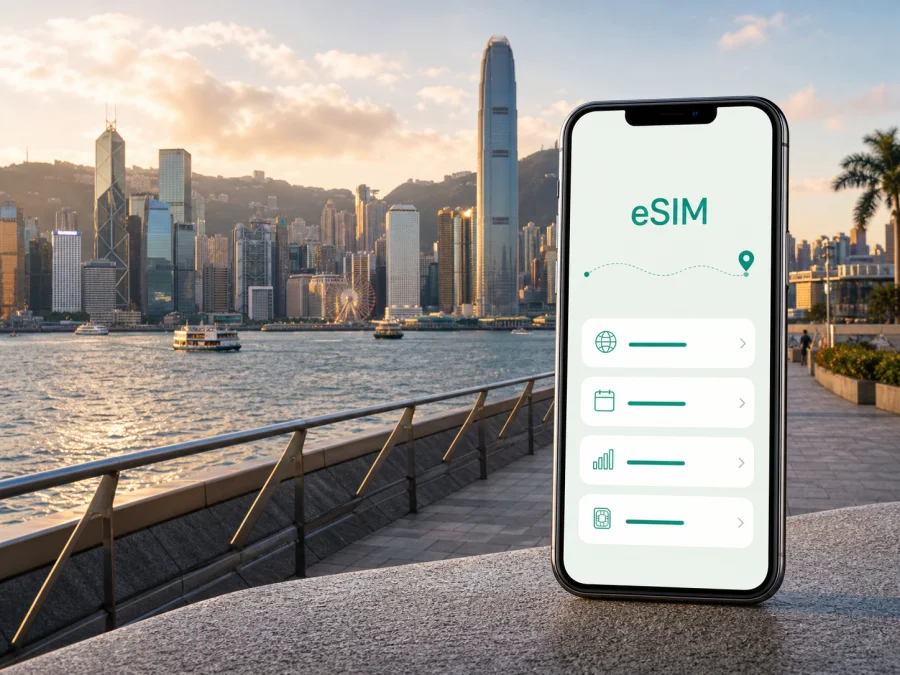
eSIM for Tsim Sha Tsui: Mobile Connection and Internet for Your Hong Kong Trip
Tsim Sha Tsui is a practical base for a first visit to Hong Kong. The Kowloon district puts the harbour, hotels, museums, shopping streets and several transport links within reach. It is also a place where mobile internet can be useful from the first hour: you may need to find an airport transfer, open a hotel booking, meet a colleague, follow a walking route or check the next MTR connection.
An eSIM, or digital SIM, lets you prepare mobile data for the trip without removing the physical SIM already in your phone. You choose a plan for the relevant destination, install the eSIM on a compatible device and use it for data while travelling. For a stay in Tsim Sha Tsui, the useful questions are when you will need data, how much traffic your route may use and whether the plan covers the full Hong Kong part of your itinerary.
Why mobile internet matters in Tsim Sha Tsui
The district is walkable in places, but it is not one simple street grid. Nathan Road, Canton Road, Salisbury Road and the harbour promenade serve different purposes, while the entrances to Tsim Sha Tsui and East Tsim Sha Tsui MTR stations are spread across the area. A map application can save time when a hotel entrance, museum or restaurant is on another level or behind a large block.
Mobile data can help you confirm a hotel address, compare the Airport Express, bus, taxi or arranged transfer, open a booking, locate the right station entrance, send your location and translate a sign away from hotel Wi-Fi.
It also supports email, messengers, browser searches, ride-hailing applications and account verification, subject to the services’ own conditions. A travel eSIM is intended for mobile internet and does not automatically provide a regular local phone number. Voice calls and SMS are not included unless the specific plan says otherwise. Internet-based messaging may be enough for many trips, but remember the distinction if a hotel, employer or tour provider expects a conventional call.
Arrival: from the airport to Kowloon
Hong Kong International Airport is outside Tsim Sha Tsui, on Lantau Island. After landing, your first task is usually connecting the airport with your accommodation. Mobile data can make this transition easier if a pickup point changes, your group arrives separately or you need to contact the hotel.
The Airport Express is a rail option connecting the airport with the urban area. Depending on your accommodation and onward transport, you may travel towards Kowloon Station and continue by taxi or another local connection. Buses and taxis are other possibilities. The suitable choice depends on luggage, arrival time, hotel location and the conditions of your booking, so check current operating details before travelling.
Before leaving the arrivals area, keep the hotel name and full address, booking confirmation, airport-to-hotel route and a backup meeting point easy to open. A prepared data profile keeps maps and messages available away from airport Wi-Fi.
Choosing a plan for a Tsim Sha Tsui itinerary
Although the search is about a neighbourhood, the plan is generally selected for the destination country or region. Tsim Sha Tsui is in Hong Kong, so check the Hong Kong destination and then compare the dates and route of your trip. If you will continue elsewhere, a regional option is relevant only when its terms cover every destination.
Ask yourself:
- How many days will you need mobile data in Hong Kong?
- Will you mainly use maps and messaging, or also video calls, cloud files and uploads?
- Will you share the connection through hotspot mode?
- Will the trip stay in Hong Kong or continue through other countries?
A short stopover with a few map searches has a different pattern from a week of remote work. A business traveller joining video meetings should consider data use and battery more carefully than someone checking directions. Two companions may prefer separate profiles so each can navigate if they split up.
Review plan details in this order:
| Check | Practical question |
|---|---|
| Destination | Does it include Hong Kong and fit any onward route? |
| Validity | Do the activation and expiry conditions match your stay? |
| Data volume | Is the allowance suitable for maps, work, media and messaging? |
| Top-up | Can you add data if your usage changes, and under what terms? |
| Sharing | Is hotspot use permitted? |
| Device | Does your phone support eSIM and have no operator lock? |
An eSIM may be a useful alternative to standard roaming, but there is no universal plan for every trip. Compare the total price, allowance, duration and conditions with your current operator’s roaming terms. A small plan may be enough for a short layover; more gigabytes are not automatically better if you will not use them.
Once you have checked the destination and conditions, you can choose an eSIM plan for your trip to Tsim Sha Tsui and Hong Kong. Kaspersky eSIM Store is an app and website that helps you choose, arrange and activate an eSIM with a suitable plan for mobile internet during an overseas trip. Review the destination, traffic allowance, validity and other conditions before completing the purchase.
Moving around the district
Tsim Sha Tsui is convenient for harbourfront walks, but distances feel different with luggage, rain or evening crowds. Keep the route on your phone and allow extra time when changing transport modes. The MTR is useful for longer movements, while walking may be easiest between nearby parts of the district.
MTR, ferry and street-level orientation
Tsim Sha Tsui and East Tsim Sha Tsui are separate station names within the local rail system. When a route suggests one, check the exit and street destination as well as the station name. A few seconds reviewing the map before leaving the platform can prevent a detour at street level.
Nathan Road is a useful reference for hotels, shops and transport. Canton Road leads towards major retail areas and the waterfront. Salisbury Road and the streets around the Cultural Centre connect several harbourfront destinations. These landmarks help with orientation, but a map remains valuable because the most convenient entrance may be on another side of a large building.
The Star Ferry is a familiar harbour crossing between Kowloon and Hong Kong Island. It can serve as transport and as part of a sightseeing route. If you have a timed booking, check current service information and leave time to walk to the pier. Once across the harbour, continue from Central or choose another connection for your plans.
Walking is often practical along the harbour and between nearby hotels, but the district includes busy junctions, underground passages and multi-level complexes. If you leave a station at the wrong exit, re-check the route rather than walking by guesswork. For a taxi, keep the hotel or booking address available and confirm the correct pickup side of a busy road.
Hotels, harbour walks and business travel
The Avenue of Stars, Hong Kong Cultural Centre, Hong Kong Space Museum, Kowloon Park and the waterfront are separate destinations, not one map pin. Search for the specific venue or hotel entrance, and save reservations before entering a large complex such as Harbour City. Nearby addresses around Canton Road and Nathan Road can still involve major intersections or different pedestrian levels.
If you cross the harbour to Central or Wan Chai, confirm the ferry or MTR route and meeting entrance before starting the walk.
A business day in Tsim Sha Tsui may involve email, messaging, document access, calendar updates and a video meeting. Before using an eSIM for work, check your employer’s security rules and whether hotspot use is allowed by the plan. Download essential documents on a trusted connection, note the meeting address and nearest station exit, carry a charger, and keep your usual line available for the number colleagues already know.
An eSIM can simplify the mobile-data part of a business trip, but it does not replace an employer’s security tools, authentication method or internal policy. Treat it as a data option and follow those requirements.
Short stopovers and onward routes
For a short stopover, match the plan to the limited period and tasks you expect: directions from the airport, a hotel message, a harbour walk and a route back to the next connection. That is different from an overnight stay with streaming, work calls and several transfers.
Save the airport, hotel and return-transfer details, identify the first connection, confirm when the plan starts counting time or data, and leave enough margin for the return journey. A backup note with the address and booking reference is useful if your battery is low.
Tsim Sha Tsui is a starting point for travel elsewhere in Hong Kong. When the route expands, review the eSIM’s destination scope: a plan adequate for hotel-to-harbour walking may not suit continuous navigation, uploads or hotspot sharing. If you continue to another country, compare that destination with the plan rather than assuming the Hong Kong option applies.
Install and activate your eSIM
Before buying, confirm that your phone supports eSIM and is not locked to an operator. Device models and regional versions can differ. Check your device compatibility before choosing a plan. You also need an internet connection for installation, such as your existing line or trusted Wi-Fi.
Follow this practical sequence:
- Check the plan. Confirm Hong Kong as the destination, the allowance, validity period and activation conditions.
- Prepare the phone. Charge the battery, update the device if needed and open the purchase confirmation.
- Install the profile. Follow the app or website instructions. If a QR code is supplied, scan it from the phone’s cellular settings or use the specified method.
- Label the line. Use a clear name such as “Hong Kong data” so it is easy to identify.
- Select mobile data. Choose the eSIM when you want to use the travel plan, while keeping the line for your usual number if needed.
- Check settings after arrival. If the plan requires data roaming for the eSIM, enable it for that profile only and follow the plan instructions.
For device-specific steps, use the Android eSIM installation instructions or the iOS eSIM installation instructions. Menu names can vary by operating-system version and manufacturer. If the profile does not activate, check the conditions, selected data line, signal settings and device lock before contacting support.
Installing before departure can reduce airport tasks, but first check when validity begins. Some plans may start on installation or activation, while others follow a different condition. The selected plan’s terms decide the timing. If you install after landing, keep another connection available until the travel line works.
Settings and limitations to remember
When two SIM profiles are active, data can use the wrong line. Before leaving your hotel, confirm that the Hong Kong eSIM is selected for data, enable data roaming for that profile only if instructions require it, and check that any hotspot use is permitted.
If there is no data, do not immediately delete the eSIM. Check that the profile is enabled, mobile data points to the right line, airplane mode is off and the plan is active. A restart may help; note the device and exact screen message if you need support.
An activated eSIM profile may not be transferable to another device if the plan or profile conditions do not allow it. Do not install it casually on a second phone or delete it before understanding whether reinstallation is possible. Refunds depend on purchase and usage conditions, so review those conditions before activation.
Frequently asked questions
Can I use an eSIM in Tsim Sha Tsui?
Choose Hong Kong in the plan details. Tsim Sha Tsui is a district within Hong Kong, not a separate destination. Check the plan for any other places on your route.
Do I need data roaming?
Some travel eSIM configurations may require data roaming for that profile. Check the instructions and enable it for the travel eSIM only when required. Confirm the selected data line before changing settings on your main SIM.
A simple preparation plan
One week before departure, note your data dates and the places you will visit from Tsim Sha Tsui. Select a plan whose destination and validity match them. Confirm compatibility, read the activation conditions and decide which line will handle calls, SMS and data.
One day before departure, install the eSIM if that timing suits the plan. Label it, review cellular settings and save the hotel address, airport route and key bookings. Do not delete or move the profile without checking the conditions.
After landing, select the travel profile for data, follow the required settings and open a map or web page. Test a message to your companion before leaving the airport for Tsim Sha Tsui.
Choose your Hong Kong travel eSIM
Tsim Sha Tsui can take you from a harbour walk to a museum, a station exit, a work call or an airport transfer in the same day. The right plan does not have to be the largest; it needs to match your destination, dates, traffic habits, device and route.
Review the available options, check the conditions and prepare an eSIM plan for your Hong Kong trip. Kaspersky eSIM Store lets you use the app or website to select, arrange and activate an eSIM for mobile internet during an overseas journey. Install it on a compatible, unlocked device, keep the travel profile easy to identify and begin your Tsim Sha Tsui itinerary with a clearer connection plan.


