Travel connectivity guide
Tsuen Wan eSIM: Mobile Data & Internet Guide
Tsuen Wan eSIM: Mobile Connection and Internet for Your Hong Kong Trip
Tsuen Wan is a practical base for exploring Hong Kong’s New Territories as well as the better-known harbour districts. A working mobile data connection helps you check MTR routes, find the correct station exit, translate a sign, confirm a hotel address and adjust plans while you are on the move. An eSIM can make that preparation easier, provided your phone supports it and the selected plan covers your destination.
Hong Kong is a Special Administrative Region of China, with its own local transport system and telecommunications market. For a trip centred on Tsuen Wan, choose Hong Kong as the destination when reviewing an eSIM plan; do not assume that a plan labelled for Mainland China or a wider region has the same coverage or terms. The plan description and its current conditions are the source of truth.
Why mobile data is useful in Tsuen Wan
Tsuen Wan is an urban district in the New Territories, with busy shopping streets, residential areas, transit interchanges and a waterfront. Visitors often combine central Tsuen Wan with Tsuen Wan West, nearby Kwai Chung, a day trip toward Tai Mo Shan or a train ride into Kowloon and Hong Kong Island. Those journeys involve different lines, bus stops and walking connections, so live directions are useful even if you have already planned the day.
Mobile data can help you:
- compare routes before leaving a hotel or shopping centre;
- see whether your destination is nearer Tsuen Wan Station or Tsuen Wan West Station;
- look up walking directions between an MTR exit and a specific street or venue;
- check opening information before travelling to a museum, market or waterfront spot;
- message a host or colleague if your arrival time changes;
- use translation, maps and digital tickets without relying on an unfamiliar Wi-Fi network.
An eSIM is a digital SIM profile installed on a compatible device. It can provide mobile data under the conditions of the selected plan. It does not automatically include a Hong Kong phone number, voice calls or SMS; check the plan details if you need those services. You can usually keep your usual physical SIM active for calls and messages while selecting the travel eSIM for mobile data, but the available dual-SIM options depend on your phone.
Getting oriented: two stations, different routes
The name Tsuen Wan appears in two station names, and they are not interchangeable. Tsuen Wan Station is the western terminus of the Tsuen Wan Line, which runs toward Central. Tsuen Wan West Station is on the Tuen Ma Line. Depending on where you are staying or what you are visiting, one may save a substantial walk or an unnecessary interchange.
| Your starting point or destination | What to check before setting off |
|---|---|
| Central Tsuen Wan, market streets or a venue near the Tsuen Wan Line | Search for Tsuen Wan Station and verify the exit against the street address. |
| A hotel or destination around the western waterfront | Check whether Tsuen Wan West Station is closer; confirm the walking route from the correct exit. |
| A connection toward Kowloon or the western New Territories | Compare the Tsuen Wan Line and Tuen Ma Line routes rather than assuming they share a station. |
| A short walk with luggage | Include station exits, footbridges, road crossings and building entrances in your map check. |
Station names and operating arrangements can change, and journey planners may show more than one route. Confirm the route on the day of travel, especially late at night or when connecting to a bus. Keep a saved hotel address in English and, if available, its Chinese address. A map pin is useful, but a written address is a helpful backup when a driver or staff member needs to confirm the destination.
From Hong Kong International Airport to Tsuen Wan
Your best route depends on the arrival time, luggage, exact accommodation and whether you prefer rail, bus or a taxi. A common rail pattern is to take the Airport Express to Tsing Yi and continue by MTR, using the route planner to select the appropriate interchange for Tsuen Wan or Tsuen Wan West. The Airport Express also serves Kowloon and Hong Kong stations; those are useful alternatives when your first stop is elsewhere. A direct airport bus may suit some addresses, but confirm the current route, service hours and stop location before you board.
Use mobile data for the part of the journey that is hardest to improvise: checking the live route from the airport, identifying the right platform, and navigating from the arrival station to your hotel. If you expect to be offline during part of the trip, download an offline map in advance and save the booking address, contact details and route instructions. Airport and MTR signage is widely used for wayfinding, but having your destination written down is still helpful when there are several similarly named stations or exits.
A simple arrival checklist
- Before departure, save your accommodation name, street address and check-in instructions.
- Confirm that the chosen eSIM plan lists Hong Kong and check its validity, data allowance and activation conditions.
- Install the eSIM while you have a reliable internet connection, if the plan instructions allow installation before travel.
- At arrival, select the travel eSIM for mobile data and leave your home SIM settings as intended.
- Check the airport-to-city route and the final station-to-address walk before leaving the terminal.
- Keep the hotel address available offline in case the phone loses data or needs a settings change.
Do not remove an eSIM profile to troubleshoot unless the plan instructions tell you to do so. Some profiles cannot be installed again after deletion. If data does not start, check the selected data line, the plan’s activation rules and any required roaming setting, then follow the provider’s support instructions.
Choosing an eSIM for a Tsuen Wan stay
The right plan depends more on the way you use your phone than on the name of the neighbourhood. A visitor who mainly checks maps and sends messages may need less data than someone who regularly uploads video, joins video calls or uses a phone hotspot. Estimate usage for the whole trip, including travel days and excursions beyond Tsuen Wan.
Before choosing, compare these details on the plan page:
- Destination: Hong Kong should be explicitly included. Do not infer coverage from a similar regional label.
- Data allowance: Think about maps, messaging, browsing, photo backup, streaming and hotspot use. Automatic cloud uploads can consume data in the background.
- Validity: Check when the validity period starts. It may begin at installation, activation or first connection, depending on the plan.
- Network access: The plan may use a local partner network. Network choice and service can vary by location and provider.
- Tethering: If you need to connect a laptop or another device, confirm that hotspot use is permitted and consider its extra data demand.
- Calls and texts: A data-only eSIM is not a replacement for a regular phone number. Keep your existing line available if you need calls, banking texts or authentication codes.
- Top-ups and expiry: Check whether extra data can be added and what happens when the allowance or validity period ends.
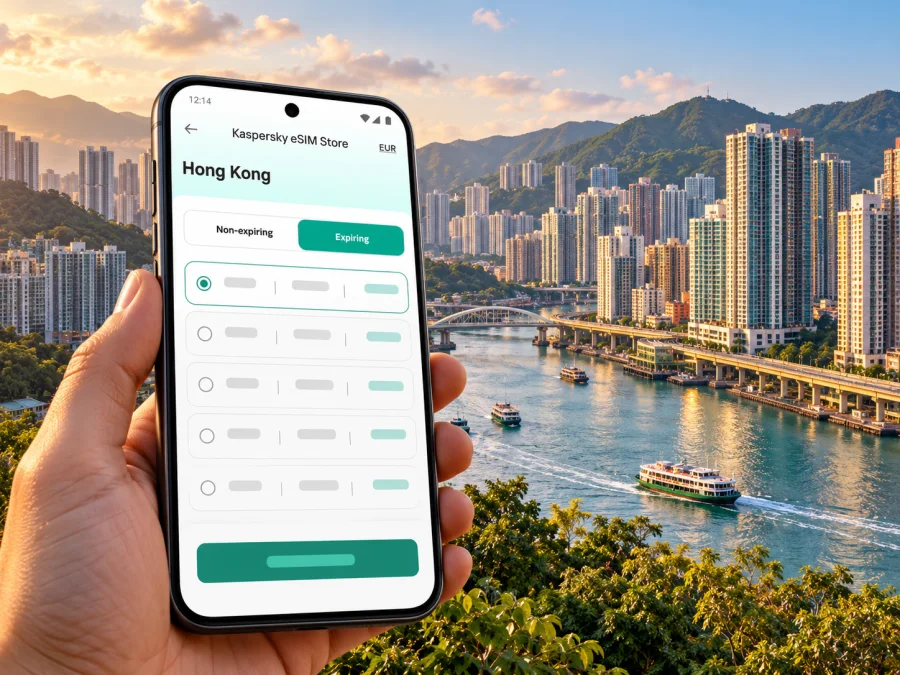
Kaspersky eSIM Store is an app and website that helps you choose, order and activate an eSIM with a suitable plan for mobile internet on an international trip. To review the currently available Hong Kong options and their conditions, browse eSIM plans for Hong Kong. Availability, network access, data amounts, validity and prices depend on the plan displayed at the time you make your choice.
Estimate your data needs
There is no universal data amount for a Tsuen Wan visit. Your phone’s own usage history is a better starting point than a generic daily estimate. Review recent mobile data use, then account for whether you will stream or upload media, use navigation for long periods, or share the connection with another device.
| Typical use | How to keep usage predictable |
|---|---|
| Maps and local searches | Download offline map areas before the trip; use live directions when needed. |
| Messaging and email | Pause large media downloads and automatic attachment previews where practical. |
| Photos and social apps | Disable cellular cloud backup if you prefer to upload over Wi-Fi later. |
| Video and video calls | Use Wi-Fi when convenient, and check data use after the first day. |
| Hotspot for a laptop | Confirm that tethering is allowed and monitor both phone and computer use. |
The table is a planning aid, not a promise about how much any activity will consume. Video quality, app settings, operating-system updates and background syncing can make usage vary considerably. Set a device-level data warning if your phone offers one, and check the eSIM’s remaining allowance through the method described in its plan details.
Is your phone ready for eSIM?
Compatibility is model-specific. A device family may include different variants for different sales regions, and a phone that supports eSIM in one market may have a different configuration elsewhere. A carrier lock, operating-system version or local regulatory variant may also affect setup. Do not rely on a model name alone or assume that every phone sold under the same brand supports eSIM.
Before purchase, check the exact model number and sales region in the manufacturer’s specifications or device settings. Confirm that the handset is not locked in a way that prevents adding another profile, and make sure you can access the email or account where installation instructions will arrive. Check whether your device supports eSIM before selecting a plan.
If you travel with a tablet, watch or second phone, check that device separately. eSIM support on one device does not mean a profile can be transferred or shared with another. Follow the selected plan’s rules, and do not delete or move a profile unless the instructions explicitly allow it.
Install and activate before you need directions
Set aside a few minutes to install the eSIM when you have stable Wi-Fi and can follow the instructions without rushing. Some plans allow installation before departure while activation begins only when you reach the destination; other plans may use a different trigger. Read the specific plan information first and avoid installing early if the validity period would start before you want it to.
General setup sequence:
- Check device compatibility and connect to reliable Wi-Fi.
- Open the installation instructions and keep them available on another screen or in a saved message if you will scan a QR code.
- Add the eSIM profile in your phone’s mobile or cellular settings.
- Label the line clearly, for example “Hong Kong travel”, so it is easy to identify later.
- Choose which line will handle mobile data; keep calls and SMS on your usual number if that is your preference.
- When you are ready to use the plan, follow its activation steps. If instructed, enable data roaming for the travel eSIM.
- Open a web page or map to confirm that mobile data works, then check that your phone is using the intended line.
The exact menu names differ by operating system and manufacturer. Follow the device-specific Android eSIM installation guide or iPhone eSIM installation guide. Keep the QR code or activation information private and follow the instructions supplied for the plan you selected.
If the connection does not work immediately, check that the travel profile is switched on, that it is selected for mobile data and that the plan has reached its activation point. Toggle airplane mode once or restart the phone if the instructions recommend it. Check the APN or roaming settings only when the plan instructions specify them. If the issue remains, use the support route shown with the plan rather than deleting the profile and starting over.
Getting around and exploring from Tsuen Wan
Tsuen Wan rewards a little route planning. A day may include shopping streets and local food around central Tsuen Wan, a visit to Sam Tung Uk Museum, time at the waterfront, or a trip to a trail or reservoir farther inland. These stops are spread out, so check the last leg carefully: a map may suggest a train plus a bus, while the final walk can be steep, exposed or longer than it looks on a small screen.
Sam Tung Uk Museum is a restored Hakka walled village in Tsuen Wan. Before visiting, check its latest opening arrangements and directions from your starting point. The Mills is another local stop associated with the district’s industrial history and contemporary creative spaces; check current venue access and event information before setting off. The Hong Kong Tourism Board also highlights Angler’s Beach and nearby Ma Wan within the broader Tsuen Wan area. Those outings may require an onward bus, ferry or other connection, so check operating times and return options as well as the outward route.
For a walk toward Shing Mun Reservoir or Tai Mo Shan, mobile navigation can help you find the correct bus connection and trail access point, but it should not replace basic outdoor preparation. Check weather and route conditions, carry water, save an offline map and tell someone your intended route if you are heading away from busy streets. Mobile reception can vary, particularly on slopes and trails; do not plan on continuous data coverage in every outdoor location.
Three useful trip patterns
- First afternoon: Save your hotel address, check which MTR station is nearest, then use a walking route for dinner or a nearby shopping street.
- Museum visit: Look up Sam Tung Uk Museum’s current opening details and entrance before travelling; save the return route as well.
- Outdoor or late-day trip: Check the last bus or train and the final walking segment before leaving central Tsuen Wan. Download an offline map and carry water for a longer walk.
Troubleshooting: quick checks
| What you notice | First checks |
|---|---|
| The phone shows no service | Confirm you are in the plan’s destination, the eSIM line is on, and the plan is active. Move to an open area and retry. |
| Signal appears but pages do not load | Check the mobile-data line, remaining allowance and any plan-specific data-roaming or APN instructions. |
| Data works but your usual number does not | Review the home SIM’s line and roaming settings; the travel plan may be data-only. |
| The QR code will not scan | Use manual installation details only if the plan provides them; check whether the profile was already added. |
| Service is weak in one place | Network performance can vary indoors, underground, on a moving train or outdoors. Try again in a different location. |
| The route app cannot find your location | Check location permission, GPS visibility and whether an offline map is available. |
If the plan has a validity or activation deadline, avoid repeated changes that might affect it. Record what you see on screen and contact the support channel provided with the purchase if the basic checks do not help. Network availability and speed depend on the local network, device, surroundings and plan; no single setup can guarantee the same result at every stop in Tsuen Wan.
Frequently asked questions
Which station should I use for Tsuen Wan?
It depends on the address. Tsuen Wan Station serves the Tsuen Wan Line, while Tsuen Wan West Station serves the Tuen Ma Line. Check the full destination and walking route before choosing; the two stations are distinct.
Can I install an eSIM before flying?
Often you can install a profile in advance, but the activation trigger varies by plan. Read its conditions so you know whether validity begins at installation, activation or first connection. Install only when you can follow the supplied instructions and have a reliable connection.
Does every phone sold under one model name support eSIM?
No. Support can differ by exact model, sales region, carrier lock and software configuration. Check the complete model variant with the device maker and use the compatibility check before purchase.
Can I use the same eSIM for Mainland China and Hong Kong?
Only if the plan’s destination list and conditions explicitly cover both. Do not assume that coverage for one destination includes the other. Review the current plan description for every place on your itinerary.
Choose an eSIM plan for your Tsuen Wan trip
Before departure, confirm device compatibility, read the Hong Kong plan conditions and select a data allowance that matches your itinerary. Kaspersky eSIM Store helps you choose, order and activate an eSIM for mobile internet during an international trip. Review eSIM options for Hong Kong and follow the selected plan’s instructions to prepare your connection for Tsuen Wan.


