Travel connectivity guide
Tuenti eSIM in Ecuador: What to Check
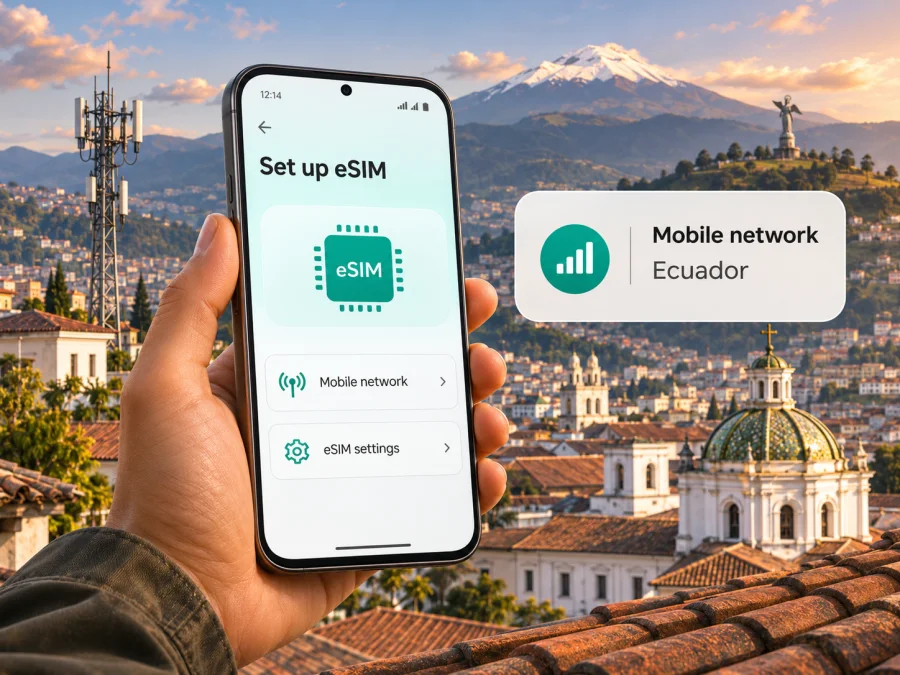
Tuenti eSIM in Ecuador: availability, setup and travel checks
If you are searching for a Tuenti eSIM in Ecuador, the key point is that the service is in a brand transition. Tuenti Ecuador’s official page “Llegó la eSIM a Tuenti” had described its eSIM service, but the former eSIM page now redirects to Tigo Ecuador. Tigo’s current Ecuador page says that Movistar and Tuenti are now Tigo, and that existing customers keep their number, plan and service. As checked on November 4, 2026, a new Tuenti-branded eSIM purchase and activation path could not be confirmed on a stable current page. Treat the older instructions below as background, not as a promise that the same ordering flow is still available.
This distinction matters if you are visiting Ecuador and need a local line. Confirm the current product name, eligibility, identity requirements, device support and activation steps directly with the provider before relying on a Tuenti eSIM. If you only need mobile data for a trip, a travel eSIM is a separate option; check that its destination, network access and conditions fit your route before purchase.
What Tuenti means in Ecuador today
Tuenti has been a customer-facing mobile brand in Ecuador, not a separate licensed network operator. Tigo’s “Políticas | Centro de Transparencia” identifies OTECEL S.A. as the company behind several customer brands, including Tuenti. ARCOTEL’s archived 2017 resolution on Tuenti likewise describes it as an OTECEL commercial brand rather than a new mobile operator. These official pages were checked on November 4, 2026.
The current customer journey has changed. On “¡Hola Ecuador!”, Tigo Ecuador says Movistar and Tuenti are now Tigo. Its help article “¿Qué va a pasar con mi línea, ahora que soy Tigo?” says existing customers keep their number, plan and service, and do not need to replace their SIM for the brand change. Both pages were available on November 4, 2026. They describe continuity for existing customers; they do not confirm that a visitor can order a new Tuenti eSIM today.
ARCOTEL’s July 2025 monthly report counts OTECEL in national mobile-service statistics but does not separate current Tuenti customers as a standalone network. Its technology figures are sector-wide, not Tuenti-specific. Use the provider’s current coverage information for your exact destination rather than treating national statistics as a promise of service in a particular town or route.
Can you get a Tuenti eSIM in Ecuador?
Tuenti’s official site has published eSIM information, but an old page is not proof that a new profile can still be ordered under that brand. On November 4, 2026, the former Tuenti eSIM page redirected to Tigo’s general pages. Tigo’s current transition information does not set out a Tuenti-specific ordering process. Current availability for a new Tuenti-branded eSIM therefore could not be confirmed from a stable official page.
Before planning around a local eSIM, ask the provider whether new profiles are available and whether the current process is handled as Tigo. Existing customers should ask whether their installed Tuenti eSIM remains active and how to replace it if needed. Visitors should confirm whether registration is possible online or in person, which identity documents are required, and whether new numbers, prepaid service, number transfers and SIM replacements follow different rules.
If the provider confirms an option, request the current instructions for your exact phone and operating-system version. Check whether setup uses a QR code, an app or staff assistance; whether internet access is needed during installation; and whether a profile can be reissued after a phone reset. Do not treat an old QR tutorial as current guidance.
Local service or a travel eSIM?
A local mobile line may suit you if you need a local number, ongoing service or functions linked to a domestic account. A travel eSIM is usually arranged for mobile data in a destination or region and can often be prepared before departure. Whether a visitor can register for a local line, and whether it is available as an eSIM, depends on current provider rules.
Many travel eSIMs are data-only, so ordinary cellular calls and SMS may not be included. Internet calling and messaging apps can work over data, but they do not provide a local number. Read the exact product terms for destination, network access, activation trigger, validity, tethering and support.
Neither option is universally preferable. Keep a home SIM for calls or verification messages if your phone supports multiple profiles, and select another profile for data if appropriate. Check roaming charges with your home provider before leaving data roaming enabled on that line. A travel eSIM can reduce reliance on public Wi-Fi, but it does not guarantee signal in every location. If you are considering a data-focused option, review the Ecuador travel-data destination and check the current terms.
Coverage and mobile technology: what to check
Coverage can vary between city centres, indoor spaces, rural roads, mountain routes and islands. Ecuador’s terrain makes route-specific checks useful: service in Quito or Guayaquil does not establish service in a highland village, along an Andean road, in the Amazon region or on an island. Check current coverage and service notices for each stop; ask support about a specific route if the map lacks detail.
Technology labels need context. LTE or 4G access depends on the device bands, local radio access, account provisioning and signal. Tigo Ecuador’s current help information discusses 4G LTE and an expanding 5G footprint for its present network, but that does not establish that a particular Tuenti-branded eSIM can use either technology in a given location. Confirm the technology and coverage for the exact product.
For an imported phone, check the manufacturer’s specifications for its precise regional variant. Confirm eSIM support in the country of sale, carrier-unlocked status and suitable bands. Devices with the same retail name can differ by market. A coverage map is a planning aid rather than a guarantee; terrain, buildings, congestion and maintenance may affect service. Download offline maps and keep essential travel details available offline if connectivity is important.
Check your phone before you travel
Use this checklist before requesting a local eSIM or buying a travel eSIM:
- Confirm that the exact phone variant supports eSIM. Do not rely only on the family name printed on the box or an online listing for a different market.
- Check that the phone is unlocked and can use a second mobile profile if you plan to retain your home SIM.
- Make sure you can access a stable Wi-Fi or mobile connection while downloading the profile. A QR code cannot complete installation if the phone has no internet access.
- Update the operating system if the manufacturer recommends it, and keep enough battery charge for setup.
- Ask whether the activation code is one-time use and whether reinstalling or transferring the profile is supported.
- Confirm what documentation or account-holder verification may be required for a local line.
- Save the provider’s current setup instructions and support contact details.
For general device checks, see eSIM compatibility. Compatibility can depend on the country of sale and a model’s regional variant, so treat a general device list as a starting point and confirm the exact handset.
Installation and activation: a safe sequence
The current Tuenti-branded setup path could not be confirmed, so use an old QR guide only if the provider confirms it still applies. If you receive a current official eSIM, follow the instructions issued with that profile. Menu wording varies by manufacturer and operating-system version.
- Check the profile. Confirm it was issued for your account and destination, and ask when activation begins. Make sure you are the account holder or authorized to install it.
- Connect to the internet. Keep Wi-Fi or another connection available during download. If the QR code is on the same phone, ask for an alternative method or display it on another screen.
- Add the eSIM. In iPhone cellular settings, look for the option to add an eSIM. On Android, check SIM or network settings for “Add eSIM” or “Download a SIM.” Scan or enter details through device settings or the provider’s verified app.
- Label and select the line. Use a clear label, then choose the intended profile for mobile data. Keep your home line for calls or messages if needed, while checking its roaming terms.
- Test service. At the time specified by the provider, check that the profile is on, selected for data and registered to a supported network. Follow the provider’s guidance on data roaming for that profile.
Installation stores a profile on your phone; it does not necessarily mean the service has started or connected. The provider’s terms determine timing. Do not delete a profile to troubleshoot unless support confirms it can be installed again.
What to do if activation fails
First check that the phone is unlocked, eSIM capable and online; that the intended profile is switched on and selected for data; and that any required roaming setting is enabled for that profile. Compare settings with the current provider guide. If a QR code reports that it has already been used, stop retrying and do not delete the profile. Contact official support with your account reference, device model and the on-screen error; never post activation details publicly.
If the old Tuenti page is unavailable, start from Tigo Ecuador’s current site or account support channel. Explain whether you have an existing Tuenti line or want a new eSIM, and ask which process applies now. A general Tigo guide should not be assumed to apply to every former Tuenti line without confirmation.
Preparing mobile data for an Ecuador trip
Plan around your route, not only the airport. Check connectivity for the arrival point, transport pickup, accommodation and onward destinations. If you will travel through mountains or remote areas, download offline navigation and save reservations and tickets locally.
For a local line, confirm registration, identity requirements and current ordering channels before arrival. Online sign-up, in-person purchase and eSIM eligibility may differ; do not assume a visitor can obtain the same service as a resident or that a physical SIM and eSIM have identical rules.
If you prefer to prepare data before travel, Kaspersky eSIM Store has a website and app for choosing, arranging and activating a travel eSIM. Its Ecuador destination page was available on November 4, 2026. Kaspersky eSIM Store is not a mobile operator, network owner or mobile internet provider; its eSIM products and related services are provided by its technology partner. Check the current destination and product terms before purchase. This may suit a trip where data is the priority and you do not need a Tuenti number.
| Question | Local provider line | Travel eSIM |
|---|---|---|
| Main purpose | Local mobile account, subject to eligibility | Mobile data for a destination or route |
| Telephone number | May include one if issued by the provider | Often data-only; check conditions |
| Ordering | Ask about the live provider process | Usually arranged digitally |
| Coverage | Check the provider map for each stop | Check destination and supported access |
| Setup | Follow current carrier instructions | Follow instructions for that profile |
This is a general distinction, not a comparison of specific plans. Conditions vary, so review the exact offer.
Common questions about Tuenti eSIM in Ecuador
Does Tuenti currently offer a new eSIM to visitors?
This could not be confirmed from a stable official ordering page on November 4, 2026. The former Tuenti eSIM page redirected to Tigo, whose transition page says Movistar and Tuenti are now Tigo. Ask the provider which current process applies to visitors.
What happens to an existing Tuenti line?
Tigo’s official transition information says existing customers keep their number, plan and service and do not need a SIM replacement for the rebrand. Ask separately whether your installed eSIM profile remains valid or needs replacement.
Can I install an eSIM before landing?
That depends on the profile’s activation rules. Ask when to install and when service begins; do not use an old Tuenti guide to determine timing.
Does a travel eSIM provide an Ecuadorian number?
Not necessarily. Many are data-only and do not support ordinary cellular calls or SMS. Check the selected product’s conditions.
Plan your connection with current information
The practical step for Tuenti in Ecuador is to confirm which provider process applies after the brand transition. Earlier Tuenti eSIM information does not establish a current ordering path. Existing customers can ask how their line and profile are handled; new customers should confirm eligibility, registration and activation before relying on a local eSIM.
Choose by purpose: a local service may matter if you need a local number or continuing account, while a travel eSIM may fit a trip where data is the priority. Check device compatibility, carrier lock status, destination coverage and activation rules. To review the available travel-data option for Ecuador, see the Ecuador destination in Kaspersky eSIM Store. This is a separate travel eSIM option, not a Tuenti tariff or a specific local Tuenti offer.
Tuenti and Tigo are names and marks of their respective rights holders. Kaspersky eSIM Store is not affiliated with or endorsed by Tuenti or Tigo. Availability, coverage, technology, registration rules and eSIM procedures can change; confirm current details with the provider before ordering. Information checked November 4, 2026.


