Travel connectivity guide
Tulum eSIM: Mobile Internet for Your Trip
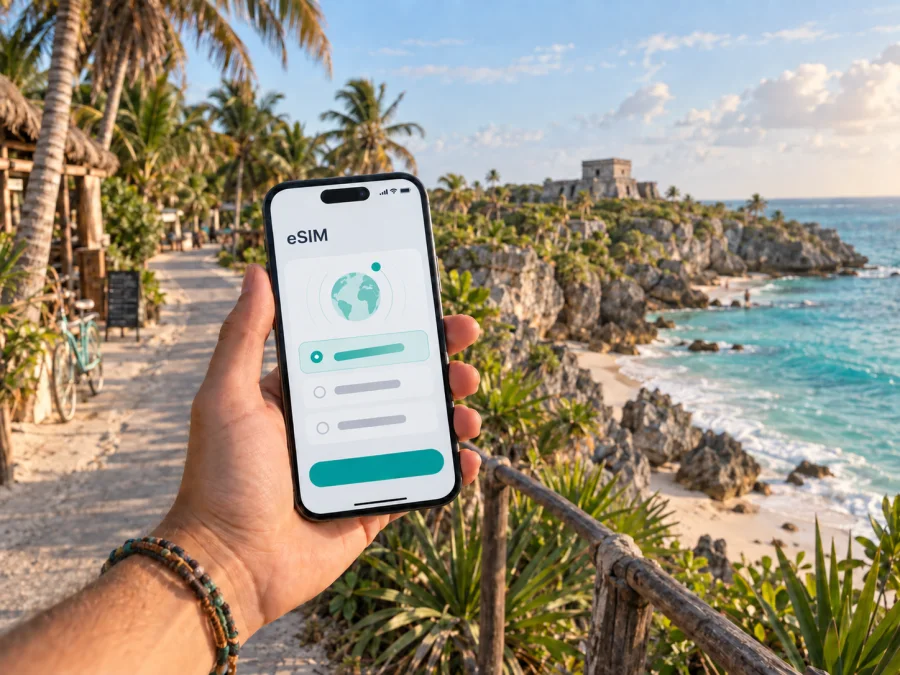
Tulum eSIM: mobile connection and internet for your trip
Tulum is easier to enjoy when your phone is ready before the first transfer, beach walk, or reservation. The town and its surroundings are spread across several distinct areas: the central Pueblo, the Hotel Zone along the coast, the archaeological zone, and residential districts such as Aldea Zama and La Veleta. A dependable mobile internet setup helps you move between them, check directions, coordinate a ride, translate a message, and keep in touch without spending the first hours of the trip looking for a physical SIM card.
An eSIM is a digital SIM that is installed in a compatible phone or tablet. For a trip to Tulum, it can be used for mobile data in Mexico while your usual SIM remains available for calls or messages, subject to your device and home-operator settings. Kaspersky eSIM Store is an app and website that helps you choose, arrange, and activate an eSIM with a suitable plan for mobile internet during an overseas trip. The plan conditions, network access, validity period, and data allowance depend on the selected offer.
Why mobile internet matters in Tulum
Tulum is not laid out like a compact city where every useful place is a short walk from one central square. Your accommodation, the beach, a restaurant, the archaeological zone, a cenote, and the bus station may all be in different directions. Even when you know the broad route, the practical details change: a hotel entrance can be set back from the main road, a beach road can be busy, and a meeting point can be described by a nearby landmark rather than a formal street number.
Mobile internet is useful for:
- checking the route from Tulum International Airport, also known as Felipe Carrillo Puerto International Airport, to your accommodation;
- confirming a transfer meeting point after landing;
- ordering or coordinating a taxi and sharing your location;
- navigating between Pueblo, Aldea Zama, La Veleta, the Hotel Zone, and the archaeological zone;
- checking a reservation, digital ticket, opening information, or a change to a day-trip plan;
- using translation, banking, messaging, and travel applications away from hotel Wi-Fi;
- contacting family or colleagues during a short stopover;
- working from a hotel, apartment, or café when the local Wi-Fi is not enough for the task.
Arrival: make the first hour predictable
The first useful test of a travel eSIM is not a beach photo. It is the sequence from the aircraft to the accommodation. Tulum International Airport is outside the central town, so the transfer stage deserves its own plan. Transport options and pickup procedures can change, and the most convenient choice depends on your flight, party size, luggage, and accommodation. Check the current instructions from the provider you book, save the address of the property, and keep the transfer confirmation available on the phone.
A simple arrival routine looks like this:
- Keep your phone charged and make sure the eSIM details or QR code are accessible before leaving the airport.
- Confirm the name and location of the accommodation in a format you can show to a driver or host.
- Use mobile data to message the driver, check the meeting point, or share your live location if that is part of your arrangement.
- When you arrive, connect to the accommodation Wi-Fi if available, but keep the eSIM ready for the next outing.
- Save the route to your first planned destination and the contact details you may need later.
If you arrive late, have a long connection, or continue directly to the coast, this preparation is especially helpful. You may not want to depend on finding a shop, explaining your requirements in a new language, or waiting for a physical SIM card before you can coordinate the next step.
Three practical Tulum scenarios show why the setup should match the itinerary:
- Beach stay: use data for the airport transfer, accommodation messages, maps, and occasional reservations; rely on Wi-Fi for larger downloads.
- Work trip: test the hotel connection, keep the eSIM available as a fallback, and confirm whether hotspot use is allowed before a video call.
- Excursion-heavy visit: allow for navigation and coordination outside the town, save meeting points offline, and check the return route before leaving the coast.
Choosing an eSIM plan for a Tulum itinerary
The right plan is the one that matches the way you will use your phone in Tulum. Start with the route and habits, then compare the available conditions.
| Travel pattern | Main data use | What to prioritize |
|---|---|---|
| Short break | Maps, messages, transfers | Validity that matches arrival and departure |
| Beach holiday | Occasional navigation and bookings | A moderate allowance plus Wi-Fi for large files |
| Remote work | Calls, email, cloud tools, hotspot | Data allowance, device battery, and tethering conditions |
| Day trips | Meeting points, maps, coordination | Coverage area and validity for the full route |
1. Confirm the destination
Tulum is in Mexico, so select a plan that explicitly applies to Mexico or to a region that includes Mexico. If your itinerary continues to another country, do not assume that a Mexico plan covers it. Check the destination list and the validity rules for each part of the route.
2. Estimate the trip length
A plan for a weekend, a week, and a month should not be evaluated in the same way. Look at when validity begins and whether it starts at purchase, installation, activation, or first use. The exact rule belongs to the chosen plan, so read it before installing the profile.
3. Match data to real use
Maps and text messages usually require less data than video calls, photo backups, streaming, or uploading large work files. Consider these questions:
- Will you use hotel Wi-Fi for large downloads and updates?
- Will you take video calls from an apartment or coworking space?
- Will several people connect through your phone’s hotspot, if the plan and device allow it?
- Will you take day trips where you cannot count on Wi-Fi?
- Do you need navigation and messaging only, or also frequent media uploads?
Choose a data allowance with a reasonable margin, but avoid paying for a larger package simply because the number looks reassuring. The most useful comparison is between the plan’s allowance, its duration, its price, and your expected routine.
4. Separate mobile data from phone-number expectations
Travel eSIM plans are generally intended for mobile data. They do not automatically give you a separate phone number, standard voice calling, or SMS unless the selected conditions say otherwise. You can use messaging and calling applications over the internet, while your regular SIM may remain available for normal calls if your home operator and device support that setup.
5. Think about the whole route
If Tulum is one stop in a wider Mexico itinerary, check whether the same plan fits the other destinations you will visit. A route that includes Playa del Carmen, Cancún, or an inland archaeological site still requires you to review the plan’s stated coverage area and conditions. For a cross-border itinerary, make a separate decision for each country or select a regional option only when its terms clearly match the route.
When the destination, length, data habits, and route are clear, you can choose an eSIM plan for a trip to Mexico and compare the conditions before purchase. Kaspersky eSIM Store helps you select, arrange, and activate an eSIM for mobile internet abroad; it is not a mobile network or a replacement for a local operator.
Preparing before you leave
Use this pre-trip checklist:
- Confirm that the phone or tablet supports eSIM and is not locked to an operator. Check your device compatibility before purchase.
- Make sure you can access the profile, app, or email where the eSIM information will appear.
- Keep the QR code or activation details available if your installation flow requires scanning.
- Charge the phone and carry a power bank for the airport and transfer stage.
- Save your accommodation address, transfer details, first meeting point, and essential confirmations for offline access.
- Decide which line will be used for mobile data and which line will remain available for your regular number.
- Read the selected plan’s start date, duration, data allowance, and top-up or refund conditions.
Compatibility can vary by model, region of sale, and operator lock, so solve any device issue before you rely on the plan for arrival.
How to install and activate eSIM
The menus differ by device. Complete the compatibility check first and keep the phone online during installation.
Step 1: Open the eSIM information
Open the profile, app, or email with the installation instructions and keep the QR code or activation details available.
Step 2: Add a mobile plan
Open mobile-network settings and choose the option for adding an eSIM or mobile plan. Follow the prompts for a new data line.
Step 3: Scan or enter the details
Scan the QR code or enter the required details as instructed. Keep the QR code private.
Step 4: Label the lines clearly
Label the new profile as the Mexico travel line and keep your regular line separate.
Step 5: Select the data line
Choose the eSIM for mobile data. Review automatic data switching so the phone does not unexpectedly use the primary line.
Step 6: Activate at the right time
Some plans start validity at installation, while others follow a different rule. Use the selected plan’s conditions to choose when to enable it.
Follow the Android eSIM installation instructions or the iOS eSIM installation instructions. Registration may take a few minutes; some devices also require data roaming for the travel eSIM.
Trips beyond central Tulum
Tulum is also a base for excursions. The archaeological zone presents a coastal Maya site, while routes toward cenotes, Cobá, or the Sian Ka’an area can involve longer drives and less predictable access. Conditions, admission arrangements, weather, and transport availability can change, so confirm the details close to the day of travel and keep the essentials offline.
For an excursion, use this compact routine:
- Save the exact meeting point and the accommodation address.
- Check the expected route and return time.
- Share the plan with your companions.
- Carry water, sun protection, and a charged phone appropriate for the conditions.
- Keep tickets, confirmations, and emergency contact information available offline.
- Use mobile data for the route and coordination, not as a substitute for checking the tour’s current instructions.
If a trip continues toward Playa del Carmen or Cancún, review the return connection and leave room for traffic. If it goes inland or into a protected natural area, do not assume that every road, attraction, or mobile-data condition will be the same as in the town. A little preparation makes the eSIM useful without turning it into the only part of your safety plan.
What to do if the eSIM does not connect
Proceed in order:
- Check that the eSIM is enabled and selected for mobile data.
- Review activation, destination, validity, allowance, and any data-roaming requirement.
- Restart the phone and allow a few minutes for registration.
- If the problem remains, contact support with the device model and steps already tried.
Avoid deleting the eSIM profile during troubleshooting unless the instructions or support team tell you to do so. Some profiles cannot be reinstalled freely after removal. Keep your primary SIM available as a separate line, and use saved offline information while you resolve the issue.
Frequently asked questions
Is an eSIM useful for a weekend in Tulum?
It can be. Even a short visit may involve an airport transfer, a hotel check-in, beach or archaeological-zone navigation, and messages with a driver. Compare the plan duration and activation rule with the actual length of your stay instead of choosing by trip length alone.
Can I use an eSIM for a day trip from Tulum?
Yes, when the plan applies to the destination and remains valid for the whole route. Check the plan’s stated area before travelling to another city or across a border. Save the route and meeting details in advance, especially for excursions outside the main town.
A calm final check before departure
The Tulum version of a good connectivity plan is simple: know where you are staying, know how you are reaching it, know which areas you will visit, and know when your data plan starts. Then confirm the device, save the essentials offline, and install the eSIM while you still have time to ask for help.
Before you leave, make sure you can answer yes to these questions:
- Is the eSIM-supported device unlocked and charged?
- Does the selected plan apply to Mexico and match the full itinerary?
- Do you understand the data allowance, duration, and activation rule?
- Are your airport transfer, hotel address, and first meeting point saved?
- Do you know which line is selected for mobile data?
- Have you kept installation instructions and important confirmations accessible?
Prepare your Tulum connection
When the checklist is complete, choose your Mexico eSIM plan for the trip. Kaspersky eSIM Store helps you select, arrange, and activate an eSIM with a suitable data plan for an overseas journey. Review the conditions, install the profile on a compatible device, and arrive in Tulum ready to navigate the town, coast, and surrounding routes with fewer avoidable interruptions.


