Travel connectivity guide
Tumon eSIM: Mobile Internet for Your Guam Trip
Tumon eSIM: Mobile Connection and Internet for Your Guam Trip
Tumon is Guam’s best-known resort district, with hotels and visitor services concentrated around Tumon Bay and Pale San Vitores Road. If you are staying here, an eSIM can help you get mobile data for maps, messages, bookings, and the first trip from the airport without swapping a physical SIM. The useful question is not simply whether a phone has eSIM: you also need to confirm that the specific plan you choose covers Guam and that your exact phone variant can install it.
There is a geographic detail worth knowing when you plan routes. Tumon is commonly used as a destination name, but it is part of Guam’s combined Tamuning–Tumon–Harmon municipal area rather than a separate incorporated city. It sits on the island’s west coast, along Tumon Bay; Upper Tumon and Harmon rise inland from the hotel and beach strip. This distinction matters for addresses and trip planning: a hotel may show Tumon, Tamuning, or Upper Tumon in its address, even when it is part of the same general visitor area.
Why mobile data helps in Tumon
A resort stay can involve more than walking between a hotel and the beach. You may need to confirm an airport pickup, message a host, find a restaurant entrance, or look up a route beyond the bay. Mobile internet helps during the handoff between arrival, transport, check-in, and the first errands, when you may not yet know where Wi-Fi is available.
Tumon’s hotel district is compact compared with Guam as a whole, but a day can take you from Pale San Vitores Road to Upper Tumon, Tamuning, or another village. A map connection helps distinguish a nearby place from one that requires a ride, and keeps booking details available while you move. Data is useful for:
- Arrival: checking a transfer message, sharing your location, or contacting your accommodation.
- Getting around: opening maps, checking directions, and confirming a meeting point.
- Work: checking messages or cloud documents away from the hotel.
- A short stopover: accessing travel details without setting up a long-term local account.
An eSIM is a digital SIM profile installed on a compatible device. It can provide mobile data under the selected plan’s terms; it does not automatically include a local phone number, voice calls, or SMS. If the plan is data-only, keep your usual number active for calls or texts if your home carrier permits it, and use internet messaging for app-based calls. Check your home line’s roaming settings and charges before travel so it does not use mobile data unexpectedly.
Getting from the airport to Tumon
A.B. Won Pat International Airport is in central Guam, near the island’s main road connections. On arrival, mobile data can help you check a transfer message, contact a driver, open a map, or tell your hotel you have landed. The airport authority lists a taxi counter outside the West Arrivals terminal and car-rental and tour-group counters outside baggage claim. Follow terminal signs and confirm the pickup point with your provider because arrangements can change.
Before departure, save your hotel’s full address and reservation details offline, and confirm whether a transfer has been arranged. If taking a taxi, use the airport’s marked passenger process and confirm the destination before leaving. Allow time for baggage and any wait for transport; a data connection helps coordinate the trip but does not replace a confirmed ride.
Tumon’s layout: beach strip, main road, and Upper Tumon
Tumon Bay is bordered by steep coastal terrain and the resort strip; farther inland, the land rises toward Upper Tumon and Harmon. This layout affects everyday movement. A place that looks close on a straight-line map may require following a road, using a hotel entrance, or walking around a slope. For that reason, look at the route itself rather than judging distance from a pin alone.
Pale San Vitores Road is a useful reference for the hotel and visitor-services corridor. The Guam Visitors Bureau lists its office in central Tumon Bay off this road. Nearby places are often easiest to locate by pairing a business or hotel name with the road or a recognizable landmark. In Upper Tumon, addresses may refer to a different part of the same broader municipal area; a ride or a longer walk may be more practical than it first appears.
| Where you are going | What to check on your map | Why data can help |
|---|---|---|
| A hotel on the Tumon strip | Exact hotel entrance and road-side access | Large properties can have separate lobby, beach, and vehicle entrances. |
| A restaurant or shop | Current business name and pin | Nearby listings can be similar; check the address before setting out. |
| Upper Tumon or Harmon | Route, elevation, and available transport | The inland area is not simply an extension of the beachfront sidewalk. |
| A beach or viewpoint elsewhere on Guam | Village name, directions, and return plan | Island trips can involve longer distances than a walk within Tumon. |
Use a map as a planning aid, not as a guarantee that every footpath is open or that a road is comfortable for pedestrians. In tropical heat or rain, a short distance can feel longer. Check the weather, carry water, and choose a taxi or arranged ride when the route, time of day, luggage, or terrain makes walking unsuitable. For beaches and scenic stops, check access and local conditions before leaving the hotel.
Choosing an eSIM plan for a stay in Tumon
The destination to check is Guam. Tumon is the city or area name you enter into your itinerary, but plan coverage is generally described by a country or territory, region, or route. Guam is a U.S. territory in the western Pacific; its geographic association with the United States does not mean that every plan labelled “United States” automatically includes Guam. Read the destination list in the plan details and look specifically for Guam before purchase. Also check whether a regional plan includes the island if your trip continues to another Pacific destination.
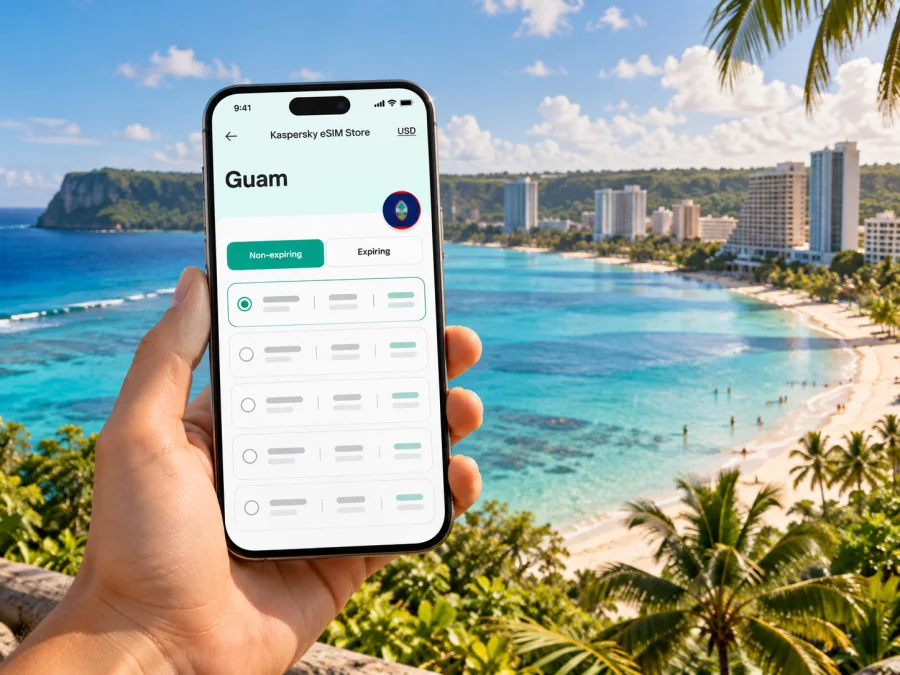
Kaspersky eSIM Store is an app and website where you can choose, purchase, and activate an eSIM with a suitable plan for mobile data on an overseas trip. Availability and conditions depend on the destination and the particular plan displayed. The service is not a mobile operator and does not own the local network. The current Guam destination listing names Docomo Pacific as the local provider for its listed plans; that is specific to those offers, not a blanket statement about every network or signal condition on Guam. The listing also says data use begins when the device connects to a local network after arrival, but check the selected plan’s checkout terms for its activation options. For a Tumon itinerary, review the current plan selection for Guam rather than inferring coverage from a U.S. label or from a hotel’s location.
Before choosing, compare the details that affect your own travel pattern:
- Destination: Guam must be named explicitly, or the regional plan must list Guam among its included destinations.
- Validity: Match the validity period to the whole time you expect to use mobile data. Check when the period begins: purchase, installation, or first connection may be treated differently by different plans.
- Data allowance: Think about maps, messaging, email, photos, video calls, and hotspot use. Video and automatic photo backup can consume more data than navigation and text messages.
- Tethering: If you need to connect a laptop or a second phone, confirm whether hotspot use is allowed and whether the plan has any related restrictions.
- Network selection: Read any instructions about supported networks or manual network selection. Actual signal can vary by location, building, device, and network conditions.
- Top-ups and expiry: Check whether additional data can be added and what happens when the allowance or validity ends. Do not assume every plan can be extended.
- Currency and payment: Review the displayed total and billing currency before completing the order.
Estimate usage from your own habits: maps and messages need less data than video calls or frequent hotspot use. If your lodging has dependable Wi-Fi, reserve mobile data for travel and time away from the hotel. Confirm tethering terms before paying, and remember that a mobile connection can vary indoors or in crowded places.
Compatibility and regional phone variants
Check the exact device model before buying. Support for eSIM can differ between product families and even between regional versions of what looks like the same phone. Some devices sold for a particular market may omit eSIM capability, and a carrier lock can prevent a profile from working with another provider. The model name printed on the box is not always enough to resolve these differences.
Use the manufacturer’s specifications for your exact model and the device settings to confirm that an option to add an eSIM or mobile plan is available. Then confirm that the phone is unlocked for the plan you intend to use. If you are unsure, ask the seller or your home carrier. Check your device’s eSIM compatibility before you place an order.
A quick checklist:
- Find the full model or model number in the device settings, not only the marketing name.
- Check the manufacturer’s support information for the sales region of your device.
- Confirm that the device is not carrier-locked.
- Make sure you can connect to Wi-Fi or another internet connection while installing the profile.
- Check that you have access to the account or email where the eSIM instructions will be delivered.
- Keep your current SIM profile in place unless you know you no longer need it.
If your handset does not support eSIM, or its status is uncertain, do not assume an app can change that. Ask your carrier about roaming or look into a local physical SIM option through a legitimate point of sale after you arrive. If you choose a physical SIM, make sure the phone is unlocked and understand what happens to your usual number while the new SIM is in use.
Install before travel, activate with care
Installing an eSIM profile and using it for data are related but separate steps. Depending on the plan, the profile may be installed before departure and activated later. Follow the plan’s instructions, especially when they explain when validity begins. Avoid deleting a profile just because it does not connect before the trip; some profiles cannot be reinstalled after removal.
For the general process, use the Android eSIM installation instructions or iOS eSIM installation instructions. Menu names vary by operating-system version and manufacturer.
- Prepare: Check compatibility, unlock status, Guam coverage, validity rules, and data allowance.
- Install: Add the profile over a stable internet connection using the device instructions.
- Label: Name it “Guam data” so you can identify the travel profile.
- Select: Choose the eSIM for mobile data when you want to use it; keep calls and SMS on the line you intend to use.
- Connect: At the destination, allow time to register. Enable data roaming for the travel profile only if its instructions require it.
- Test: Open a map or send a short message. If it fails, check the selected data line, airplane mode, activation instructions, and network selection.
Do not scan a QR code on several devices unless the plan explicitly allows it. Keep the confirmation and instructions accessible separately from the phone if possible.
Transport: walking, buses, taxis, and rental cars
Tumon’s visitor strip can be explored on foot in parts, but the island’s other villages and attractions are not all within an easy walk. Guam Regional Transit Authority publishes routes with Tumon stops, including Blue Line services connecting the area with Tamuning and other parts of the island. Schedules and operations can change, and service is not a substitute for checking the day’s route. Review the current authority schedule before planning around a bus, and keep the stop name and destination saved in your map.
Taxis, arranged hotel transport, tours, and rental cars each suit different plans. The airport authority lists taxi and rental-car information for arriving passengers. For a day trip beyond Tumon, a rental car or an organized tour may be more practical than relying on one local bus connection, but the right choice depends on your itinerary and comfort driving. Confirm insurance, pickup rules, and return arrangements directly with the provider. Never rely on a search result alone for current service hours or fares.
Mobile data can help you check your route, but driving requires attention to the road. Set the destination before moving, use a passenger to manage directions, and stop somewhere safe before changing settings. If you are walking, use sidewalks and marked crossings where available; do not assume every roadside route is designed for pedestrians.
| Travel situation | A practical connection plan |
|---|---|
| Airport to hotel | Keep the address and transfer contact saved; use data for coordination if needed. |
| Short walk in Tumon | Open the route before setting out and check the destination entrance. |
| Bus trip | Confirm the current route and timetable with the transit authority; save the stop name. |
| Island day trip | Check transport and return options in advance; keep offline details and a charged phone. |
| Remote work | Test the connection early, limit background uploads, and identify a Wi-Fi backup. |
If the eSIM does not connect
Start with the simple checks and change one setting at a time. Confirm that the eSIM profile is still installed and turned on, that it is selected for mobile data, and that the plan covers Guam. Review whether the plan’s instructions require data roaming for that profile. Check that airplane mode is off, restart the phone if appropriate, and allow time for the device to register. If automatic network selection does not work, follow the plan instructions before trying manual selection.
If the phone displays “No Service” or data does not load, these checks can narrow down the cause:
- Is the plan valid now, and has its validity period started?
- Is Guam explicitly included in its destination list?
- Is the travel eSIM enabled and selected for mobile data?
- Does the phone show a network name, and do the plan instructions specify a network preference?
- Is data roaming enabled for the travel eSIM if the instructions require it?
- Can the same phone load a page over Wi-Fi, confirming that the app or browser itself is working?
Avoid deleting and reinstalling the eSIM as a first troubleshooting step. If the problem remains, use the support channel associated with your purchase and provide the phone model, operating-system version, plan name, and a description of the steps already tried. Do not share account passwords or one-time codes. You can use hotel Wi-Fi to contact support while you resolve a mobile-data issue.
Frequently asked questions
Is Tumon a city in Guam?
Tumon is a well-known destination, but it is administered within the combined Tamuning–Tumon–Harmon municipal area. Use your hotel’s exact address for transport and deliveries.
Does a United States eSIM plan automatically cover Guam?
No. Check the plan’s included destinations and make sure Guam is named or clearly included in its regional terms before purchase.
Can I use eSIM for maps and messaging only?
Yes, if the selected plan is a data plan and its terms fit your needs. Ordinary calls and SMS are separate unless the plan says otherwise.
Should I install the eSIM before flying?
You can install it in advance if the plan allows it. Check when validity starts so installation does not unintentionally begin the usage period.
Will the connection work everywhere in Tumon or Guam?
No plan can guarantee service in every building or location. Coverage and performance depend on the network used by the plan, the phone, terrain, building materials, and other conditions. Keep offline information for important addresses and routes.
What if my phone’s regional version does not support eSIM?
Check the full model number and sales region with the manufacturer. If the phone cannot install an eSIM, ask your carrier about roaming or consider a local physical SIM if the phone is unlocked.
Can I use one eSIM on several devices?
Do not assume so. Some profiles are restricted to one device or cannot be reinstalled after removal; follow the selected plan’s terms.
Prepare your Tumon connection
For a smooth arrival, check three things before departure: that your phone’s exact variant supports eSIM and is unlocked, that the selected plan explicitly includes Guam, and that you understand when its validity begins. Save your hotel address and transport details in case you need them before the mobile connection is active.
Kaspersky eSIM Store provides an app and website for choosing, purchasing, and activating an eSIM with a suitable plan for mobile data while travelling abroad. Review the current Guam destination options and the terms that match your stay, then choose an eSIM plan for Guam. Install it according to the device instructions, keep your main line’s settings in mind, and use the connection that suits your route through Tumon and beyond.


