Travel connectivity guide
Tune Talk eSIM in Malaysia: traveler guide
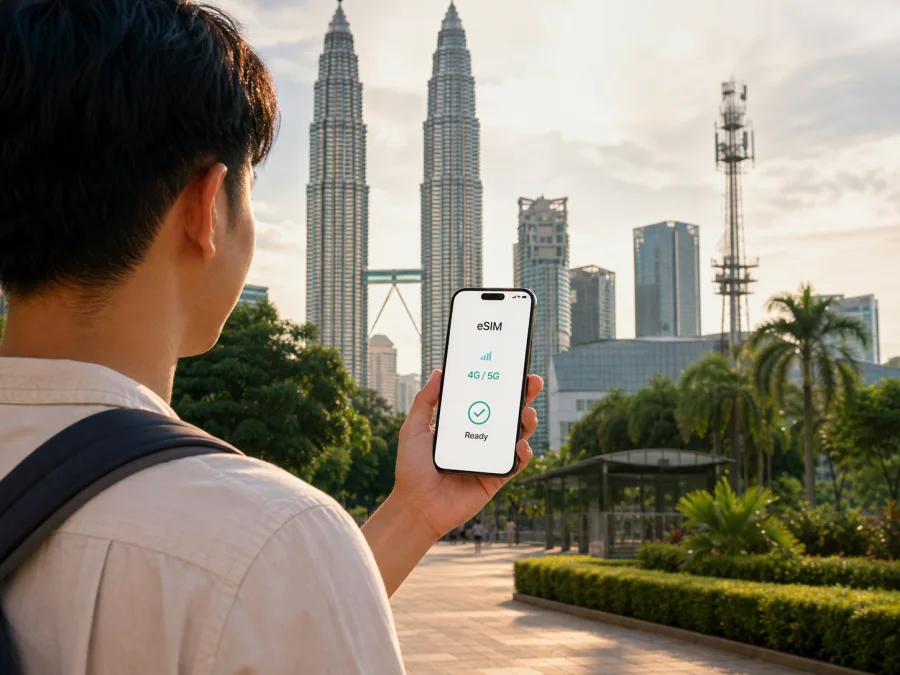
Tune Talk eSIM in Malaysia: how connection works for travelers
If you are traveling to Malaysia and want mobile internet without replacing your physical SIM card, Tune Talk eSIM is one local option to investigate. Tune Talk presents eSIM through its website and mobile app, with a digital profile that can be installed on a compatible smartphone. The practical question is not only whether the phone supports eSIM, but also whether the registration flow, identity checks, network settings, and service conditions fit your trip.
This guide explains how Tune Talk eSIM is positioned in Malaysia, what a traveler can verify before ordering, how activation works, and when a travel eSIM may be a more convenient alternative.
Tune Talk and Kaspersky eSIM Store are mentioned for informational purposes. Kaspersky eSIM Store is not affiliated with Tune Talk and is not its official partner or distributor. Kaspersky eSIM Store is an app and website that helps a traveler choose, arrange, and activate an eSIM with a travel data plan; it is not a mobile operator, network owner, or provider of mobile coverage.
What Tune Talk eSIM is in Malaysia
Tune Talk is a Malaysia-focused mobile service brand with prepaid and traveler-oriented offers. Its public website places eSIM within the same customer journey as mobile account management, new-number registration, SIM replacement, and prepaid services. That positioning matters for visitors: Tune Talk eSIM is a local operator service, not an anonymous data-only travel profile presented independently of the operator’s registration process.
The operator’s current eSIM page, checked on 1 September 2026, describes eSIM as a digital SIM embedded in a compatible device. The same page says that both new and existing Tune Talk users can purchase eSIM through the Tune Talk app or website. For a new user, the process starts with obtaining a new number and selecting eSIM. For an existing user, the app provides a SIM-replacement route for switching a number from a physical SIM to an eSIM.
Tune Talk’s Help Centre, checked on the same date, also has a separate Traveller section. It describes prepaid and tourist-oriented connectivity for visitors to Malaysia and provides an eSIM registration flow. This confirms the general availability of prepaid and traveler options, but it does not mean that every offer is available to every visitor or device. The current eligibility rules, order screen, registration prompts, and service conditions remain the controlling information at the time of purchase.
Is Tune Talk eSIM available to travelers?
Yes. Current Tune Talk pages describe eSIM for new and existing users and document a traveler route. Availability remains conditional on a compatible unlocked device, internet access during installation, and completion of the current verification steps.
The public traveler FAQ checked on 1 September 2026 instructs a new traveler using eSIM to open the Tune Talk app, register a SIM, choose a new number, select eSIM, scan the confirmation QR code, complete identity verification, verify an email address, enter the requested details, and confirm registration. The sequence shows that eSIM activation is connected to an account and identity workflow, so have the information requested by the current form ready.
This is different from the physical-SIM route. Tune Talk’s traveler information says that physical cards ordered from outside Malaysia are not shipped internationally and may need to be collected at designated arrival points. That restriction concerns delivery and pickup, not the digital nature of eSIM.
A passport or another accepted identity document may be relevant to registration, depending on the route and the current requirements. Tune Talk’s public FAQ specifically describes identity verification for the traveler eSIM flow and document scanning in the physical-SIM registration flow. Because requirements can be updated, confirm the documents and personal details requested during the current order rather than relying on an older travel checklist.
What the official activation flow looks like
Tune Talk’s eSIM page, checked on 1 September 2026, describes a QR-code-based installation process supported by in-app steps. The profile is supplied through the confirmation email after the order is completed, and activation is completed through the Tune Talk app. The operator also describes a manual-entry fallback for cases where the QR code does not download correctly.
For a new Tune Talk eSIM, the general sequence is:
- Confirm that the smartphone supports eSIM and is not locked to another operator.
- Connect the smartphone to reliable Wi-Fi or another working internet connection.
- Install or update the Tune Talk app, then choose the new-SIM and eSIM route.
- Enter the requested details and complete number and identity verification.
- Open the confirmation email, add the eSIM from its QR code, and complete activation in the app.
- Select the Tune Talk profile for mobile data when you want to use it.
The order can vary between iOS and Android. On iOS, Tune Talk’s instructions use Settings, Mobile Data or Mobile Service, Add eSIM, and Use QR Code. On Android, they use Settings, Connections, SIM Manager, Add eSIM, and Scan QR Code, although manufacturers may use different labels. Keep the QR email until the eSIM is working.
For an existing Tune Talk number, use the app’s SIM-replacement or switch-device route rather than treating the new-user QR flow as a migration method. Follow the current prompts in order if you need to move a number or replace a profile.
Device compatibility and practical restrictions
Tune Talk provides a device checker and a supported-model list on its eSIM page and Help Centre. It identifies common families such as recent iPhone, Samsung Galaxy, and Google Pixel devices, while the full list also includes other manufacturers and tablets. Treat it as a compatibility aid, not a guarantee for every regional variant.
Before ordering, open the phone settings and look for an option such as Add eSIM, Add Cellular Plan, or Add Mobile Plan. Then confirm three separate conditions:
- the device has eSIM hardware and current software that can use it;
- the device is unlocked and can accept a Tune Talk profile;
- the phone can reach the internet while the profile is downloaded.
Compatibility also depends on how many cellular profiles the phone can store and which can be active together. If a profile is already installed, do not scan the same QR code repeatedly; use Tune Talk’s replacement instructions if you lose the phone or need to move the number.
Tune Talk network technology and coverage
Tune Talk’s current public pages identify both 5G and 4G as supported mobile technologies for relevant services. Its Help Centre FAQ, checked on 1 September 2026, says that a device without 5G compatibility or a user outside a 5G coverage area will fall back to 4G. The traveler FAQ also describes network coverage in general 5G/4G terms. These statements establish the technologies named by the operator; they do not promise a particular speed or indoor signal at every location.
Tune Talk’s corporate page presents its mobile service as available across Malaysia and notes that 5G coverage depends on area availability and device compatibility. Read that as a reason to check the location rather than as a universal coverage promise. Urban areas, islands, mountain roads, buildings, and indoor spaces can have different radio conditions.
Local Tune Talk eSIM or a travel eSIM?
Both routes can be reasonable, but they solve slightly different travel problems. A local Tune Talk eSIM is connected to Tune Talk’s own customer account, number-registration, identity, and support flow in Malaysia. A travel eSIM arranged through Kaspersky eSIM Store is designed around preparing mobile data for a foreign trip and selecting an offer for the chosen destination. The right choice depends on whether you need a local operator relationship or simply data for the journey.
| Question | Tune Talk eSIM | Travel eSIM through Kaspersky eSIM Store |
|---|---|---|
| Main role | Local Malaysian operator service | Travel-oriented eSIM selection and activation flow |
| Where it is managed | Tune Talk app and website | Kaspersky eSIM Store app and website |
| Setup focus | New line, existing-number switch, or traveler registration | Destination selection, device check, installation, and activation |
| Conditions | Follow Tune Talk’s current registration and service prompts | Follow the selected eSIM’s current terms and activation instructions |
The table compares roles and workflow, not tariffs or prices. Tune Talk may make sense when you want a Malaysian number and local account management. A travel eSIM may suit a short visit or a multi-country route. Kaspersky eSIM Store helps you choose, arrange, install, and activate it; it does not become the operator or guarantee Tune Talk coverage.
Kaspersky’s Malaysia landing page, checked on 1 September 2026, describes destination selection, installation, activation, and top-up through its app and website, with related services provided by technology partner BNESIM Limited. Its official blog presents the product as a travel-data workflow, not a Malaysian network.
If you want to review the available travel-data options for the destination, choose an eSIM plan for Malaysia in Kaspersky eSIM Store. Before proceeding, read the displayed conditions for the selected offer and check that the destination, device, installation method, activation timing, and data use match your itinerary.
How to prepare before departure
The safest activation experience starts before the plane leaves, while your primary SIM still works and you have stable internet.
1. Check the phone
Use Tune Talk’s device checker or settings to confirm eSIM support. Verify that the phone is unlocked.
2. Check the account route
Decide whether you are registering a new Tune Talk line, replacing a physical SIM, or using the traveler eSIM route. Do not mix the instructions.
3. Keep the QR code accessible
The QR code may arrive by email. Open it on another screen if you want to scan it with the travel device; keep the manual code too if it is supplied.
4. Name the profiles clearly
Label your home SIM and Malaysia eSIM so that you can identify the data line. Review the home line’s roaming settings before travel.
5. Decide when to activate
Follow the activation timing shown by Tune Talk or the travel eSIM service. Installing a profile and starting mobile-data use are separate actions.
What to do after arriving in Malaysia
After landing, open the phone’s SIM settings and confirm that the intended eSIM is enabled. Select it for mobile data and, if required, allow data roaming for that profile.
If it does not connect, turn the eSIM off and on, check the preferred network setting, restart the phone, and confirm that registration finished. Do not repeatedly delete and reinstall the eSIM.
If the problem continues, compare the symptoms with the operator’s Help Centre and use Tune Talk’s current customer-care or live-chat channel. When contacting support, describe the phone model, registration stage, visible error, and whether the profile appears in SIM settings.
Common questions
Do I need identity verification?
Tune Talk’s traveler eSIM instructions currently include identity verification and verification of contact details. Requirements can depend on the registration route and may change, so prepare the requested document information and follow the current form. Do not infer that an eSIM is exempt from local registration rules merely because it has no physical card.
Does Tune Talk eSIM work on every phone?
No universal promise is appropriate. Tune Talk publishes a compatibility checker and supported-device list, but regional variants, software, carrier locks, and device capabilities can differ. Check the exact model in the phone settings and on the current Tune Talk page before ordering.
Will I always get 5G in Malaysia?
No. Tune Talk’s public guidance identifies 5G and 4G and says that a device or area without 5G uses 4G. Actual access depends on local availability, device compatibility, account conditions, and network settings. Check the coverage guidance for the places on your itinerary.
Is a Tune Talk eSIM the same as a travel eSIM?
No. Tune Talk eSIM is a local operator service connected to Tune Talk registration and account management. A travel eSIM selected through Kaspersky eSIM Store is a destination-focused travel-data option with its own service flow. Compare the purpose, registration, network conditions, and support route before choosing.
Tune Talk’s eSIM service is a local option for travelers who want a Malaysian operator account and registration flow. Its current public information confirms eSIM availability, app and website ordering, QR-code installation, identity verification for the traveler route, and support for 4G and 5G subject to area and device conditions. The service is not a blanket promise of coverage.
For travelers who prefer to arrange data before departure, Kaspersky eSIM Store offers a separate app-and-website workflow for choosing and activating a destination eSIM. Whichever path you choose, verify the current conditions and keep the roles distinct: Tune Talk is the local operator service, while Kaspersky eSIM Store helps prepare a travel eSIM option.
Information checked on 1 September 2026 against Tune Talk’s eSIM page, Help Centre and traveler FAQ, Tune Talk’s corporate network-information page, the Kaspersky eSIM Store Malaysia page, and Kaspersky’s official eSIM Store article. Conditions, device lists, registration requirements, network availability, and travel offers may change; confirm current details before purchase or activation.


