Travel connectivity guide
Tunisie Telecom eSIM in Tunisia: What to Check
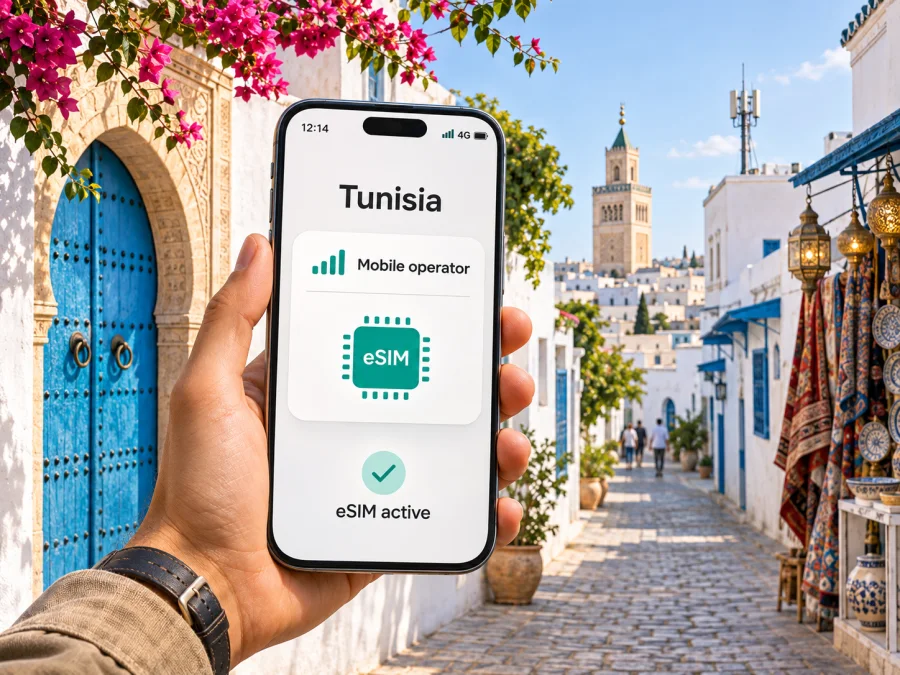
Tunisie Telecom eSIM in Tunisia: how to connect and what to check
Tunisie Telecom offers eSIM activation for compatible smartphones in Tunisia. Its “eSim” service page, checked on 3 November 2026, says new and existing customers can request an eSIM at a service center and install it by scanning a QR code. Visitors should confirm eligibility, documents, fees, and the current process directly with Tunisie Telecom before visiting.
First decide whether you need a local mobile line or mainly data for navigation, messaging, bookings, and work. A travel eSIM is a separate service and does not automatically provide a Tunisie Telecom number or account. This guide covers the confirmed request and setup process, device checks, coverage, and choices for a trip. Check current operator terms before relying on a particular service.
What Tunisie Telecom’s eSIM offer means for visitors
An eSIM is a SIM profile stored digitally in a compatible device rather than on a removable plastic card. The phone still connects to a mobile operator’s network. The eSIM format changes how the subscriber profile is installed; it does not, by itself, guarantee network access, a phone number, roaming, or a particular data allowance.
Tunisie Telecom’s public eSIM information describes the service for both individual and business customers. It presents the request route as visiting the nearest Tunisie Telecom service center and asking for an eSIM. The same page explains QR-code installation on iOS and Android and notes that the phone needs an internet connection or Wi‑Fi while setting up the profile. This is useful confirmation that the operator supports eSIM, but it is not a complete visitor policy. The public guidance does not settle every question a foreign traveler may have about identification, eligibility for a prepaid line, payment, whether a passport is accepted, or whether a line can be issued on arrival. Ask the operator before travelling to a shop.
Tunisie Telecom is one of Tunisia’s public mobile network operators. INTT lists three public network operators and advises customers to check local coverage before subscribing. The regulator’s overview does not show that any network will work better on every route or inside every building.
Tunisie Telecom describes eSIM use with the mobile services attached to the line and support for multiple offers on a compatible phone. This does not establish a special tourist package or settle the current terms of prepaid or postpaid service. Ask which account type is available to visitors.
Requesting a Tunisie Telecom eSIM
The operator’s published route starts at a Tunisie Telecom service center. This matters for trip planning: if you expect to rely on a local eSIM immediately after landing, allow time to locate an open center and complete whatever checks the operator requires. Do not assume that an eSIM can be ordered online, issued at the airport, or activated for a visitor without documentation simply because QR installation is supported.
Before visiting, ask the operator:
- Can a short-term visitor apply for a new mobile line, and is prepaid service available to that customer type?
- Which identity document is accepted, and must it be presented in person?
- Does the service center issue the eSIM profile on the same visit, or is another step required?
- Is the QR code intended for a single installation, and what is the recovery process if the phone is replaced or reset?
- Does the account include mobile data, voice, SMS, or some combination, and how are those services managed?
- Can customer support assist in a language you understand, and how can you reach it while travelling?
The operator’s help page says the QR code can be scanned on compatible smartphones, and gives instructions for reinstalling after removing the profile from the previous device. Treat that as operator-specific guidance and confirm the latest procedure before deleting an active profile. eSIM transfer rules differ between providers and devices; deleting the profile can leave you without service until the operator reissues or restores it.
There is also a practical distinction between a phone that supports eSIM and a phone that is eligible for service on a particular account. A device may be technically capable but carrier-locked, unsupported by the local service configuration, or sold in a regional variant without eSIM hardware. Ask the operator or device maker to check the exact model number and software version rather than relying on a family name such as a phone series.
Compatibility: check the exact phone variant
Before arranging an eSIM, confirm all of the following:
- The device has eSIM hardware. Look for an option to add a mobile plan in system settings, check the exact model number with the manufacturer, or consult a current compatibility list. The name on the box alone may not be enough because variants can differ by sales region.
- The phone is carrier-unlocked. A device restricted to another carrier may not accept a new profile, even if its hardware supports eSIM. Ask the original seller or home operator to confirm the lock status.
- The operating system is current enough. Install available updates before travel while you have reliable Wi‑Fi and power.
- You can get online during installation. Tunisie Telecom’s setup guidance asks users to connect to the internet or Wi‑Fi before scanning the QR code. Keep a second connection available if possible.
- The selected account and service are supported. Ask Tunisie Telecom about customer eligibility and the service options available for your intended stay.
Regional hardware differences are especially relevant when buying a phone abroad, importing it, or using a model intended for another market. Some versions of a device line may support eSIM while another version with a similar retail name may not. A device’s eSIM support also does not imply that every carrier or plan accepts it. Check the exact variant with the device manufacturer and Tunisie Telecom before making a purchase or relying on it during travel.
If you are carrying two mobile lines, review how your phone handles dual SIM. You may be able to keep your home SIM for calls and messages while selecting a second line for data, depending on the model and its software. Make sure you understand which line is selected for mobile data and whether data roaming is enabled for that line. These settings can affect charges on your home subscription. Do not switch off or remove the home profile unless you understand how to restore it.
For a broader device check, use the eSIM compatibility guide and confirm that your exact regional variant is supported before you travel.
Installing the QR profile on iPhone or Android
Tunisie Telecom’s public instructions give broad menu paths, but wording varies by manufacturer, operating-system version, and device language. Have the QR code and an internet connection ready. Do not share the QR code publicly: it is an activation credential for your mobile profile.
On iPhone
- Connect the iPhone to Wi‑Fi or another working internet connection.
- Open Settings and choose Mobile Service or Cellular, depending on the iOS language and version.
- Choose the option to add an eSIM or mobile plan.
- Select the QR-code option and scan the code supplied by Tunisie Telecom.
- Follow the on-screen prompts, label the line if helpful, and choose which line should handle mobile data.
- Wait for registration to finish. If the phone asks for a confirmation or restart, follow the displayed instructions.
On Android
- Connect the phone to Wi‑Fi or another working internet connection.
- Open Settings and find Connections, Network & internet, or the mobile network section.
- Open the SIM manager or SIM settings and choose to add an eSIM.
- Scan the QR code and follow the prompts to download the profile.
- Choose the line for mobile data and review roaming and dual-SIM settings before leaving Wi‑Fi.
- Give the phone time to register. The exact labels vary across Android manufacturers and software versions.
If the QR code does not scan, check that the screen is bright, the code is fully visible, the camera can focus, and the phone has internet access. If the profile downloads but does not register, restart the phone once, check that the line is switched on, and confirm with Tunisie Telecom that the account is active and the profile is ready. Do not repeatedly delete or reinstall the eSIM unless the operator tells you to do so.
Keep the original QR message and any account confirmation until you have tested the line. Store them securely; a QR code may contain information that should not be shared. Before travelling, note the operator’s current support contact details in a place you can access offline. If activation fails, the support team may ask for the device model, operating-system version, location, and what the screen displays. Avoid sending full identity or payment information through unofficial channels.
Coverage and mobile technology in Tunisia
Tunisie Telecom’s “Couverture Réseau Mobile” page provides a mobile coverage map, and INTT’s “Opérateurs & couverture” page also points customers to coverage resources; both were checked on 3 November 2026. The regulator cautions that maps show expected outdoor service under standard conditions and cannot fully represent reception everywhere. Check the airport route, towns, accommodation, and rural stops where you expect to use the phone. Indoor reception, terrain, congestion, and temporary outages may affect service; save important maps and details offline.
Tunisie Telecom announced a commercial 5G launch in 2025. This does not mean every eSIM, device, account, or location will connect to 5G. Availability depends on coverage, the exact device variant, account provisioning, and network conditions. A compatible phone may use another available generation where 5G is not present. Check the operator’s current map for your route. eSIM identifies a subscriber to a network; it cannot extend the radio footprint or guarantee a particular speed.
Local operator eSIM or travel eSIM?
A Tunisie Telecom eSIM and a travel eSIM serve related but different needs. With the local operator, you request a Tunisie Telecom profile through its process and use the account and services associated with that line. This may suit travellers who need a local mobile relationship or want the operator’s own line, provided the signup conditions work for them. The operator’s published process asks customers to visit a service center, so check this requirement and account eligibility before planning around it.
A travel eSIM is usually arranged through an app or website and is designed around mobile data for a destination. It can reduce the need to find a physical SIM sales point, but the exact installation method, network partner, coverage, validity, and data conditions depend on the product. Many travel data eSIMs do not provide a standard local phone number, voice service, or SMS. Confirm what the selected product includes, which local network it uses, how it activates, and how support works. If calls to local numbers or SMS verification are important, ask before purchase rather than assuming a data-only profile will cover them.
Kaspersky eSIM Store is an app and website that helps you choose, arrange, and activate an eSIM with a suitable plan for mobile internet during an overseas trip. It is not a mobile operator, does not own a network, and is not the provider of the underlying mobile internet service. Its Tunisia destination page is a place to review what is currently offered for that destination; the available products and service conditions can change, so read the displayed terms before choosing. It is a possible alternative when your priority is travel data and you prefer to prepare online. It is not a replacement for Tunisie Telecom’s local number or an operator account.
If you are comparing the two approaches, focus on the use case rather than on a blanket claim that one is always better:
- Choose a local operator process if you need a local line or operator-specific services and you can meet the current sign-up requirements.
- Consider a travel eSIM if your main need is data and you want to arrange the profile online, while accepting the service limits and coverage conditions shown by that product.
- Keep your home SIM available if you rely on its number for incoming calls, account recovery, or one-time codes. Check roaming charges and use dual-SIM settings carefully.
- Confirm the phone is unlocked and eSIM-capable before purchasing either option.
- Review the destination coverage, activation timing, data policy, and customer-support route before departure.
You can check current eSIM options for Tunisia on the Kaspersky eSIM Store destination page. This is a destination page for checking current travel eSIM availability; it is not a Tunisie Telecom tariff page and does not indicate that a listed travel product uses Tunisie Telecom’s network.
Before you travel and on arrival
Before leaving, confirm your exact phone variant supports eSIM and is unlocked. Ask Tunisie Telecom whether a visitor can get an eSIM, what identity documents are accepted, which service center can issue it, and what services the account includes. If choosing a travel eSIM, review the current destination conditions and setup instructions. Install phone updates, save key travel details and maps for offline use, and store official support contacts.
At the service center or during online setup, connect to Wi-Fi before scanning the QR code. Ask staff to confirm that the line is active and understand what is included. Keep the QR code private and do not delete the installed profile unless the issuer instructs you to. Select the correct line for mobile data, review roaming settings for both lines, then test a basic connection before relying on it. Keep an alternative way to access essential details in case the phone has no signal.
Frequently asked questions
Does Tunisie Telecom support eSIM?
Yes. Its public information describes eSIM setup with a QR code on compatible iOS and Android phones. Visitors should confirm account eligibility and signup requirements directly with the operator.
Can a visitor request a Tunisie Telecom eSIM online?
The public page directs customers to a service center and does not clearly confirm online issuance for visitors. Check with Tunisie Telecom about documents, eligibility, and where a profile can be issued.
Does the eSIM include data, calls, and messages?
An eSIM is a digital SIM profile, not a specific plan. Ask the operator what services are included in the account available to you. Do not assume that data, voice, and SMS are bundled together.
Will it work on every phone or provide 5G everywhere?
No. Exact model variants differ, and network access depends on an unlocked compatible device, account provisioning, and local coverage. Tunisie Telecom has announced a commercial 5G service, but that does not guarantee access for every phone, line, or location.
Is a travel eSIM the same as a local Tunisie Telecom line?
No. A travel eSIM is arranged separately and may be data-only or use a partner network. Review its current service conditions; do not assume it includes a Tunisie Telecom number or account.
Before choosing
Confirm that your exact phone variant is eSIM-capable and unlocked; ask Tunisie Telecom whether a visitor can obtain a profile, which documents are required, and where it can be issued. Check coverage for your route, choose the correct line for mobile data, and keep the QR code and support details secure. If your priority is data arranged online, review the current terms of a travel eSIM and confirm what network and services it includes.
Tunisie Telecom’s published guidance confirms QR-based eSIM setup and a service-center request route. Visitor eligibility and the details of a particular mobile offer should be checked with the operator. Coverage and device support depend on location and exact model. Plan around those conditions and choose the local line or travel-data option that matches what you need during your stay.
Tunisie Telecom and its name are used solely to identify the operator discussed. This article is independent and is not affiliated with or endorsed by Tunisie Telecom.
Public information checked
- Tunisie Telecom, “eSim” and “Couverture Réseau Mobile” service pages, plus its official 5G launch information. Checked 3 November 2026.
- Instance Nationale des Télécommunications (INTT), “Opérateurs & couverture.” Checked 3 November 2026.
- Apple Support, “Find wireless carriers and worldwide service providers that offer eSIM service on iPhone.” Checked 3 November 2026.
- Kaspersky eSIM Store, Tunisia destination page. Checked 3 November 2026.


