
Travel connectivity guide
Turkey eSIM: mobile internet for travel
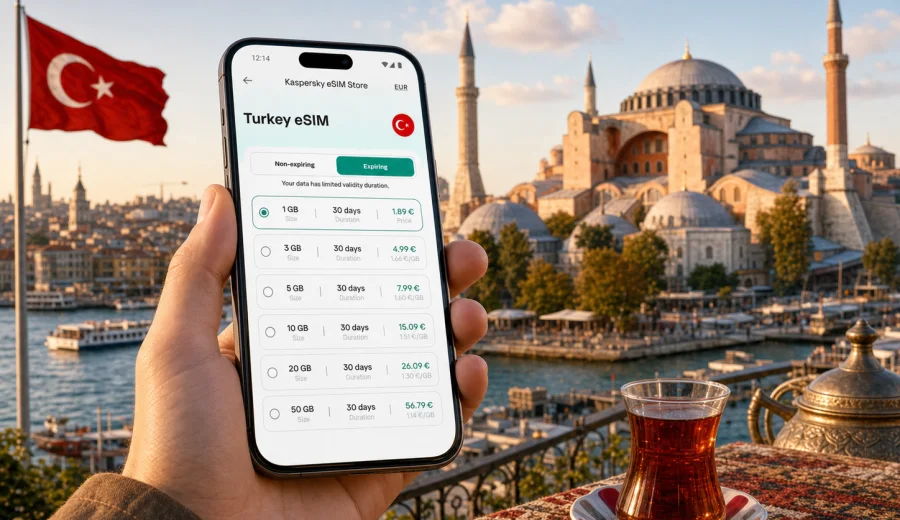
Turkey eSIM: mobile connection and internet for your trip
A mobile internet for a trip to Turkey is a practical way to prepare mobile connection and internet before a trip that may include Istanbul, Antalya, Cappadocia, the Aegean coast, business meetings in Ankara, or several regions in one itinerary. Instead of looking for a local SIM card after landing, you can set up an eSIM on a compatible smartphone and use mobile data for maps, ride apps, hotel messages, online tickets, and travel planning.
Turkey is a country where mobile internet quickly becomes part of the trip. You may need it at the airport, in a taxi, at a ferry terminal, in a museum queue, on a domestic flight connection, or while checking a hotel address in a narrow street. Public Wi-Fi can be useful, but it is not always available exactly when you need it, and it may not be convenient for sensitive tasks such as account logins or payments. A prepared eSIM plan gives you a separate mobile data option for the journey.
Kaspersky eSIM Store is an app and website where you can quickly choose, arrange, and activate an eSIM with a suitable data plan for mobile internet during an international trip. It is not a mobile operator and does not replace the terms of the selected plan. The useful part for travelers is the simple preparation flow: choose the destination, review the data allowance and validity period, install the eSIM on a compatible device, and keep the plan ready for use in Turkey.
Why mobile internet matters in Turkey
Turkey rewards flexible travel. A single trip can move from Istanbul's old city to Bosphorus ferries, from the beaches around Antalya or Bodrum to the terraces of Pamukkale, or from Cappadocia sunrise viewpoints to evening buses and domestic flights. In each of these moments, mobile data helps with small decisions that affect the day.
Typical tasks that depend on internet access include:
- opening offline and online maps when a street name is hard to read;
- receiving hotel check-in messages and door codes;
- booking airport transfers, rides, ferries, and domestic transport;
- using translation apps in restaurants, pharmacies, and ticket offices;
- checking opening hours and reservation details;
- sharing location with family or colleagues;
- confirming payment notifications from your bank;
- using messenger calls when the eSIM plan does not include voice calls or SMS.
An eSIM is especially useful when your trip starts with a tight schedule. If you land at Istanbul Airport, Sabiha Gokcen, Antalya, Izmir, Dalaman, or another arrival point, you may not want your first task to be finding a SIM counter, comparing unfamiliar terms, and changing a physical card. With an eSIM, the main preparation can be done before departure, while the final activation timing depends on the selected plan and your device settings.
What an eSIM does, and what it does not do
An eSIM is a digital SIM profile installed on a compatible smartphone or tablet. For travel, it is usually used for mobile data. It can sit alongside your main SIM, so you can keep your regular number available while using a separate data plan for the destination.
Before choosing a plan, keep three boundaries in mind:
- Most travel eSIM plans are designed for mobile internet, not a local phone number.
- Voice calls and SMS are not included unless the specific plan clearly says so.
- Coverage, speed, and availability depend on the selected plan, local networks, location, device, and network conditions.
This makes an eSIM a strong fit for maps, messengers, email, browser use, travel apps, and online services. If you need regular calls, many travelers use internet-based messengers over mobile data.
Quick planning rule
Choose your Turkey eSIM plan by trip length first, then by data intensity. A short city break with maps and messaging needs a different allowance from a two-week route with video calls, remote work, cloud backups, or social media uploads.
When you are ready to compare options, you can choose a Turkey eSIM plan for your trip and review the data allowance, validity period, and destination details before installing it.
How much data to prepare for Turkey
There is no universal data amount for every traveler. The right choice depends on how you use your phone, whether your hotel has stable Wi-Fi, and how often you move between cities. Use the table below as a practical planning guide, not as a guarantee.
| Travel style | Typical mobile data use | What to consider |
|---|---|---|
| Weekend in Istanbul | Low to moderate | Maps, messengers, restaurant searches, tickets, ride apps |
| Beach holiday | Moderate | Navigation, photos, messaging, occasional streaming on Wi-Fi |
| Multi-city route | Moderate to high | Maps, transport apps, hotel changes, translation, backups |
| Remote work days | High | Video calls, tethering, document sync, cloud tools |
| Family trip | High if shared | Several devices may need separate plans or hotspot use if allowed |
For a light traveler, small data packages may be enough if most browsing happens on hotel Wi-Fi. If you upload photos, watch video, use cloud storage, or work on the road, choose more data and check whether tethering is allowed.
Where an eSIM helps most during a Turkey trip
| Part of the trip | Why mobile data helps |
|---|---|
| Airport arrival | Message a driver, open your hotel address, check transfers, and continue after airport Wi-Fi ends |
| Istanbul | Use ferry, tram, metro, museum, restaurant, and walking-route apps across busy neighborhoods |
| Antalya, Bodrum, Izmir, and the coast | Navigate between hotels, beaches, marinas, restaurants, and day-trip pickup points |
| Cappadocia and inland routes | Coordinate early tours, transfers, viewpoints, weather checks, and hotel changes |
| Business travel | Keep email, calendars, ride apps, and messenger calls available between meetings |
In rural, mountain, or coastal areas, download key maps and booking details in advance. Mobile data is useful on the move, but performance can vary with location and network conditions.
Once your route and approximate data needs are clear, you can choose a suitable eSIM data plan for the trip and compare data volume, validity period, and activation conditions before installation.
Before you buy: compatibility checklist
Not every phone supports eSIM, and some compatible models may be locked to a carrier. Before arranging a plan, confirm that your device can install and use eSIM profiles. You can check your device before choosing a plan.
Use this checklist:
- Your smartphone or tablet supports eSIM.
- The device is not locked in a way that prevents another mobile profile.
- The operating system is up to date enough for eSIM installation.
- You have a stable internet connection for downloading the eSIM profile.
- You understand when the selected plan validity starts.
- You know whether data roaming must be enabled for the eSIM line.
- You do not plan to move the same activated eSIM to another device unless the plan terms allow it.
If you travel with two phones, decide which one should hold the eSIM before installation. Many eSIM profiles are intended for one device, and moving them after activation may not be possible.
How to install an eSIM for Turkey
The exact steps depend on your phone and operating system, but the process usually follows a simple path: choose the plan, install the eSIM profile, label it clearly, set it for mobile data, and activate it according to the plan instructions. If you need detailed setup steps, use the Android installation guide or the iOS installation guide.
A practical setup sequence looks like this:
1. Check that your device supports eSIM and is not carrier-locked.
2. Choose Turkey as the destination and compare plan size and validity.
3. Arrange the selected plan through Kaspersky eSIM Store.
4. Install the eSIM profile while you have stable Wi-Fi.
5. Give the eSIM a clear label, such as Turkey data.
6. Keep your primary SIM for calls if you need your regular number.
7. Set the eSIM as the mobile data line when you are ready to use it.
8. Check the plan instructions for activation timing and roaming settings.
Do not delete the eSIM profile unless you are sure you no longer need it. Restoring the same plan may not be possible after deletion.
When to install and when to activate
Installation and activation are not always the same moment. Installation usually means adding the eSIM profile to your device. Activation may begin when the plan connects to a supported network or according to the specific plan rules. Because validity periods matter, read the plan details before turning the eSIM on for mobile data.
For many travelers, the safest workflow is:
- install the eSIM before departure while connected to reliable Wi-Fi;
- keep your primary SIM active for normal calls and messages if needed;
- turn on the Turkey eSIM for mobile data when you are close to departure or after arrival, following the selected plan instructions;
- disable heavy background data use before relying on a limited allowance.
This approach helps you avoid rushed setup at the airport while still respecting the validity period of the selected plan.
Keeping data under control
Travel data can disappear faster than expected if your phone treats the eSIM like an unlimited home connection. A few settings make the plan last longer.
Useful controls:
- turn off automatic cloud photo and video backups on mobile data;
- download maps, playlists, boarding passes, and hotel documents on Wi-Fi;
- restrict app updates to Wi-Fi;
- reduce video streaming quality or keep streaming for Wi-Fi;
- check which apps use background data;
- use offline translation packs where possible;
- monitor data consumption in your phone settings.
If you need a laptop connection, check whether hotspot use is allowed by the selected plan and watch consumption carefully. Video meetings, system updates, and file sync can use more data than normal phone browsing.
eSIM, roaming, and public Wi-Fi: what to compare
The best option depends on your travel style. A standard roaming package from your home operator may be convenient, especially if it includes calls or SMS. Public Wi-Fi can be enough for light use at hotels and cafes. A travel eSIM is useful when you want a separate data option for the destination without changing your physical SIM card.
| Option | Strong points | Limits to check |
|---|---|---|
| Home roaming | Keeps your usual operator setup | Price, data cap, fair-use rules, destination coverage |
| Public Wi-Fi | Often available in hotels and cafes | Not available everywhere, quality varies, less convenient on the move |
| Travel eSIM | Prepared before the trip, data-focused, no physical SIM swap | Device compatibility, plan validity, data amount, calls and SMS terms |
For many Turkey trips, the strongest setup is a combination: eSIM for mobile data on the move, hotel Wi-Fi for large downloads, and your main SIM kept available only if you need regular calls or bank messages.
Practical scenarios and checks
| Scenario | Useful preparation |
|---|---|
| First visit to Istanbul | Install before departure, save hotel details, use mobile data for routes and transfers |
| Antalya or Bodrum holiday | Keep enough data for maps, beach transfers, messages, and restaurant searches |
| Istanbul plus Cappadocia | Download maps and pickup instructions before rural transfers |
| Business trip | Choose extra data if you expect tethering, video calls, or document sync |
Before confirming a plan, review the destination, data allowance, validity period, activation rule, device requirements, hotspot terms if needed, and whether calls or SMS are included. Avoid the common mistakes: buying before checking compatibility, installing on the wrong phone, activating too early, deleting the eSIM profile during the trip, or forgetting to set the eSIM as the mobile data line.
Short answers
Is eSIM useful for Turkey?
Yes, for many travelers it is useful because it gives a prepared mobile data option for maps, messages, bookings, translation, and travel apps. It is especially convenient if you want to avoid swapping a physical SIM card after arrival.
Can I keep my regular SIM active?
On many dual SIM devices, yes. You can keep your usual SIM for calls or messages and set the eSIM as the mobile data line. Exact behavior depends on your phone model and settings.
Does a travel eSIM include calls and SMS?
Usually it is focused on mobile data. Calls and SMS are included only if the specific plan says so. For voice communication, many travelers use internet-based messengers.
Should I install the eSIM before flying?
Often yes, because installation requires a stable internet connection. Check the plan rules before activation so the validity period does not start earlier than intended.
Final preparation checklist
Before leaving for Turkey, save this checklist:
- Check your device support and carrier lock status.
- Choose a data allowance that matches your trip length and habits.
- Install the eSIM while connected to reliable Wi-Fi.
- Read the activation and validity rules.
- Download offline maps and booking documents.
- Turn off unnecessary background mobile data use.
- Keep your main SIM available if you need your regular number.
Prepare your Turkey eSIM before you travel
If your trip depends on maps, bookings, messengers, translation, transport apps, or remote work, prepare mobile internet before you arrive. Kaspersky eSIM Store helps you choose, arrange, and activate an eSIM with a suitable data plan for your Turkey trip through the app or website.
Choose an eSIM plan for Turkey before departure, check your device compatibility, and keep your mobile connection ready for the moments when Wi-Fi is not enough.