Travel connectivity guide
U-Com eSIM: Democratic Republic of the Congo
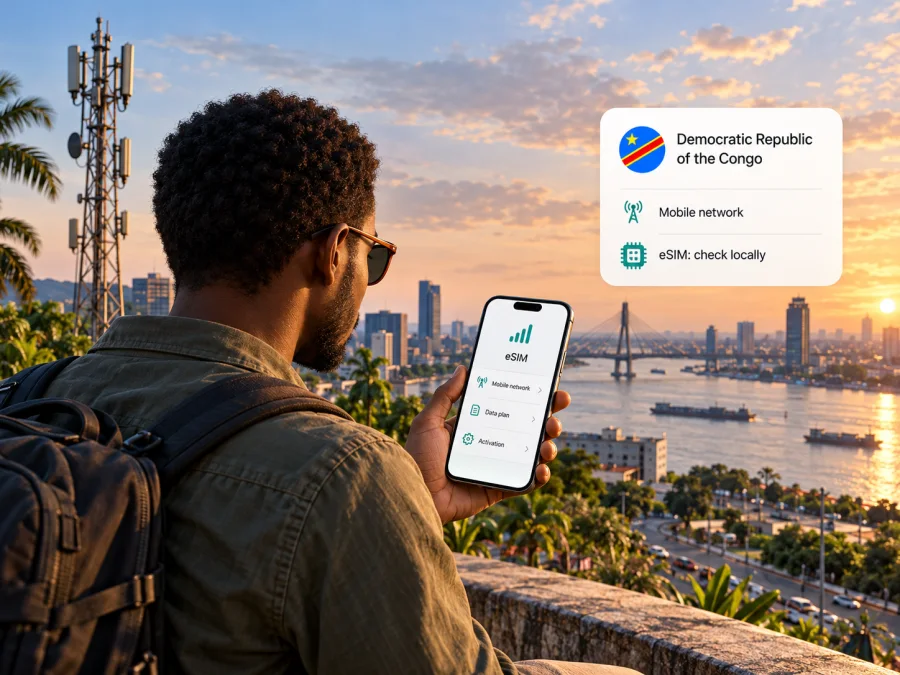
U-Com eSIM in the Democratic Republic of the Congo: what travellers should check
If you are searching for a U-Com eSIM for a trip to the Democratic Republic of the Congo (DRC), first confirm which service and country the name refers to. Current public information does not establish U-Com as an active mobile operator in the DRC, and I could not verify a U-Com eSIM offer for this market. The name also appears in a different country: the International Telecommunication Union (ITU) lists U-COM Burundi under Burundi in its sector-member directory. That is a separate country and must not be confused with the DRC.
This distinction matters before buying a SIM, planning a mobile-data connection or relying on coverage. The DRC’s regulator, the Autorité de Régulation de la Poste et des Télécommunications du Congo (ARPTC), currently lists four mobile network operators in its public register; U-Com is not among them. The Secrétariat Général des PTNTIC page “Fin de l’insécurité juridique dans les télécoms : Les sociétés de téléphonie mobile ont enfin reçu leurs licences unifiées,” published on 20 December 2025, also names four mobile operators. The ARPTC register and ITU directory were checked on 2 November 2026. Their current listings do not prove that no similarly named reseller, historical licence or private service has ever existed, but they do not support treating U-Com as a current DRC network operator.
What the name U-Com means for a DRC trip
The exact name in the request is U-Com. The ITU’s “Sector Members based in Africa” directory places U-COM Burundi under Burundi; checked on 2 November 2026, it does not establish DRC service.
The DRC regulator’s public register lists four mobile operators and identifies 2G, 3G and 4G technologies for them; it does not list U-Com as a mobile operator. A Ministry notice about unified telecom licences likewise names four companies operating in the DRC. These sources describe the licensed market, not every retailer or roaming partner. A travel eSIM may use a partner network without making its retail brand a local operator.
I could not locate a current official U-Com DRC website, help centre or eSIM/prepaid traveller guide. This gap is not proof that no similarly named service exists. Before paying, ask for the legal provider, SIM country, DRC network partner, activation method and support contact. Confirm the destination is the Democratic Republic of the Congo, not Burundi or the neighbouring Republic of the Congo.
What is confirmed and what remains uncertain
| Question | What current public information supports |
|---|---|
| Is U-Com listed as a DRC mobile network operator? | No. The ARPTC mobile-operator register checked on 2 November 2026 lists four operators and does not list U-Com. |
| Is there a confirmed U-Com eSIM for the DRC? | I could not verify an official, current U-Com source confirming one. Check directly with the seller before purchase. |
| Does the U-COM name appear in the region? | Yes. The ITU directory associates U-COM Burundi with Burundi. This does not confirm service in the DRC. |
| Which radio technologies does the DRC regulator list? | Its current mobile-operator register identifies 2G, 3G and 4G. This is a country-market listing, not a U-Com network specification or a promise of service at a particular address. |
| Are prepaid or tourist eSIM terms confirmed for U-Com in the DRC? | No current official U-Com terms for this market were found. Do not assume that a prepaid offer or tourist product is available. |
The table describes what could be confirmed from public listings, not an endorsement of a seller. Market registers can change, and a roaming arrangement can differ from a locally issued SIM. Ask the provider for a current written confirmation if the exact service is important to your itinerary.
How the DRC network context affects an eSIM search
The DRC is a large country, so a national listing or coverage map cannot guarantee service in every town, road or building. Reception depends on location, terrain, network deployment, handset bands and the roaming agreement behind a travel eSIM.
The ARPTC register lists 2G, 3G and 4G for licensed mobile services. It does not connect those technologies to U-Com, provide a U-Com coverage map or identify the partner network of a third-party travel eSIM. Ask which network is used in each destination and whether the eSIM selects it automatically or requires manual selection. Confirm border-country availability separately: the DRC, Burundi and the Republic of the Congo are distinct destinations.
For a local line, ask the provider about visitor eligibility, identity documents and any in-person registration. For a travel eSIM, check activation and identity requirements before departure, and keep access to the email or app where its profile is delivered.
Is U-Com eSIM available in the Democratic Republic of the Congo?
As of 2 November 2026, I could not confirm a current official source showing that U-Com offers eSIM service in the DRC. The public regulator register does not list U-Com as a mobile operator in the country, and the public U-COM reference found in the ITU directory is associated with Burundi. No official U-Com DRC eSIM, prepaid or tourist offer was verified during this review.
Do not treat a search result, marketplace label or roaming-database entry as proof of a current consumer offer. Ask for the legal supplier, DRC network partner, whether the eSIM is locally issued or works there through roaming, and the activation instructions. Choose a service whose destination and setup can be checked before travel.
An eSIM may also be unavailable even when a phone supports the technology. These are separate checks: handset support determines whether the device can store an eSIM profile, while the provider must separately support eSIM issuance and service in the destination. A device’s regional variant can also affect eSIM availability. A model name alone is not enough; compare the exact model number and sales region against the manufacturer’s current support information and check the phone’s settings for an “Add eSIM” option.
U-Com local service and travel eSIMs: different questions
A local mobile service and an international travel eSIM can both provide data, but they differ in intended use. A local service may include local registration, a domestic number or voice features; a travel eSIM may be data-focused and connect through a partner network. The seller, issuing company and radio network can be separate entities.
For U-Com in the DRC, I could not verify eSIM availability, prepaid or tourist terms, registration requirements, calling or SMS. Ask whether a product is a local line or roaming service, whether it includes a number, and how its profile is installed. If you need calls or texts, check them explicitly; some travel eSIMs are data-only and rely on internet calling apps.
A local line may suit a longer stay or a need for a domestic number. A travel eSIM may suit a traveller who wants to arrange mobile data before departure. The right choice depends on your phone, route and service needs, so compare the current features rather than hypothetical offers.
Kaspersky eSIM Store is an app and website that helps travellers select, purchase and activate an eSIM plan for mobile data abroad. Kaspersky’s official guide “How to buy and connect a travel eSIM with Kaspersky eSIM Store,” checked on 2 November 2026, describes that setup journey and data-only use. Kaspersky eSIM Store is not a mobile network operator, does not own a mobile network and does not itself provide mobile internet coverage. You can check the current Democratic Republic of the Congo destination page to see whether a travel option is currently available for your dates and route. This destination page is for browsing current travel options; it is not a U-Com tariff or confirmation of U-Com network service.
Check device compatibility before arranging service
Before buying any eSIM, confirm four things: the exact device variant supports eSIM; the phone is not locked to a network in a way that blocks another provider; the eSIM profile can be installed in your country of purchase; and the provider supports the DRC destination. A device can meet the first condition while the service fails one of the others.
Manufacturers publish regional variations in eSIM support. For example, the same smartphone family can have different SIM configurations depending on the country where it was sold. Apple Support’s “Use eSIM while travelling internationally with your iPhone” says the phone must be unlocked to use a different provider abroad. Samsung Support’s “Galaxy eSIM and supported network carriers” says eSIM service varies by country and carrier. Both pages were checked on 2 November 2026; use the current guidance for your precise model rather than relying on a generic compatibility list.
You can review the device compatibility check before selecting a travel eSIM. If the phone has no eSIM setting, ask the manufacturer or original seller to confirm the regional variant. Do not delete an installed eSIM profile as a troubleshooting shortcut: depending on the provider, you may not be able to download it again without contacting support or requesting a replacement.
Install and activate an eSIM for travel
Follow the eSIM issuer’s instructions. Menu labels vary by model, software and region, so these are general steps; the DRC market listing does not establish a U-Com-specific installation flow.
Before installation
- Confirm that the product covers the DRC and your route; ask which network it uses if the partner is not named.
- Check eSIM support for the exact handset variant and confirm the phone is unlocked.
- Save the QR code or activation details. If the provider requires internet for installation, use reliable Wi-Fi before departure when its instructions allow.
- Check whether service starts at purchase, installation, first connection or another stated point.
- If keeping your usual number active, check roaming settings and charges with your home provider.
On iPhone
Apple’s current setup guidance includes adding an eSIM through Settings and following the provider’s supplied method, which may be a QR code, a provider link or an app. In general, open Settings, choose Cellular or Mobile Data, then Add eSIM and follow the on-screen prompts. Exact wording can vary with the iOS version and language. Do not scan a QR code until you are ready to install the profile and have confirmed it belongs to the intended provider and destination.
After installation, label the line, choose it for mobile data and decide whether to keep your home line on. Check that roaming is not unintentionally enabled on the home SIM. A travel eSIM may need roaming enabled on its own line, so follow the provider’s instructions.
On Android
On many Android phones, eSIM settings are under Settings → Network & internet or Connections → SIM manager. Choose Add eSIM or a similar option, then scan the provider’s QR code or enter the details manually if the provider supports that method. Menus differ among manufacturers, Android versions and regional variants. Samsung’s support instructions, for example, place the QR-code flow in Settings → Connections → SIM manager → Add eSIM, but availability still depends on the device and carrier.
Once installed, select the profile for mobile data and enable roaming only if the provider requires it. If an activation code appears used or the profile cannot be added, contact the issuer before deleting it or scanning again.
When you arrive
Use the provider’s instructions to turn on the travel line and choose it for mobile data. If the eSIM does not register, check that the profile is enabled, the correct line is selected for data and the phone has a supported network mode. Try automatic network selection first. Use manual selection only if the provider identifies a supported partner network and instructs you to select it. A network name appearing in the phone’s list does not prove that your eSIM is authorised to use it.
If there is still no connection, move to a location with stronger reception and restart the phone. Confirm the DRC is included and activation has started. Contact support with your model, location and error message; do not share QR codes or one-time passwords publicly.
Practical checklist before you travel
- [ ] Confirm the country is the Democratic Republic of the Congo, not Burundi or the Republic of the Congo.
- [ ] Ask the seller to identify the legal provider and the DRC network partner behind the product.
- [ ] Confirm in writing whether the exact offer is an eSIM and whether it is available to a visitor.
- [ ] Verify the exact phone model and regional variant, eSIM support, and network lock status.
- [ ] Check that your destinations are covered individually; a country-wide label is not a guarantee of service everywhere.
- [ ] Confirm whether the product includes data only or also a number, voice calling and SMS.
- [ ] Read the activation steps, data-roaming instructions, start trigger and support contact details.
- [ ] Install the profile over a stable internet connection if the provider recommends advance installation.
- [ ] Keep your home SIM and account recovery method accessible, and review your home operator’s roaming settings.
- [ ] Keep a backup way to access maps, reservations and important contacts if mobile service is unavailable.
Common questions about U-Com eSIM in the DRC
Can I buy a U-Com eSIM for the Democratic Republic of the Congo?
I could not confirm a current official U-Com eSIM offer for the DRC as of 2 November 2026. The ARPTC mobile-operator register checked on that date does not list U-Com as a DRC mobile operator. Verify the legal supplier, destination and network partner directly with the seller before making a purchase.
Is U-Com the same as U-COM Burundi?
The ITU’s sector-member directory lists U-COM Burundi under Burundi. That country is separate from the Democratic Republic of the Congo. A directory entry for Burundi does not demonstrate that the company sells a DRC SIM or provides mobile service there.
Does U-Com have 4G or 5G coverage in the DRC?
I found no current official DRC source that confirms a U-Com network, its coverage or its supported radio technologies. The ARPTC register lists 2G, 3G and 4G for the mobile market’s licensed operators, but that information should not be attributed to U-Com. The cited register does not confirm U-Com 5G service either.
Can I use a U-Com eSIM on an iPhone or Android phone?
There is no verified U-Com DRC eSIM profile to check against a particular phone. In general, eSIM use requires both an eSIM-capable device variant and a provider that supports the destination. Check the model number, regional version, carrier lock and provider instructions. The “Add eSIM” setting is a useful first check but does not confirm that a particular provider’s service will work.
Will a travel eSIM replace my regular phone number?
Not necessarily. Many travel eSIMs provide data rather than a conventional number for voice and SMS, while the traveller can keep a regular SIM active for calls or messages. The actual features depend on the offer. Check its terms before relying on it for bank verification, local calls or incoming messages.
What if I need a local number or local registration?
Ask an officially identified local provider about current visitor eligibility, identity documents, number availability and in-person registration. I could not verify such a U-Com process in the DRC. Requirements may differ between a local SIM, a travel eSIM and a roaming service.
What should I do if the eSIM installs but does not connect?
Confirm the destination, activation status and selected data line; check whether roaming must be enabled for that eSIM; then follow the provider’s network-selection steps. If the problem remains, contact the company that issued the profile with the phone model, location and error details. Do not assume a listed local network will accept the eSIM.
A careful way to plan connectivity
For a trip to the Democratic Republic of the Congo, treat U-Com eSIM availability as unconfirmed until a provider supplies current, destination-specific evidence. The public market register checked on 2 November 2026 lists four mobile operators in the DRC and does not list U-Com; the ITU associates U-COM Burundi with Burundi. Neither source supports assigning DRC coverage or eSIM capability to U-Com.
Start with your itinerary, device variant and need for data, calls or a local number. Then ask any prospective provider to confirm the service’s legal supplier, the network it uses in your destinations, activation requirements and support route. A travel eSIM can be a practical alternative when a current option is available and the device is compatible, but it is a separate service from a locally issued U-Com product. Kaspersky eSIM Store helps travellers browse, purchase and activate travel eSIM plans; it is not the network operator or the source of radio coverage. Check the current DRC destination page and the live offer conditions before deciding.
Kaspersky eSIM Store is not affiliated with U-Com or any DRC mobile network operator. Product availability and local network arrangements can change; confirm current terms with the relevant provider before travel.


