Travel connectivity guide
U Mobile eSIM in Malaysia: What to Check
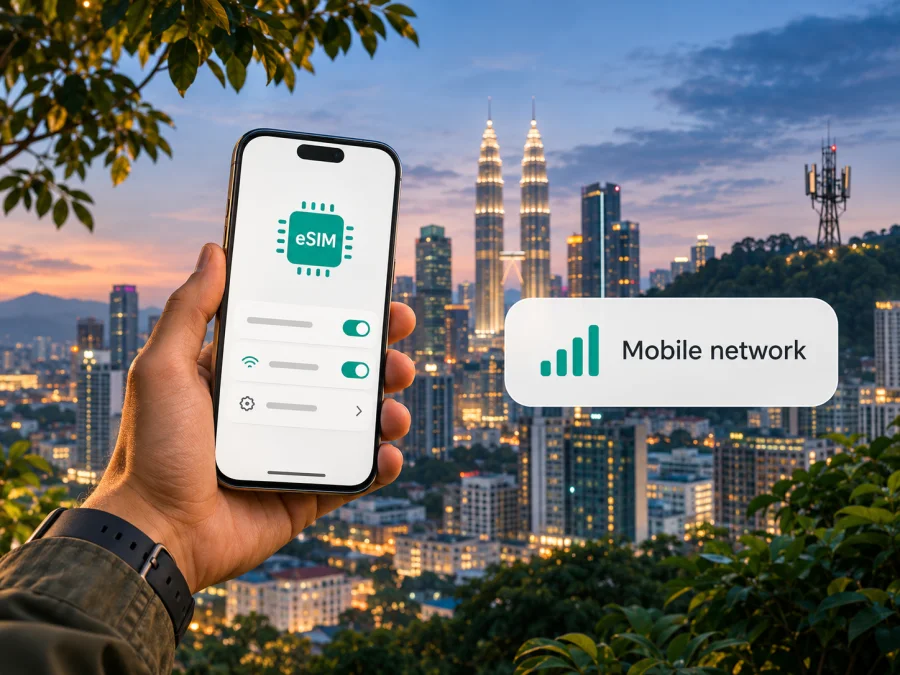
U Mobile eSIM in Malaysia: what travellers should know
This guide was checked on 4 November 2026. “U Mobile” and related names belong to their respective rights holders. Kaspersky eSIM Store is not affiliated with U Mobile and is not its official partner or distributor.
U Mobile is a Malaysian mobile network operator offering mobile services in Malaysia. Its current support information confirms eSIM for both new and existing prepaid and postpaid customers. The operator also lists a tourist-oriented prepaid option for non-Malaysian visitors and says it can be purchased and activated as an eSIM through the MyUMobile app. That makes U Mobile eSIM a local-service option to consider if you want a Malaysian line while in the country. Your eligibility, registration route and exact current terms still need to be checked with U Mobile before you travel or buy.
This guide explains what those statements mean in practice, what to check on your phone and how local operator service differs from a travel eSIM intended mainly for mobile data. It does not list or compare specific U Mobile plans. Operator offers and procedures can change; use the latest U Mobile support pages, app or service centre for the details that apply to you.
Is U Mobile eSIM available to visitors in Malaysia?
U Mobile’s eSIM FAQ says new and existing prepaid and postpaid customers are eligible for eSIM. Its separate ULTRA Tourist FAQ says that the tourist prepaid offer is for non-Malaysian tourists and that visitors can purchase and activate its eSIM through MyUMobile. These current official pages establish that U Mobile has a tourist eSIM route, but the registration process may include additional identity checks and account requirements. The self-help guide describes electronic identity verification using an NRIC or passport and facial recognition for a new line; follow the flow shown to you and confirm that your passport is accepted for your circumstances.
The practical distinction is that “eSIM available” does not guarantee that every visitor can finish registration in every situation. You may need a compatible, unlocked phone, a reliable internet connection during setup, a valid travel document, and access to an email address or app account. If you are already a U Mobile subscriber, switching an existing line from a physical SIM can follow a different process from buying a new prepaid tourist line. Ask U Mobile which process applies before starting, especially if you need to keep an existing number or plan.
The operator’s eSIM FAQ describes the profile as a digital version of its SIM that can provide calls, SMS and mobile data like a physical SIM. The tourist FAQ describes its visitor option as data-only. Do not assume that all U Mobile eSIMs include the same services: the service depends on the line and offer you select. If you need voice calls, SMS, a Malaysian number, or verification texts, confirm that those functions are included in the exact service you intend to register. A data-only travel eSIM is a different product and generally should not be treated as a replacement for a local phone line.
Before choosing a local U Mobile line
A local operator eSIM can make sense if you need a Malaysian number or want to use the local operator’s account and service channels. It can also be relevant if you are staying for longer or need local calling and messaging, provided the selected service actually includes them. The registration requirements and terms are set by U Mobile, and the account is subject to its current identity, usage and validity rules.
A traveller should first decide what they need the connection to do. If your priority is maps, messaging apps, email, ride-hailing and web access, data may be enough. If you need calls to ordinary phone numbers, SMS verification, or a local number to share with contacts, ask U Mobile specifically about those features. Keep in mind that an app-based data connection can support internet calls and messaging, but that does not create a normal Malaysian phone number or guarantee SMS reception.
The name “tourist” also does not remove the need to check the details. Confirm who can register, which document is accepted, whether in-app registration works with your app-store region and payment method, when the line becomes usable, how to receive the activation code, and where to get help if verification fails. If the process requires visiting a service centre, confirm its location and opening arrangements directly before travelling there. A screenshot of an earlier offer or a third-party listing may no longer match the current process.
U Mobile provides official coverage information for its 4G network and ULTRA5G in selected areas. The coverage map says it gives a general indication rather than a guarantee of service, signal strength or speed at a specific location, and notes that indoor conditions, terrain, device capability and other factors can affect experience. Check the map for the places you will visit, not just the country name. A national coverage statement cannot guarantee reception in a particular hotel, building, road, island or rural area.
Check your route and phone before purchase
Compatibility depends on the exact device variant, not just its family name. The handset must support eSIM and be carrier-unlocked. Check the eSIM compatibility checker, your device settings or manufacturer documentation, and U Mobile’s current supported-device list before purchase.
If your phone has two SIMs active, decide in advance which line will handle mobile data and which will handle calls or SMS. Avoid accidental data use through your home SIM by turning off automatic data switching if your phone provides that setting. A travel eSIM may require data roaming to be enabled for that eSIM profile; this setting is separate from roaming on your home line. Check the product instructions and your home operator’s roaming settings before changing anything. Do not delete a profile during troubleshooting unless U Mobile or the eSIM provider tells you to do so, because a QR code or activation code may be single-use or tied to the original device.
| Check | Why it matters |
|---|---|
| Exact phone model and regional variant | eSIM support can differ across variants with similar product names. |
| Carrier lock status | A locked phone may reject a profile from another provider. |
| Your document and registration eligibility | U Mobile may require identity verification before a local line is activated. |
| Data-only versus voice/SMS needs | Tourist and travel eSIM options may not provide a regular number. |
| Coverage at each stop | Coverage maps are indicative and do not guarantee indoor reception. |
| How to retrieve or reinstall the profile | Keep the official activation instructions and account access available. |
If you are comparing a Malaysian operator eSIM with a travel eSIM, decide based on the job you need done rather than assuming the products are interchangeable. A local line is registered with the operator and follows its subscriber terms. A travel eSIM is typically selected for internet access during a trip; it may be convenient when you do not need a local number, but you should check the destination coverage, activation conditions, data allowance, validity, supported network access and tethering terms in its own checkout information. No provider’s coverage or speed should be assumed from the word “Malaysia” alone.
For a trip where mobile data is the main requirement, browse current eSIM options for Malaysia in Kaspersky eSIM Store. This is a country page for reviewing available travel eSIM options; it is not a U Mobile tariff page or a representation that Kaspersky eSIM Store provides U Mobile service. Check device compatibility and the terms shown for the selected option before purchase.
How U Mobile eSIM registration and setup work
U Mobile’s self-help guide presents several routes, including getting a new line, choosing an eSIM during an online purchase, and requesting eSIM for an existing line through MyUMobile or a U Mobile store. The exact route depends on whether you are a new customer, an existing subscriber converting a physical SIM, or a visitor buying a tourist line. The FAQ says that an existing physical-SIM customer can request an eSIM through the app or a U Mobile store. Some store services may not be available at authorized partner outlets, so confirm the specific location if you plan to get in-person help.
For a new line, the current self-help flow describes selecting a line and eSIM, completing identity checks, verifying an email address, and then retrieving the profile from a confirmation page, email or MyUMobile app. For an existing line, the app’s “Request eSIM” option or an eligible service centre may be available. The steps shown in the app can change. Read the confirmation screen carefully, make sure the account name and selected service are correct, and do not scan an activation code on a different phone from the one you intend to use.
Installation normally needs a working internet connection, ideally Wi-Fi, while the phone downloads the eSIM profile. U Mobile’s self-help instructions describe these general paths; labels vary by operating system version and manufacturer:
- Open the phone’s cellular or SIM settings and choose the option to add an eSIM or mobile plan.
- Scan the QR code provided by U Mobile, or use the manual method only if the operator has supplied the required details.
- Follow the on-screen prompts to download and install the profile.
- Label the line so you can identify it, then select it for mobile data or calling as required by the service.
- Test the connection and confirm that your primary line is configured as intended.
On iPhone, the setting is generally under Settings → Mobile Service/Cellular → Add eSIM. On Android, it is usually within Settings → Connections or Network & Internet → SIMs, then an option such as Add eSIM. Exact menu names differ by manufacturer, software version and region. Follow U Mobile’s instructions for the line you purchased rather than relying only on a generic menu path. If your phone offers manual entry, use it only when the provider gives you the corresponding activation information.
The U Mobile FAQ says an eSIM can be requested in MyUMobile and that the QR code may be available in the app or sent to the registered email. Its current self-help page also describes downloading from a confirmation page. Keep access to the chosen email and app until the line is active. If the profile fails to download, check the internet connection, confirm the device is supported and verify that the code has not already been used. Contact U Mobile through its current official support channel if the code is missing, invalid or linked to a different device. Avoid sharing the QR code publicly: it is an activation credential for your line.
What to expect from network coverage
U Mobile’s coverage map separates 4G coverage from ULTRA5G availability in selected areas. That description supports saying that the operator offers these network technologies in Malaysia, but it does not establish that every location has both, or that a particular phone will connect to either one. The map’s own disclaimer notes that maps are a general guide and that actual service varies by device, location, environment, terrain, weather, maintenance and network traffic. Indoor coverage can differ from outdoor coverage.
Your phone’s regional model also affects the network features available to it. Leave network selection on automatic unless U Mobile support asks you to change it. If service does not start, check that the line is enabled and selected for the intended use. Restarting may help, but repeated profile removal and reinstallation can create activation problems.
Local operator service and a travel eSIM serve different needs
A U Mobile line is a subscription with a Malaysian operator. Depending on the line, it may provide services such as a local number, voice, SMS and data. Registration, identification and account management are handled through the operator’s official app, website or service channels. This option may suit visitors who need local subscriber functions, but it requires checking eligibility and the current conditions directly with U Mobile.
Kaspersky eSIM Store is an app and website that helps travellers choose, purchase and activate an eSIM with a data plan for an international trip. Its Malaysia page is a destination storefront, not a local Malaysian carrier account. The current Kaspersky eSIM Store homepage explains that its eSIM products and related services are provided by technology partner BNESIM Limited. A travel eSIM can be considered when internet access is the main need and you do not require a separate local number; availability and terms depend on the specific option displayed for Malaysia. It should not be described as the network owner or mobile operator.
A travel eSIM may not offer ordinary voice calls or SMS. The Kaspersky eSIM Store homepage describes its travel eSIMs as data-only unless the selected plan says otherwise. Internet calls and messages through apps can work over data, but they require the other person to use a compatible service and do not replace an SMS one-time passcode. If a bank, hotel, employer or booking service may send codes by SMS, retain a working way to receive those messages before you leave.
Frequently asked questions
Can tourists get a U Mobile eSIM in Malaysia?
U Mobile’s current tourist FAQ says non-Malaysian visitors can purchase and activate a tourist eSIM through MyUMobile. Its self-help flow also describes identity verification. Confirm current eligibility, passport acceptance and registration steps directly with U Mobile before relying on this route.
Does U Mobile eSIM work on every phone?
No. eSIM capability varies by device and regional variant, and a carrier lock can prevent installation. U Mobile maintains a supported-device list; verify your exact model number and phone status before buying or requesting a profile.
Does a U Mobile tourist eSIM include calls and text messages?
The tourist FAQ describes the visitor offer as data-only, while U Mobile’s general eSIM FAQ describes eSIM service for eligible customer lines as capable of voice, SMS and data. These are not contradictory: service features depend on the specific line. Check the current terms for the exact offer and do not assume that it includes a local number, calls or SMS.
Can I install the eSIM before arriving?
The operator’s instructions describe downloading an eSIM profile after purchase, but when a line becomes usable depends on its registration and activation conditions. Ask U Mobile when the selected service starts and whether installation can be completed before arrival. For a travel eSIM, read its activation instructions; downloading a profile and starting data use may be separate events.
Will an eSIM guarantee coverage throughout Malaysia?
No mobile coverage map guarantees service in every place. U Mobile’s map is indicative, identifies ULTRA5G in selected areas and warns that actual availability and performance vary. Check the precise destinations on your itinerary and plan for offline access where coverage may be limited.
Is a travel eSIM a substitute for a local U Mobile line?
It depends on what you need. A travel eSIM can provide mobile data for the trip, while a local U Mobile line may provide a Malaysian number or other subscriber services if those are part of the line and you meet registration conditions. A data-only eSIM will not receive ordinary SMS or provide a local phone number unless its terms explicitly say so.
Choosing the right setup for your trip
If you need a local number, ordinary voice or SMS, or a Malaysian subscriber account, review U Mobile’s current visitor and eSIM registration process and confirm your eligibility with the operator. If internet data is your main requirement, compare the destination options and terms available through a travel eSIM service, then make sure your phone supports the exact profile. For either route, the key checks are the same: exact device variant, unlocked status, identity requirements, activation timing, network availability at your destinations, and how to get support.
Kaspersky eSIM Store helps you choose, purchase and activate an eSIM for mobile internet during an international trip. You can browse current Malaysia options and review the conditions displayed for the selected option. Availability, coverage and service conditions can change, so verify current details before purchase. Kaspersky eSIM Store is not a mobile operator, does not own U Mobile’s network and is not affiliated with U Mobile.
Information checked on 4 November 2026 against U Mobile’s “eSIM” FAQ, “eSIM Self Help Page,” “ULTRA Tourist Plans” FAQ and “5G Network Coverage Map,” plus the Kaspersky eSIM Store Malaysia page and its homepage. Registration processes, device support, coverage maps and service conditions may change; confirm them with the relevant provider before purchase or activation.


