Travel connectivity guide
Ucom eSIM in Armenia: what travelers should check
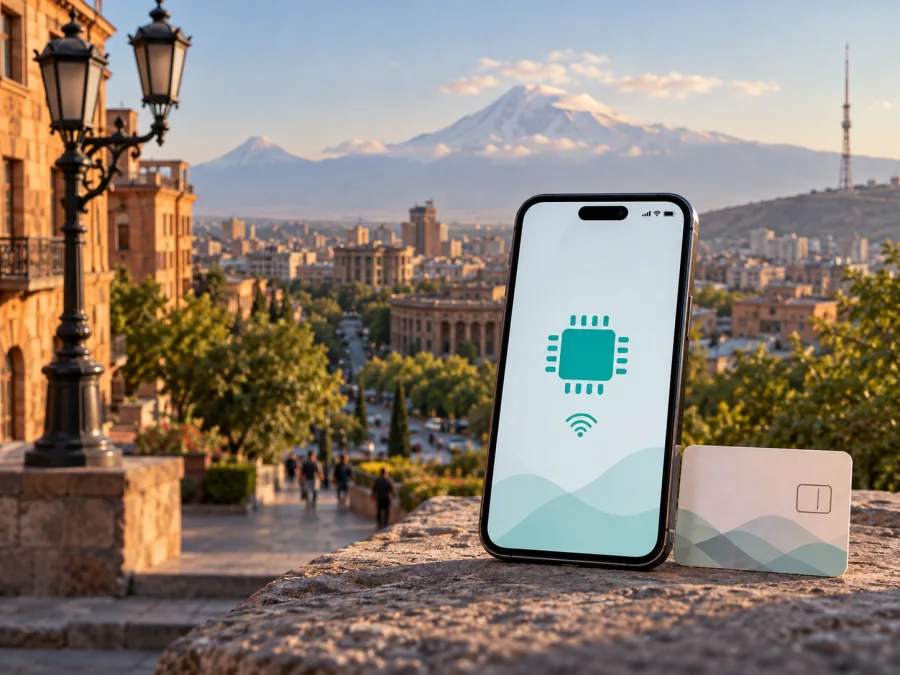
Ucom eSIM in Armenia: how to connect and what travelers should check
If you are preparing for a trip to Armenia and considering Ucom eSIM, first decide which kind of connection you need. A local Ucom eSIM is part of the operator’s mobile service: it can replace a physical SIM on a compatible device and can be useful when you need a local line in Armenia. A travel eSIM is a separate, data-focused product designed to be prepared online before departure or after arrival. Both options use eSIM technology, but they have different activation routes, support channels and traveler requirements.
This guide reflects public information checked on 20 September 2026. It covers activation, device support, coverage and the difference between a local operator connection and a travel eSIM. Confirm current conditions before you buy or activate anything.
Ucom in Armenia: the operator’s role
Ucom is an Armenian communications operator with mobile services for smartphones and a public network-coverage section for Armenia. Its site also presents fixed and business services, but this article focuses on the mobile connection relevant to a visitor. Ucom’s current English mobile pages show both prepaid and postpaid categories, while its roaming area addresses subscribers who use mobile services outside Armenia.
Does Ucom support eSIM in Armenia?
Yes, Ucom’s current public information confirms an eSIM service. The operator’s English General services page, checked on 20 September 2026, says that an electronic SIM can be activated at a Ucom sales and service center and describes using an iPhone with two SIMs at the same time. Ucom’s public eSIM service page also explains that the phone must support eSIM technology and that a QR code is used during activation.
This confirms Ucom’s own local mobile eSIM process. It does not mean that every phone, customer type or travel scenario is handled in the same way. eSIM support is built into the handset, and regional versions of a model can differ. The device may also be locked to another operator. Before you plan to depend on Ucom eSIM, check the exact model, software version, unlocked status and current requirements with Ucom.
How Ucom eSIM activation works
Ucom’s public information describes a service-center route followed by QR-based installation. In general, the process looks like this:
- Check that the phone supports eSIM and is not operator-locked.
- Ask Ucom or a Ucom service center which eSIM route applies to your intended mobile service.
- Complete the operator’s customer and identity requirements.
- Receive the activation information or QR code supplied by Ucom.
- Connect the phone to the internet, open mobile-network settings and choose the option to add an eSIM.
- Scan the QR code, download the mobile subscription and confirm the new line.
- Select the correct line for mobile data and test the connection before leaving the service center when possible.
Ucom’s public eSIM service page says that replacing an existing physical SIM with an eSIM requires visiting a service center with a passport. That is a stated requirement for the replacement scenario, not proof that every new-customer or visitor request has identical documentation. Travelers should carry the identity document requested by Ucom and confirm whether additional registration or account conditions apply.
Where a traveler can ask for help
Ucom’s current service-center page lists locations across Yerevan and the regions of Armenia. It also lists service points at Zvartnots International Airport, including locations in the arrival and baggage-reclaim areas, with hours shown as 24/7 on the page checked on 20 September 2026.
Airport details should still be verified close to the flight. Opening hours, a desk’s location, queues, identity checks and the requests handled at a particular point can change. If you travel onward, use the current Ucom service-center locator. When asking for help, say whether you need a new line, a physical-SIM replacement or a connection for a compatible device.
Ucom prepaid and travel-related options
Ucom’s current mobile section presents prepaid and postpaid categories, so prepaid service is part of the operator’s public mobile offering. Its roaming section also describes mobile-internet options for subscribers traveling abroad. These pages confirm the general presence of prepaid and travel-related service areas, but they do not guarantee that a particular local eSIM, visitor request or roaming option will be available for your circumstances.
Do not treat a public category as confirmation that every visitor can use every offer. Ask whether the service is available to a non-resident, whether activation must happen in Armenia, which identification is required, and whether support remains available after leaving a service center. Specific conditions should be checked directly with Ucom and are not reproduced here.
Ucom network coverage and supported technologies
Ucom’s Coverage page, checked on 20 September 2026, provides separate views for 2G, 3G, 4G and 5G and lets readers check regions, cities and villages. The page reports 5G availability in 48 cities and 447 villages, 4G LTE availability in 926 settlements, and 3G H+ access for 99.74% of Armenia’s population. Ucom dates the coverage information to 16 January 2026 and warns that actual performance can be lower than theoretical maximums because of radio conditions, distance from a base station and congestion.
Ucom’s current 5G page explains that 5G uses a non-standalone architecture integrated with 4G LTE infrastructure. It says that a special SIM card is not required solely for 5G, but the smartphone must support the technology. The page lists device and software restrictions, including a current exception for Google Pixel smartphones and a stated software requirement for some Samsung devices. Because handset support changes with model, region and software release, use the operator’s current information and the manufacturer’s specifications together. These figures are not a guarantee for a particular room, road, valley or building. A phone may support eSIM but not 5G, or support 5G but have a regional eSIM limitation. Treat 2G, 3G, 4G LTE, 4G+ and 5G as technologies that may be available in different places, not as a promise of one fixed experience along the whole journey.
Local Ucom eSIM or travel eSIM for Armenia?
The following reference table compares connection models rather than commercial offers:
| Question | Local Ucom eSIM | Travel eSIM |
|---|---|---|
| Main purpose | A digital SIM for a Ucom mobile service in Armenia | A digital SIM prepared for mobile data during a trip |
| Phone number | Depends on the local Ucom service requested | Usually data-only; do not assume a regular local number |
| Support route | Ucom customer care and Ucom service centers | The travel eSIM service’s app, website and support channel |
| First check | Identity, device, account and activation requirements | Device compatibility, profile installation and data settings |
This is a planning aid, not a tariff comparison. A local Ucom eSIM may make sense when you need Ucom’s local mobile service, a local number or an in-person support route. A travel eSIM may make sense when mobile data is the priority and you want to arrange the profile without changing the physical SIM.
If your travel plan is centered on mobile data and you want to review a separate travel-eSIM route, view the Armenia eSIM options in Kaspersky eSIM Store. This is a travel-service link, not a Ucom activation link, and it should not be read as evidence that Kaspersky eSIM Store is Ucom.
What Kaspersky eSIM Store does
Kaspersky eSIM Store is an app and website that helps a user choose, arrange and activate a travel eSIM for mobile internet abroad. It is not a mobile operator, does not own Ucom’s network and does not provide Ucom coverage. It is a separate travel-oriented route for preparing an eSIM profile and managing the associated data service.
The current Armenia page for Kaspersky eSIM Store, checked on 20 September 2026, explains an online flow: confirm compatibility, select the destination, complete the purchase, install the eSIM from the profile or confirmation email, and manage it in the app or website. It states that the travel eSIM is data-only and has no ordinary phone number for regular calls and text messages.
The page identifies local telecommunications providers as the source of network service for the travel product. Keep the roles separate: Ucom is the local operator described here, while Kaspersky eSIM Store provides the digital selection and activation experience for a separate travel eSIM. There is no affiliation between Kaspersky eSIM Store and Ucom, and Kaspersky eSIM Store is not Ucom’s official partner or distributor.
Installing a travel eSIM before or after arrival
The Kaspersky eSIM Store instructions support a general installation sequence. The exact setting names vary by phone model and operating-system version:
- Check the handset for eSIM support and confirm that it is unlocked.
- Make sure the phone has a stable internet connection during installation.
- Open Settings and the mobile or cellular network section.
- Choose Add eSIM or the equivalent command.
- Scan the QR code from the confirmation email, or use the install action in the profile.
- Label the new line clearly so it is not confused with your home SIM.
- Select the travel eSIM as the line for mobile data when you want to use it.
- If the device requires data roaming for the travel eSIM, enable it for that eSIM and review the home line’s data settings.
Kaspersky’s Android and iOS guidance, checked on 20 September 2026, notes that the QR code can be scanned from the purchase email or found in the profile. Some devices may require data roaming, and connection can take several minutes. Do not delete the profile while troubleshooting: an activation code may be single-use and a profile may not be transferable after activation.
Preparation checklist for Armenia
Use this checklist before departure:
- Confirm the exact phone model, regional version and eSIM support.
- Check that the phone is unlocked for another mobile service.
- Decide whether you need a local Ucom service, a travel data eSIM, or both.
- If choosing Ucom, ask about customer, identity and service-center requirements.
- If choosing a travel eSIM, confirm that the current Armenia destination information covers your route.
- Save the QR code or installation instructions where you can access them during setup.
- Keep your home SIM available if you need its number for verification or ordinary calls.
- Set the intended data line before opening maps, translation tools or messaging applications.
- Review data-roaming settings so the home line does not use unintended roaming data.
On arrival, test a simple webpage or message before starting a long drive. If the phone shows no data, check the selected data line, mobile data, the roaming setting for the intended eSIM and network-selection mode. If the issue continues, record the phone model, eSIM label and location before contacting support.
Common traveler questions
Can I activate Ucom eSIM without visiting a service center?
Ucom’s current public English information says to visit a Ucom sales and service center to activate the electronic SIM. Do not assume that an online-only route is available for every local eSIM request. Ask Ucom whether your case can be completed remotely or at an airport location.
Does a Ucom eSIM work on any phone?
No. The device must support eSIM and should not be locked to another operator. Model, region and software can affect compatibility. Ucom’s 5G information adds separate technology and device limitations, so eSIM support alone is not a promise of 5G access.
Does a travel eSIM replace my ordinary phone number?
Usually not. The Kaspersky eSIM Store travel eSIM is described as data-only and does not provide an ordinary phone number for regular calls and text messages. Keep the home line available if you need its number, and use internet messaging and calling applications over the active data connection where appropriate.
Do I have to turn on data roaming?
Sometimes. Ucom’s local service and a travel eSIM follow different settings. Kaspersky eSIM Store’s installation guidance says that some devices require data roaming for the travel eSIM. Select the intended data line first and review the home line’s settings to avoid accidental roaming data use.
Final decision: which route fits your trip?
Choose local Ucom eSIM when you need a Ucom mobile service in Armenia, are prepared to follow the operator’s identity and activation process, and want support through Ucom’s service channels. Choose a travel eSIM when you primarily need mobile data, want to prepare the digital profile online, and do not need it to replace your ordinary phone number. If your itinerary is mixed, you may keep the home SIM for its number and use a compatible eSIM for mobile data, provided your phone supports the required dual-SIM setup.
Before you travel, confirm the device, unlock status, activation route, documents, data-line settings and coverage for the places you will visit. Conditions can change after this article is checked, so verify current eSIM, prepaid, roaming and travel-service details with the relevant provider. For a separate travel-data route, check the current Armenia destination in Kaspersky eSIM Store.
Kaspersky eSIM Store is not affiliated with Ucom and is not Ucom’s official partner or distributor. It is an app and website that helps users choose, arrange and activate a separate travel eSIM for mobile internet; it is not a mobile operator, network owner or provider of Ucom coverage.


