Travel connectivity guide
Ulcinj eSIM: Mobile Internet for Your Trip
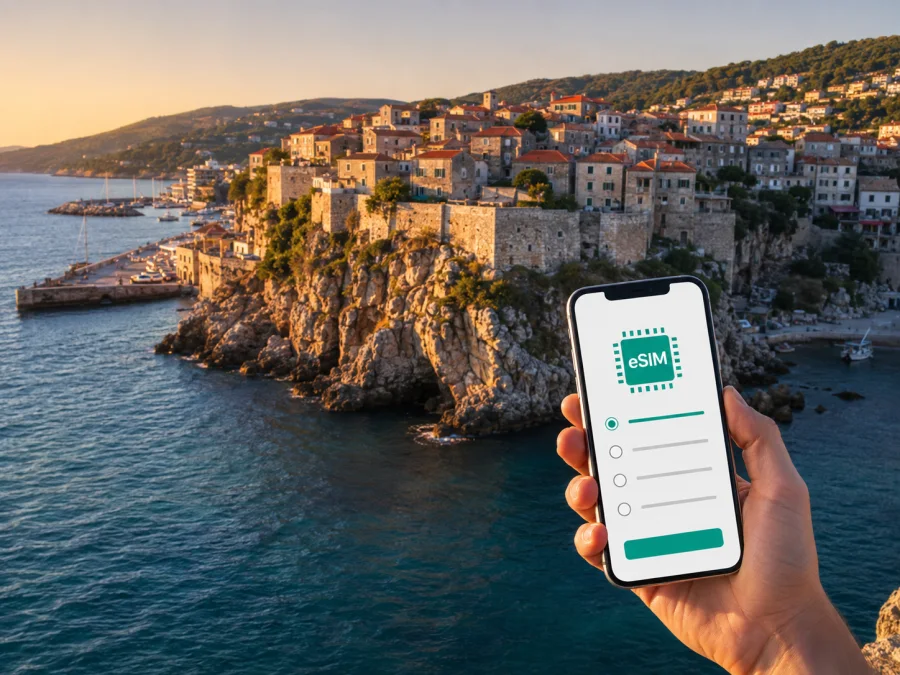
Ulcinj eSIM: mobile connection and internet for a trip to Republic of Montenegro
Ulcinj is a coastal city in the south of Republic of Montenegro where one day can include an airport transfer, a walk through the Old Town, a swim below the walls and a road trip towards the Bojana River. Your phone is more useful for that rhythm when it is ready for maps, messages, bookings and transport information from the moment you arrive. An eSIM, or digital SIM, lets you prepare mobile internet without changing the physical SIM card in your phone.
This guide focuses on mobile data in Ulcinj: the first hours after arrival, movement between the Old Town and beaches, data planning for different itineraries, and eSIM setup. Kaspersky eSIM Store is an app and website that helps you choose, arrange and activate an eSIM with a suitable plan for mobile internet during an international trip. Conditions depend on the selected plan, so check its destination, data volume and validity before confirming.
Why mobile internet is useful in Ulcinj
Ulcinj is compact enough for walks in its historic centre, but the places many visitors want to see are spread along the coast. The Old Town sits above the sea, while the sandy shoreline extends away from the centre. Ada Bojana and Valdanos Bay require separate trips. Mobile data helps you move between these areas without repeatedly searching for Wi-Fi.
The first hours after arrival
The arrival challenge is usually practical: finding a pickup point, sending accommodation details, opening a map, translating a message or contacting a host. If your route begins at Podgorica Airport, the road distance to Ulcinj is about 95 km. The final journey is therefore a road transfer. Having data available makes it easier to coordinate a pre-booked transfer, compare the route with the driver and notify your accommodation if the arrival time changes.
Before leaving home, save the accommodation address and booking details. Check that the eSIM profile, your main SIM and the data settings are clearly labelled. This preparation is especially useful when you are carrying luggage or arriving outside the busiest daytime hours.
Maps, taxis and local movement
The area around the Old Town, the Small City Beach and nearby streets is suitable for walking, although the historic centre includes slopes, steps and uneven surfaces. For longer distances, you may use a taxi, a local bus or a pre-arranged transfer, depending on the season and destination. Schedules and availability can change, so treat a live map or current timetable as a planning aid rather than a guarantee.
Mobile data is useful for:
- checking a route before leaving your hotel;
- sharing your location or confirming a meeting point;
- keeping a saved destination visible while changing between walking, taxi and bus segments.
For a day around the Old Town, light use may be enough. Combining the city, Long Beach and Ada Bojana creates more opportunities for navigation, messages, photos and transport checks. Choose by itinerary, not only by nights in the hotel.
Ulcinj districts and routes: where data helps most
Thinking in areas makes it easier to estimate usage. The Old Town and city beaches feel different from accommodation zones near Long Beach, while Ada Bojana is a separate outing. Use this planning table to match your route and your likely data needs.
| Area or scenario | Typical data tasks | Practical note |
|---|---|---|
| Old Town and harbour | Walking directions, messages, restaurant details | Save key places before a longer walk; lanes and viewpoints can make orientation less obvious. |
| Small City Beach | Weather checks, bookings and messages | The beach is below the Old Town, so plan the return route if carrying bags or travelling with children. |
| Long Beach | Navigation, taxi coordination and location sharing | The beach stretches beyond the central waterfront; one saved pin does not represent the whole area. |
| Hotel or apartment | Check-in communication, maps and online work | Ask for the exact entrance or pin when several properties have similar names. |
| Ada Bojana or Bojana River | Route planning and return coordination | Keep the lodging address available offline as a backup. |
| Business trip | Email, documents, messenger calls and hotspot use | Check the plan’s allowance before connecting a laptop. |
This table is a planning tool, not a promise about performance in a particular building or on a particular road. Terrain, congestion, the selected plan and your device can affect the experience. Keep essential addresses and reservations offline.
Choosing an eSIM plan for a trip to Ulcinj
Start with the country and route. A city trip to Ulcinj normally calls for a plan whose destination includes Republic of Montenegro. If you continue through neighbouring countries, check whether a regional option is more appropriate or whether separate destination plans are needed. Do not select a plan only because its name resembles the city; read the destination and conditions displayed at the time of purchase.
Then estimate how you will use data. A short stopover with maps and messages differs from a beach holiday with navigation, photo uploads and video calls. Remote work, laptop tethering and streaming can consume considerably more data than text messages and ordinary map checks.
A simple selection method
- Note arrival and departure dates, including road days outside Ulcinj.
- Mark the places you expect to visit: Old Town, city beaches, Long Beach, Ada Bojana, Valdanos or other stops.
- Separate light use from high-volume use. Maps, messages and email are lighter than video calls, cloud backups and streaming.
- Choose a validity period that covers the trip and the expected activation date.
- Compare the available data volumes and the total price displayed for Republic of Montenegro.
- Read the activation and use conditions before payment, then keep the order details accessible.
At this stage you can choose an eSIM plan for a trip to Republic of Montenegro. Review the current destination, data volume, validity and activation terms shown for the plan before completing the order.
Four common Ulcinj itineraries
- Short stopover: prioritise maps, messages, the accommodation address and transfer contact.
- Beach-focused stay: reserve data for navigation, weather, messages and travel between the Small City Beach and Long Beach.
- Coast and nature: keep accommodation and return-transport details ready for Ada Bojana, the Bojana River area or Valdanos Bay.
- Business visit: check hotspot rules, monitor usage and download large files before leaving hotel Wi-Fi.
How to install an eSIM before leaving or after arrival
Installation is easiest with a stable internet connection, enough battery and the order information at hand. Prepare the profile before travelling or after arrival according to the plan’s conditions.
Before buying, check whether your device is compatible with eSIM. Your phone must support eSIM and should not be restricted by an operator. Some models vary by market or regional version, so the model name alone is not always sufficient.
Five basic steps
- Check the device. Confirm eSIM support, operator status and battery level. If you keep a physical SIM active, decide which line handles calls and which handles data.
- Open mobile network settings. Look for “Add eSIM”, “Add mobile plan” or “Add cellular plan”; wording varies by operating system.
- Scan the QR code or follow the profile flow. Use the QR code from the order details or the activation method shown in Kaspersky eSIM Store. Keep the phone online if the device requests it.
- Choose the eSIM for mobile data. Give the profile a clear label such as “Ulcinj trip” and select it as the data line when ready.
- Check the connection. Registration can take a little time. Depending on the phone and plan, data roaming for the eSIM may need to be enabled.
For detailed guidance, use the Android eSIM installation instructions or the iOS eSIM installation instructions. Menu names differ, so follow your device’s prompts.
Before you leave home
- Confirm the order is visible in your profile or app and keep the QR code or activation details private.
- Save the accommodation address, transfer contact and key bookings.
- Decide which line will handle data after arrival.
- Disable automatic updates, cloud photo uploads and video autoplay over mobile data if you want to control consumption.
- Save maps, tickets and reservations offline where the relevant app allows it.
Installing early gives you time to resolve settings questions. Activation timing varies by plan, so do not assume installation and data use begin at the same moment.
Arrival scenarios in Ulcinj
From Podgorica Airport
Podgorica Airport is a common gateway for an overland trip to Ulcinj, and the road leg deserves preparation. Arrange a transfer, rental car or public-transport combination before the flight where possible. Enter the exact accommodation address rather than only “Ulcinj”: neighbourhoods and access roads vary, and the final turn can matter more than the city name.
After landing, use the eSIM for a message to the driver or a route check. If you are taking a bus connection, confirm the departure point and allow time to reach it. Verify transport information close to the travel date.
Getting around the city without losing your itinerary
Ulcinj rewards a flexible schedule, but it helps to plan by clusters:
- Explore the Old Town and the Small City Beach together.
- Reserve a separate half-day or day for Long Beach and its access points.
- Treat Ada Bojana as a distinct outing and confirm the return arrangement before leaving.
- Add Valdanos or another coastal stop after checking road distance, daylight and transport options.
When you pin a place, check whether the map selected a beach entrance, restaurant, parking area or accommodation with the same name elsewhere. In the Old Town, visual landmarks can be more useful than a precise address. Carry a power bank and stop continuous navigation after reaching your destination.
Hotels, apartments and remote work
Ask for the exact address and preferred route before check-in. An apartment listing may use a neighbourhood name while the entrance is on another street, so keep the host’s landmark and instructions offline.
For remote work, test the setup on the first day. Check the signal, confirm that the eSIM is the data line and watch usage. It can back up hotel Wi-Fi, but performance depends on the plan, device, location and local conditions.
If you need a laptop connection, review hotspot rules, prepare documents locally and pause large synchronisation tasks. These habits make a fixed allowance easier to manage.
What to check before purchase and activation
- [ ] The destination is Republic of Montenegro and the route includes any additional countries you need.
- [ ] The validity period covers the intended activation and travel dates.
- [ ] The data volume fits your use: maps and messages, beach travel, or work and hotspot use.
- [ ] Your phone supports eSIM and is not operator-locked; check device compatibility before purchase.
- [ ] You understand whether the plan is data-only and know which line will handle data after arrival.
- [ ] You have the Android or iOS installation steps and key travel details offline.
Do not rely on a package name alone. Read the plan details when you choose it. Allowance, validity, price and activation rules belong to the selected plan and can differ by destination.
Troubleshooting after installation
If data does not start immediately:
- Check that the eSIM profile is turned on and selected as the data line.
- Check whether data roaming is required for that plan.
- Turn airplane mode on briefly and off again, or restart the phone if appropriate.
- Move to an open area and wait a few minutes for registration, then review the plan instructions or contact support.
Avoid deleting the eSIM profile while troubleshooting unless the instructions specifically tell you to do so. A profile may have conditions about transfer or reinstallation. Keep order details and device information ready when contacting support.
FAQ about eSIM use in Ulcinj
Should I install the eSIM before travelling?
You can install it before departure or after arrival, depending on the plan’s conditions. Installing before the flight gives you time to resolve settings questions. Activation may be a separate step, so read the selected plan’s instructions.
Does an eSIM include a phone number?
Not usually in this travel-data context. The plan is intended for mobile internet and does not include ordinary calls or SMS unless those features are expressly listed. Messaging apps can use the data connection.
What if I travel from Ulcinj to another country?
Check the route before purchase. A plan for Republic of Montenegro may not cover a neighbouring country. Compare country or regional options and make sure validity covers the whole route.
A calm digital start to your Ulcinj trip
Save addresses offline, check the device, choose by data use and validity, and test settings before you need them.
When you are ready, select an eSIM plan for your Ulcinj trip in Republic of Montenegro, then install and activate it according to the plan instructions. Kaspersky eSIM Store helps you manage selection and activation through its app and website; the local network and final connection experience depend on the selected plan, device, location and conditions of use.


