Travel connectivity guide
Ulsan eSIM: Mobile Data for South Korea
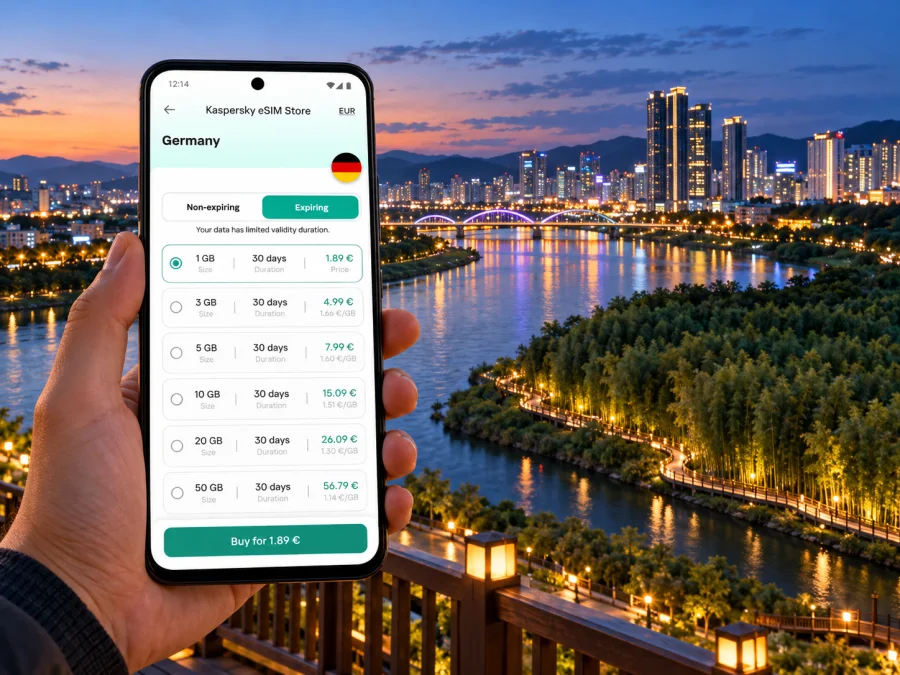
Ulsan eSIM for mobile connection and internet on your trip
Ulsan is a South Korean city where a day can take you from the airport or KTX station to a riverside garden, a business district, an industrial site or the East Sea coast. Mobile internet helps with each transition: check the next bus, confirm a hotel address, translate a message or let someone know you have arrived. An eSIM gives you a way to use mobile data without swapping out your physical SIM, provided your device supports it and the selected plan is suitable for your route.
Ulsan is a metropolitan city in the southeast of the Korean Peninsula. Its urban area is spread across several districts and includes coastal and outlying places, so a trip from one attraction to another can take longer than the map’s straight-line distance suggests. Plan connectivity around the whole itinerary rather than a single hotel or downtown stop.
Why mobile data is useful in Ulsan
The first useful moment may come before you reach the city centre. You may need to find the bus stop outside Ulsan Airport, contact a driver, compare a route from Ulsan Station or message your accommodation about a late arrival. Once you are settled, maps and transit searches can help you move between neighbourhoods and keep track of transfers.
Mobile data is also practical when plans change. A museum visit may run late, rain may alter a walk along the coast, or a meeting may finish at a different time than expected. With a working data connection, you can check current route information, send a message and look up the next step while away from your hotel Wi-Fi.
Common uses include:
- opening a map while walking between a bus stop, a café and a riverside path;
- checking route options before leaving a hotel or conference venue;
- confirming a booking, address or pickup point in a message;
- using translation and currency tools during everyday errands;
- joining a video call or checking work messages between appointments;
- sharing photos and coordinating with travelling companions;
- finding a route back when you leave a marked trail or shopping area.
A data-only eSIM is not automatically a replacement for your regular phone number. Voice calls and SMS are included only if the specific plan says so. Keep your usual SIM active if you need its number for calls or verification messages, and check with your home provider how roaming charges apply. Messaging and calling apps can use the eSIM’s data connection, subject to the app and your account settings.
Plan the arrival before you land
Ulsan Airport is within the city, in Buk-gu. The airport’s current passenger guidance identifies bus and taxi access: the bus stops are reached from the terminal on foot, and the taxi stand is across the crosswalk from the arrivals exit. The airport lists domestic flight service; do not assume that an international itinerary will arrive directly there. Depending on your ticket, you may enter South Korea through another airport and continue by domestic flight or rail.
Ulsan Tourism’s transportation information lists flights between Ulsan and Gimpo and Jeju, as well as KTX and SRT connections to Ulsan Station. The KTX station and the airport are different arrival points, and neither should be confused with a hotel’s city-centre location. Check your actual arrival terminal, service times and the final stop before choosing a transfer. Timetables can change, so verify them for your travel date.
At Ulsan Airport, a connected phone can help you identify the correct bus or taxi area and share your destination. At Ulsan Station, a route search can help you choose between a limousine bus, local bus or taxi for the next leg. Save your accommodation name and address in Korean as well as English before travelling; a screenshot is useful if your connection is delayed or unavailable.
Before leaving the terminal or station, take a moment to:
- Confirm the name of your arrival point: Ulsan Airport, Ulsan Station or another city.
- Check the route to your accommodation, including the stop or exit where you need to transfer.
- Save the destination address offline or take a screenshot.
- Check whether your chosen eSIM is installed and which SIM is selected for mobile data.
- Keep your passport, payment card and physical SIM accessible while you get oriented.
Moving around a large, spread-out city
Ulsan has regular city buses and express or limousine bus services, and the city publishes a route search with directions, stops and bus information. Its transport guidance describes limousine buses linking KTX Ulsan Station with major areas in the city. These services make it worthwhile to check the whole journey, not just the next stop: a short-looking cross-city trip may involve a change of bus or a walk from the stop to the destination.
Use a route search before you start walking. Confirm the stop name, direction of travel and transfer point, then check the result again if you change your plans. Keep the destination written in Hangul when possible. Romanized place names may be represented in more than one way, and a map result can point to a different entrance or similarly named business.
| Trip situation | What to check on your phone | Why it helps |
|---|---|---|
| Airport to hotel | Bus or taxi stand, destination address, route and expected arrival | You can confirm the last leg before leaving the terminal |
| Ulsan Station to a meeting | Limousine-bus route, local stop and walking directions | The station is a separate arrival point from the airport |
| Downtown to Taehwagang National Garden | Which entrance or riverside area you want, plus the return route | The garden and river walk cover more than one point on a map |
| Nam-gu to Daewangam Park | Destination in Dong-gu, transfer options and return timing | The coastal visit is a cross-city outing |
| Ulsan to another city | Station, terminal or airport and departure time | Your city data plan may be used across the domestic leg if its terms allow |
The table is a planning aid, not a live timetable. Check official transport information and your route app close to departure. Bus frequencies, service hours, stops and fares can change. For a taxi, confirm the destination on the map before the car leaves; a saved address makes this easier when pronunciation or transliteration is uncertain.
Neighbourhoods and practical route planning
Ulsan is a metropolitan city rather than a single compact tourist centre. Samsan-dong is a busy retail and hotel area; Jung-gu offers access to the older downtown and river; Dong-gu is the eastern coastal district; Buk-gu is home to Ulsan Airport. Compare your accommodation with the places you will visit each day, not just one landmark.
Group stops by area when possible. A river walk and a coastal visit are different outings, and cross-city travel may involve a bus change or a walk from the stop. Keep the return route in your map app, check the last service before heading far from your hotel, and save the destination in Hangul as well as English.
A riverside walk: Taehwagang National Garden
Taehwagang National Garden follows the river through parts of Jung-gu and Nam-gu. Ulsan Tourism identifies the garden and the Simni Bamboo Grove as major green spaces. Choose an entry point, save it on your map and decide whether to continue to another riverside area or return to transport.
A map helps locate bridges and entrances; messaging helps set a meeting point. Download offline map data if available, check the weather and keep your phone charged for the return trip. The garden’s outdoor areas and individual facilities may have different access hours, so verify the details for any specific venue before you go.
Coast, parks and outlying stops
Daewangam Park is in Dong-gu, on Ulsan’s eastern side. The city’s tourism pages describe a pine-lined walking trail and nearby coastal scenery. A visit may combine a walk with other local stops, but map the return journey before you arrive. Paths, viewpoints and bus stops are not always adjacent, and the final section may be on foot.
Jangsaengpo in Nam-gu is associated with Ulsan’s whale heritage and has a Whale Culture Zone with several visitor attractions. Check each venue’s current hours and ticket conditions when planning. If you are coordinating with a group, agree on one clear meeting point and share its map pin; the area name alone may cover more than one entrance or facility.
Other trips, such as Oegosan Onggi Village or Cape Ganjeolgot in Ulju-gun, extend beyond the central urban itinerary. For these, connectivity can support navigation and coordination, but do not assume a city-centre bus pattern or a short journey. Confirm the outbound and return legs, the service times and the address in advance. If you are using a regional data plan, verify that its destination list includes every place on your route; a city name in a search query does not determine plan coverage.
Choose a South Korea plan for the full trip
An eSIM plan is selected for a destination or region, not for an individual Ulsan neighbourhood. Ulsan is in South Korea, so check that the plan’s coverage list names South Korea and review any regional-plan country list if you will also travel elsewhere. A city article helps you plan the trip; it does not mean there is a separate Ulsan network or city-only plan.
For the South Korea destination, the current Kaspersky eSIM Store country page identifies local telecommunications providers SK and KT for its listed data plans. That describes the operator market associated with the destination offers; it is not a promise that every plan uses both networks, that your phone can select either one, or that service is identical at every address. Check the exact plan details before purchase, including the network information shown for that offer, data amount, validity, activation conditions and any tethering or speed limits.
Compare eSIM plans for a trip to South Korea after you have a realistic estimate of the days you will be away and the places you intend to visit. Kaspersky eSIM Store is an app and website where you can choose, arrange and activate an eSIM with a suitable plan for mobile data abroad. The selected plan and its terms determine what is included.
A practical way to estimate data is to list what you will actually do:
- Maps and route searches use data when you load locations, directions and live updates. Save offline maps if your preferred app supports them.
- Messaging and email are usually lighter than repeated video calls, but media downloads and backups can add to usage.
- Video meetings, streaming and uploading large photo or video files can use considerably more data. Use hotel Wi-Fi for large transfers when it is appropriate and secure.
- Work across several days may justify a larger allowance than a short visit based mainly on maps and messages.
No universal allowance suits every traveller. Your screen time, app settings, hotel Wi-Fi and work requirements all matter. Review the plan balance during the trip and disable automatic photo backups or app updates over mobile data if you want to manage use more closely.
Device compatibility and regional versions
Before buying, confirm that your exact phone model supports eSIM and is not locked to a home carrier. Support can vary by manufacturer, model number, country or region of sale, and carrier. A model name alone is not enough: two phones with the same marketing name may have different regional variants. Samsung’s current support guidance explicitly notes that eSIM-capable Galaxy models can differ by country and that availability also depends on the country and carrier. Apple likewise maintains carrier and device guidance for eSIM support.
Check the model number in your device settings and look for an option to add an eSIM or mobile plan. If that option is absent, consult the phone maker or the original carrier before purchase. Check whether your device supports eSIM. A device that accepts an eSIM profile still needs to be unlocked for another provider’s service and compatible with the chosen plan.
Think of three separate questions:
| Question | What it tells you |
|---|---|
| Does this exact device variant support eSIM? | Whether the phone can store and use an eSIM profile |
| Is the phone carrier-unlocked? | Whether it can use a profile from another provider |
| Does the selected plan cover South Korea and your route? | Whether the offer is intended for your destination and itinerary |
These are independent checks. A device may support eSIM in one regional version while another version with a similar product name does not. A South Korea plan may be available even when your handset is incompatible. Conversely, an eSIM-capable phone does not guarantee every plan or every local operator market will be available to it.
Install before travel, activate with care
If you have a compatible, unlocked device, installing the eSIM before departure can make the first arrival steps easier. Read the plan’s instructions and note when its validity begins. Installing a profile and starting the data package are not always the same event; the offer’s terms explain the activation trigger. If you would rather install after landing, keep the QR code or setup instructions accessible without relying on the connection you are about to configure.
A simple preparation sequence:
- Confirm your phone model, eSIM support and carrier-unlocked status.
- Choose a South Korea plan and read the coverage, data, validity and activation terms.
- Install the profile using the on-screen steps while you have stable Wi-Fi, if the plan permits pre-installation.
- Keep your regular SIM available for your usual number and select the eSIM for mobile data when appropriate.
- On arrival, enable the eSIM line and data roaming only if the plan’s instructions require it.
- Test a map search or message, then check that your preferred SIM is still selected for calls and SMS.
The settings names vary by phone and operating system. Follow the official steps for your device: Android eSIM installation instructions and iOS eSIM installation instructions. Avoid deleting a working eSIM profile while troubleshooting unless the plan instructions or support team tell you to; reinstalling may not always be available.
Keep Wi-Fi available during setup where possible. If the phone shows no data connection, check that the eSIM line is turned on, the correct line is assigned to mobile data, and any required data-roaming setting is enabled for that profile. Then restart the phone or follow the plan’s troubleshooting instructions. The exact steps depend on the device and plan.
Frequently asked questions
Is Ulsan in South Korea?
Yes. Ulsan is a metropolitan city in the southeast of the Korean Peninsula and is part of South Korea. A South Korea destination plan is the relevant starting point for a visit there; verify the plan’s specific country and usage terms.
Will my eSIM work in every part of Ulsan?
No plan should be treated as a guarantee of identical service at every address. The network and service depend on the plan’s provider arrangements, your device, local conditions and the particular location. Review the network information shown for the selected offer and keep offline route details for important journeys.
Does a data eSIM give me a Korean phone number?
Not necessarily. A data plan should be assumed to provide mobile data only unless its terms explicitly include a local number, voice calls or SMS. Internet-based messaging and calls can work through apps over data.
What if my phone does not show an eSIM option?
Check the exact model number and regional variant with the manufacturer or seller. Also confirm the device is unlocked. Do not rely on the family name printed on the box alone.
Prepare your Ulsan connection
A little setup makes arrival and day-to-day travel easier: confirm your arrival point, save key addresses, check the exact phone variant and compare plan terms for the full South Korea itinerary. Kaspersky eSIM Store is an app and website that lets you choose, arrange and activate an eSIM plan for mobile data abroad; the local service and plan conditions depend on the offer you select.
Choose an eSIM plan for South Korea and review its destination, data amount, validity and activation details before you travel. Install the eSIM according to its instructions, then use Ulsan’s bus routes, maps and messages with a clear idea of which SIM is handling mobile data.


