Travel connectivity guide
Umea eSIM: Mobile Internet and Travel Tips
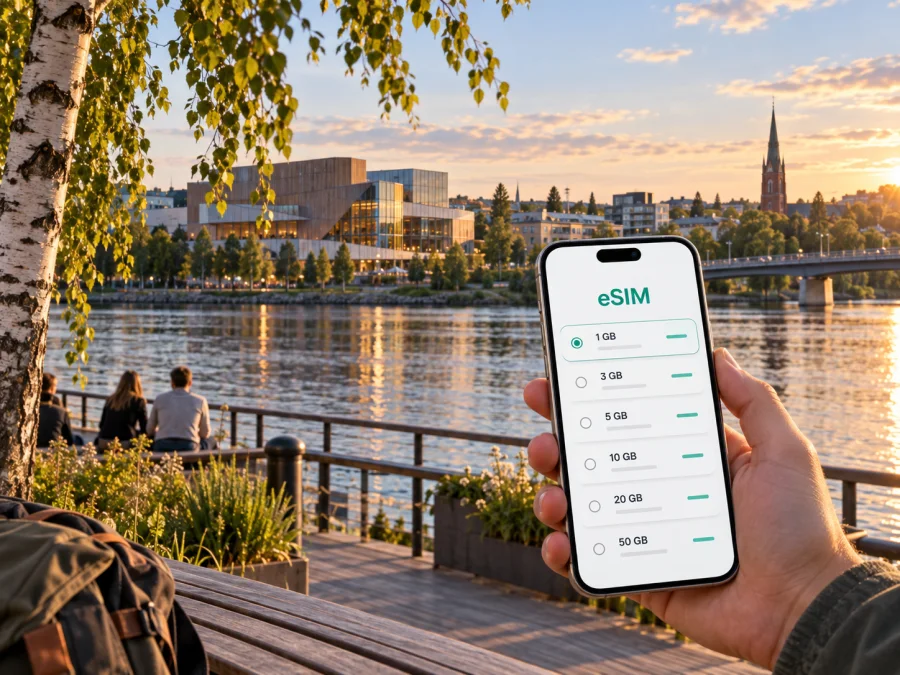
Umea eSIM: Mobile Connection and Internet for Your Trip
Umea is a compact northern Swedish city where a first arrival can quickly turn into a mix of practical tasks: finding the airport bus, locating a hotel, checking a campus meeting point or following the riverfront on foot. Mobile internet helps connect those steps. With maps, ticket information, messages and reservations available on your phone, you can adjust your route as the day unfolds instead of trying to plan every detail before leaving home.
An eSIM is a digital SIM profile that you install on a compatible phone. For a visit to Umea, it can provide mobile data for navigation, travel planning and online communication without changing the physical SIM in your device. The most useful preparation is simple: decide what you need the connection for, check the terms of the plan and install it at a time when you have reliable Wi-Fi.
Start with the shape of the city
Umea’s centre sits close to the Ume River, with bridges and riverside paths connecting different parts of the urban area. The centre is walkable for many short visits, while a bus, bicycle or taxi can suit longer distances, heavy luggage or winter weather. A map app helps check the approach to a stop, hotel entrance or meeting venue.
The river is a helpful visual reference, but it should not be your only navigation cue. A route that looks short across the water may depend on a particular bridge or path. Check the complete walking or cycling route before setting off, especially after dark or when snow and ice affect sidewalks. If you are travelling with luggage, compare the walking distance with the bus route rather than assuming the nearest-looking path is the easiest one.
For a first day, save the address of your accommodation and one central landmark in your map app. Then check the route from your arrival point to the hotel while you still have time to adjust. That makes it easier to compare a bus connection with a taxi if plans change.
Arriving at Umea Airport
Umea Airport is close to the city, but the last part of the journey still needs planning. The airport’s published bus information identifies airport bus 80, operated by Ultra, as a connection between the terminal and the city. The stop is outside the terminal. Routes, departure times and ticket arrangements can change, so check the current information when your flight date is near and again after landing.
If you plan to use public transport, look up the airport bus journey to your accommodation before boarding. The city centre is not a single stop: a hotel near Vasaplan, the railway station, the river or a university area may call for a different final leg. Keep the hotel address available offline as well, in case your phone is temporarily without data or you need to show the destination to a driver.
A practical arrival sequence is:
- Connect to airport Wi-Fi if it is available and open your saved route.
- Confirm the bus direction and the stop that best matches your accommodation.
- Check how tickets are currently purchased and whether the app or another payment option suits you.
- Keep enough battery for maps and messages during the transfer.
- Once you reach the centre, compare the walking distance with your luggage and the weather.
The airport bus is one option. A taxi may suit a late arrival, a group sharing the fare or bulky bags. A pre-arranged pickup can help when arrival times are uncertain. Use the exact address rather than only the hotel name; properties outside the centre can otherwise cause confusion.
Getting around: buses, walking and cycling
Local buses are useful when you are staying outside the centre, travelling between neighbourhoods or heading to a campus or appointment. Vasaplan is a central public-transport hub and a helpful map reference when a route requires a transfer. Umea’s municipal travel information describes a network of seven city bus lines connecting urban districts, with Ultra providing local bus services. For a real journey, use the current route planner and timetable rather than relying on a remembered line number.
Mobile data is especially useful for the parts of a trip that can change: checking when the next bus leaves, confirming a stop name, comparing a walking route and messaging someone if you are delayed. It can also help you reopen a ticketing or travel-planning app when you need to check its instructions. Data access does not replace a valid ticket, and ticket rules depend on the transport provider and fare you choose.
Walking is often a straightforward way to explore central Umea. Along the river, paths can make the route itself part of the visit, while shops, cafés and cultural venues provide useful points of orientation. Cycling is also part of everyday travel in the city. If you rent a bicycle, confirm the rental terms, parking rules and route suitability before setting off; local conditions and seasonal maintenance can affect which paths feel comfortable.
| If your journey is… | A useful approach | What to check on your phone |
|---|---|---|
| Airport to a central hotel | Compare bus 80 with a taxi or pickup | Current departures, stop and hotel address |
| A short trip in the centre | Walk, allowing time for the route | Pedestrian directions and opening details |
| A cross-city appointment | Check local buses and transfers | Route planner, stop names and live updates |
| A riverside outing | Follow a mapped path and return route | Distance, daylight and current conditions |
| A trip with bags or winter clothing | Choose the simplest door-to-door option | Walking surface, transfers and pickup point |
Choose where to stay with your itinerary in mind
Umea has several useful bases, and the best one depends on what brings you to the city. Staying in or near the centre can make restaurants, shops, the riverfront and central bus connections easier to reach on foot. A hotel close to a station may be practical if you are arriving by rail or continuing your journey by train. If your visit centres on the university, hospital or a business meeting elsewhere, compare the accommodation address with that destination rather than choosing solely by its distance from the main square.
Teg lies across the river from the central area and can make sense for accommodation or appointments on that side of town. A map helps you see which bridge and approach fit your destination. University and hospital visits may involve locations beyond the central streets, so save the building name and address, not just the campus or institution name. Large campuses can have several entrances and nearby stops.
Before confirming a booking, look at the complete route from the property to the places you expect to visit. Consider:
- whether you can walk to a bus stop with your luggage;
- how many transfers are involved in a typical trip;
- whether the route depends on crossing the river;
- how you will get back after an evening event;
- whether you need mobile data for work calls or navigation during the day.
A location that is a little farther from the centre may still work well if a direct bus serves your itinerary. Conversely, a hotel that appears close on a map can take longer to reach on foot if the route crosses a busy road or follows a less direct path. Check the actual door-to-door route at the time you expect to travel.
For mobile data during the trip, Kaspersky eSIM Store is an app and website where you can choose, purchase and activate an eSIM plan for international travel. Review the selected plan’s destination, allowance, validity and activation terms before buying. See eSIM plans for Sweden to compare options for the country where Umea is located.
Mobile internet for a city visit
In Umea, a mobile connection can support ordinary travel tasks without turning the trip into a constant screen exercise. Download or open directions, check an updated bus departure, confirm a restaurant reservation, send your location to a colleague or translate a short message when needed. For many travellers, these small uses matter more than continuous video or large downloads.
An eSIM can be useful when you want a separate data profile for travel and prefer to keep your existing physical SIM in the phone. Before choosing a plan, compare its destination, data allowance, validity period, price and activation conditions. Think about the whole itinerary too: if you will travel beyond Umea during the same visit, check whether the plan applies to your wider route in Sweden and whether its validity covers all travel days.
Estimate the data you will use
There is no single data allowance that suits every trip. Map checks, messaging and email usually call for less data than frequent video calls, social video browsing, uploading photographs or streaming. If you are travelling for work, include the applications you rely on and consider whether your accommodation has Wi-Fi. If you plan day trips, allow for navigation away from the hotel and any periods when Wi-Fi is unavailable.
Use this quick estimate as a planning prompt rather than a guaranteed consumption figure:
- Light use: maps, messaging, email and occasional searches.
- Regular use: frequent navigation, browsing, social updates and some photo uploads.
- High use: video calls, streaming, cloud backups or large work files away from Wi-Fi.
You can reduce unexpected usage by disabling automatic app updates over mobile data, pausing cloud photo backups until you are on Wi-Fi and downloading any permitted offline maps in advance. Check the phone’s data-use settings during the trip. A plan’s stated allowance and validity are the reference points; your actual consumption depends on apps, settings and habits.
Prepare and install your eSIM
Do the setup before you are rushing to leave the airport. First, confirm that your phone supports eSIM and is not restricted in a way that prevents adding another carrier profile. Check whether your device supports eSIM before choosing a plan. Keep access to stable Wi-Fi and follow the on-screen steps for the device you are using.
A simple preparation sequence:
- Choose Sweden as the destination and review the plan’s data allowance, validity and activation terms.
- Complete the purchase in the app or website and read the installation instructions supplied with the eSIM.
- Install the eSIM while connected to Wi-Fi, following the steps for Android or iOS.
- Label the new profile clearly, for example “Sweden travel”, so it is easy to identify beside your regular SIM.
- Review your device’s mobile-data settings and the plan’s instructions for when to select the travel profile or enable data roaming.
- Keep your original SIM settings available if you still need your usual number for calls or messages.
Installation and activation are not always the same event. Some plans begin their validity when the eSIM first connects to a supported network; others may follow different terms. Read the specific activation instructions before switching the line on. If you are unsure, install in advance but wait to enable the travel data line until the conditions say it is appropriate.
An eSIM plan for mobile data does not automatically provide a regular phone number, voice calls or SMS. Those services depend on the particular plan and its stated terms. You can generally continue using internet-based messaging or calling apps when data is available, but check how those apps behave with your contacts and account before travelling.
Before you leave the hotel
Use this short checklist when starting a day in Umea:
- [ ] The destination address and return route are saved.
- [ ] The phone is charged and the travel eSIM is selected as intended.
- [ ] You have checked current bus information if your route depends on it.
- [ ] The right ticket or payment method is ready for your journey.
- [ ] Weather, daylight and walking conditions suit the route.
- [ ] Meeting, booking or arrival details are available offline.
The checklist is especially helpful on a day that combines several neighbourhoods. If you move from a hotel to a meeting, then on to the centre or the riverfront, check the next leg before leaving the current location. That reduces backtracking and gives you time to change plans if a bus connection or walking route no longer suits the day.
Frequently asked questions
Is an eSIM useful for a short visit to Umea?
It can help if you will use maps, transport information, messaging or work apps while moving around. Match the plan’s validity and allowance to your stay and expected Wi-Fi access.
Will it include a Swedish phone number?
A data-focused plan does not necessarily include a number, voice calls or SMS. Check the selected plan’s terms; internet-based messaging apps may work over mobile data.
What should I check before choosing a plan?
Confirm device compatibility, destination, data allowance, validity and activation conditions. If travelling beyond Umea, make sure the plan suits your full route in Sweden.
Prepare for Umea at your own pace
A smooth city visit depends on matching your connection to your plans: a route from the airport, movement between the centre and your accommodation, and enough flexibility for work or spontaneous walks. Check transport details close to departure, save addresses offline and choose data based on how you expect to use your phone.
When you are ready to prepare mobile internet for the trip, use Kaspersky eSIM Store to review the destination and plan conditions, then install the eSIM according to the device instructions. Choose an eSIM plan for your trip to Sweden and keep the details you need for arrival close at hand.


