Travel connectivity guide
Umm Salal eSIM: Mobile Internet in Qatar
Umm Salal eSIM: mobile connection and internet for your visit
Umm Salal is a useful base for seeing a quieter, more spread-out side of Qatar while staying within reach of Doha. The name refers to a municipality, not one compact downtown: Umm Salal Mohammed, Umm Salal Ali and surrounding residential communities sit among roads, local services and open areas north of the capital. That geography shapes the practical question for a visitor. You may need mobile internet for a ride from Hamad International Airport, a map pin for a specific entrance, and a way to coordinate a return journey after visiting Barzan Towers.
An eSIM can make mobile data available without inserting another physical SIM, provided your phone supports eSIM and the travel plan is suitable for Qatar. It does not automatically include a local phone number, voice calls or SMS; check the plan terms before relying on those features. Your existing SIM can often remain available for calls or messages while a travel eSIM is selected for data, but dual-SIM behaviour differs by device and carrier.
This guide focuses on getting around Umm Salal and planning connectivity for the places you are actually visiting. It also explains what to check before choosing a plan, how to prepare for installation, and where to keep a backup if mobile data is temporarily unavailable.
First, understand the place you are travelling to
Umm Salal is one of Qatar’s municipalities. It lies north of Doha and includes residential settlements as well as more open, less densely built areas. Barzan Towers, one of the area’s best-known heritage sites, are in the village of Umm Salal Mohammed, about 20 kilometres north of Doha according to Visit Qatar. This distance is a helpful orientation point, not a promise of a fixed travel time: traffic, the starting address and the route all matter.
The distinction between municipality and town matters when you enter a destination into a map or a ride app. “Umm Salal” may be too broad for a driver or a navigation app. Confirm the exact place name, street, building or map pin with your host. If you are visiting Barzan Towers, use the landmark’s specific location rather than searching only for the municipality. For accommodation, ask for the full address and a shareable pin before you set out.
| Trip need | A practical way to prepare |
|---|---|
| Arriving from the airport | Save your accommodation address and confirm the pickup point before leaving the terminal. |
| Visiting Barzan Towers | Search for the landmark in advance and keep the map pin available offline. |
| Meeting a host or colleague | Ask for the building name, street and a precise pin; district names can cover a broad area. |
| Returning after an outing | Keep enough battery and data to request a ride or check the route back. |
| Moving between settlements | Check the whole journey, not only the first leg; the destination may be outside a walkable cluster. |
Getting from Hamad International Airport to Umm Salal
Hamad International Airport is in Doha, while Umm Salal lies to the north. The airport-to-stay journey is therefore a cross-city transfer rather than a short walk from an arrivals hall. Before landing, save the hotel or host address, check how the pickup is arranged and decide how you will identify your driver. A reliable connection helps with online ride booking, map directions and contacting the person meeting you, but it is sensible to keep the address written or saved offline too.
Taxis and pre-booked car services are convenient for a direct transfer, especially with luggage or a late arrival. Mowasalat’s Karwa service publishes taxi booking options and identifies airport trips among its services. Ride availability, pickup instructions and fares can change, so check the live instructions in the app or at the airport rather than relying on an old screenshot. If a friend or hotel arranges a pickup, agree on the terminal meeting point before you leave the arrivals area.
Metro, bus and feeder services cover different corridors, and a station may not be close to your Umm Salal address. Check a current route planner for the complete journey, including the last leg and any transfer.
Working data helps with the driver, map and pickup details. Before boarding, confirm the selected data line and load the map. If service is not ready, use trusted Wi-Fi where available or show the saved address; do not rely on an eSIM before its activation conditions are met.
Moving around Umm Salal: plan by address, not by assumption
The municipality is more dispersed than a traditional central-city visitor district. Some errands, cafés, accommodation and community services may be clustered locally, but a destination that looks close on a small map can still be difficult to reach on foot because of road layout, heat, construction or limited pedestrian routes. Treat each outing as a point-to-point trip: check the route, estimate the transfer, and decide whether you need a car for the full journey.
Al Shamal Road is a major north-south access corridor associated with Umm Salal. It can help orient a regional drive, but it is not a useful substitute for the exact destination address. Roads and local access arrangements can change as communities develop. Let live navigation guide the final turns, and be ready to confirm a landmark or building entrance with your host.
For local movement, Karwa taxis and other ride-hailing options can reduce the need to understand unfamiliar junctions. Mowasalat also provides a journey planner for public bus routes and updates. Mobile data can help you compare the trip options, check whether a service is operating and share your pickup location. If you plan to use a bus, review the latest route and stop information before leaving; a timetable or stop remembered from a prior visit may no longer match current service.
For every outing, verify the full destination and pickup pin, plan the return trip, save essential details offline, and keep enough battery and data for navigation. Check that multiple stops are not on opposite sides of the municipality before you leave.
Barzan Towers and a heritage visit
Barzan Towers are a distinctive reason to visit Umm Salal Mohammed. Visit Qatar describes them as a historic watchtower complex built in traditional Qatari style, around 16 metres high, and places them about 20 kilometres north of Doha. The towers are more than a decorative photo stop: their form and materials connect the visit to Qatar’s architectural and local history.
Opening arrangements can change. Check current visitor information close to the day of your trip, especially if you are planning around a particular weekday or arriving from another part of the country. The journey itself may involve driving through residential or less central areas, so load the destination in your map before setting off. A map pin is more helpful than a broad search for “Umm Salal,” which can produce results across the municipality.
At the site, use your connection for practical needs such as confirming a meeting point, checking onward directions or messaging your driver. You do not need to keep a map streaming continuously: load the area before you arrive, then turn on live navigation for the final approach if needed. If you are taking photographs or using a translation, social or cloud backup app, remember that these uses can consume data in the background.
Barzan Towers can also be paired with other stops in the north of Qatar, but treat those as separate legs. Do not assume that an attraction, restaurant or open space has the same transport access as the towers. Check opening hours, the return route and whether your driver will wait or needs a new booking. The mobile connection is useful precisely because the day may involve several distinct locations rather than one walkable centre.
Staying connected in the actual Qatar operator market
Qatar’s local mobile market includes licensed operators such as Ooredoo Qatar and Vodafone Qatar. Both publish information about eSIM or visitor mobile services, but a local operator’s offer is not the same product as a travel eSIM plan selected through an app or website. The provider, network access, activation steps, identity checks, data allowance, validity and calling features depend on the particular product and its current terms.
A travel eSIM may connect through a partner network. The plan page should identify the destination, supported service and any restrictions; do not infer a specific local network, 5G availability or coverage quality unless those details are explicitly shown for the plan you select. A local Qatar visitor SIM may be a better fit if you need a local number or calling minutes, while a data-focused travel eSIM may suit a visitor who mainly needs maps, messaging and online bookings. Compare what is included rather than assuming every eSIM works the same way.
For your trip, decide which of these needs applies:
- Mostly data: navigation, messaging, web searches, ride apps and email.
- A local number or voice calls: verify that the offer includes a Qatar number and the types of calls you need.
- Keep your home number active: check dual-SIM settings, roaming costs and which line is selected for calls, SMS and data.
- Several destinations: check that the plan covers every country on your itinerary; a Qatar-only plan may not cover a border crossing or onward trip.
If you want to review the available destination options for Qatar, browse eSIM plans for a trip to Qatar. Plan availability and terms can change; read the current plan details before purchase and confirm that the coverage matches your route.
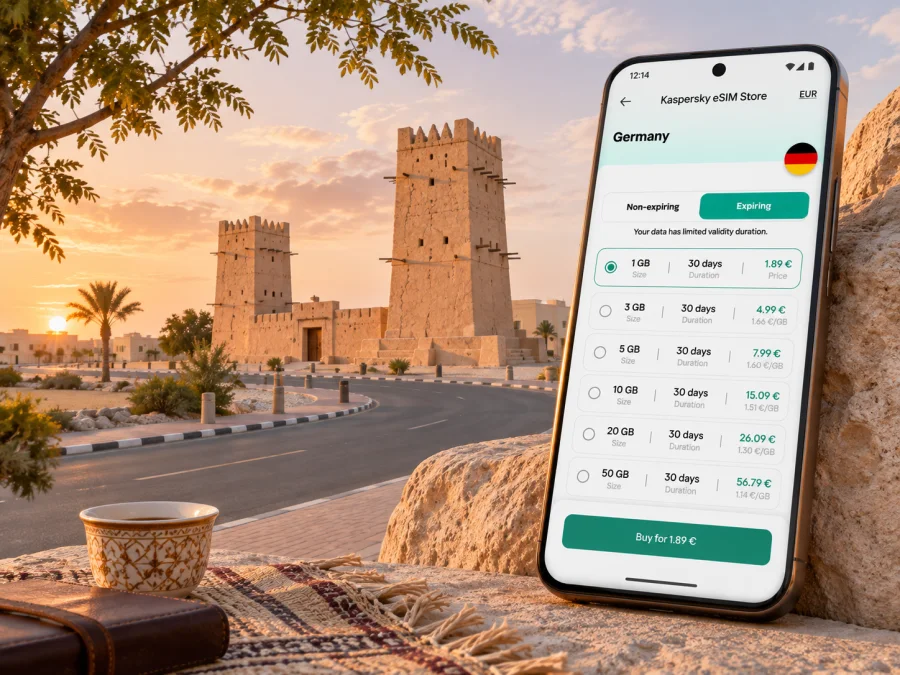
Kaspersky eSIM Store is an app and website where travellers can choose, purchase and activate an eSIM plan for mobile data abroad. It is not a mobile network operator, and its service does not itself provide radio coverage. Actual access depends on the selected plan, its partner network in Qatar, your device and local network conditions. The plan details are the place to check which data service is offered and whether calls or SMS are included.
Check your device and prepare before departure
Compatibility is specific to the phone model and its regional variant. A product family name alone does not confirm eSIM support: some devices sold in certain markets differ from versions sold elsewhere, and carrier or software restrictions may apply. Confirm the exact model number, operating system requirements and whether the phone is unlocked for use with another provider. If you plan to use a tablet or a second phone, check that device separately.
Check whether your device supports eSIM before purchasing. Also confirm that you can access the account email or app used for setup, that you know your phone unlock code and that the device has enough battery for installation. If your phone uses a physical SIM for your home number, decide in advance which line should handle mobile data and whether data roaming should remain off for that home line.
A practical pre-trip checklist:
- Confirm the exact device and regional variant support eSIM.
- Check that the phone is unlocked and running supported software.
- Read the plan’s Qatar destination, validity, activation and usage conditions.
- Install the eSIM over a stable internet connection before travel if the instructions allow it.
- Keep the activation email or QR details until the profile is working.
- Save the hotel address, airport pickup details and important map pins offline.
- Review which SIM is selected for mobile data and disable unwanted data roaming on your home line.
Installing and activating an eSIM
The names of the settings vary between devices, so follow the instructions for your operating system and the eSIM provider’s setup flow. Avoid deleting a profile simply because it has not connected yet: removal and reinstallation may not be possible under every plan. Keep your existing SIM active until you have confirmed which line is intended for data and what happens to your home number.
- Connect to reliable Wi-Fi and open the eSIM order or activation instructions.
- Add the mobile plan using the QR code or manual details supplied for that purchase.
- Label the new line clearly, for example “Qatar data,” if your phone offers line labels.
- Choose the eSIM as the mobile-data line when you are ready to use it.
- Follow the plan’s instructions for data roaming or network selection; requirements vary.
- Open a simple webpage or map to confirm data works before relying on it for a journey.
For device-specific steps, use the Android eSIM installation guide or the iOS eSIM installation guide. If the plan is designed to activate only after arrival, leave the line installed and follow its stated activation steps once you are in Qatar. Do not assume that seeing signal bars means the eSIM has an active data allowance.
If the eSIM does not connect
Start with the basics: confirm the eSIM line is switched on, that it is selected for mobile data, and that the plan’s activation date or trigger has been reached. Check the provider’s instructions for whether data roaming must be enabled on that specific eSIM. Restarting the phone can help it register after a settings change, but do not erase the profile unless support tells you to.
If you are still offline, connect to trusted Wi-Fi and review the plan details and troubleshooting steps. Confirm that the destination is Qatar, the validity period is current and the device is compatible. If the issue remains, contact the eSIM provider using the order information. Keep a backup route to your accommodation and avoid depending on a live map until data has been verified.
Trip scenarios to prepare for
| Situation | Useful preparation |
|---|---|
| Late-night arrival | Save address and pickup details; verify eSIM activation before leaving Wi-Fi. |
| Day visit to Barzan Towers | Load the exact pin, check current visiting information and arrange the return leg. |
| Business meetings | Test data, messaging and video-call apps ahead of time; confirm venue address and backup Wi-Fi. |
| Family trip | Share accommodation and pickup details with the group; keep a contact method if devices run low on battery. |
| Multi-country itinerary | Verify that every destination is included and review when the plan begins and expires. |
Frequently asked questions
Is Umm Salal a city or a municipality?
Umm Salal is a municipality in Qatar, and the name also appears in the names of local settlements such as Umm Salal Mohammed and Umm Salal Ali. For travel directions, use the specific neighbourhood, property or landmark rather than relying on the broad municipality name alone.
How far is Barzan Towers from Doha?
Visit Qatar places Barzan Towers in Umm Salal Mohammed, about 20 kilometres north of Doha. That is a geographic reference, not a guaranteed driving time. Check the route and traffic on the day you travel.
Can I use an eSIM in Umm Salal?
Possibly, if your device supports eSIM and the plan you choose covers Qatar and is active. Coverage depends on the plan’s network arrangements and local conditions. Check the current destination and technical requirements before purchase.
Does a travel eSIM give me a Qatar phone number?
Not necessarily. Many travel eSIM plans are data-only. Check whether voice calls, SMS and a local number are explicitly included. If those are essential, compare current visitor offers from local operators and review their eligibility requirements.
Do I need mobile data to get from the airport to Umm Salal?
A connection is useful for navigation, pickup coordination and online ride services, but prepare a fallback: save the address and booking details offline, and confirm the pickup instructions before arriving. Airport transport availability and routes should be checked using current information.
What should I do if mobile data stops working?
Check that the eSIM is enabled and selected for data, verify the plan is active and follow its network and roaming instructions. Use trusted Wi-Fi to consult the provider’s support guidance, and keep your saved address and map available offline.
Prepare your connection before setting out
For a smooth visit to Umm Salal, combine a precise destination address with a realistic transport plan and a tested way to get online. Confirm device compatibility, read the eSIM terms for Qatar, and save essential travel details before leaving a reliable Wi-Fi connection. Treat the municipality as a collection of destinations rather than assuming there is one central area that can be explored entirely on foot.
Kaspersky eSIM Store lets you choose, purchase and activate a suitable eSIM plan through its app or website for mobile data during an international trip. Before you travel, review the available eSIM options for Qatar and compare the current coverage, allowance, validity and activation rules with your itinerary. Then install the plan according to its instructions and verify that data works before depending on it for directions or a ride.


