Travel connectivity guide
Ungheni eSIM: Mobile Internet for Your Trip
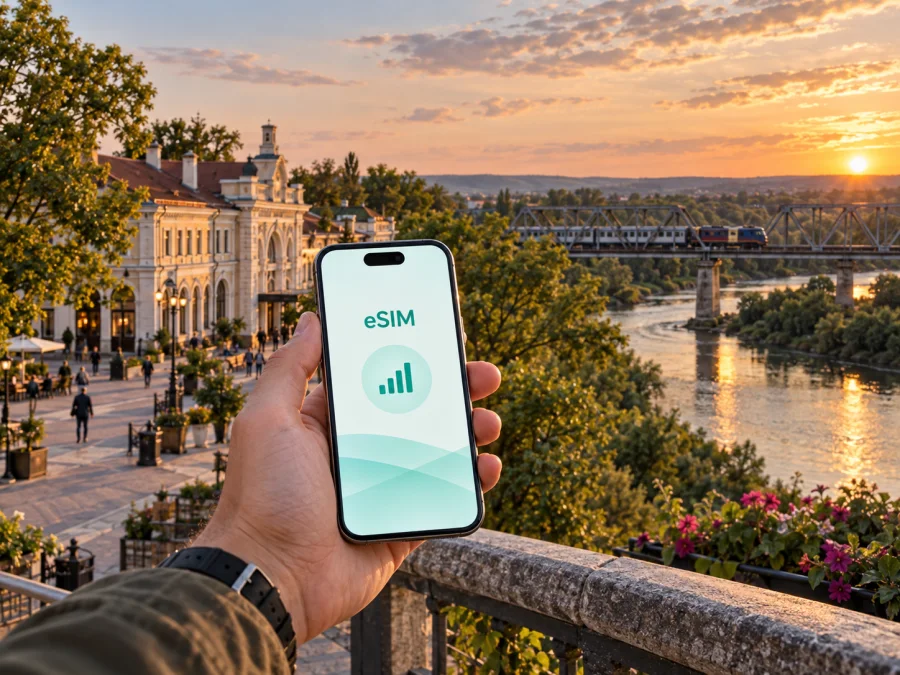
Ungheni eSIM: mobile connection and internet for your trip to Moldova
Ungheni is a practical city to keep online when your journey through Moldova includes a railway arrival, a road transfer, a border-area stop or a few quiet days by the Prut. An eSIM can give you mobile internet without removing your usual physical SIM card, so you can use maps, messages, booking confirmations and translation tools as soon as your travel setup is ready.
Kaspersky eSIM Store is an app and website where you can choose, arrange and activate an eSIM with a suitable plan for mobile internet during an international trip. For Ungheni, choose by the data you will need between the station, accommodation, city streets, meetings and any onward journey in Moldova.
Why an eSIM is useful in Ungheni
Ungheni is associated with the Prut, an important railway connection and a crossing area toward Romania. You may arrive with luggage, change transport, find a hotel, check a route to the centre and continue to another town. An eSIM keeps those transitions manageable without waiting for a local SIM-card purchase.
An eSIM is especially practical in these situations:
- You need directions from the railway station to an accommodation or meeting point.
- You are travelling with a changing itinerary and want to update a map route without relying on hotel or café Wi‑Fi.
- You are arranging a taxi, checking a bus departure or sending your live location to someone meeting you.
- You are taking photographs around the Prut or city centre and want to share them without using your main SIM for mobile data.
- You are making a business stop and need email, messaging, a video call or cloud documents.
- You are travelling onward through Moldova and prefer to prepare one country-level plan for the route.
The eSIM does not replace every function of a normal mobile line. Unless the selected plan says otherwise, it is intended for mobile internet rather than a separate phone number, ordinary voice calls or SMS. You can still use internet-based messengers for calls and messages, while keeping your regular line available for the services that depend on it.
What to expect when you arrive
Your first connection point may be the railway station, a road arrival or a meeting point arranged in advance. Save your accommodation address and next transport details before reaching Ungheni. Once you arrive, use mobile data to confirm the route, message your host, check a departure or share your location. Select the travel eSIM for data and make sure the phone has not switched back to the home SIM.
If Ungheni is part of a Moldova–Romania itinerary, allow for changing transport and possible delays. A shared location or clear landmark can help when someone is collecting you. Keep travel documents separate from your phone: an eSIM is a connectivity tool, not a substitute for them.
The city centre, railway surroundings and the direction of the Prut can make up different parts of one day. The railway bridge over the Prut, often called the Eiffel Bridge, is a landmark associated with Ungheni; check current access and crossing conditions before planning around it, because a map pin does not confirm pedestrian access.
Choosing a plan for an Ungheni trip
There is no single correct data allowance for every visit. Choose by how you will use your phone in Ungheni, not by the city name alone.
| Travel pattern | Typical mobile-data use | What to consider |
|---|---|---|
| Short stopover | Messages, maps, bookings and occasional searches | A modest allowance may be enough if photos and video are limited. |
| Weekend visit | Navigation throughout the day, social apps and restaurant or transport searches | Allow extra room for repeated map loading and uploads. |
| Business trip | Email, documents, messaging and selected calls through apps | Leave a margin for meetings, attachments and hotspot use if permitted. |
| Road or rail itinerary | Frequent route checks, live updates and communication while moving | Look at the plan’s validity period and whether it fits the whole Moldova route. |
| Shared travel | One person handles maps and messages for a group | Check whether the plan and device settings support hotspot use before relying on it. |
Review four details before confirming your choice:
- Destination. Select Moldova or the relevant regional option for the route, rather than choosing a plan based only on the city label.
- Validity. Match the active period to the whole trip, including late arrival, an extra night or a delayed onward connection.
- Data volume. Estimate navigation, messaging, browsing, photos, video calls and any hotspot use separately. Video and automatic backups can consume data quickly.
- Activation conditions. Read when the period starts, whether activation must happen by a certain date and what the plan says about top-ups or unused data.
For a city stop with onward travel, a little planning is more helpful than choosing the largest allowance automatically. Download maps or key documents while you have reliable Wi‑Fi, turn off unnecessary automatic updates and leave enough data for the moments when you are outside, moving or solving an unexpected delay.
When ready, choose an eSIM plan for a trip to Moldova, then check the destination, validity, data allowance and activation terms for your Ungheni itinerary.
Prepare your phone before departure
The smoothest arrival usually starts before you leave. Install or open Kaspersky eSIM Store while you have a dependable internet connection, sign in if required, and keep the order or profile details accessible. If the eSIM is delivered through a QR code, make sure the code can be displayed on another screen or is available on a second device during installation.
Check eSIM support and device settings
Before arranging a plan, confirm that your phone supports eSIM and is not locked to an operator. You can check your device compatibility before you travel. Some phone versions differ by market, so the model name alone is not always enough; look in the mobile-network settings and review the device documentation.
Also check that:
- the operating system is updated enough for the eSIM feature you intend to use;
- you know the screen-lock code or account credentials needed to add a mobile plan;
- there is enough battery for installation and first connection;
- your regular SIM remains selected for calls if you want to receive calls on your usual number;
- the travel eSIM is selected for mobile data after installation;
- data roaming is enabled for the travel eSIM if the plan instructions require it.
Do not delete an eSIM profile simply because it is not currently being used. Some profiles cannot be installed again after removal, depending on the plan conditions. If you are unsure, keep the profile installed and change only the line used for mobile data.
Install the eSIM in a clear sequence
The names of settings vary between phone brands and operating-system versions, but the basic order is similar:
- Connect to Wi‑Fi or another reliable internet source.
- Open the mobile-network or cellular settings.
- Choose the option to add an eSIM or mobile plan.
- Scan the QR code from your order or follow the in-app installation flow.
- Label the new line something clear, such as “Moldova travel”.
- Select the travel eSIM for mobile data.
- Decide whether the regular line should remain available for calls and messages.
- Enable data roaming for the travel eSIM only if the plan instructions call for it.
- Test the connection and open a simple webpage or map before leaving Wi‑Fi.
For platform-specific steps, use the Android eSIM installation instructions or the iOS eSIM installation instructions. Installation may take a few minutes and can depend on the phone, the profile and the local network. Installing before departure is convenient, but do not assume that the validity period starts at the same moment on every plan; read the selected plan’s conditions.
Using mobile internet around Ungheni
Use mobile data first for the actions that are hardest to replace: confirm your accommodation, message a host, open directions and check a transport change. Once you reach a reliable Wi‑Fi connection, review the next route and save key addresses. This leaves more travel data for the station, city streets and unexpected delays.
For walks through the centre or toward the Prut, open the route before setting out, carry a charged phone and keep a saved pin or written address as a backup. The Eiffel railway bridge is a landmark associated with Ungheni, but a map pin does not confirm pedestrian access to a railway structure or border area. Check current access and crossing conditions before planning around it.
For a business visit, prepare the venue, contact details and a backup way to reach the organiser. Test a video call before the meeting and pause automatic photo or video backups. The eSIM is a planned data resource; local conditions and the requirements of individual work apps can still vary.
If Ungheni is one stage of a Moldova itinerary, confirm that the selected plan covers the rest of the route and remains valid for the dates you need. If you continue into Romania or another country, check the destination separately rather than assuming that a Moldova plan applies across a border.
Keep control of data and battery
Turn off automatic updates and photo or video backups over mobile data, download supported map areas on Wi‑Fi, and keep the regular SIM’s data roaming disabled if you want to avoid switching to it accidentally. Carry a charged phone or power bank. Before leaving, check the battery, active data line, remaining data, accommodation address and next transport step.
If the eSIM does not connect
Troubleshooting is easier when you change one setting at a time. Start with the basics:
- Confirm that the travel eSIM is turned on in mobile-network settings.
- Check that it is selected for mobile data rather than the regular SIM.
- Verify that data roaming is enabled for the travel eSIM if required by the plan.
- Move to an open area and wait briefly for the phone to register on the local network.
- Toggle airplane mode once, then allow the phone to reconnect.
- Restart the phone if the profile is active but data still does not work.
- Review the plan’s activation status, validity and remaining data.
- If the problem remains, contact support with the device model, eSIM status and the steps already tried.
Avoid deleting the eSIM during troubleshooting unless support or the official instructions tell you to do so. Also avoid changing several network settings at once: it becomes harder to see which action solved the issue. If you are using a dual-SIM phone, confirm both the data line and the setting that allows switching between lines.
Practical Ungheni scenarios
- One-night stop: Install the profile in advance, save the station and accommodation details, and use mobile data for the arrival message, route adjustment and next-departure check.
- Weekend in the city: Choose validity that covers arrival and departure days, use maps for the centre and Prut-side direction, and keep a data reserve for live route changes.
- Workday between connections: Prepare the meeting address and backup contact, test work apps and any hotspot requirement, and keep the travel eSIM selected for data.
- Moldova itinerary: Treat Ungheni as one stage, confirm the plan remains valid for the next leg, and check separately if the route crosses into another country.
Frequently asked questions
Is an eSIM useful for a short visit to Ungheni?
Yes. Even a short stop may involve a station, accommodation, transport changes and a meeting point. A suitable eSIM plan can provide mobile internet for maps, messages and booking details without changing the physical SIM in your phone.
Should I install the eSIM before I leave?
Installing before departure is often convenient because you can use Wi‑Fi and take time to read the steps. Check the plan conditions first: installation, activation and the start of the validity period are not necessarily the same event. If you install after arrival, make sure you have reliable internet for the setup.
Can an eSIM replace calls and SMS in Ungheni?
Not by default. A travel eSIM is generally intended for mobile internet, while ordinary calls and SMS depend on your regular line or on the conditions of the selected plan. Internet messengers can be used for calls and messages when you have data.
What if I cross into Romania during the trip?
Check the destination coverage and validity before crossing the border. A plan for Moldova should not be assumed to work in another country. If your itinerary includes both countries, choose an option whose stated destination matches the whole route.
A calmer connected arrival in Ungheni
The best eSIM setup is the one that supports your actual day: getting from the station to your accommodation, finding a meeting point, navigating between the centre and the Prut, staying in touch during a short stopover or continuing through Moldova. Prepare the profile on a compatible, unlocked phone, choose a plan whose destination, data allowance and validity fit the route, and keep the travel eSIM clearly separated from your regular line.
When your itinerary is ready, choose an eSIM plan for Moldova, check the conditions, and follow the installation steps before travelling or after you arrive. With the basics prepared in advance, mobile internet becomes one less thing to solve while you explore Ungheni.


