Travel connectivity guide
Union Island eSIM: Mobile Internet for Travel
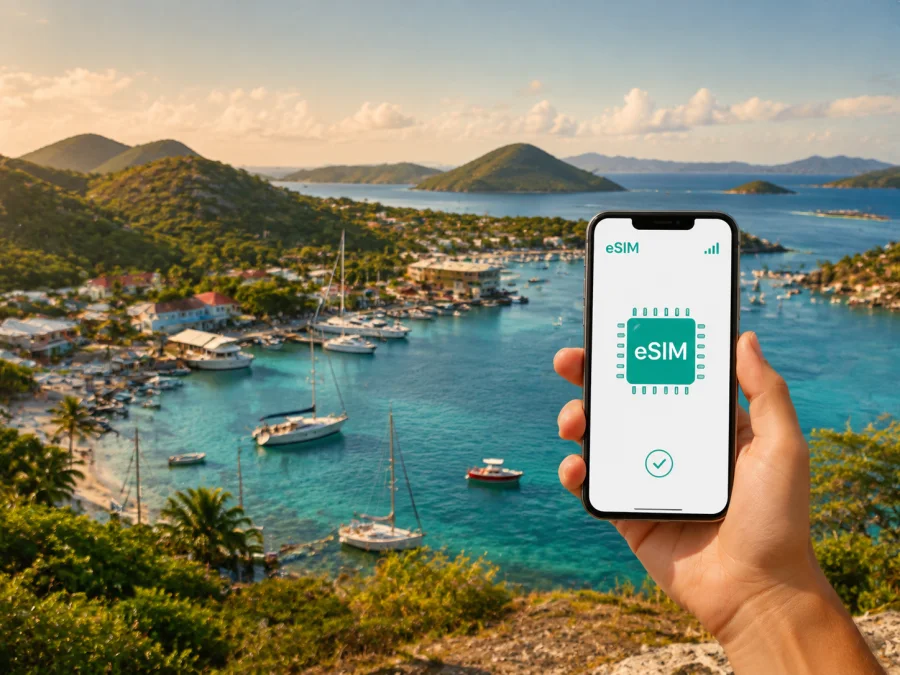
Union Island eSIM: mobile connection and internet for your trip
Union Island is a small, well-connected travel base in the southern Grenadines of Saint Vincent and The Grenadines. Whether you arrive by air, come in by boat, or use the island as a stop before visiting nearby cays, mobile internet makes the practical parts of the journey easier. You may need a map for the road from the airport, a message to your accommodation, a way to confirm a pickup, or access to a booking while you are away from Wi-Fi.
An eSIM, or digital SIM, can help you prepare mobile data without removing your everyday physical SIM card. With Kaspersky eSIM Store, you can use the website or app to choose, arrange, and activate an eSIM with a suitable prepaid data plan for an overseas trip. The plan is intended for mobile internet; it does not automatically replace your regular number, voice calls, or SMS unless the conditions of the selected plan say otherwise.
Why mobile internet is useful on Union Island
Union Island travel has a different rhythm from a large mainland city. Clifton is the main hub for arrivals, harbour activity, small shops, restaurants, accommodation, and onward boat arrangements. The airport is small, and ferry or flight timetables can change. A connection you can prepare before leaving home is therefore useful for coordinating the moments between arrival and check-in.
The first hour after arrival
On arrival at Union Island Airport or the ferry terminal in Clifton, you may need to identify your transfer, contact a host, confirm a taxi, or check a meeting point. Mobile data helps with those small tasks while your surroundings are unfamiliar. Keep the accommodation name, booking details, and pickup instructions available offline as a backup.
Moving between Clifton, Ashton, and the coast
Most Union Island journeys are short island transfers rather than long urban commutes. You may move between Clifton and Ashton, travel to a beach or viewpoint, or arrange a road connection to a harbour. Local taxis and other small-island transport options are practical, but they are not a substitute for planning: confirm the pickup point, agree where you are going, and allow time for a driver or boat to meet you.
Navigation is especially helpful when an accommodation is away from the main harbour or when a road transfer ends near a less familiar coastal area. Use your map before setting out, save the route if your app permits it, and avoid relying on a single live route for the whole day.
Boats, day trips, and changing plans
Clifton Harbour is a natural starting point for inter-island travel. Depending on the itinerary and current schedules, visitors may arrange trips towards Mayreau, the Tobago Cays, Palm Island, Petit St. Vincent, or other nearby islands. Departure times, weather, luggage arrangements, and meeting points matter more than they do on a typical city bus journey.
With mobile internet, you can exchange messages with a boat operator or host, check an updated meeting detail, share your location with your group, and keep a confirmation accessible. This does not remove the need to confirm schedules directly; it simply gives you a practical way to respond when the day changes.
Work, messages, and essential information
Union Island can suit a quiet break, a sailing itinerary, or a short business stay. A data connection can help with email, documents, calls, arrival updates, and group messages when you are away from accommodation Wi-Fi. Download large files before travelling and remember that an eSIM data plan is not automatically a new telephone number.
Choosing an eSIM plan for Union Island
For a city-style travel search, “Union Island eSIM” usually means a data plan for the country and route that include the island. The important selection is the destination shown in the plan conditions: choose Saint Vincent and The Grenadines when that is the country of your stay, then check whether your wider itinerary includes other countries or regions that need different coverage.
Before choosing, answer three simple questions:
- How many days will you spend on Union Island and in the rest of the country?
- Will you use maps, messages, bookings, photos, or work tools throughout the day?
- Does your route include Barbados, Grenada, or another country before or after Saint Vincent and The Grenadines?
Your answers help you select a reasonable amount of data without guessing from the island’s size. A stopover may need light data for maps and messages, while a longer stay with navigation, photo sharing, or work calls requires more headroom.
A practical data-planning table
| Travel pattern | Typical online tasks | What to consider |
|---|---|---|
| Airport or ferry stopover | Pickup messages, maps, booking details | A small plan may be enough if most content is prepared offline |
| Short island holiday | Navigation, restaurant searches, messages, occasional photos | Allow extra data for moving between Clifton, Ashton, and the coast |
| Sailing or multi-island route | Schedules, meeting points, location sharing, reservations | Check the countries and regions on the full route, not only Union Island |
| Remote-work stay | Email, documents, calls, team messaging | Estimate work traffic separately from personal browsing |
Compare data volume, validity period, destination, and price on the plan page. A larger allowance is not automatically better, while a very small one may be inconvenient if your phone refreshes photos or cloud backups. Choose according to your use and read the conditions before confirming.
You can choose an eSIM plan for your trip to Union Island after checking your dates, route, and expected data use. Kaspersky eSIM Store helps you complete the selection and activation flow; the terms of the selected plan determine the destination, validity, data allowance, and any other conditions.
When to arrange the plan
Preparing before departure gives you time to check the device, understand the installation steps, and keep the QR code or profile details accessible. Do not delete your primary SIM; label the travel eSIM clearly and choose any wider regional option only when its conditions match your route.
Installation before departure or after arrival
Installation is easiest when you have a compatible, unlocked device, sufficient battery, and a stable internet connection for downloading the eSIM profile. The exact menu names vary by phone model and operating-system version. If you want a device-specific walkthrough, read the Android installation instructions or the iOS installation instructions.
Use this sequence as a practical checklist:
1. Check the device
Before you arrange the plan, confirm that your smartphone supports eSIM and is not restricted by an operator. Models can differ by region, so use the manufacturer’s specifications or the phone’s own mobile-network settings. You can also check your device compatibility before purchase.
2. Prepare the connection
Connect to reliable Wi-Fi or keep another working data connection available during installation. Charge the phone, update it if needed, and make sure you know where the eSIM profile or QR code will appear after the order is completed.
3. Add the eSIM
Open the mobile-network settings and select the option for adding a mobile plan or eSIM. Follow the instructions shown by your device. If you are using a QR code, display it on another screen or use the phone’s supported scanning method.
4. Label the line
Give the new line a clear label such as “Union Island trip” so that you can identify it later. Keep your everyday line active if you still need its number for calls, messages, or account verification.
5. Choose mobile data
When you are ready to use the travel plan, select the eSIM as the line for mobile data. Check that data switching is configured as you intend; automatic switching can use the wrong line in some situations.
6. Activate at the right time
Some plans begin their validity or data use according to their specific conditions. Read those conditions before installation and activation. If you install before flying, you may still wait to select the eSIM for data until the journey begins, when the plan rules make that appropriate.
7. Allow time for registration
The connection process can take a few minutes and depends on the device and local conditions. If it does not appear immediately, check that the eSIM is enabled, the correct data line is selected, and any required data-roaming setting for the eSIM is turned on. Avoid deleting the profile while troubleshooting; first review the plan instructions and device settings.
A Union Island arrival checklist
Use the following list on the day of travel:
- Save your accommodation name, address, and pickup instructions offline.
- Keep the airport or ferry arrival details in a note that is easy to open.
- Confirm whether someone will meet you at the airport or Clifton Harbour.
- Keep your primary SIM and travel eSIM labelled separately.
- Check which line is selected for mobile data before leaving the terminal.
- Download maps or important documents before travelling between islands.
- Recheck departure details when weather or sea conditions may affect the itinerary.
Using data around the island
Clifton and the harbour
Clifton is the practical hub for many arrival and departure tasks. Use mobile data to contact accommodation, find a shop or restaurant, confirm a harbour meeting point, or send a message when a boat is delayed. Save the route before leaving the waterfront and protect your phone from sun, spray, and drops.
Ashton and airport transfers
Ashton is another useful reference point for an airport-side transfer or a route across the island. Ask your host which landmark or road name the driver will use, and share your arrival time and luggage details in advance.
Beaches, viewpoints, and quiet roads
Away from the main hub, navigation can help with a return route, meeting point, or change of plan. Take a screenshot of directions before heading to a beach, viewpoint, or coastal accommodation, and do not assume every road has the same facilities as the harbour area.
Nearby islands
If Union Island is your base for a boat trip, treat the itinerary as multi-stage travel. Confirm departure and reconnection points, then check which country or territory applies to each leg. Choose a country-specific or regional plan only when its listed destinations match your route.
For business trips and short stopovers
A work trip to Union Island may be built around a marina meeting, accommodation check-in, boat departure, or short stay between flights. Keep a small “must be online” list:
- Confirm the arrival and transfer details.
- Keep the meeting or accommodation address ready.
- Download documents and reserve live data for messages, maps, email, and calls.
For a stopover, arrange the eSIM while you have stable internet, check validity conditions, and keep the profile ready. If the stay expands, review the allowance before adding high-data activities.
Common questions
Is an eSIM for Union Island different from one for the whole country?
The destination shown in the plan conditions is what matters. Union Island belongs to Saint Vincent and The Grenadines, so start by looking for a plan for that country. If your trip continues through other countries, check whether the chosen plan includes those destinations or whether another option is needed.
Can I keep my regular number?
Yes, you can usually keep the physical SIM or existing line active on a dual-SIM device, subject to your phone and operator settings. Select the travel eSIM for mobile data when you want to use it, and check which line handles calls and messages. The eSIM plan itself does not automatically include a regular phone number.
What if I am visiting other Grenadine islands too?
List every country or region on your route before selecting a plan. A day trip from Union Island does not necessarily change the plan’s destination rules, so read the conditions rather than relying on the name of the excursion. If the route crosses a national border, choose an option whose listed coverage matches that part of the trip.
Can I use the eSIM for calls and SMS?
Not automatically. Unless the selected plan explicitly includes those services, the eSIM is for mobile internet rather than a separate phone number, ordinary voice calls, or SMS. You can use messaging and calling apps over data if your accounts and contacts support them.
What should I do if activation takes time?
Wait a few minutes, then check that the eSIM is enabled, the correct line is selected for mobile data, and the relevant data-roaming setting is enabled if the device requires it. Review the plan conditions and installation guidance before making changes. If the issue continues, use the available support route associated with your order.
Prepare for a connected Union Island trip
Union Island rewards simple planning: know how you will arrive, save key details offline, allow time for island connections, and choose data according to your itinerary. An eSIM can make airport coordination, harbour messages, navigation, work tasks, and family contact more manageable without removing your everyday SIM card.
Before departure, check device compatibility, choose a plan for Saint Vincent and The Grenadines that matches your dates and route, and install the eSIM while you have a reliable connection. When you are ready, prepare an eSIM plan for Saint Vincent and The Grenadines through Kaspersky eSIM Store and follow the plan instructions for activation.


