
Travel connectivity guide
United Arab Emirates eSIM: mobile internet guide
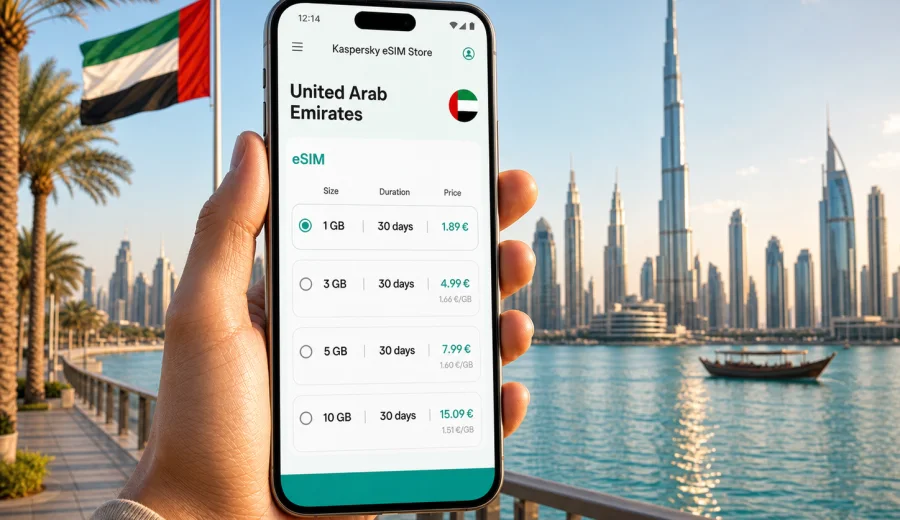
eSIM in United Arab Emirates: mobile connection and internet for your trip
The United Arab Emirates is a country where travel often depends on smooth mobile internet. You may land in Dubai, connect through Abu Dhabi, take a work trip to Sharjah, visit the museums of Saadiyat Island, spend a weekend in Ras Al Khaimah, or move between hotels, beaches, malls, free zones and conference venues in one short stay. In each case, your phone becomes the map, booking desk, translator, payment helper and messenger.
An eSIM can make that part of the trip easier. Instead of searching for a physical SIM card after arrival, you can prepare a digital SIM profile on a compatible phone and use a data tariff for your destination. Kaspersky eSIM Store is an app and website where you can quickly choose, arrange and activate an eSIM with a suitable mobile internet tariff for an international trip.
This guide explains how to prepare mobile connection and internet for the UAE, when an eSIM is useful, what to check before choosing a tariff, and how to avoid common mistakes with roaming, public Wi-Fi and data use.
Why mobile internet matters in the UAE
The UAE is easy to travel around, but it is also highly digital. Many everyday tasks are faster when your phone is already online.
You may need mobile internet for:
- airport transfers from Dubai International Airport, Al Maktoum International Airport, Zayed International Airport or Sharjah International Airport;
- ride-hailing, taxi apps and route planning between emirates;
- hotel check-in messages and booking confirmations;
- maps for Dubai Marina, Downtown Dubai, Jumeirah, Deira, Abu Dhabi Corniche, Yas Island and other busy areas;
- payment alerts, banking confirmations and two-factor authentication;
- messenger calls when you do not have a local voice number;
- QR codes for events, exhibitions, museums, restaurants and transport;
- work email, document access and video calls during business travel.
The practical issue is timing. You often need internet before you have time to compare local options. At the airport, you may be tired, carrying luggage or moving directly to a meeting. With eSIM, you can prepare the connection before the trip and activate it when the terms of the selected tariff say it is appropriate.
eSIM in simple terms
An eSIM is a digital SIM profile built into a compatible smartphone, tablet or other device. You do not insert a plastic SIM card. Instead, you install an eSIM profile and use it for mobile data according to the conditions of the selected tariff.
For a UAE trip, an eSIM is mainly useful as a mobile internet option. It usually does not replace a full local mobile subscription. In many travel data tariffs, ordinary voice calls and SMS are not included unless the specific tariff says otherwise. For calls and messages, you can use internet-based apps when your data connection is active.
Before choosing a tariff, check three points:
1. Your device supports eSIM.
2. Your device is not locked to one mobile operator.
3. The selected tariff covers the destination and travel dates you need.
If you are not sure about the first point, use the device compatibility check before you make a decision: Check your device.
When an eSIM is especially useful in the UAE
An eSIM is not the only way to get online, but it fits many travel scenarios.
| Travel scenario | Why eSIM can help |
|---|---|
| Short stopover in Dubai or Abu Dhabi | You can use maps, messengers and transport apps without spending time on a physical SIM. |
| Business trip | You can prepare mobile data before arrival and reduce dependence on hotel or venue Wi-Fi. |
| Family holiday | Parents can keep navigation, bookings and messenger access ready while moving between attractions. |
| Multi-emirate route | A single destination tariff can be easier than dealing with connectivity separately in each city. |
| Remote work | You can use mobile data as a backup when public or hotel Wi-Fi is unstable. |
| Late arrival | You do not have to search for a SIM counter immediately after landing. |
The value is not only speed. It is control. You choose the data amount and validity period, see the tariff conditions in advance, and keep the physical SIM slot free if your device has one.
How to choose a data tariff for the UAE
Start with three questions: how long you will stay, how intensively you use data, and whether the eSIM will be your main internet connection or only a backup.
| Use profile | Typical needs | Planning note |
|---|---|---|
| Light | Maps, messengers, email checks, bookings and limited browsing | A smaller data package may fit a short trip, but leave room for transfers and unexpected app use. |
| Standard | Daily navigation, ride-hailing, messenger calls, social media and attachments | Choose enough data for the full stay rather than relying on public Wi-Fi for important moments. |
| Heavy | Work calls, cloud tools, media uploads, hotspot mode or streaming | Check tariff conditions, especially validity, data volume and whether tethering is supported. |
A small tariff may be enough for careful messaging and navigation. A larger package is better if you plan to upload photos, use cloud documents, join video calls or share mobile data with another device. Speed and availability depend on the local network and exact location, so keep offline essentials ready for desert, mountain or coastal trips.
A practical planning checklist
Use this checklist before you leave for the UAE:
- Confirm that your phone supports eSIM and is not operator-locked.
- Check that your phone software is up to date.
- Choose a tariff for the United Arab Emirates, not only for one city.
- Match the validity period to your arrival and departure dates.
- Estimate data use based on maps, messaging, work and media uploads.
- Save installation instructions somewhere accessible before the flight.
- Keep your primary SIM active if you need bank SMS or calls on your usual number.
- Download offline maps for key areas as a backup.
- Turn off automatic app updates over mobile data.
- Review when the selected tariff starts counting validity and data use.
Kaspersky eSIM Store helps you compare available destination tariffs and prepare an eSIM for the trip through the website or app. You can choose an eSIM tariff for the United Arab Emirates before departure or when you are ready to set up mobile data for the trip.
Installation: what usually happens
The exact installation flow depends on your device, operating system and selected tariff. In general, you choose the destination and tariff, complete the required steps, install the eSIM profile, and activate it according to the instructions shown for your plan.
For device-specific guidance, use the official installation pages:
Do not delete the eSIM profile after installation unless you are sure you no longer need it. In many cases, an installed eSIM profile cannot simply be moved to another device. If you change phones during the trip, check the terms before making changes.
Before activation
Before you turn on the eSIM for mobile data, check:
- the correct eSIM is selected for cellular data;
- data roaming is enabled for the eSIM if the instructions require it;
- your primary SIM is not accidentally selected for data roaming;
- the tariff validity period fits your travel schedule;
- you understand whether activation begins at installation, first network connection or another defined moment.
These details matter because travel tariffs are usually prepaid and time-limited.
eSIM, roaming and public Wi-Fi: what is different?
Travelers often compare eSIM with roaming and free Wi-Fi. Each option can be useful, but the tradeoffs are different.
| Option | Good for | What to watch |
|---|---|---|
| eSIM data tariff | Planned mobile internet for travel, maps, messages and backup access | Device compatibility, tariff validity, data amount and activation rules |
| Home operator roaming | Keeping your usual number and familiar billing relationship | Daily fees, data limits and roaming conditions from your operator |
| Public Wi-Fi | Hotel browsing, large downloads, casual use in known places | Availability, speed, sign-in steps and privacy expectations |
| Physical local SIM | Longer stays or users who specifically need local telecom options | Time to buy, SIM registration process, physical slot availability and plan terms |
An eSIM is often a practical middle path. It can reduce dependence on public Wi-Fi and help you avoid surprise roaming use, while still letting you keep your usual SIM for calls or messages if your device supports dual SIM settings.
Where mobile data is useful in the UAE
The UAE has several travel patterns where mobile internet becomes a daily tool.
| Area or route | Common mobile data tasks |
|---|---|
| Dubai | Route changes between Downtown Dubai, Dubai Marina, Palm Jumeirah, Deira, Dubai Creek, Expo City and airport areas. |
| Abu Dhabi | Navigation between the Corniche, Yas Island, Saadiyat Island, the Grand Mosque area and business districts. |
| Sharjah and northern emirates | Maps, messages and bookings for cultural trips, beaches, mountain routes and weekend breaks. |
| Desert and coastal trips | Meeting points, emergency contacts and offline backups, because conditions can vary outside city routes. |
Settings that help control data use
After installing your eSIM, review these settings:
- Set the eSIM as the line for mobile data only when you are ready to use it.
- Disable automatic app updates on mobile data.
- Pause cloud photo and video backup until Wi-Fi is available.
- Download entertainment, documents and maps before travel.
- In messenger apps, limit automatic media downloads.
- Watch hotspot use from laptops and tablets.
- Check data usage in your phone settings during the first day.
This is especially useful in the UAE because many trips combine long transfers, indoor venues, malls, beaches and events. Your phone may switch between Wi-Fi and mobile data more often than you notice.
Device compatibility and dual SIM setup
Not every phone model supports eSIM, and some devices that support eSIM may still be locked by an operator. Before choosing a tariff, check compatibility: Check your device.
If your phone supports dual SIM, you can often keep your usual SIM active for calls or messages and use the eSIM for mobile data. This setup is helpful if you need bank notifications or calls on your home number while using a travel data tariff for internet.
Common setup tips:
- Name the eSIM line clearly, for example UAE data.
- Keep your home SIM selected for calls if you need your usual number.
- Select the eSIM for mobile data during the trip.
- Turn off data roaming on your home SIM if you do not want it to use roaming data.
- Follow the instructions for data roaming on the eSIM, because some travel tariffs require it to be enabled.
The wording in phone menus differs by manufacturer and operating system version, so follow the installation guide for your device and review the selected lines carefully.
- Decide which phone will handle navigation.
- Keep children’s devices from using mobile data for automatic updates.
- Use Wi-Fi for large photo and video uploads at the hotel.
Do not rely on one phone for everything if your group splits up. Each person who may travel separately should have a way to contact the group.
Common mistakes to avoid
The most common eSIM issues are not complicated technical failures. They are planning mistakes.
Avoid these:
- choosing a tariff without checking device compatibility;
- installing the eSIM on the wrong phone;
- deleting the eSIM profile after installation;
- selecting the home SIM for data by mistake;
- assuming that a data eSIM includes a local phone number;
- starting the validity period too early;
- using hotspot mode without checking whether the tariff allows it;
- letting cloud backup consume mobile data;
- waiting until you are offline to look for installation instructions.
The safest approach is simple: check compatibility, choose the destination tariff, read the activation notes, install carefully and test the settings before you urgently need internet.
Quick answers for travelers
Can I use eSIM immediately after landing in the UAE?
You can use it after the eSIM is installed, activated according to the tariff conditions, and connected to a supported local network. The process can take a few minutes. Prepare the installation steps before travel if you want to reduce friction after arrival.
Does an eSIM give me a UAE phone number?
Many travel eSIM tariffs are data-only. They provide mobile internet access under the tariff conditions and usually do not include a regular local number, voice calls or SMS unless the plan clearly says otherwise.
Is public Wi-Fi enough in Dubai or Abu Dhabi?
Public and hotel Wi-Fi can be useful, but it may not cover transfers, streets, taxis, beaches, queues or busy venues. A travel eSIM can give you a more controlled mobile data option when Wi-Fi is not available or convenient.
Should I install the eSIM before departure?
Often, installation can be done before travel, while activation and validity rules depend on the selected tariff. Read the instructions shown for your tariff and avoid activating it earlier than necessary.
What if I visit more than one country?
If your itinerary includes the UAE plus another country, compare a country tariff with regional options if available. Choose based on the countries covered, data amount, validity period and your route.
A simple UAE eSIM workflow
1. Check that your phone supports eSIM and is not locked.
2. Open Kaspersky eSIM Store on the website or app.
3. Choose United Arab Emirates as your destination.
4. Compare available tariffs by data amount, validity and conditions.
5. Arrange the tariff that fits your travel dates and data habits.
6. Install the eSIM profile using the device instructions.
7. Select the eSIM for mobile data when you are ready to use it.
8. Monitor data use during the trip and adjust phone settings if needed.
This workflow keeps the focus on preparation. You do not have to make a mobile internet decision under pressure at the airport, and you can review the details while you still have stable home or hotel internet.
Final preparation before your UAE trip
Before you leave, make sure you can answer four questions:
- Which line will your phone use for mobile data in the UAE?
- When does your selected tariff start and expire?
- How much data do you realistically need?
- Where will you find installation instructions if you need to review them?
If those answers are clear, your mobile connection is much easier to manage. You can focus on the actual trip: airport transfers, meetings, beaches, museums, desert routes, restaurants and time with your group.
Choose an eSIM tariff for your UAE trip through Kaspersky eSIM Store, check your device compatibility, install the eSIM on the right phone, and keep mobile internet ready for the moments when Wi-Fi is not enough.