
Travel connectivity guide
eSIM for Uruguay: mobile connection and internet
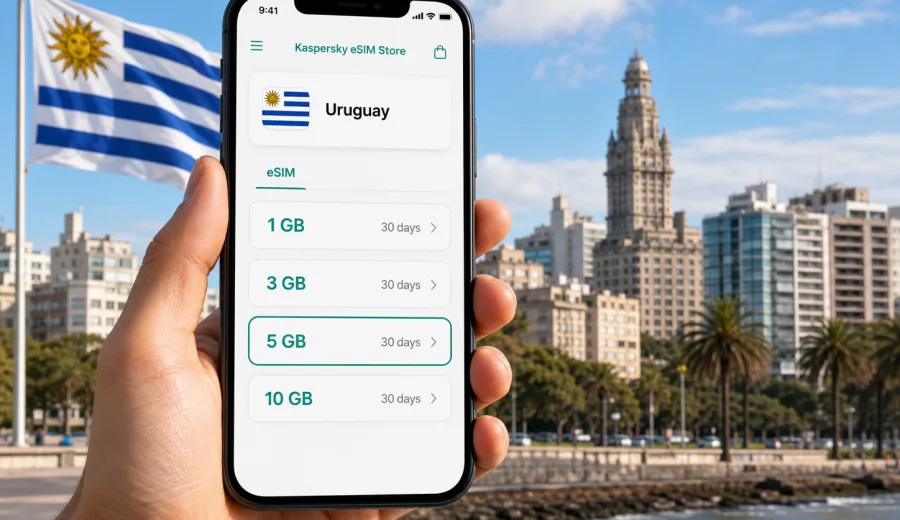
eSIM for Uruguay: mobile connection and internet for your trip
Uruguay is compact compared with many South American destinations, but a trip there can still include very different mobile internet scenarios: landing at Carrasco International Airport, moving between Montevideo and Punta del Este, checking maps on the coast, ordering a ride in the capital, or keeping in touch while visiting Colonia del Sacramento. An eSIM helps you prepare mobile connection before you need to find a physical SIM card, a store, or a public Wi-Fi network.
For travelers, the main value is practical control. You choose a data plan for Uruguay, install the eSIM on a compatible phone, and use mobile data for navigation, messaging, bookings, and everyday travel tasks. Kaspersky eSIM Store is an app and website where you can choose, arrange, and activate an eSIM with a suitable mobile internet plan for an international trip.
This guide explains how to think about eSIM for Uruguay, how much data you may need, what to check before purchase, and how to avoid common setup mistakes.
Why eSIM is useful in Uruguay
Uruguay is easy to travel around, but you still need stable access to online services. In Montevideo, mobile internet helps with ride-hailing, restaurant reservations, digital tickets, maps, banking confirmations, and messaging. On the coast, it helps you check routes, opening hours, weather changes, and accommodation details. If you cross to Argentina or Brazil before or after your stay, you may also need to compare country-specific and regional options.
An eSIM can be useful because it removes one piece of friction from the trip. You do not have to swap a plastic SIM card or keep a small SIM tray tool with you. Your regular SIM can stay in the phone for calls or SMS from your home number, while the eSIM can be used for mobile data in Uruguay if your device supports dual SIM settings.
Practical benefits for a Uruguay trip:
- You can prepare mobile internet before departure or shortly after arrival.
- You see the plan conditions before you choose: data volume, validity period, destination, and price.
- You can keep your physical SIM in the device if your phone supports using SIM and eSIM together.
- You reduce dependence on airport Wi-Fi, hotel Wi-Fi, and cafe networks.
- You can use internet-based calls and messages through apps when mobile data is active.
An eSIM is mainly about mobile data. Unless a particular plan explicitly says otherwise, it usually does not include a local phone number, traditional voice calls, or SMS. For most short trips, that is enough: maps, messengers, email, browser access, translation apps, and travel services all work over mobile internet.
Where you may need mobile internet most
The first online moment often comes before you reach the hotel. At Carrasco International Airport near Montevideo, you may need to message a host, open a booking confirmation, call a ride through an app, or check how to reach the city.
In Montevideo, internet access is useful for moving between Ciudad Vieja, Pocitos, Punta Carretas, Tres Cruces, and the Rambla. In Punta del Este, La Barra, Jose Ignacio, Piriapolis, and other coastal areas, you may use more data for maps, photos, weather, and route planning. In Colonia del Sacramento, mobile internet helps when ferry schedules or cross-border travel details need quick checking.
Common use cases in Uruguay:
| Travel situation | Why mobile data helps | Data intensity |
|---|---|---|
| Airport arrival | Ride apps, hotel address, messages, maps | Low to medium |
| City navigation | Walking routes, buses, taxis, restaurant search | Medium |
| Beach and coast trips | Maps, weather, photos, social media, bookings | Medium to high |
| Remote work check-ins | Email, cloud tools, video calls if needed | High |
| Cross-border itinerary | Comparing routes, ferry details, onward travel | Medium |
The table is not a promise of coverage or speed. Actual service quality depends on the local network, your device, the selected plan, and the place where you are using mobile data. It is best to treat eSIM as a way to prepare a practical data connection, not as a guarantee that every location will have the same performance.
How much data to choose for Uruguay
The right plan depends on your travel style, not only on the number of days. A traveler who checks maps twice a day and uses hotel Wi-Fi for video will need much less data than someone who shares photos, uses cloud storage, works from a laptop through hotspot mode, or streams video on mobile data.
Use this simple planning logic:
- For a short city break, focus on maps, messaging, ride apps, and browser use.
- For a beach trip, add more data for photos, social media, and weather checks.
- For remote work, estimate video calls, file transfers, and hotspot use separately.
- For a family trip, remember that one person may become the default navigator and planner.
- For a longer route through Uruguay, choose a validity period that covers the full stay.
Approximate data planning guide:
| Usage style | Typical activities | What to consider |
|---|---|---|
| Light | Messaging, maps, email, tickets | Keep automatic app updates off |
| Standard | Maps, browsing, photos, travel apps | Good for many leisure trips |
| Heavy | Frequent uploads, cloud apps, hotspot | Choose more data and monitor balance |
| Work-focused | Email, documents, video calls | Use Wi-Fi for long calls when practical |
Before choosing a plan, check whether the validity period starts at purchase, installation, or first connection to a supported local network. The exact rule depends on the selected plan, and it matters if you want to install the eSIM before your flight.
eSIM compared with roaming, public Wi-Fi, and a local SIM
There is no single best option for every traveler. Standard roaming can be convenient if your home operator has a suitable package, but it may be expensive or limited depending on your contract. Public Wi-Fi is useful in hotels and cafes, but it is not always available when you are on the street, at the airport, or between cities. A local physical SIM can work well for longer stays, but it usually requires a store visit and a SIM slot.
An eSIM sits between these options. It is designed for travelers who want to arrange mobile data without changing a physical card. You still need to check compatibility, plan conditions, and the selected destination, but the setup can be simpler than buying a physical SIM after arrival.
| Option | Strong point | Possible limitation |
|---|---|---|
| Standard roaming | Uses your existing number and account | Costs and limits depend on your home operator |
| Public Wi-Fi | Useful at hotels, airports, and cafes | Not available everywhere and may be less convenient |
| Local physical SIM | Can be practical for long stays | Requires a compatible SIM slot and local purchase process |
| Travel eSIM | Digital setup and clear data plan conditions | Requires an eSIM-compatible, unlocked device |
For many visitors, the main reason to prepare an eSIM is not only price. It is the ability to land with a clear plan: which profile will use mobile data, how much traffic is available, and how long the plan remains valid.
What to check before you choose a plan
Before purchasing any eSIM plan for Uruguay, check the technical details. Many recent iPhone, Samsung Galaxy, Google Pixel, and other smartphone models support eSIM, but support can vary by region, model version, and carrier lock status. If the phone is locked to one operator, it may not allow another mobile profile.
Use this checklist before you pay:
- Confirm that your phone or tablet supports eSIM.
- Check that the device is not locked to your current mobile operator.
- Make sure your operating system is up to date enough for eSIM setup.
- Read the plan destination, data volume, validity period, and activation rules.
- Check whether hotspot mode is important for you and whether the plan allows it.
- Keep access to a stable internet connection for installation.
- Save the QR code or installation details in a place you can access during travel.
If you are not sure whether your device is suitable, check your device before choosing a plan. This is especially important if you bought the phone through a mobile operator, imported it from another market, or use an older model.
How to choose an eSIM plan for Uruguay
Start with the length and shape of your trip. A three-day stay in Montevideo is different from two weeks that include the capital, Colonia, Punta del Este, and a road trip along the coast. Then think about the apps you rely on most: maps, messaging, banking, streaming, cloud work, video calls, or social media.
A practical selection process:
1. Choose Uruguay as the destination.
2. Compare available data volumes and validity periods.
3. Match the plan to your expected activities, not only to the calendar.
4. Read when the plan becomes active and how data usage is counted.
5. Install the eSIM while you still have stable Wi-Fi if you want to prepare in advance.
6. After arrival, select the eSIM profile for mobile data and follow the plan instructions.
If your route includes more than one country, compare a Uruguay plan with a regional option if one is relevant to your itinerary. A country plan can be enough for a Uruguay-only trip, while a regional plan may make sense for travelers who continue to Argentina, Brazil, Chile, or other destinations. Always check the destinations included in the selected plan before relying on it.
When you are ready to compare options, you can choose an eSIM plan for your Uruguay trip and review the available data volumes, validity periods, and conditions before setup.
Installing and activating eSIM for Uruguay
The exact installation steps depend on the device and operating system, but the general path is similar. You choose a plan, complete the purchase process, install the eSIM profile, and then select it for mobile data when you want to use it. You usually need an internet connection to install the eSIM, so hotel Wi-Fi, home Wi-Fi, or airport Wi-Fi can be useful for the setup stage.
For detailed device steps, use the official setup pages: Android installation guide and iOS installation guide.
Basic setup flow:
1. Open the eSIM details after purchase.
2. Add the eSIM profile to your compatible device.
3. Label it clearly, for example Uruguay data or Travel eSIM.
4. Keep your primary SIM selected for calls if you still need your usual number.
5. Choose the eSIM profile for mobile data when you are ready to use the plan.
6. Enable data roaming for the eSIM profile if the plan instructions require it.
7. Check that mobile data works before relying on it for navigation or transport.
Do not delete the eSIM profile unless you are sure it is no longer needed. Some eSIM profiles cannot be moved to another phone or reinstalled after removal. If something does not work, it is usually better to check settings first: mobile data line, roaming setting for the eSIM profile, APN instructions if provided, and whether the plan has already started.
Practical scenarios for Uruguay
Different travelers use mobile internet in different ways. These scenarios can help you choose a plan more realistically.
Weekend in Montevideo. You will probably use maps, messages, restaurant search, taxi or ride apps, and browser access. A moderate data package may be enough if you use Wi-Fi at the hotel for video and backups.
Coast and beach route. If you travel to Punta del Este, La Barra, Jose Ignacio, or Piriapolis, you may use more data outdoors. Weather checks, map routes, social media, and photo uploads can add up quickly. Consider a larger data allowance if you do not want to monitor every upload.
Remote work stay. If you need email, documents, calls, and hotspot mode, choose more data and confirm whether tethering is allowed by the plan. Use hotel or apartment Wi-Fi for long video calls when possible, and keep eSIM data as a reliable travel layer.
Family or group travel. One person often becomes responsible for maps, tickets, and ride apps. That phone should have enough data and battery. If several people need independent access, each compatible device may need its own plan.
Multi-country travel. If Uruguay is part of a wider route, check whether you need a separate plan for each country or a regional plan. Do not assume that one country plan will work across borders unless the plan conditions clearly include those destinations.
Data-saving tips during the trip
A few settings can make your plan last longer without changing how you travel.
- Download offline maps for Montevideo, Colonia, and the coastal areas you plan to visit.
- Disable automatic app updates on mobile data.
- Turn off cloud photo backup until you are on Wi-Fi.
- Use lower video quality if you stream over mobile data.
- Check which SIM profile is selected for mobile data before leaving Wi-Fi.
- Keep location sharing limited to the apps that actually need it.
- Monitor data use in your phone settings and in the account or app where available.
These small steps matter most on short plans or when several travel apps are active in the background. If you plan to use hotspot mode, set expectations with the people sharing it: laptops and tablets can consume data much faster than a phone.
Common mistakes to avoid
Many eSIM problems come from setup details rather than the eSIM itself. The most common issue is installing the profile correctly but leaving mobile data assigned to the wrong SIM. Another frequent issue is forgetting that some travel eSIM plans require data roaming to be enabled for the eSIM profile, even though you are not using your home operator's roaming package.
Avoid these mistakes:
- Buying a plan before checking eSIM support and carrier lock status.
- Waiting until you have no internet connection to start installation.
- Deleting the eSIM profile while trying to troubleshoot.
- Assuming voice calls and SMS are included when the plan is data-only.
- Choosing too little data for hotspot use or remote work.
- Ignoring the validity period and activation rule.
- Forgetting to switch mobile data to the travel eSIM after arrival.
If setup takes longer than expected, move through the checks calmly: device compatibility, installed profile, selected mobile data line, data roaming setting for the eSIM profile, plan status, and local signal. If the issue continues, contact support with your device model and the steps you already tried.
Quick answers about eSIM in Uruguay
Can I install an eSIM before flying to Uruguay?
In many cases, yes. You can usually install the eSIM profile while you have stable Wi-Fi before departure. Read the plan details carefully to understand when validity starts.
Will eSIM give me a Uruguayan phone number?
Most travel eSIM plans are focused on mobile data and do not include a traditional local number, voice calls, or SMS unless the plan conditions explicitly say so. You can use messaging and calling apps over the internet.
Do I need to remove my regular SIM card?
Usually no, if your phone supports using a physical SIM and eSIM together. You can keep your regular SIM for your home number and select the eSIM for mobile data.
Should I activate data roaming?
Follow the instructions for the selected eSIM plan. Some travel eSIM profiles require data roaming to be enabled for that eSIM line. This is separate from using roaming on your primary SIM.
What happens if I run out of data?
Options depend on the plan and account settings. You may be able to choose another plan or top up where available. Check the current conditions before you rely on extra data for work or travel changes.
Is eSIM better than airport Wi-Fi?
It solves a different problem. Wi-Fi can be useful in specific places, while eSIM mobile data is designed for being online as you move. Many travelers use both: Wi-Fi for heavy downloads and eSIM for everyday travel tasks.
Final checklist before departure
Before you leave for Uruguay, make sure the technical and travel details are clear.
| Check | Why it matters |
|---|---|
| Device supports eSIM | Without compatibility, the profile cannot be installed |
| Phone is unlocked | A locked device may reject another mobile profile |
| Plan covers Uruguay | Destination must match your trip |
| Data volume fits your use | Maps and messages use less than hotspot and video |
| Validity period covers the stay | A short plan may expire before your return |
| Installation instructions are saved | Helpful if airport Wi-Fi is slow or unstable |
| Mobile data line is selected correctly | Prevents accidental use of the wrong SIM |
This preparation takes only a few minutes, but it can prevent avoidable stress after landing. The best time to check compatibility, plan validity, and installation steps is before you are standing outside the airport trying to open a map.
Choose mobile internet for Uruguay before you travel
An eSIM is a practical way to prepare mobile connection and internet for Uruguay without depending entirely on roaming, public Wi-Fi, or a physical SIM purchase after arrival. It works best when you choose the plan deliberately: match the data volume to your travel habits, check the validity period, install it on a compatible unlocked device, and keep your mobile data settings clear.
With Kaspersky eSIM Store, you can choose, arrange, and activate an eSIM with a suitable data plan for your trip through the app or website. Before you travel, prepare an eSIM plan for Uruguay so your maps, messages, bookings, and travel apps are ready when you need them.