
Travel connectivity guide
Ushuaia eSIM for Mobile Internet
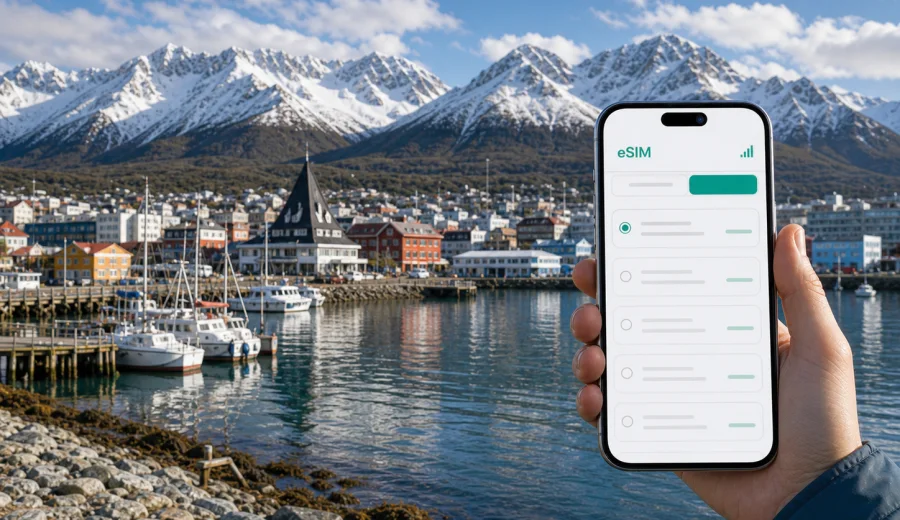
Ushuaia eSIM: mobile connection and internet for a trip to Argentina's southern city
Ushuaia is a city where mobile internet becomes practical very quickly. You may land at a small airport, look for a transfer to your hotel, check the weather before a boat trip on the Beagle Channel, message a tour operator, or open a map while walking between the waterfront and the center. A working mobile connection helps you handle these details without waiting for hotel Wi-Fi or searching for a local SIM card after a long flight.
An eSIM is useful for Ushuaia because the city is compact, but travel plans around it are often time-sensitive. Tours to Tierra del Fuego National Park, harbor departures, taxis, restaurants, luggage storage, and onward flights can all depend on quick confirmations. With a compatible phone, you can prepare a digital SIM profile before the trip and use a prepaid data plan for Argentina when you arrive.
This guide focuses on eSIM use in Ushuaia, not on Argentina in general. The goal is simple: help you plan mobile internet for arrival, city movement, local transport, hotels, business travel, short stopovers, and day trips from Ushuaia.
Why eSIM is useful in Ushuaia
Ushuaia sits between mountains and the Beagle Channel, so many visitor routes combine urban movement with outdoor plans. You may spend the morning near the port, the afternoon in Tierra del Fuego National Park, and the evening checking flight changes or tour updates. Mobile internet is not just for social media; it helps with navigation, booking details, translation, weather checks, and messaging.
An eSIM can be especially practical when you want to:
- order a taxi or confirm a transfer after landing;
- open maps between the airport, hotel, port, and city center;
- message a tour desk before a Beagle Channel cruise or park excursion;
- check wind, rain, or snow conditions before leaving the hotel;
- use boarding passes, hotel reservations, and travel documents on your phone;
- keep your primary SIM active for calls while using eSIM for data, if your device supports this setup.
Ushuaia is also a common start or end point for longer Patagonia routes and cruise itineraries. If your trip includes Buenos Aires, El Calafate, or other stops in Argentina, choosing a country plan for Argentina is usually more convenient than thinking about the city alone.
Arrival at Ushuaia airport
Ushuaia's airport is close to the city, but the first hour still matters. You may need to contact a hotel, check a driver name, find the address of an apartment, or tell someone that your flight has landed. If you arrive during cold, windy, or rainy weather, it is easier to handle these tasks before leaving the terminal.
Before departure, install the eSIM profile while you still have a reliable internet connection. After arrival, switch mobile data to the eSIM line and check whether data roaming must be enabled for that eSIM profile. The exact steps depend on your phone and the selected plan, so review the instructions before you travel.
For a smooth arrival, save these details offline as well:
| Detail | Why it helps in Ushuaia |
|---|---|
| Hotel address | Useful for taxis and transfers when the signal is slow or the battery is low |
| Tour confirmation | Many departures leave from the port area at a fixed time |
| Offline map | Helpful in the first minutes before mobile data is fully ready |
| Emergency contact | Practical if weather changes affect your plans |
| eSIM QR code or app access | Needed if you have not installed the eSIM before departure |
The best setup is to prepare both: install the eSIM in advance and keep key trip details available offline. Mobile internet gives flexibility, but offline backups reduce stress if you are tired after multiple flights.
Moving around the city
Ushuaia is walkable in the central area, but routes are not always flat. Hotels can be on slopes above the waterfront, and weather can change during the day. A mobile connection helps you decide whether to walk, request a ride, or adjust the order of stops.
Typical city tasks that use data include:
1. Checking walking routes from the hotel to Avenida San Martin, the port, or a restaurant.
2. Confirming pickup points for tours and shuttle services.
3. Looking up opening hours for museums, shops, and cafes.
4. Translating short messages or menus.
5. Sharing location with travel companions.
6. Checking whether a boat tour or park visit is still running as planned.
For short trips, a smaller data allowance may be enough if you mainly use maps and messages. If you upload photos, use video calls, work remotely, or rely on navigation throughout the day, choose a larger data package. The right option depends on your habits, trip length, and whether you will also use the plan in other parts of Argentina.
Where mobile internet helps most in Ushuaia
Ushuaia's travel rhythm is built around specific places. Each one creates a slightly different mobile internet need.
| City scenario | How eSIM data can help |
|---|---|
| Airport arrival | Transfer messages, maps, hotel check-in details |
| Waterfront and port | Cruise confirmations, meeting points, weather updates |
| City center | Restaurant searches, translation, payments, walking routes |
| Hotels on higher streets | Ride requests, route planning, remote work, messaging |
| Tierra del Fuego National Park trips | Saved maps, pickup details, weather checks before departure |
| Business visits | Email, calendar updates, document access, video calls on a known data plan |
| Stopovers | Fast setup for a few hours without spending time at a SIM counter |
Outdoor areas near Ushuaia may not have the same signal quality as the central waterfront or hotel districts. Do not rely on mobile data as the only navigation method for hikes or remote excursions. Download maps, keep your guide's instructions, and check tour details before leaving the city.
Choosing an eSIM plan for Ushuaia
For a city trip to Ushuaia, the first question is not only "How much data do I need?" but also "Where else will I travel?" If Ushuaia is part of an Argentina itinerary, choose a plan that covers Argentina and matches the full route. If your trip continues across borders, compare whether a country, regional, or broader plan is more suitable for your dates.
Use this simple planning method:
- Trip length: Count the full time from landing in Argentina to departure, not only nights in Ushuaia.
- Main tasks: Navigation and messaging use less data than cloud backups, video calls, and streaming.
- Travel style: Guided tours may require less data during the day; independent routes use more maps and searches.
- Accommodation: Reliable hotel Wi-Fi can reduce mobile data use, but it should not be your only connection.
- Work needs: Business travelers should plan extra data for email attachments, hotspot use, and calls through internet apps.
If you want to prepare mobile internet before departure, you can choose an eSIM plan for your trip to Argentina in Kaspersky eSIM Store, then check the data amount, validity period, destination, and activation details before you travel. This keeps the decision tied to the country where Ushuaia is located while still supporting the city route.
Practical data estimates for Ushuaia
Data use varies by app, phone settings, and media quality, but these travel patterns can help you choose more confidently.
| Traveler type | Typical data needs in Ushuaia |
|---|---|
| Weekend stopover | Maps, messenger, boarding pass, a few searches |
| Cruise passenger | Port messages, meeting points, weather, photo sharing after tours |
| Outdoor traveler | Maps, tour updates, weather checks, offline backups |
| Remote worker | Email, documents, video calls, hotspot use |
| Family trip | Multiple navigation checks, shared photos, restaurant searches, messaging |
To make a smaller plan last longer, turn off automatic cloud photo backup on mobile data, download maps over Wi-Fi, reduce video quality, and check which apps are allowed to refresh in the background. If you travel with children or several devices, avoid assuming one phone can cover every task through hotspot all day; battery use and plan conditions matter.
Installing eSIM before the trip or after arrival
The easiest approach is usually to install the eSIM before you fly, while you have stable home or hotel Wi-Fi. You can then activate mobile data for the eSIM after arriving in Argentina, following the conditions of the selected plan. Some plans start counting validity after activation, while others may have different rules, so read the plan details before you confirm.
Before buying or installing, check your device to make sure it supports eSIM and is not locked in a way that prevents using another mobile data profile. Device support depends on model, region, and carrier settings.
For setup details, use the official installation guides for your device type: Android instructions or iOS instructions. Keep the guide open before the trip if you expect to install the eSIM while traveling.
A practical installation checklist:
- confirm that your phone supports eSIM;
- check that your phone is not carrier-locked;
- install the eSIM profile before departure when possible;
- keep your primary SIM active if you need calls or SMS on your usual number;
- set mobile data to the eSIM line after arrival;
- enable data roaming for the eSIM profile if the plan instructions require it;
- test maps and messaging before leaving the airport or hotel.
eSIM plans for travel usually focus on mobile data. They may not include a local phone number, voice calls, or SMS unless the selected plan states otherwise. For calls, many travelers use internet-based messengers once mobile data is active.
Hotels, apartments, and remote work
Ushuaia hotels often provide Wi-Fi, but a separate mobile data plan is still useful. Hotel Wi-Fi quality can vary by room, floor, time of day, and number of guests online. If you need to join a meeting, upload documents, or coordinate with colleagues, an eSIM plan gives you another option.
For business trips, check these points before leaving:
1. Does your laptop need hotspot access, and is hotspot use allowed under the selected plan?
2. Will you need video calls, or mostly email and messaging?
3. Are important documents available offline?
4. Can your phone keep both your regular SIM and eSIM active at the same time?
5. Do you have enough battery capacity for navigation plus hotspot use?
For apartment stays, mobile internet is useful during self check-in. You may need to open messages from a host, receive a door code, or show your location to a driver. If your arrival is late, having eSIM data ready can make the process more predictable.
Tours, port departures, and day trips
Many Ushuaia visitors book activities with fixed departure times. The most common data moments are not during the tour itself, but before and after it: confirming the meeting point, checking weather, receiving messages from the organizer, and finding the way back to the hotel.
For Beagle Channel boat trips, keep the port location, booking confirmation, and operator contact available offline. Around the waterfront, mobile data helps if the meeting point changes or you need to message someone in your group. For Tierra del Fuego National Park, download maps in advance and do not assume coverage on every trail or road section.
If you plan to continue to other destinations in Argentina, keep your eSIM choice aligned with the broader route. A plan that only seems sufficient for central Ushuaia may be too small if you also spend several days in Buenos Aires, El Calafate, or other cities.
Short stopovers in Ushuaia
Some travelers pass through Ushuaia for a cruise, a connection, or a short stay before continuing elsewhere. In that case, speed matters more than heavy data use. You want maps, messages, boarding details, and booking access without spending time looking for a physical SIM card.
For a stopover, prepare:
- airport-to-port or airport-to-hotel route;
- mobile boarding pass and reservation screenshots;
- messenger access for driver or tour updates;
- a small data plan if you only need light use;
- a larger plan if the same eSIM will cover the rest of Argentina.
If you have only a few hours in the city, do not wait until you are outside with luggage to set up mobile internet. Install the eSIM profile earlier and test it in a calm moment.
eSIM, roaming, and public Wi-Fi
Standard roaming from your home operator may be convenient, but pricing and included data can vary widely. A travel eSIM gives you a separate prepaid data option for the destination, with the amount of data and validity shown before you choose. It can help you avoid relying only on airport, cafe, or hotel Wi-Fi.
Public Wi-Fi is useful for large downloads, but it is not always available when you need it. In Ushuaia, you may be outside the hotel, near the port, on the way to a pickup point, or in a restaurant where the Wi-Fi password is not obvious. Mobile data keeps basic travel tasks available in more moments.
Use both wisely:
| Use mobile data for | Use Wi-Fi for |
|---|---|
| Maps, messaging, taxis, booking changes | App updates, large uploads, video streaming |
| Weather checks before tours | Cloud photo backup |
| Remote work backup | Long video calls when the Wi-Fi is stable |
| Translation and payments | Downloading offline maps before a day trip |
This balance helps you keep the eSIM data allowance for the tasks that matter most during the day.
Common mistakes to avoid
The most common eSIM problems are usually preparation issues, not city-specific issues. Avoid these mistakes before traveling to Ushuaia:
- Buying a plan without checking whether your phone supports eSIM.
- Installing the eSIM only after arrival, with no stable Wi-Fi available.
- Forgetting to switch mobile data to the eSIM profile.
- Leaving automatic video uploads active on mobile data.
- Assuming the eSIM includes voice calls and SMS without reading plan details.
- Depending only on mobile data for remote hikes or long outdoor routes.
- Choosing a plan only for one day in Ushuaia while the wider Argentina trip lasts longer.
A calm setup before departure is usually faster than fixing mobile data settings while standing in the airport arrivals area.
FAQ: eSIM for Ushuaia
Can I use an Argentina eSIM plan in Ushuaia?
Yes, Ushuaia is in Argentina, so a plan that covers Argentina is the relevant choice for a city article about Ushuaia. Always check the plan destination, validity, and activation rules before confirming.
Do I need eSIM if my hotel has Wi-Fi?
Hotel Wi-Fi helps, but it does not cover airport arrival, taxis, port departures, walking routes, restaurant searches, or messages while you are outside. eSIM data is useful for the parts of the trip that happen between Wi-Fi networks.
Should I install eSIM before flying?
In most cases, yes. Installing the eSIM profile before departure is easier because you can use stable Wi-Fi and follow the setup steps calmly. Then you can activate mobile data for the eSIM after arrival according to the plan instructions.
Will eSIM replace my regular phone number?
Usually no. Travel eSIM plans are mainly for mobile internet. They may not include a local number, voice calls, or SMS unless the specific plan says so. Many travelers keep their usual SIM for calls and use eSIM for data.
Is eSIM enough for trips outside the city?
It is useful, but you should still download offline maps and keep tour details saved. Signal quality can vary outside the central city, especially on outdoor routes, so treat mobile data as one tool rather than your only backup.
Prepare mobile internet before your Ushuaia trip
Ushuaia rewards good preparation. A few minutes spent on eSIM setup can make arrival, transport, hotel check-in, port departures, and day trips easier to manage. Before you travel, check that your phone supports eSIM, choose a plan that fits your Argentina itinerary, install the profile on a stable connection, and keep essential travel details offline.
Kaspersky eSIM Store helps you choose, set up, and activate an eSIM plan for mobile internet in a foreign trip through the site or app. If Ushuaia is your next destination, you can prepare an eSIM plan for Argentina before departure and arrive with a clearer plan for staying online.