Travel connectivity guide
Ust-Kamenogorsk eSIM: Mobile Internet Guide
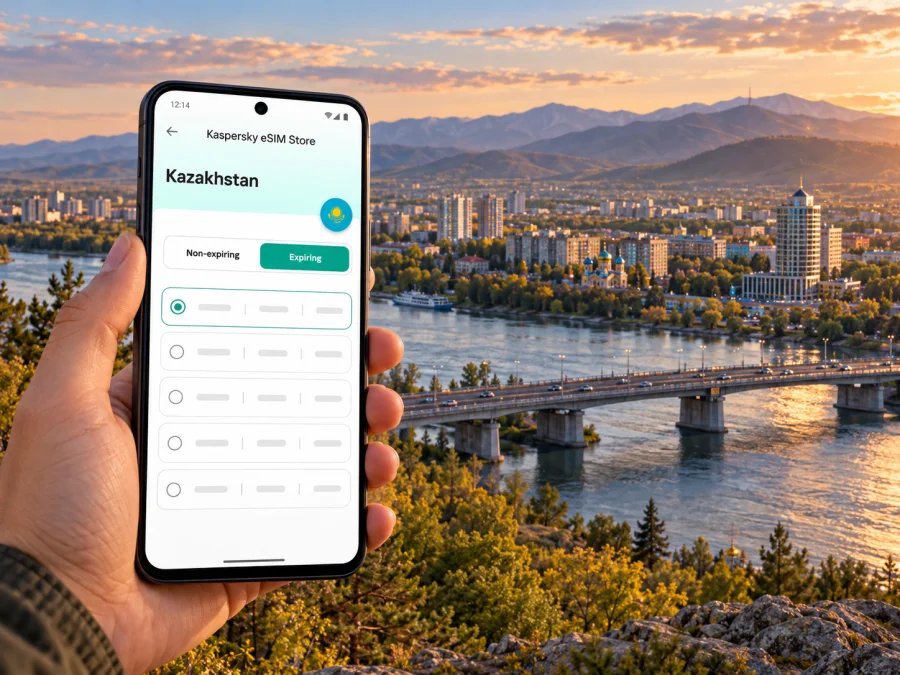
Ust-Kamenogorsk eSIM: mobile connection and internet for your city trip
Ust-Kamenogorsk is the Russian-language name often used for Öskemen, a city in eastern Kazakhstan. It is the administrative centre of East Kazakhstan Region, close to the meeting of the Irtysh and Ulba rivers. For a visitor, that means a trip can combine a compact urban stay with onward travel toward the region’s river valleys and Altai landscapes. A reliable mobile data plan is useful at each stage: checking your arrival details, finding an address, coordinating a ride, looking up a bus or tram, and saving route information before leaving the city.
An eSIM can make that preparation easier if your phone supports it. It is a digital SIM profile installed on a compatible device; it does not by itself guarantee a particular speed, signal, or service in every part of Kazakhstan. The plan’s destination, data allowance, validity period, supported network and activation rules matter. Check those details before travelling, and keep your usual number available if you need calls or texts through your home operator.
Start with the arrival you actually have
The city’s airport is listed as Ust-Kamenogorsk Airport on many travel documents and as Öskemen Airport in Kazakh-language information. It is in Kazakhstan, not a separate destination market from the city. The airport’s official site publishes a live flight board and passenger information; schedules can change, so confirm your flight and ground transport close to departure rather than relying on an old timetable or a search snippet.
A simple arrival routine:
- Connect to the airport’s available Wi-Fi, if you need internet to finish setup.
- Check that the travel eSIM is installed and selected for mobile data; leave your primary SIM enabled only if you want to receive service through it and understand its roaming terms.
- Turn off data roaming on your primary SIM if you do not intend to use its roaming data.
- Open your saved map and confirm the destination pin before leaving the terminal.
- Once outside, allow the phone a short time to register. If data does not start, check the eSIM’s activation instructions, selected data line and any plan-specific roaming setting.
Get your bearings around the rivers
The Irtysh and Ulba are useful landmarks when orienting yourself in Öskemen. Their confluence helps explain the city’s shape, but a river is not a substitute for checking which bridge, bank or entrance your destination uses. A hotel, office or attraction may share a similar name with another place, and a map result can send you to a different entrance than the one you need. Use a full address, verify the pin, and look at the last stretch of the route before starting out.
Choose transport with current information
Öskemen has buses, trams and minibuses. Route availability, frequency and payment arrangements are local details that may change. The regional transport authority has described OSKEMEN BUS as a way to view public transport movement, schedules and route options, but check the current app or web service before depending on a particular route. For an early flight, a late arrival or a tight appointment, compare public transport with a pre-arranged pickup and leave time for waiting and transfers.
| Trip stage | What to check on your phone | Useful backup |
|---|---|---|
| Airport to accommodation | Correct address, pickup point and current route | Saved map pin and hotel contact |
| City centre to a meeting | Route options and current arrival estimate | Address written in the local spelling |
| Evening return | Whether your chosen service is still running | A ride arranged through a trusted provider or your accommodation |
| Railway or bus station transfer | Departure time, station name and terminal | Ticket saved offline and extra transfer time |
Pick a plan around the shape of your stay
Before choosing, check:
- Destination: the plan must list Kazakhstan as a supported destination. Öskemen is a city within Kazakhstan; a plan for a neighbouring country is not a substitute.
- Validity: confirm when the validity begins and whether it covers your arrival and departure dates.
- Data allowance: consider navigation, messaging, work calls, photo uploads and tethering separately.
- Network and speed terms: review the plan’s stated network arrangements, speed limits and any fair-use conditions. Availability can vary by location and local conditions.
- Tethering: if you need to connect a laptop or a second device, make sure hotspot use is permitted and included in the plan conditions.
- Calls and messages: a data eSIM may not include a local phone number, ordinary voice calls or SMS. Keep another way to contact people if you need those services.
- Activation: note whether installation, first use or arrival on a supported network starts the plan.
Kaspersky eSIM Store is an app and website that helps you choose, arrange and activate an eSIM with a suitable plan for mobile internet on an overseas trip. It is a preparation route for your trip; the connectivity itself depends on the selected plan and its participating network arrangements. To compare the destination options for your itinerary, review eSIM plans for Kazakhstan and read each plan’s details before checkout.
Device support depends on the exact model
A phone’s product family name alone does not prove that it supports eSIM. Support can differ by generation, model number, country of sale, carrier lock and software configuration. This distinction matters when you bring a phone purchased in a different regional market: two devices sold under a similar retail name may have different SIM hardware or support restrictions. For example, Apple documents different eSIM capabilities for some iPhone models sold in China mainland than for models sold in other markets. That is a device-market distinction; it does not change Öskemen’s location in Kazakhstan or the destination market of a Kazakhstan travel plan.
Before you buy or install a plan, check the exact model number in your phone settings and confirm that eSIM can be added. Also confirm the phone is unlocked for use with another service. If you use a dual-SIM phone, make sure you understand which line supplies mobile data and whether data switching is enabled. These checks help prevent a confusing first connection after arrival. Check whether your device supports eSIM.
Keep Kazakhstan’s operator market separate from a travel eSIM
Kazakhstan has local mobile operators that provide domestic mobile service and their own eSIM options. A resident or long-stay visitor choosing a local number from an operator is making a different choice from a short-term traveller selecting a data plan through a travel eSIM service. Kcell, Tele2 and Beeline publish their own eSIM information for their subscribers; their registration steps, offers and eligibility rules belong to those operators and may not match the terms of a travel plan.
For a visit to Öskemen, use this distinction:
| Question | Local operator eSIM | Travel eSIM plan |
|---|---|---|
| Who sets the service terms? | The Kazakhstan operator whose service you activate | The provider and network partners named in the selected travel plan |
| Is a local number included? | It may be part of the operator service, depending on the offer | Do not assume so; many travel plans are data-focused |
| What should you verify? | Eligibility, registration, identity requirements, price and number features with that operator | Destination, data, validity, supported network, speed and activation terms |
| Does city location decide phone compatibility? | No; check the exact phone variant and operator requirements | No; check the exact phone variant and plan requirements |
A travel eSIM may connect through a partner network in Kazakhstan. The available network can depend on the chosen plan, device and local conditions. Do not assume that the brand of a domestic operator is the network your travel plan will use, or that the plan includes the same voice, SMS or customer-support features as a local subscription. If a specific network is important to you, confirm it in the plan details before purchase.
Installation and activation before you leave
The safest time to prepare is when you have a stable internet connection and enough time to read the instructions. Buy or select a plan, confirm its validity and destination, then follow the provider’s installation steps. Some eSIMs install through an app; others use a QR code or manual details. Do not scan a code repeatedly or remove a working profile without checking the instructions, because an installation code may be single-use.
A practical setup sequence:
- Confirm the device model supports eSIM and is not carrier-locked.
- Check the plan’s destination, data amount, validity, network terms and activation trigger.
- Install the profile over a stable Wi-Fi connection, following the instructions for your device.
- Label the lines clearly, for example “Home” and “Kazakhstan data,” so you can recognize them later.
- Select the travel eSIM for mobile data when the plan is meant to be used; review data roaming settings exactly as the plan instructs.
- Keep your primary line’s roaming settings under control and check your home operator’s charges if you leave that line on.
- Test the setup before departure where the provider permits it, and save the support and purchase details offline.
For step-by-step help, follow the Android eSIM installation instructions or the iPhone eSIM installation instructions. Device menus can vary, so use the guide that matches the phone in your hand and the directions supplied with your selected plan.
City days and regional side trips
The city is also a practical starting point for travel around East Kazakhstan Region. The regional tourism information centre lists excursions and outdoor trips toward places such as Ridder, Katon-Karagai and Altai landscapes. Those are separate journeys with different distances and terrain from a city transfer. Ask your tour provider about the route, stops and expected connectivity; download maps, confirmations and emergency contacts in advance. Keep navigation available, but do not plan a remote hike on the assumption that mobile data will be present throughout.
When returning to the city, give yourself time to reconnect with urban transport and verify the station or pickup point. Long-distance services and their departure locations can differ; use the ticket itself and current operator information rather than assuming every service leaves from the same terminal. A saved screenshot is useful when a connection is slow, but check for a revised departure before setting out.
Manage data without making the trip harder
Use Wi-Fi thoughtfully. A hotel network can be convenient for downloads and calls, while mobile data is useful when you need a route on the street. Do not rely on a single connection method for every task; keep critical travel details available offline. Kaspersky eSIM Store helps prepare an eSIM choice for an overseas trip, while sensible offline preparation remains useful in any destination.
Frequently asked questions
Is Ust-Kamenogorsk in Kazakhstan?
Yes. Ust-Kamenogorsk, also called Öskemen, is a city in East Kazakhstan Region, Kazakhstan. The city name does not make it a destination in a neighbouring country. For a travel plan, check that Kazakhstan is explicitly included.
Will a Kazakhstan travel eSIM work everywhere around Öskemen?
No plan should be treated as a guarantee of service everywhere. Coverage and performance can vary with the partner network, local conditions, terrain, indoor location and device. Review the plan details for its Kazakhstan network arrangements, and prepare offline maps before travelling outside the city.
Does a travel eSIM include a Kazakh phone number?
Do not assume it does. Many travel eSIM plans are designed for mobile data and do not include a local number, standard voice calls or SMS unless the plan clearly says otherwise. Keep your existing number or another contact method available if you need calls.
Can I use a phone bought abroad?
Possibly, if the exact regional model supports eSIM and the device is unlocked. Model variants can differ even when their retail names look alike. Check the model number, the device compatibility information and the selected plan requirements before purchase.
Should I install the eSIM at home or after arrival?
Follow the plan’s instructions. If installation needs Wi-Fi, installing before departure can be convenient, but confirm when validity starts. Some plans begin on installation and others on first use or network connection. Do not activate earlier than intended without checking the terms.
Can I keep my regular SIM active?
Often a dual-SIM phone can keep a primary line and an eSIM available, but the exact options depend on the device. Set the travel eSIM as the data line if that is the plan you intend to use. Check your home operator’s roaming charges before leaving the primary line active, and make sure data switching will not send traffic over an unintended line.
Is a local operator eSIM the same as a travel eSIM?
No. A local operator service is issued under that operator’s own terms and may involve local registration steps or a local number. A travel eSIM plan has its own provider, destination and network-partner terms. Compare the service you need rather than assuming the two products are interchangeable.
A short pre-trip checklist
Before travelling to Ust-Kamenogorsk, verify that your phone’s exact regional model supports eSIM, confirm it is unlocked, and choose a plan that explicitly covers Kazakhstan. Read the validity, data, network and activation conditions. Save your airport and accommodation details, install the profile according to its instructions, and keep maps and important bookings available offline. For a side trip beyond Öskemen, ask about the route and prepare for areas where service may be limited.
When the essentials are ready, choose the data amount and validity that fit your itinerary, then install the eSIM using the instructions for your device. Kaspersky eSIM Store can help you select and activate an eSIM plan for your overseas trip. Choose an eSIM plan for Kazakhstan and confirm the terms before you travel.


