Travel connectivity guide
UTel eSIM in Uganda: what to check
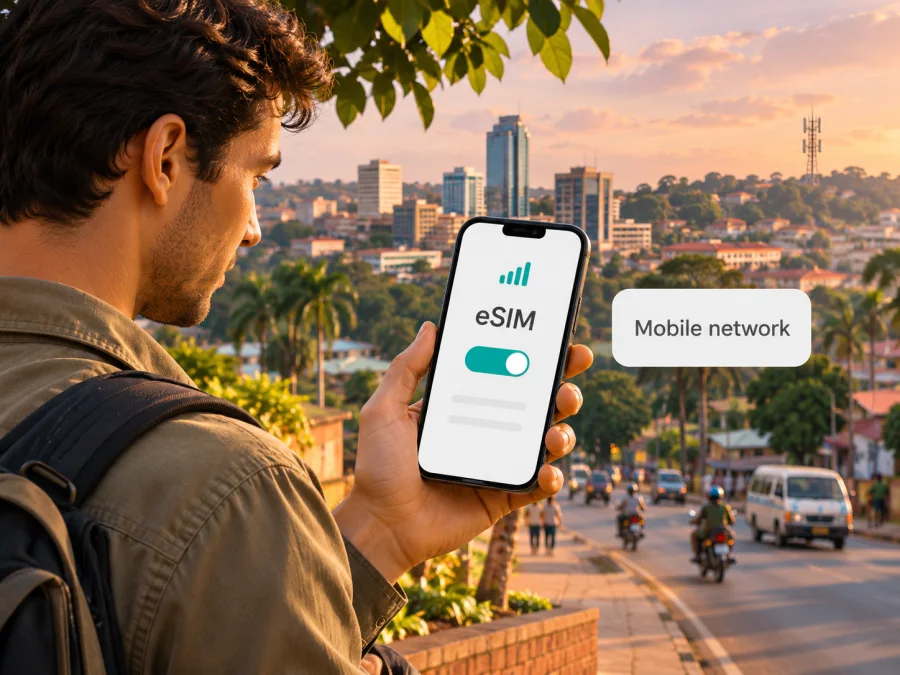
UTel eSIM in Uganda: what travellers should know
If you are travelling to Uganda and searching for a UTel eSIM, verify the exact product with UTel before planning around it. UTel’s official About Us page identifies Uganda Telecommunications Corporation Limited as a government-owned operator trading as UTel (checked 3 November 2026). However, I could not confirm a current official UTel eSIM offer or a tourist eSIM activation process on the date this article was checked, 3 November 2026. This distinction matters: eSIM availability in Uganda does not automatically mean that every local operator offers it.
UTel is Uganda’s government-owned national telecommunications corporation, trading under the name UTel. Its current public profile covers mobile and fixed connectivity, internet and data services, and managed services for individual, business and government customers. The Ministry of ICT and National Guidance described these activities in its UTel update published on 10 July 2026. That provides useful context about the operator’s role, but it does not establish that UTel currently issues eSIM profiles to visitors or existing subscribers.
Apple’s current support list for iPhone eSIM providers in Uganda identifies other providers for eSIM activation methods. It does not list UTel. This is a useful cross-check for iPhone owners, but it is not a complete register for every device, operating system or service type. Nor does it prove that UTel cannot introduce eSIM later. It means that a traveller should not assume UTel eSIM support based on the presence of eSIM services elsewhere in the Ugandan market. Ask UTel directly whether it supports eSIM for your line type, handset and account status, and request its current requirements in writing or through an official support channel.
This article uses UTel and Uganda Telecommunications Corporation Limited only to identify the operator and its publicly described services. Kaspersky eSIM Store is not affiliated with UTel and is not its official partner or distributor.
Does UTel offer eSIM in Uganda?
As of 3 November 2026, I could not verify an official UTel page describing eSIM availability, eligibility, purchase, conversion from a physical SIM, or activation. UTel’s About Us and Live Roaming Partners pages, checked on 3 November 2026, describe its service categories and roaming relationships. Neither provides a verifiable eSIM application procedure or confirms that a visitor can buy a UTel eSIM before arrival.
The careful answer is therefore: UTel eSIM availability has not been confirmed by the current public evidence reviewed for this guide. Do not treat this as a categorical statement that eSIM is unavailable, and do not treat a search result or a third-party travel listing as proof that UTel issues an eSIM. Operator names can be similar, and travel eSIM pages may refer to the local network used by a service rather than an eSIM sold by that network operator. Confirm the provider, product owner and activation method before paying or making a connectivity plan.
When contacting UTel, ask specific questions rather than only asking “Do you have eSIM?” For example:
- Can a new customer obtain a UTel line as an eSIM, or is eSIM available only for an existing number?
- Is the service available to a visitor, or does registration require local residence or another status?
- Can the eSIM be issued before arrival, or must the subscriber visit a UTel service centre in Uganda?
- Which identity document and account details are required for registration?
- Does the phone’s exact regional model variant support the operator’s eSIM profile?
- Is the profile installed with a QR code, an app, a direct carrier transfer or another method?
- Can an already active physical UTel SIM be converted, and what happens to the old SIM after conversion?
- What should a customer do if a QR code fails or the eSIM profile is deleted?
Ask for the current answer for your exact situation. Availability and eligibility can differ between a local subscriber, a returning customer and a traveller arriving from abroad. If the operator cannot confirm eSIM support, ask what physical SIM or roaming options it currently provides instead. Do not remove a working SIM or delete an installed profile while checking.
UTel’s role in Uganda’s telecom market
UTel is the trading name of Uganda Telecommunications Corporation Limited (UTCL), a government-owned national telecommunications operator. The Ministry of ICT and National Guidance’s public update of 10 July 2026 states that UTel provides mobile services, fixed-line connectivity, internet and data services, and managed services. The ministry also reported that the company has service centres and a presence across multiple districts. These facts help place UTel in the country’s communications landscape; they do not by themselves establish the availability or reach of a particular mobile product in a specific town or along a travel route.
For a visitor, the distinction between a company-wide service portfolio and a consumer mobile offer is important. An operator may serve institutions and businesses as well as individual subscribers, and “mobile services” does not specify which SIM formats, plan types or customer groups are currently supported. Similarly, a service-centre presence does not guarantee that every location can issue an eSIM, register a foreign visitor or handle a replacement profile. Confirm the precise service at the intended point of contact before travelling there.
UTel also publishes information about international roaming partners. Its roaming page explains that arrangements can be bilateral or unilateral, with the direction determining whether UTel subscribers can roam abroad, foreign subscribers can roam on UTel in Uganda, or both. This is useful context if you already have a UTel number and intend to travel outside Uganda. It should not be read as evidence that an incoming visitor can use a UTel eSIM in Uganda, or that an international travel eSIM is a UTel retail product. Roaming, a local SIM subscription and a travel data eSIM are different arrangements, even if all rely on mobile networks.
Network coverage and technology: what is and is not confirmed
The current sources establish UTel’s broad service categories and presence, but do not provide a detailed consumer coverage map, a verified list of mobile radio technologies for subscribers, or a location-by-location service guarantee. This guide therefore makes no claim about UTel 4G or 5G availability, speed or signal quality.
A general statement that an operator serves Uganda cannot confirm reception at a particular hotel, road, park, border area or rural location. Terrain, buildings, congestion, device bands and local conditions can affect service. Ask UTel about the places on your itinerary if connectivity is essential. If UTel confirms eSIM support, also ask whether its eSIM service uses the same coverage and technologies as its physical SIM. An eSIM is a digital SIM profile, not a separate network. Save maps, accommodation details and key contacts for offline access, and keep a fallback connection plan.
Local UTel service or travel eSIM?
A local operator connection and an international travel eSIM serve related but different purposes. A local UTel subscription may suit someone who wants a Ugandan mobile account and whose eligibility, registration and required services have been confirmed directly with UTel. A travel eSIM may suit someone who mainly needs mobile data for a defined trip and wants to arrange the profile online before or during travel. The latter is not automatically a local UTel number and should not be assumed to include ordinary calls or SMS.
A travel eSIM also does not prove that UTel is the supplying network. The service provider, the company managing the eSIM product and the local network used in Uganda can be different entities. Check the product’s country coverage, network information, supported device requirements and activation conditions. If you need a local telephone number for voice calls, SMS verification or local services, confirm explicitly that the option you choose includes one. Data-only eSIMs generally require internet-based messaging or calling apps for those tasks.
For a UTel eSIM in particular, first establish whether UTel itself issues the profile. If your priority is a direct relationship with UTel, ask whether the number is issued and supported by UTCL and whether you can manage it through UTel’s customer channels. If your priority is data connectivity for a trip and UTel eSIM support remains unconfirmed, you can review a travel eSIM for Uganda as a separate product category. Kaspersky eSIM Store has a Uganda destination page where you can check the currently displayed travel options and their terms. The page, checked on 3 November 2026, identifies BNESIM Limited as the technology partner and says that services are supplied by local telecommunications providers. It does not describe those options as UTel eSIMs.
You can review eSIM options for Uganda when planning data access for a trip. Check the current destination and terms at the point of purchase: availability, local network arrangements and product conditions can change. This is a travel-data option to assess on its own merits, not a UTel tariff or a confirmation of UTel eSIM support.
What to check before choosing a connection
Use the following checklist before relying on any eSIM or local SIM in Uganda:
- Provider identity: Confirm who issues the SIM profile, who provides customer support and, if stated, which local network carries the service.
- Country and route: Check that Uganda is included and that the offer applies to the places you intend to visit. A country name alone is not a promise of signal at every location.
- Device support: Check the exact device model and regional variant. Manufacturer specifications can differ between variants with similar names.
- Carrier lock: Confirm that the handset is not locked to a different mobile operator and that it can add another eSIM profile.
- Service type: Establish whether the connection is data-only or includes a local number, voice calls and SMS.
- Registration: Ask whether identification, in-person registration or local account details are required. Do not assume the same process applies to all visitors.
- Activation timing: Find out when the profile should be installed and when service begins. Keep internet access available during installation if the provider requires it.
- Profile handling: Ask whether a QR code can be used only once, whether the profile can be reinstalled and what support can do if the device is replaced.
- Data selection: Set the intended eSIM as the mobile-data line only after checking the instructions. Keep your home SIM settings clear to avoid unintended roaming charges.
- Fallback: Decide how you will connect if activation is delayed, coverage is unavailable or the device is incompatible.
These checks are especially useful when the operator’s current eSIM documentation is not publicly available. They let you resolve the important questions before changing your phone setup or relying on a new service during a journey.
Device compatibility and regional variants
A phone that supports eSIM in one market may have a different hardware or software configuration in another. Compatibility can depend on the exact model number, sales region, operating system, carrier lock and whether the device has already reached its limit for stored profiles. Do not rely only on a family name such as a phone series or on a seller’s broad claim that a model is “eSIM capable.” Check the manufacturer’s support page and the device settings, then confirm compatibility with the company issuing the profile.
On an iPhone, the presence of an option to add an eSIM in Cellular or Mobile Data settings is a useful device-side check, but it does not confirm that UTel supports the handset or that a particular UTel account can be converted. Apple’s Uganda carrier list, checked on 3 November 2026, names other providers for iPhone eSIM activation methods and does not name UTel. Because Apple’s list concerns iPhone and may not cover every service path or later change, use it as one check rather than as the only answer for all devices.
On Android, menu labels differ by manufacturer and software version. Look in network or SIM settings for an option to add an eSIM or mobile plan. If no such option appears, the device may lack eSIM support, be carrier-locked or use a regional variant without eSIM functionality. The menu alone is also not enough: the eSIM issuer must support the handset and activation method. If uncertain, provide the full model code—not only the marketing name—to the manufacturer and the provider.
You can check eSIM device compatibility before purchase. If the phone is not compatible, use a confirmed physical SIM option or your existing provider’s roaming service, after checking its current terms. Avoid deleting an installed profile to troubleshoot unless the issuer has confirmed that it can be restored.
Installing a travel eSIM if you choose one
The following is general guidance for a travel eSIM issued by a provider that supports your device. It is not a UTel activation procedure. Follow the issuer’s instructions if they differ, and install the profile only when you have reliable internet access and can keep the activation details available.
- Confirm compatibility. Check the exact device variant, eSIM support and carrier-lock status before purchase.
- Read the activation terms. Identify when installation is allowed, when service begins and whether the QR code or activation code can be reused.
- Keep a connection available. Use Wi-Fi or another working data connection during installation if required.
- Open cellular settings. On iPhone, go to Settings and then Cellular or Mobile Data. On Android, open Settings and then the relevant SIM, mobile network or connections menu.
- Add the profile. Choose the add-eSIM option and use the provider’s QR code or manual details as instructed.
- Label the profile. Give it a clear travel label so you can distinguish it from your home line.
- Choose the data line. Select the travel profile for mobile data only when you are ready to use it.
- Check roaming instructions. Some travel profiles require data roaming to be enabled for that profile. Follow the provider’s directions and keep the primary SIM’s roaming settings in mind.
- Wait for registration. Allow time for the profile to connect. If it does not, check the provider’s troubleshooting steps before deleting or reinstalling it.
For detailed steps, see the iOS installation guide or the Android installation guide from Kaspersky eSIM Store. These describe installation for its own travel eSIM service, not UTel lines. Device menus and available options may differ by model and operating system.
Frequently asked questions
Can I buy a UTel eSIM before travelling to Uganda?
I could not verify an official UTel pre-travel purchase process on 3 November 2026. Ask UTel whether it issues eSIMs to new customers, whether remote registration is possible and what documents are required.
Does eSIM availability in Uganda mean UTel supports it?
No. Support is operator-specific. Apple’s current iPhone carrier list names other providers in Uganda, not UTel. Confirm directly with UTel for your handset and account.
Is a travel eSIM the same as a UTel eSIM?
No. A UTel eSIM, if available, would be a profile for UTel service. A travel eSIM is arranged through a separate provider and may use a local partner network. Check the issuer and terms.
Will an eSIM include a Ugandan phone number?
That depends on the product. Data-only travel eSIMs do not include a conventional number for standard calls and SMS. Ask UTel about its own subscription and check travel eSIM terms before purchase.
A practical decision
UTel is a government-owned Ugandan telecom operator with publicly described mobile, fixed-line, internet and data services. The information reviewed for this guide does not confirm a current UTel eSIM offer, visitor eligibility, tourist onboarding or a specific UTel eSIM activation route. Apple’s up-to-date iPhone carrier information does not list UTel among the providers it identifies for eSIM activation in Uganda. Treat UTel eSIM as unverified until UTCL confirms it directly.
For a trip, start with your actual requirement: a local line and account relationship, data-only connectivity, or continued access to your home number. Then check the issuer, device variant, registration rules, coverage for your route, activation timing and support process. If UTel confirms a suitable option, follow its current instructions. If it does not, assess another verified local SIM or a travel eSIM as a separate product, without presenting it as UTel service.
Kaspersky eSIM Store is an app and website that helps travellers choose, order and activate a travel eSIM for mobile data. It is not a mobile operator, does not own a network and does not supply cellular coverage. Its Uganda destination page can be used to review currently available travel options; the page identifies its technology partner and local telecommunications providers. Check current terms and device compatibility before purchase. Kaspersky eSIM Store is not affiliated with UTel and is not an official UTel partner or distributor.


