Travel connectivity guide
Uummannaq eSIM: Mobile Internet in Greenland
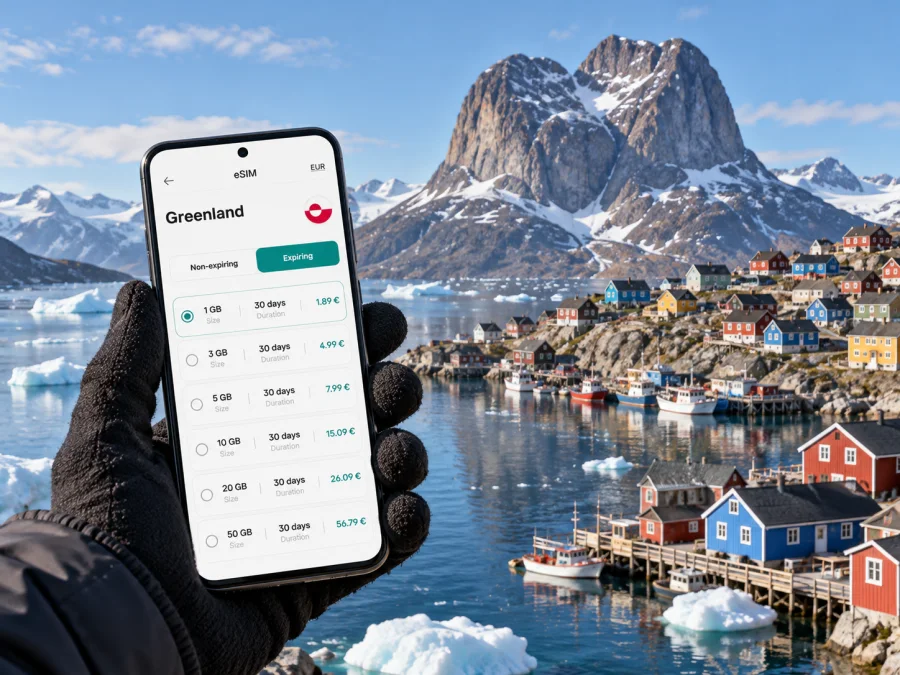
Uummannaq eSIM: mobile connection and internet for an Arctic town
Uummannaq is a small town on an island in north-west Greenland, surrounded by a fjord, steep mountains and moving sea ice. It is a place where a phone can be useful for checking a transfer, saving a map or letting your accommodation know that you have arrived. It is also a remote destination: transport depends on aircraft, helicopters and boats, and mobile coverage should never be treated as continuous beyond settled areas.
Plan mobile internet around your route and the network your eSIM can use in Greenland. An eSIM does not create coverage on a flight, boat trip or remote excursion, so keep offline options for travel between Ilulissat, Qaarsut and Uummannaq.
Uummannaq at a glance
| Travel need | What to plan for |
|---|---|
| Arrival | The nearest international airport is Ilulissat. Uummannaq is reached onward through Qaarsut, by domestic air and helicopter, or by a flight to Qaarsut followed by a boat transfer. |
| Getting around town | The centre is compact and many visitors walk. A taxi and a bus on a set route are also available. |
| Excursions | Boats are commonly used in summer; dog sleds and snowmobiles are winter transport options. Confirm arrangements with your local host or tour provider. |
| Mobile data | Check the eSIM’s destination, network and service terms before travel. Coverage and signal strength can vary by location and conditions. |
| Backup | Save confirmations, maps, addresses and essential contacts for offline access. |
Greenland is a self-governing part of the Kingdom of Denmark, with a distinct local telecom market. For connectivity in Uummannaq, the relevant local network is Tusass’s Greenland network; a plan described for Denmark should not be assumed to include Greenland. Likewise, seeing Greenland in a country list tells you the destination of a plan, not the exact local network, radio technology or signal at every stop. Read the plan terms for the specific eSIM you intend to use.
Why an eSIM can help on this trip
A digital SIM profile can be added to a supported phone without removing its physical SIM. Depending on the device and plan, you may keep your usual number active for calls or messages while selecting a separate eSIM for data. Check dual-SIM settings and plan terms; many travel data plans do not include a local number, ordinary calls or SMS unless explicitly stated.
Kaspersky eSIM Store is an app and website where you can choose, arrange and activate an eSIM with a suitable plan for mobile internet while travelling abroad. The local network used by the plan provides connectivity and coverage. Compare the specific Greenland destination, network and conditions rather than assuming every eSIM uses the same network.
Before leaving for Uummannaq
1. Check the route before choosing how much data to use
The practical arrival route normally includes Ilulissat and Qaarsut. Visit Greenland describes onward travel as at least two domestic flights, via Ilulissat and Qaarsut, or a flight to Qaarsut followed by a boat transfer. There are no direct international flights to Uummannaq, and regularly scheduled boat service is not available. Schedules, connections and transfer arrangements can change, so confirm the current itinerary with the airline and your accommodation.
Keep your e-ticket, booking references and transfer instructions in a format available without mobile data. If plans shift, an online connection can help you contact a provider while you are connected, but it should not be the only place where the details are stored. Take screenshots or save documents locally before departure.
2. Check what the eSIM plan actually covers
Look for the destination name, data allowance, validity period, activation rules and any network information displayed with the plan. If a plan lists more than one destination, verify that Greenland is specifically included. A plan for Denmark, another Nordic destination or a broad region does not automatically mean it covers Greenland. Greenland’s political relationship with Denmark does not determine the commercial roaming scope of a mobile plan.
The local market also has its own visitor option: Tusass advertises Hello Greenland as a prepaid eSIM for travellers, alongside its mobile services in Greenland. That is a Tusass product that uses Tusass’s infrastructure. A travel eSIM selected through Kaspersky eSIM Store is a separate plan with its own terms and network arrangements; do not assume that its operator, included calls or data allowance match Hello Greenland. Compare the options on the details that matter for your itinerary, and rely on the terms shown at purchase.
| Compare | Why it matters in Uummannaq |
|---|---|
| Greenland is named as a covered destination | Denmark-only or regional labels can have different inclusion rules. |
| Local network information | The network used and access terms can differ between plans. |
| Data amount and validity | Travel days may include transfers and waits as well as time in town. |
| Activation instructions | Some profiles are installed before travel and begin service under specific conditions. Follow the plan’s own instructions. |
| Calls and SMS | A data-only eSIM may not provide a phone number or ordinary calls. Keep another way to reach people if needed. |
After comparing the terms, you can review eSIM options for Greenland and choose a plan that fits your route and expected data use. Check the destination and network details on the plan page before you complete your selection.
3. Confirm eSIM support for your exact phone
Device support is not determined by a family name alone. A phone model sold in one country can differ from a similarly named model sold in another market, and some devices are locked to their original carrier. Before purchase, confirm that your exact device variant supports eSIM and is unlocked for another mobile plan. A model appearing in a general compatibility list is not enough to establish support for every regional variant.
You can look for “Add eSIM” or “Add mobile plan” in your phone’s mobile-network settings. An EID in the device information is another useful sign of eSIM capability. These checks do not replace the manufacturer’s specification for your model or a check of carrier restrictions. Check whether your device is compatible before you rely on eSIM for the trip.
If you carry a second phone or tablet, check that device separately. eSIM support on one device does not transfer to another, and an installed profile may not be reusable after it has been removed. Keep your main phone charged and protect access to the QR code or activation details until setup is complete.
What mobile coverage means around town
Tusass is the local network operator in Greenland. Its current public 5G information names ten cities where 5G is available; Uummannaq is not among them. Do not plan on 5G in town on the basis of Greenland-wide or Denmark-related assumptions. A compatible phone will use whatever radio technology and network access are available for the particular plan and location.
Tusass has reported expanding 4G coverage in the Uummannaq fjord under an agreement with the Government of Greenland. That work was described in connection with communications for monitoring and warning systems in locations at risk of landslides and tsunamis. It is a useful sign that connectivity infrastructure exists in parts of the fjord, but it is not a blanket promise of public mobile service across the fjord, on every boat route, or at every excursion site. Coverage maps and real-world reception are also not identical: terrain, weather, distance from infrastructure, congestion and the device itself can affect the signal.
In the centre, use mobile data when it is available for practical tasks such as messaging, checking saved reservations online or looking up a place. Before you leave town, download maps and any information your guide recommends. For boat trips, hikes or winter travel, ask the local provider what communication method is appropriate for the route. A phone with an eSIM is not a substitute for a guide’s safety equipment or local instructions.
In town and beyond
The harbour and central streets are compact and suited to walking; keep accommodation details and meeting points saved in advance. For taxis or the local bus, confirm the destination and pickup directly rather than relying on a live app. Boat trips in summer and dog-sled or snowmobile outings in winter can leave the built-up area, so ask the guide how to communicate and prepare as if your phone may be offline.
Use your phone without depending on a signal
A good setup gives you useful online access when available and an offline fallback. Before travelling, download a map covering Uummannaq and your route; save accommodation details, booking references, transfer notes, tour meeting points and essential contacts where they open without data. Messaging and app calls also need data or Wi-Fi. If people may need to reach you by ordinary call or SMS, check which SIM remains active and whether roaming charges apply.
A practical data checklist
- Turn off automatic app updates, cloud photo uploads and video autoplay over mobile data if you want to conserve the allowance.
- Save itinerary and contact details locally, and keep them readable offline.
- Confirm which SIM handles data, calls and SMS; carry a charging cable and power bank, since cold can reduce battery performance.
- While connected, check for itinerary updates. If service drops, rely on the saved map and agreed instructions rather than repeated network changes in a remote area.
Installing an eSIM: a calm sequence
If the plan instructions allow installation before departure, complete setup somewhere with stable Wi-Fi and enough time to read the prompts. Some plans start their validity when they first connect to a supported network; others may use a different rule. Read the conditions attached to your chosen plan so that you know when its validity begins. Keep the eSIM line switched off until the point directed by those instructions if that is what the plan requires.
- Confirm that your phone supports eSIM, is unlocked and has its latest available software update.
- Connect to Wi-Fi and open the installation details supplied for the plan.
- Add the eSIM by following the prompts on the phone. If a QR code is supplied, display it on another screen or use the method provided for your device.
- Label the new line clearly, for example “Greenland data”, so you can distinguish it from your regular SIM.
- Review the plan’s activation instructions before enabling data roaming or selecting the eSIM for mobile data.
- Keep your regular line settings as intended for calls and SMS, and confirm which line is selected for data.
- Once in Greenland, follow the plan instructions and check that the phone registers on an available supported network before troubleshooting further.
For device-specific steps, see the Android eSIM installation guide or the iPhone eSIM installation guide. Exact menu names vary with the device model and software version, so follow the screen prompts and the plan’s own activation guidance.
Match preparation to your itinerary
For a short stop, save transfer details and choose a data allowance based on modest use. For a longer stay with excursions, ask providers how they share itinerary updates and plan for periods without signal beyond town. On the Ilulissat–Qaarsut–Uummannaq route, save each next-step instruction before leaving a connected location; Qaarsut’s airport is on the Nuussuaq peninsula and the final crossing is by helicopter or boat.
Common questions
Is Greenland the same as Denmark for mobile plans?
No assumption is safe. Greenland is self-governing within the Kingdom of Denmark, but telecom services and plan coverage have their own terms. Confirm that the plan explicitly includes Greenland. A Denmark plan may not include it.
Will a Greenland eSIM connect everywhere around Uummannaq?
No plan should be treated as a guarantee of reception everywhere. The town, fjord, boat routes and remote activity sites are different locations with different conditions. Check plan network information and ask local providers about the specific route.
Does Uummannaq have 5G?
Uummannaq is not listed among the ten cities on Tusass’s current 5G information page. Plan for mobile data only where the local network and your selected plan provide service; do not base a trip on an expectation of 5G.
What if my phone’s model is listed as eSIM compatible?
Check the exact variant and its carrier-lock status. Regional versions of a model can differ, so verify support on your specific device rather than relying only on the product family name. Look for the eSIM option in settings or an EID, then confirm the manufacturer’s specifications.
A simple plan for staying connected
For Uummannaq, prepare for intermittent connectivity rather than treating internet as a constant utility. Confirm that your plan names Greenland, understand which local network it can access, check your exact device variant and save the information you will need offline. In town, mobile data can support everyday coordination when a signal is available; beyond it, local guidance and offline preparation matter more than the phone’s signal indicator.
Choose a Greenland eSIM plan in Kaspersky eSIM Store after comparing its destination, data allowance, validity and activation terms. Install and activate it according to the plan instructions, and keep your maps and travel details available offline for the rest of the journey.


