Travel connectivity guide
Uzhhorod eSIM: Mobile Internet for Your City Trip
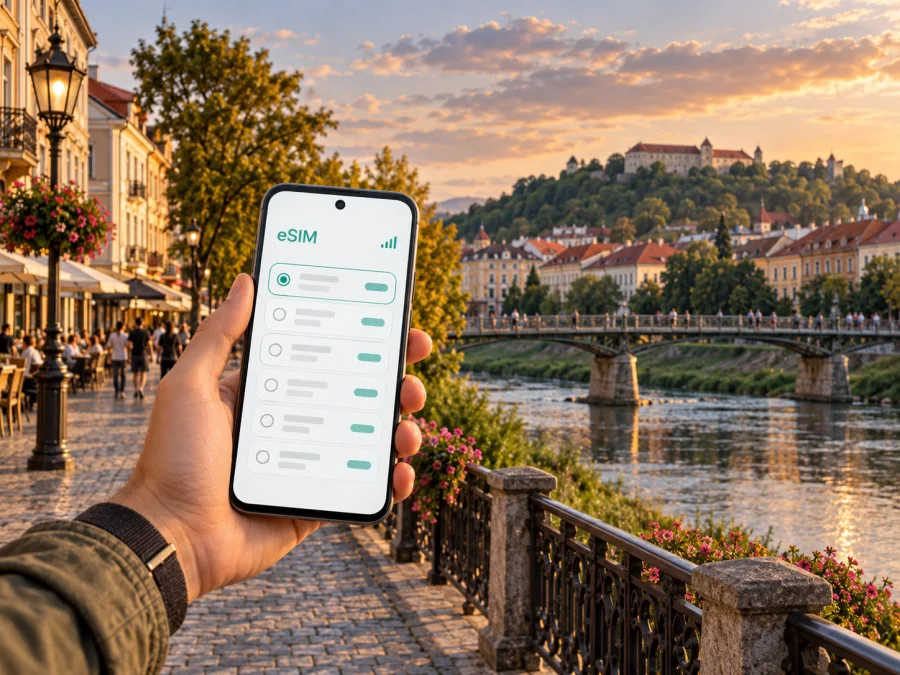
Uzhhorod eSIM for mobile connection and internet on your city trip
Uzhhorod is a compact western Ukrainian city where a day can move from the railway station to a riverside walk, an old-town café and the castle hill without feeling like a long-distance journey. A reliable mobile data plan can make those transitions easier: use a map after arrival, check the location of your accommodation, message a host and keep tickets or meeting details close at hand.
An eSIM is a digital SIM profile installed on a compatible device. For an international trip, it can provide mobile data without replacing the physical SIM already in your phone. It is useful in Uzhhorod when you want to navigate independently, coordinate a late check-in or work between appointments. Coverage, speed and availability depend on the selected tariff, its partner network and local conditions, so review the terms before you travel.
Plan around the way you arrive
Many visitors reach Uzhhorod by train or road, and the station is a practical starting point for the city. Check your current arrival details before departure: timetables, connections and travel conditions can change. If you are arriving by rail, save your accommodation address and the route from the station while you still have a dependable connection. A screenshot of the booking and a pinned map location are useful backups if mobile data is temporarily unavailable.
On arrival, take a moment to confirm which side of the station you are on and where your lodging sits in relation to the centre. The old town, Korzo Street, the Uzh River and the castle area are distinct reference points you can use to orient yourself. If you have luggage, a direct ride or a pre-arranged pickup may be more comfortable than walking unfamiliar streets; check availability and the pickup point rather than assuming a particular service operates at a certain hour.
For a road arrival, save the exact entrance or meeting point, not only the name of the building. Some addresses are easier to identify by nearby streets or landmarks. Send your arrival estimate to your host or colleague before you set off, especially if you expect to arrive outside typical check-in hours.
Arrival checklist
- Save the accommodation address, host contact and check-in instructions offline.
- Keep your rail or road ticket accessible, along with any onward connection details.
- Confirm the local time and your planned arrival window with the person meeting you.
- Decide whether you will walk, use local transport or arrange a ride with luggage.
- Keep a small amount of battery reserve for maps, messages and booking information.
Finding your way around the centre
Uzhhorod rewards a simple orientation strategy. The Uzh River runs through the city; the pedestrian bridge links the riverbanks and is a familiar point on a central walk. Korzo Street is a pedestrian street in the historic centre, with cafés, shops and low-rise historic buildings. From there, you can continue towards Voloshyna Street, the central squares or the uphill approach to Uzhhorod Castle. The riverside promenade and Lypova Alley make a different, slower route when you want a walk rather than a sequence of errands.
These places work well as map anchors. Search for the next landmark, then navigate on foot instead of plotting a long chain of turns through every lane. In an older centre, a destination pin may point to a courtyard, rear entrance or nearby street rather than the door you expect. Check the building number and entrance notes before you leave, and message the accommodation if the map pin looks uncertain.
| If you are going to… | A useful map reference | What to plan for |
|---|---|---|
| A café or meeting on Korzo | Korzo Street and its crossing with Voloshyna Street | Pedestrian movement and a precise meeting point |
| The castle and nearby museums | Uzhhorod Castle on the hill above the centre | An uphill walk and time for the visit |
| A riverside stroll | The Uzh River, pedestrian bridge or Lypova Alley | Which bank you want to follow and where to cross |
| A hotel outside the historic core | The property entrance and nearest main street | The final approach, especially with bags |
Choose accommodation by the shape of your day
Staying near the historic centre makes short walks to Korzo, the river and several central landmarks easier. It can suit a first visit, a short stopover or a schedule built around meetings downtown. A hotel or apartment farther from the centre may offer a quieter base or better suit a longer stay, but check the real door-to-door distance and transport options for your dates rather than relying on a broad neighbourhood label.
Before confirming a booking, look at the entrance on a map, read how check-in works and save instructions that might arrive through a booking app. If the property is in a courtyard or has multiple entrances, ask for a clear pin or a nearby landmark. A working data connection is useful for contacting the host, translating a short message or checking a changed arrival time, but do not make access dependent on receiving a last-minute message: retain the essential instructions offline.
For a business trip, compare the address with your meeting locations and the station. A room close to one appointment may be less convenient for another, so map the full day rather than choosing by a single point. Leave time for the journey between meetings, and confirm the venue entrance in advance. If you expect to join calls, check the accommodation’s own internet arrangements and keep mobile data as a practical backup for messaging, maps and document access when appropriate.
Decide how much mobile data fits the trip
The right eSIM tariff depends more on your routine than on the city name. A short visit built around walking and occasional searches needs a different allowance from a work trip with frequent map use, calls through internet apps and file sharing. Video streaming and large uploads can use data quickly; downloaded entertainment and offline maps can reduce that demand.
Before choosing, compare the allowance, validity period, supported destination and any other conditions shown for the specific tariff. Think through your daily habits: how often you use navigation, whether you rely on messaging, and whether your accommodation has Wi-Fi you intend to use. Do not assume every plan includes voice calls or SMS. Travel eSIMs are commonly designed for mobile data; check the selected tariff details if you need a phone number or conventional calling.
Kaspersky eSIM Store is an app and website where you can choose, arrange and activate an eSIM with a suitable tariff for an international trip. If you want to review the destination options before you go, explore eSIM tariffs for Ukraine and compare the displayed data allowance and validity with your itinerary.
A practical way to estimate usage
- List the tasks you expect to do away from Wi-Fi: maps, messaging, email, ride coordination and work tools.
- Identify heavier use, such as video meetings, streaming or uploading large files.
- Decide what you can prepare offline, including maps, tickets and documents.
- Select a tariff whose stated allowance and validity fit the trip, with room for your normal habits.
- Review the tariff terms again before payment; details can differ between options.
This estimate does not need to be exact. Its purpose is to help you avoid choosing solely by the lowest displayed data volume or by an allowance that assumes a different travel style. You can also check whether the tariff provides a way to monitor remaining data or manage the plan in the app or account.
Set up the eSIM before you need directions
Complete the setup when you have a stable internet connection and enough time to follow the instructions. First, confirm that your phone supports eSIM and is not locked to a carrier. Device support can differ by model and market, so check whether your device is compatible before selecting a tariff.
A typical preparation sequence is:
- Choose the destination and a tariff that fits your dates and expected data use.
- Follow the purchase and installation instructions provided for your eSIM.
- Label the new line clearly, for example “Ukraine data,” so you can distinguish it from your regular SIM.
- Keep your usual number available for calls or messages if you need it, and select the eSIM for mobile data when appropriate.
- Review when the tariff starts and whether any device setting, such as data roaming for that eSIM, is required by its instructions.
The exact screens vary across phone models and operating-system versions. Use the relevant step-by-step guide: eSIM installation instructions for Android or eSIM installation instructions for iOS. Do not delete an installed profile just to troubleshoot unless the instructions or support team tell you to; some eSIM profiles cannot be installed again after removal.
You can install in advance while connected to Wi-Fi and activate or select the data line according to the tariff instructions. Check the start condition in the offer: some plans begin on installation, while others begin under a different condition. If you want the data allowance to cover your stay in Uzhhorod, timing matters. Keep the installation details somewhere accessible until setup is complete.
Moving between neighbourhoods and onward destinations
For the central sights, walking is often the clearest way to understand the layout. A route from Korzo towards the river and pedestrian bridge can be combined with a visit to the castle area; allow for the uphill section and the time you want to spend at each stop. If the weather, luggage or schedule makes walking less practical, check the current local transport options and their routes for your exact destination. Avoid relying on an assumed frequency or late-night service without checking on the day.
Uzhhorod is also a base for trips elsewhere in Zakarpattia, but an excursion changes the connectivity plan. A route outside the city may involve longer stretches between stops and less predictable access to Wi-Fi. Check whether the selected tariff is valid across the intended destination, keep your return details available offline and download the map area before leaving. For cross-border travel, verify that the tariff explicitly covers every country on the route; a Ukraine plan should not be assumed to work in a neighbouring country.
When you have a short stopover, avoid packing the itinerary too tightly. Choose one central walk or one main visit, save the route back to your departure point and leave a buffer for transport changes. Make sure your tickets, address and meeting time remain available even if you pause data use to conserve battery.
Three useful trip patterns
First visit, one full day: Leave bags at your accommodation if possible, walk through the historic centre, use Korzo and the river as route anchors, then set aside time for the castle hill. Use live maps for the connections between these areas and keep the return route saved.
Business visit with two or more appointments: Pin every venue and the hotel before the day begins. Confirm exact entrances with hosts, keep calendar details available offline and use mobile data for changes between meetings. Leave a realistic transfer buffer instead of planning consecutive arrival times.
Stopover before travelling onward: Keep the plan close to the station or your confirmed pickup route. Store the onward ticket and departure details offline, check the latest schedule before setting out, and choose a short walk that leaves enough time to return.
Questions travellers ask
Is an eSIM useful for a short visit to Uzhhorod?
It can be useful if you expect to navigate, coordinate check-in, message colleagues or check onward travel while away from Wi-Fi. For a very short visit, estimate those tasks first and compare them with the tariff’s allowance and validity.
Does a travel eSIM include a local phone number?
Not necessarily. Many travel eSIM tariffs are data-focused and do not include a conventional phone number, voice calls or SMS. Read the selected tariff conditions; internet-based messaging and calling apps may work over mobile data.
Should I install the eSIM after reaching the city?
You can often install it earlier over a stable connection, then follow the tariff’s activation instructions for the right time. Read the start condition carefully so you understand when validity begins and how to select the eSIM for data.
Will my Ukraine tariff also cover a trip across the border?
Do not assume so. Check the list of destinations shown in the tariff details and confirm coverage for every country on your route before travelling.
A calm connection plan for Uzhhorod
For a smoother visit, save the essentials before you arrive: your accommodation details, station or pickup point, key landmarks and onward ticket. Use maps to move between the historic centre, the Uzh River and the castle area, and allow extra time when you have luggage or a fixed meeting. Choose mobile data according to the tasks you expect to do, and check the tariff, device compatibility and activation conditions before departure.
When you are ready to prepare, choose an eSIM tariff for your trip to Ukraine through Kaspersky eSIM Store. Review the allowance and validity, install the eSIM using the instructions for your device, and keep your arrival information available offline as a backup.


