Travel connectivity guide
Uzice eSIM: Mobile Internet for Your Trip
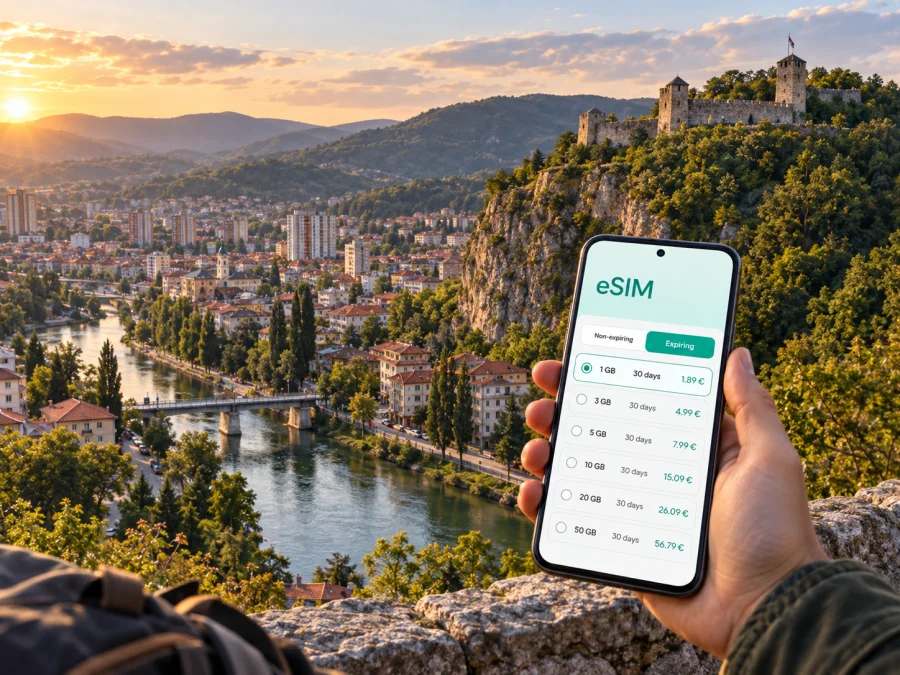
Uzice eSIM: mobile connection and internet for your trip
Uzice is a compact western Serbian city in the valley of the Đetinja River. It can be a destination, an overnight stop, or a base for Zlatibor, Tara, Mokra Gora, and other western-Serbia routes. Mobile internet is useful from arrival: check a departure, find a hillside hotel, message a host, open a map, or confirm a meeting in the centre.
An eSIM, or digital SIM, lets you prepare a mobile data profile without removing your everyday physical SIM. Kaspersky eSIM Store is an app and website where you can choose, arrange, and activate an eSIM with a suitable plan for mobile internet abroad. The aim is to arrive with a clear data plan and visible tariff conditions.
Short answer: for a trip to Uzice, choose a Serbia eSIM tariff whose validity covers your dates and whose data allowance matches your maps, messages, browsing, work, and media use. Check your device and the tariff conditions before installation, then keep your regular SIM available for calls or SMS if you still need it.
Why mobile internet matters in Uzice
Uzice is easier to navigate once you know the main reference points, but the hills make a working map useful. Partisans’ Square is a practical orientation point; from the centre, routes lead toward the Đetinja, the old town, residential slopes, the station, and roads out of the valley. A hotel that looks close may still require an uphill walk or a short ride.
The first practical uses of data are usually not spectacular. They are the small actions that prevent a difficult arrival:
- opening check-in instructions and your accommodation address;
- comparing a walking route with local transport;
- checking a departure before going to the station;
- translating a message, finding a nearby service, or sharing your location.
The city is also a base for trips beyond the centre. Stari Grad involves a climb, while mountain excursions leave familiar landmarks behind. If you rely on a ticket, navigation app, booking message, or meeting point, have mobile data before setting out rather than waiting for Wi‑Fi.
Your first hours after arriving
From the station to your accommodation
If you reach Uzice by intercity bus or train, orient yourself before leaving the transport area. Open the saved address, check the entrance, and look at the route profile. In a sloping city, the shortest route is not always the easiest with luggage.
For a late arrival, message the host before leaving the station. Keep the address in text as well as on the map in case a pin is placed at the wrong side of a building.
Choosing between walking, a local ride, and a regional bus
The centre is suitable for walking when your accommodation is nearby. For luggage, rain, or a hotel outside the core, a local ride may be more practical. Public-transport routes and timetables can change, so check current information; confirm intercity departures at the bus station.
Use the following arrival routine:
- Save your accommodation address and a second contact method before leaving the station.
- Check whether the destination is uphill, across the river, or outside the central area.
- Compare the walking route with the available local transport option.
- Keep enough battery for navigation and messages, then save the next day’s route.
Keeping your regular number available
An eSIM for mobile data can work alongside your usual SIM on a compatible dual-SIM device. Select the travel eSIM for data while keeping the regular line available according to your device and home-operator settings.
Remember that a travel eSIM is primarily a mobile-internet solution. It does not automatically include a phone number, calls, or SMS unless the tariff says so. Messenger calls and messages can use data.
How to choose an eSIM tariff for a trip to Uzice
The right plan depends on what you will do. A short city stop uses less data than remote work, live navigation, photo uploads, and mountain excursions. Choose for the whole route, not only the nights booked in Uzice.
| Travel pattern | Typical data tasks | What to compare before choosing |
|---|---|---|
| One-day or overnight stop | Messages, maps, reservations | Short validity and a modest allowance may be enough |
| City break of several days | Navigation, searches, photos, transport checks | Validity for the full stay and a comfortable margin |
| Work or study visit | Calls, documents, email, hotspot if supported | Higher allowance and clear tethering conditions |
| Uzice plus regional trips | Maps, booking messages, route updates | Serbia validity for the complete itinerary |
Before you pay, compare the valid country or region, data allowance, validity period, and the conditions that determine when use begins. Installation before departure and activation after landing can be sensible, but do not assume they are the same event.
To prepare, choose an eSIM tariff for a trip to Serbia and compare its conditions before departure. The data amount and period should reflect your itinerary.
Reading Uzice through its neighbourhoods and landmarks
The central area and Partisans’ Square
Partisans’ Square is a useful starting point for a walk or meeting. Pin your hotel and share an exact entrance or nearby landmark rather than only a venue name.
The Đetinja river corridor
The Đetinja river corridor offers a calmer route than the main roads. Keep a map available when connecting the river path with the centre or an uphill destination; the valley and slopes make routes less direct than they appear.
Stari Grad and the higher viewpoints
The medieval Stari Grad fortress stands on a steep rocky ridge above the Đetinja. Plan for uneven ground and a climb, keep your phone charged, and check current visitor information before setting off. A short map distance is not a promise of an easy walk.
Hotels and apartments on the slopes
Accommodation can be near a main street or up a quieter hill. Ask for a precise pin and check-in instructions; save any self-check-in code offline. For a longer stay, check the route before a meeting, dinner, or early departure.
Keep three pins ready: where you sleep, where you arrive, and where you meet or start an excursion. Your eSIM supports the practical side of the visit; it does not replace checking accommodation, tickets, or excursion conditions.
Day trips that begin in Uzice
Uzice is useful for travellers combining a city stay with western-Serbia routes. Outside the centre, navigation, messages to a driver or host, and timed-visit information become more important.
Kadinjača
The Kadinjača Memorial Complex is associated with the region’s wartime history. Treat it as a planned excursion: check the route, allow time to return, and agree on a meeting point before leaving the centre.
Potpećka Cave
Potpećka Cave is in the village of Potpeć, about 14 kilometres from Uzice according to the city tourism organisation. Access is seasonal, so check current information, save the route, and plan transport back to the city.
Zlatibor, Tara, and Mokra Gora
Zlatibor and Tara are common additions, while Mokra Gora connects with the Šargan Eight heritage railway and Drvengrad area. These routes may involve different roads, weather, and less frequent transport. If Uzice is your base, choose a tariff covering the full Serbia segment and check its stated conditions.
For a multi-stop trip, prepare a small digital travel pack before leaving your accommodation:
- the next accommodation address and saved route;
- transport departure and meeting details;
- essential contacts and your tariff’s remaining data;
- a charging cable or power bank.
If Uzice is only one part of the trip, make the eSIM decision for the surrounding route too.
Mobile internet for work, study, and short business trips
Uzice can be a stop between meetings or a base for a local project. Data may be needed for documents, calls, deliveries, uploads, and account checks, so estimate these tasks before choosing a plan.
For a work trip, separate essential and optional use:
Essential: maps, email, messaging, calendar updates, authentication, and transport information.
Optional but data-heavy: video meetings, automatic photo backup, large file transfers, music, and video streaming.
For a video call, choose a suitable place and keep a backup plan. An eSIM tariff does not guarantee a particular indoor signal. If you need hotspot mode for a laptop, confirm that the plan and device support tethering.
Use data-saving settings when appropriate: pause media backups, download documents over a trusted connection, save maps for offline use, and limit background updates.
How to install and activate an eSIM
Installation requires a compatible, unlocked device and an internet connection for the setup stage. Keep the QR code or profile details accessible, and avoid deleting your existing SIM line until you have confirmed which line you want for mobile data.
- Check the device. Confirm that your phone supports eSIM and is not restricted by an operator. You can check your device compatibility before choosing a tariff.
- Choose the destination and tariff. Select Serbia or the applicable region, then compare data, duration, and the conditions for activation.
- Complete the purchase. Keep the confirmation and QR code in the profile or message where you can reach them during setup.
- Add the eSIM. In your phone’s mobile-network settings, choose the option to add a mobile plan and follow the on-screen instructions.
- Select the data line. Choose the travel eSIM for mobile data when you want to use it. Keep calls and messages on the regular line if that matches your needs and home-operator settings.
- Check the connection. If required by the device or tariff, enable data roaming for the eSIM. Connection can take a few minutes and depends on the device and local network conditions.
For device-specific steps, use the Android installation instructions or the iOS installation instructions. Install at home if you prefer to troubleshoot with a stable connection, or install after arrival if the plan’s conditions and your setup allow it. In either case, read when validity begins and when data starts being consumed.
Three practical Uzice travel scenarios
A one-night stop
You arrive, find your accommodation, walk through the centre, and leave the next day. A smaller allowance may be reasonable for maps, messages, and searches. Save the address and departure details before your evening walk.
A base for western Serbia
You stay several nights and make day trips. Here, validity is as important as volume: cover the whole route, keep reservations and the return plan together, and check conditions outside the centre.
A business visit with a free afternoon
You need email, calendars, messages, and a meeting address, then want to see Stari Grad or the river. Separate work use from leisure media, keep your phone charged, and confirm whether hotspot use is allowed.
What to check before you leave
Use this checklist before departure, then repeat the final data-line check on arrival:
- [ ] The phone supports eSIM and is not operator-locked.
- [ ] The selected plan is for Serbia or the correct region for the complete itinerary.
- [ ] The validity period covers arrival, the Uzice stay, and any onward trip.
- [ ] You understand whether installation, activation, and data use begin at different moments.
- [ ] The QR code or eSIM profile is available in your account or message.
- [ ] Your regular SIM is labelled clearly.
- [ ] Data roaming is enabled for the travel eSIM if the device or tariff requires it.
- [ ] Maps, accommodation details, and transport information are saved.
- [ ] You know that calls and SMS depend on your regular line or tariff conditions.
After arriving, check the selected data line and give the connection a few minutes. If it does not work, review the tariff, signal, roaming-data setting, and device selection. Do not delete the profile while troubleshooting unless support advises it.
Frequently asked questions
Will a Serbia eSIM work in Uzice?
It can when the tariff is valid for Serbia and the device is compatible, but conditions depend on the plan and local availability. Read the destination details if Uzice is one stop in a wider route.
Can I keep my normal SIM active?
Usually, a compatible dual-SIM phone can keep the regular line available while the eSIM handles data. Check device settings and home-operator conditions, and label the lines clearly.
Does the travel eSIM give me a Serbian phone number?
Not automatically. These tariffs are intended for mobile internet; ordinary calls or SMS are not included unless the tariff says so. Messaging and calling apps can use data.
What should I do if mobile data does not start?
Check that the eSIM is on, selected for data, and allowed to use roaming when required. Confirm airplane mode is off, wait, and review the tariff. If needed, contact support with the device model and steps tried.
Prepare for Uzice with a clear connection plan
Uzice suits a flexible itinerary, from a central walk to Stari Grad or a wider western-Serbia route. Prepare by checking your device, choosing a Serbia tariff for the complete route, understanding when validity starts, and saving key details.
When ready, choose an eSIM tariff for your Uzice trip through Kaspersky eSIM Store. The app and website help you select, arrange, and activate an eSIM for mobile internet abroad; confirm the plan and device settings before travel.


