Travel connectivity guide
Uzmobile eSIM in Uzbekistan: connection guide
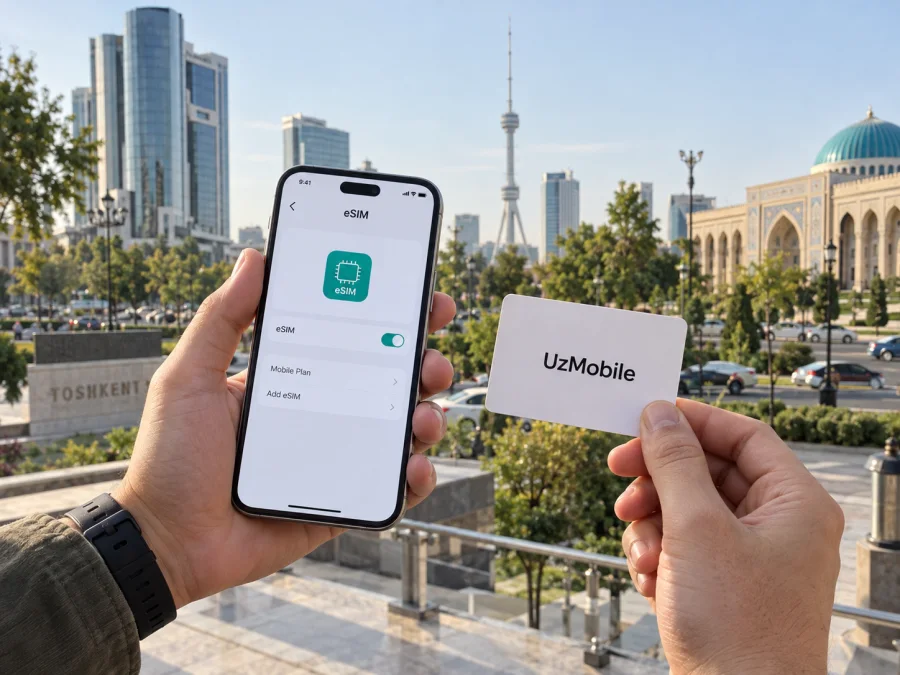
Uzmobile eSIM in Uzbekistan: how to connect before your trip
If you are travelling to Uzbekistan and want a local mobile connection, Uzmobile is one option to investigate. The operator is part of Uzbektelecom, and its eSIM service is documented on the company’s official website. The published process is especially relevant before arrival: new customers are asked to visit a sales and service office with an eSIM-compatible device and an identity document, while existing customers can ask an office to replace a physical SIM with an eSIM. That means an eSIM should not be treated as an automatically remote or passport-free activation for every visitor.
What Uzmobile is and where it fits
Uzmobile is the mobile-service brand associated with Uzbektelecom. The company’s official English-language pages describe Uzmobile as a branch and distinguish GSM mobile services from its CDMA-based service history. Its current eSIM instructions are presented for GSM service, so information about an older network technology should not be taken as confirmation that every SIM or handset can be converted.
For a visitor, the practical question is whether a connection can be registered, activated, and used with the phone they bring. A local mobile service may be useful when you need an operator-issued number or want domestic service, subject to the selected service and current terms. A travel eSIM is generally considered when the immediate need is mobile data while moving between the airport, accommodation, cities, and sights. These options serve different needs; decide whether calls, texts, and a local number matter before choosing.
Is Uzmobile eSIM available in Uzbekistan?
Yes. The official UZTELECOM eSIM page, checked on 26 September 2026, confirms an eSIM service for individuals and legal entities with a device that supports eSIM. The same page says that a new subscriber should visit a UZTELECOM sales and service office with an eSIM-capable device and an identity document to conclude a GSM mobile-service agreement. Existing subscribers can request replacement of their current physical SIM at a sales and service office; the current SIM stops working once the replacement is made.
Uzmobile is described as Uzbektelecom’s mobile branch, so this process is relevant to travellers seeking an Uzmobile connection. The instructions are framed under UZTELECOM GSM service; confirm that the eSIM profile and service you need are available for your circumstances. Since the published route requires an office visit, do not assume that eSIM can be activated entirely online.
The published page says an identity document is required but does not present a complete traveler-specific checklist in the eSIM instructions. Before visiting, ask which original document a foreign visitor must present, whether the name and document details must match the travel document exactly, whether local registration or other information is needed, and whether an office can serve you in the language you prefer. These are practical checks, not a guarantee of eligibility. Requirements may depend on current rules and the subscriber’s status.
The operator’s public pages also describe ordinary mobile services and a section for tourist offers. Prepaid or visitor-oriented services may be useful for someone staying in the country, but their current availability, eligibility, registration steps, and service scope should be checked directly. This guide intentionally does not list or compare any operator plans or their conditions.
What the official eSIM process means for a traveller
Downloading a profile and obtaining a local subscription are separate steps. An eSIM is a digital SIM profile, but it does not remove customer-identification or contract requirements. UZTELECOM’s published instructions place the new GSM connection and physical-SIM replacement at a sales and service office. A visitor should confirm before arrival whether their document and subscriber status are accepted and whether the chosen office can complete the requested service.
A practical sequence is to check the exact phone model and carrier lock, contact Uzmobile about visitor eligibility and the required original document, confirm the office and its hours, and bring the compatible handset. At activation, ask how the profile is delivered, whether the service includes the calls or messages you need, and where to get support if registration fails. Do not erase a working profile or assume a QR code can be reused. The current physical SIM stops working when it is replaced, so plan for verification texts and account recovery in advance.
Questions to settle before you travel
| Topic | What to confirm with Uzmobile |
|---|---|
| Eligibility | Whether a foreign visitor can register and which identity document is accepted |
| Activation | Which office handles a new connection or SIM replacement and how the profile is delivered |
| Device | Whether the exact handset model and regional version are supported and unlocked |
| Service and support | Whether voice and messaging are available and how to get help after leaving the office |
These are questions, not additional services promised by the operator. The public instructions establish the broad process but do not answer every detail for international visitors or each office.
Device compatibility and preparation
An eSIM-compatible label does not prove that a particular handset will work. Models differ by market, and some phones are locked to their original carrier. Confirm the exact model and regional version using the manufacturer’s information and with Uzmobile. Update the operating system if needed, charge the phone, and make sure you can open its cellular settings during activation.
If you use your current SIM for banking codes or account recovery, plan for the change before a replacement. The operator says the physical SIM stops working after conversion. Keep alternative access to essential accounts and do not discard the old SIM until the operator confirms the eSIM is active.
If another eSIM is already installed, label each line and review which one is selected for mobile data. Menus vary by phone. For general preparation with a travel eSIM, see the device compatibility guide; it does not replace Uzmobile’s own confirmation. Use a dependable internet connection if the installation method requires online retrieval, keep any QR code private, and contact the operator before deleting a profile that fails to connect.
Network technologies and coverage in Uzbekistan
Uzmobile’s service information describes GSM mobile service and names 2G, 3G, and 4G in technical explanations and service conditions. Uzbektelecom’s company information also lists UMTS, LTE, and 5G among mobile standards used by the company. Its published infrastructure updates describe ongoing network modernization. These statements indicate the technologies associated with the company, but they do not guarantee availability at a particular address or on every handset.
Reception varies with location, terrain, building materials, device bands, and network conditions. Check current coverage information along your route, especially for remote roads, mountain areas, and smaller settlements. Save maps, tickets, and accommodation details for offline use. A phone’s support for LTE or 5G abroad does not prove that it supports the same bands or features on a local network. Ask Uzmobile which technologies apply to your connection and intended locations.
Rather than relying on broad quality claims, identify the places where you need service: accommodation, transport hubs, work locations, and day trips. Verify voice calls and SMS separately if you rely on them; access to mobile data alone does not establish that every calling feature is enabled.
Local mobile service and a travel eSIM
A local Uzmobile connection may suit a visitor who needs a local number or expects to stay long enough to complete registration in person. The published eSIM process makes office access, accepted documents, and arrival timing relevant. A travel eSIM can fit a different need: arranging mobile data before departure or keeping a separate data line alongside a home SIM.
Kaspersky eSIM Store is an app and website that helps travellers choose, arrange, and activate an eSIM with a plan for a trip abroad. It is not a mobile operator, network owner, or provider of the radio connection. Consider it as an option for travel data, and review the Uzbekistan offer and its current conditions before choosing. A travel data eSIM may not provide a local number, ordinary voice calls, or SMS. If you need these, confirm them in advance and retain an appropriate voice line. Internet messaging and calls depend on data access and the services used by both parties.
For the destination option, see eSIM for Uzbekistan. This is a starting point for reviewing current travel-eSIM information and is separate from Uzmobile’s local subscriber service. Check compatibility, data-line settings, and any tethering conditions shown for the eSIM you select.
Some phones can keep a home SIM and travel eSIM available together, but supported combinations vary. Label each line, select the intended data line, and disable data roaming on your home SIM if you do not plan to use it. Follow the travel eSIM’s instructions for any roaming setting needed on that profile.
Practical checklist for arrival
Before departure:
- Confirm that the exact phone model supports eSIM, is unlocked, and is compatible with the intended service.
- Decide whether you need a local number, data only, or both.
- Ask Uzmobile which document and registration steps apply to a foreign visitor and whether an office visit is required.
- Install a travel eSIM only through its own instructions and while you have dependable internet access.
- Save important addresses, travel details, and support information for offline access.
After arrival, complete any local registration through the operator’s stated channels, select the correct SIM for mobile data, and test service before relying on it. If the connection does not work, check the selected line and device settings, then contact the provider. An eSIM can be installed without being ready for use if registration or network activation is incomplete.
Frequently asked questions
Can I order Uzmobile eSIM online before arriving?
The official UZTELECOM eSIM instructions checked on 26 September 2026 describe an in-person visit for a new GSM connection and for replacing a physical SIM with an eSIM. Ask the operator whether another current process is available for your case; do not assume online ordering is supported for a foreign visitor.
What documents should a tourist bring?
The eSIM page says an identity document is needed but does not list every document accepted from international visitors. Confirm the current requirement directly with Uzmobile or UZTELECOM before visiting, and ask whether the original passport or another identity document is required.
Can I keep using my plastic SIM after switching?
The official instructions say the existing standard SIM stops working when it is replaced by an eSIM. Plan for the change and ask how the operator handles account access, verification messages, and recovery if installation needs support.
Does an eSIM work on any phone?
No. Your phone needs eSIM support and may need to be unlocked and compatible with the relevant network. Verify the exact model and regional version with the device maker and Uzmobile. A device that supports eSIM generally is not proof that every operator profile will install or connect.
Does Uzmobile have coverage everywhere in Uzbekistan?
No operator’s general service description can guarantee reception in every building or location. Check current coverage information along your route, especially outside major settlements, and prepare offline resources for places where mobile service may be limited.
Is the travel eSIM the same as an Uzmobile local number?
No. A travel eSIM arranged for data may not include a local telephone number, voice calls, or SMS. If those functions matter, confirm them before purchase and keep a separate voice service if needed.
Final points
Uzmobile eSIM is confirmed by the official UZTELECOM eSIM service page for GSM customers with compatible devices. The published route for new connections and physical-SIM replacement involves visiting a sales and service office with an identity document. For travellers, the key unanswered details are visitor eligibility, accepted documentation, the precise service available, and support at the office you plan to use. Confirm those items before relying on a local eSIM immediately after arrival.
For a data-focused travel setup, Kaspersky eSIM Store’s app and website can help you choose, arrange, and activate an eSIM for a trip. Check compatibility and the current Uzbekistan conditions, and keep expectations clear about local numbers, voice and SMS. This article is independent editorial information; it is not affiliated with, endorsed by, or an official publication of Uzmobile or Uzbektelecom. Official service instructions and coverage details can change, so confirm current information with the operator before travelling.
Sources checked on 26 September 2026: UZTELECOM official “eSIM” service page; UZTELECOM GSM “Daily non stop” service page; UZTELECOM official “Questions and answers” and “Company Information” pages; UZTELECOM official tourist-offer page; UZTELECOM official mobile-network modernization update published 18 June 2026; Kaspersky’s official article “How to buy and connect a travel eSIM with Kaspersky eSIM Store.”


