Travel connectivity guide
Vaduz eSIM: Mobile Internet for Your Trip
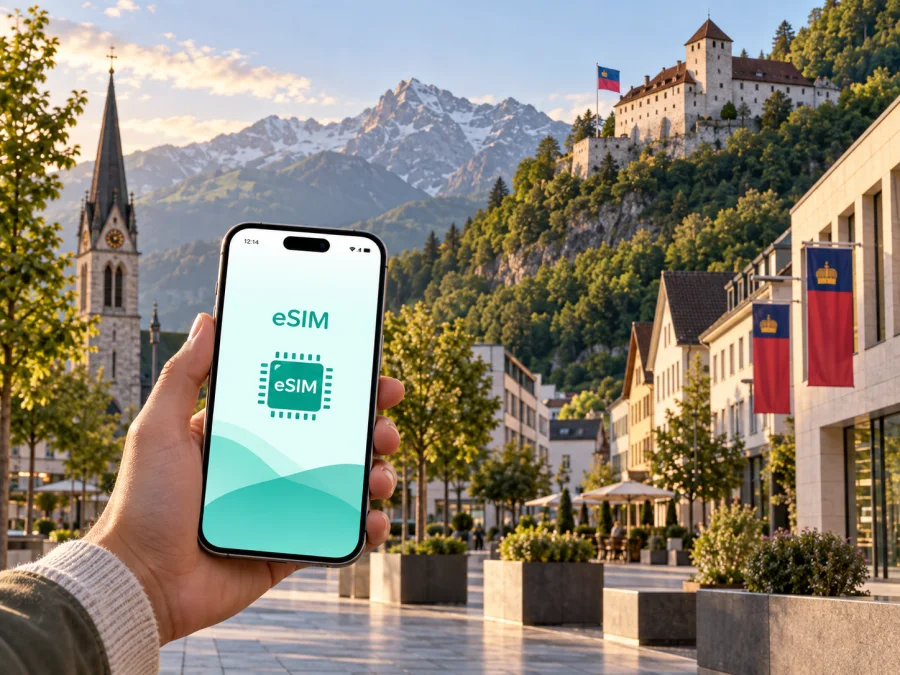
Vaduz eSIM: Mobile Connection and Internet for Your Trip
Vaduz is a compact capital with a very practical travel rhythm: you may arrive through a neighbouring country, walk between museums and the Städtle, take a bus to a hotel outside the centre, and still want the same mobile internet for maps, tickets, messages and work. An eSIM can make that first day easier because it adds a digital SIM profile without asking you to remove your home SIM card.
For a trip to Vaduz, think about the whole route rather than only the amount of data. Directions, hotel messages, maps on the climb towards the castle, departure information and a short work session can all matter. A suitable eSIM tariff for Liechtenstein can cover those mobile-data needs when its conditions match your route and device.
Why mobile internet matters in Vaduz
Vaduz is easy to underestimate on a map. The historic centre is walkable, but a visit often combines several settings: the pedestrian Städtle, the museums around the centre, the cathedral, the slope below Vaduz Castle, the Rhine-side recreation areas and accommodation in nearby municipalities. Your phone is useful in each of them, but not always for the same task.
At the beginning of a visit, mobile data helps you:
- confirm the meeting point for a transfer or hotel check-in;
- follow a walking route instead of repeatedly looking for public Wi‑Fi;
- check bus connections when you change plans;
- translate a short message or read a digital reservation;
- join a video call or answer work messages during a business trip.
The main benefit of preparing an eSIM is continuity. Your physical SIM can remain in the phone for calls and messages, while the eSIM is selected for mobile data. The exact behaviour depends on your device, home operator and the conditions of the chosen tariff, so check those details before travelling.
Arriving in Vaduz: prepare the first hour
Vaduz does not have a commercial passenger airport. Visitors usually reach the capital through connections in Switzerland or Austria and then continue by road or regional public transport. The first connection can therefore cross a border or involve more than one transport operator.
Before leaving home, save the address of your accommodation in your phone and keep a copy of the booking details available offline. Then prepare the mobile-data profile while you have a reliable internet connection. If you plan to install after arrival, keep the QR code or activation details accessible on a second screen or another device; scanning a code displayed on the same phone is not always convenient.
When you reach the Vaduz area, a connected phone can help you coordinate the last part of the journey. Use it to:
- check the exact stop or meeting point rather than relying on the broad name “Vaduz”;
- compare the next bus or taxi option with the location of your accommodation;
- message the hotel if the arrival time changes.
The compact size of Vaduz does not remove the need for orientation. The centre lies at the foot of the mountains, while the castle and some viewpoints are reached on an incline. A charged phone is useful when a walk changes direction.
Getting around the city
The best way to explore central Vaduz is often a combination of walking and buses. The Städtle and the museum area reward a slow route, while buses are practical when you are staying farther from the centre, carrying luggage, or continuing to Schaan, Triesen or another point in the Rhine Valley. Use current departure information on the day of travel because timetables, stops and event arrangements can change.
Mobile internet is particularly helpful at transfer moments: maps, journey planners and messages all work while you are moving.
| Travel situation in Vaduz | What your phone may need to do | Useful preparation |
|---|---|---|
| Arrival with luggage | Locate the hotel or stop | Save the address and install the eSIM in advance |
| Museum and Städtle walk | Open maps and reservations | Keep confirmations available offline |
| Business meeting | Navigate and stay reachable | Use the intended data line |
| Route beyond Vaduz | Check connections and communicate | Confirm the tariff’s service area |
A connected walk through Vaduz
The museums are close enough to combine in one central outing, but the experience is different from a single indoor attraction. The Kunstmuseum Liechtenstein and the Liechtenstein National Museum are useful anchors for a cultural morning; the Postal Museum and other nearby places can be added according to opening hours and personal interests. Check the current details before setting out instead of relying on an old screenshot.
Vaduz Castle is the city’s most recognisable landmark, standing above the centre on a wooded slope. The approach gives a different perspective on the town and the Rhine Valley, but it is not the same as visiting a standard public palace interior. Treat the route as a walk and viewpoint opportunity, and confirm access conditions locally. When the path is steep or the weather changes, live navigation and a message to your group can be more useful than a long list of attractions.
Four practical route patterns
- Short cultural visit: start in the Städtle, combine one or two museums with a meal, and leave time for the return connection.
- Castle-view walk: begin in the centre, check the incline and weather, and use battery-saving settings if the route continues into the afternoon.
- Business morning: confirm the venue from the hotel and keep data available for messages or a call through an internet messenger. An eSIM does not automatically include an ordinary phone number, voice calls or SMS.
- Rhine Valley extension: if the route includes other towns, check whether the tariff covers only Liechtenstein or a wider region.
Choose an eSIM tariff for the way you will use Vaduz
The right choice depends on trip length, data habits and route, not on the city name alone. A short stopover may need navigation, messages and a few reservations. A week with frequent photo uploads, work calls or hotspot use will require a different allowance. Compare the tariff’s destination, data volume, validity period, price and activation conditions before completing the purchase.
At this stage, you can choose an eSIM tariff for a trip to Vaduz and review the options for Liechtenstein. Kaspersky eSIM Store is an app and website that helps you select, arrange and activate an eSIM with a suitable tariff for mobile internet during an international trip. The tariff itself is subject to its stated conditions, including the supported destination and validity.
Use this simple matching guide:
- Light use: maps, short messages, occasional booking checks and low-volume browsing. Keep large photo backups and video updates for Wi‑Fi when practical.
- Regular travel use: daily navigation, social messages, tickets, translation and moderate photo sharing. Choose enough data for the whole validity period rather than estimating only the arrival day.
- Work or hotspot use: video meetings, cloud files, remote desktop or tethering. Check whether hotspot use is supported and leave a reserve for unexpected route changes.
- Multi-country route: a visit that continues through Switzerland, Austria or another destination. Confirm the service area before purchase; a Liechtenstein tariff may not cover every neighbouring country.
Do not select a package solely by the largest data number. Check the validity period and adjust background-data settings if your phone automatically synchronises photos or applications.
Check compatibility before you buy
Your phone must support eSIM and should not be locked by your home operator. Some models differ by region or sales market, so the model name alone is not always enough. Before purchasing, check your device compatibility and confirm that you can add a mobile plan in the phone’s settings.
Also check these practical conditions:
- the operating system is updated enough for the manufacturer’s current eSIM flow;
- you have a stable internet connection during installation;
- you understand when the selected tariff begins and how its validity is counted;
- you know whether data roaming must be enabled for the travel eSIM;
- you can reach the account or QR code when needed.
If you keep your home SIM active, set the eSIM as the line for mobile data and consider disabling data switching between lines. Menu names vary between Android and iOS, so follow your device’s instructions.
Install the eSIM before departure or in Vaduz
Installing before departure is convenient when you want the profile ready for the first bus, hotel message or map search. Activation may depend on the tariff and local network, so installation and actual use are not always the same moment. If you install before travelling, leave the eSIM turned off until you are ready to use it when the conditions require that approach.
A clear installation sequence
- Check the device. Confirm eSIM support and the absence of an operator lock.
- Choose the destination tariff. Verify that Liechtenstein and the rest of your route are included where necessary.
- Complete the purchase. Save the confirmation and activation details in your account.
- Open mobile-network settings. Select the option for adding a cellular plan or eSIM.
- Scan the QR code or follow the in-app flow. Keep a stable internet connection during the process.
- Label the profile. Use a clear name such as “Liechtenstein trip” so you do not select the wrong line later.
- Choose the data line. Set the travel eSIM as the line for mobile data when you are ready to use it.
- Check roaming settings. Some devices require data roaming to be enabled for the eSIM; follow the tariff and device instructions.
- Test one simple action. Open a map or send a message through an internet messenger, then check which line is using data.
For device-specific help, use the Android installation instructions or the iOS installation instructions. If the profile is installed but data does not work, check the selected data line, airplane mode, roaming-data setting and the tariff’s activation conditions before repeating the installation.
Hotels, work and short stopovers
Vaduz accommodation can be in the centre or in nearby parts of the Rhine Valley. Save the hotel address, reception number if provided in your booking, and the nearest transport stop. With mobile data available, you can send an arrival update without waiting for a Wi‑Fi password.
For a business trip, download large files before leaving, turn off automatic media uploads while moving, and use a hotspot only if the tariff allows it. Video meetings can consume more data than several hours of maps, so keep a backup way to contact the organiser.
For a stopover, plan a small loop: the Städtle, one museum, a meal and a return connection. Keep mobile data available for the departure leg.
A pre-departure checklist
- [ ] The phone supports eSIM and is not operator-locked.
- [ ] The tariff destination includes Liechtenstein and, if needed, the next country on the route.
- [ ] The validity period matches the entire trip, including arrival and departure days.
- [ ] The QR code or activation flow is accessible.
- [ ] The home SIM’s roaming-data option is understood or disabled as appropriate.
- [ ] Vaduz hotel and meeting addresses are saved for offline reference.
- [ ] A charger or power bank is packed for navigation-heavy days.
Frequently asked questions
Is an eSIM useful for a short visit to Vaduz?
Yes, if you need maps, transport information, messages or digital reservations during a stopover. Choose the tariff by the whole route and validity period, not just by the number of hours spent in the centre.
Will the eSIM give me a normal phone number?
Not unless the specific tariff says so. Travel eSIMs in this context are intended for mobile internet; ordinary calls and SMS normally remain tied to your existing line. Internet messengers can be used for calls and messages when their accounts and data access are available.
What should I do if the eSIM is installed but there is no data?
Check that the travel eSIM is enabled, selected for mobile data, and permitted to use data roaming when required. Confirm that the tariff covers your current location and that the validity has started. Restarting the phone can help, but if the issue continues, contact support with the device model and the exact step where the problem appears.
Is a city tariff enough for a trip around Liechtenstein?
The city name does not define coverage. Read the destination field and conditions of the selected tariff. If your plans include several towns or neighbouring countries, choose an option whose service area matches the complete itinerary.
Stay ready for Vaduz
The simplest Vaduz connectivity plan is a short checklist: confirm the device, choose a tariff for Liechtenstein and the actual route, install the eSIM with stable internet, set the correct data line, and keep the hotel and departure details available. That preparation leaves your phone free to do useful work when you arrive: guide you through the centre, connect you with a hotel, support a museum day, or keep a business schedule moving.
When your destination and data needs are clear, choose an eSIM tariff for your Vaduz trip. Review the validity, data allowance and supported area, then install and activate the eSIM on a compatible device so your mobile internet plan is ready for the journey.


