
Travel connectivity guide
Vagharshapat eSIM for mobile internet
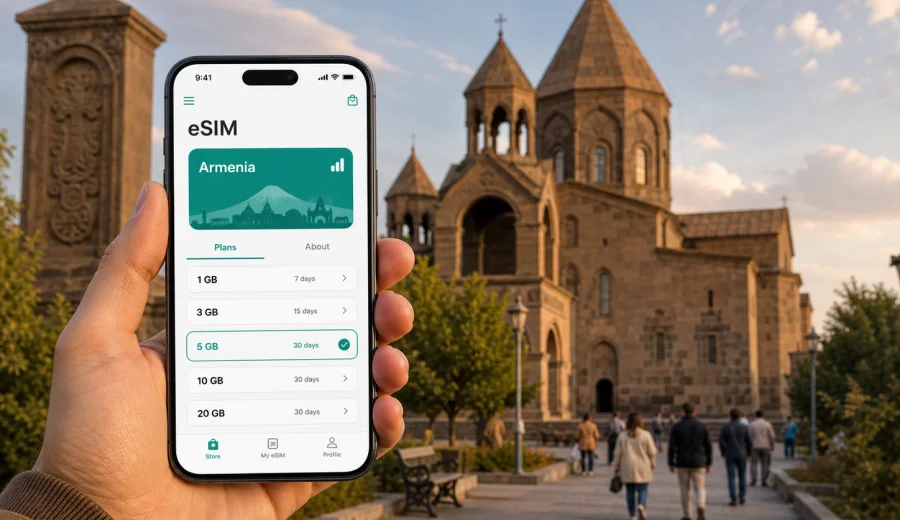
Vagharshapat eSIM: mobile connection and internet for a calm trip to Armenia's spiritual city
Vagharshapat is a compact Armenian city, but a trip here can involve several connection-sensitive moments: landing near Yerevan, finding your transfer, navigating between church complexes, arranging a taxi back to the capital, checking hotel details, and sharing your plans with family or colleagues. An eSIM can make that routine easier because you prepare mobile internet before the trip and avoid looking for a physical SIM card immediately after arrival.
The city is also known by its historic name, Etchmiadzin. Many visitors come for the Mother See of Holy Etchmiadzin, nearby religious landmarks, museums, and short cultural routes from Yerevan. Others stay overnight for a quieter schedule, family visits, business meetings in Armavir Province, or a stop before continuing across Armenia. In all these cases, mobile connection is not just about posting photos. It is what helps you coordinate transport, open maps, check opening times, translate signs, message your host, and keep documents available.
This guide explains how to think about eSIM and mobile internet specifically for Vagharshapat: arrival, local movement, hotel routines, walking routes, day trips, and the small details that can make a short visit smoother.
Why mobile internet matters in Vagharshapat
Vagharshapat is close to Yerevan, so it may look simple on a map. The practical experience is different. You may arrive at Zvartnots International Airport, go directly to Vagharshapat by taxi, stop at a hotel, visit several religious sites, and return to Yerevan in the evening. Even if the distances are short, you still need mobile data at the exact moments when Wi-Fi is least convenient.
Mobile internet is useful in Vagharshapat for:
- checking your transfer or taxi details after landing;
- following the route from the airport, Yerevan, or Armavir Province;
- using maps around the cathedral complex and nearby streets;
- messaging a hotel, host, guide, driver, or business contact;
- checking restaurant hours and local services;
- translating short Armenian or Russian text when needed;
- storing tickets, confirmations, and travel documents in cloud apps;
- using messengers for calls if your eSIM plan does not include a phone number.
An eSIM is especially practical when you want to keep your primary SIM active for calls or bank notifications while using a separate data plan for mobile internet abroad. You can usually keep your home number in the phone and assign mobile data to the eSIM profile, depending on your device settings.
Arrival: from the airport to Vagharshapat
The most common international arrival point for a trip to Vagharshapat is Zvartnots International Airport. The city is not far from the airport, and some travelers go there before entering Yerevan. That makes the first hour after landing important: you may need to message a driver, confirm the address, open a map, or check whether your hotel expects a late arrival.
If you rely only on public Wi-Fi at the airport, your route planning depends on a fixed location. Once you leave the terminal, you may lose that connection before the ride is fully arranged. With an eSIM already installed, you can switch on mobile data when the plan is ready to be used and keep access to maps and messages while moving.
For a smooth arrival, prepare this before the flight:
| Trip step | What to have ready | Why it helps in Vagharshapat |
|---|---|---|
| Before departure | Installed eSIM profile and saved QR code or instructions | You do not need to solve setup under airport pressure |
| On landing | Mobile data settings checked | Maps, taxi apps, and messengers are ready when needed |
| During transfer | Hotel address in Armenian or English | Drivers and hosts can understand the destination faster |
| On arrival | Offline copy of booking details | You have a fallback if the signal is weak indoors |
Vagharshapat is often visited as part of a wider Armenia route. If your first stop is the city and your next stop is Yerevan, Garni, Geghard, Lake Sevan, Gyumri, or another destination, a data plan for Armenia can support the whole route rather than only the first transfer.
Local movement around the city
Vagharshapat is walkable in many central areas, but not every route is obvious to a first-time visitor. Streets can be quiet, landmarks may sit in separate clusters, and the best walking path can depend on weather, timing, and your hotel location. Mobile internet helps you move without constantly asking for directions or returning to the hotel for Wi-Fi.
Typical local scenarios include:
1. Walking from your hotel to the cathedral area.
2. Checking the route to Saint Hripsime Church, Saint Gayane Church, or nearby museums.
3. Coordinating a driver for a short city route or a return to Yerevan.
4. Finding a cafe between visits.
5. Sharing your live location with fellow travelers.
The city does not require heavy data use if your plan is simple: maps, messages, browser searches, translation, and occasional photo uploads are usually the main tasks. Video streaming, large cloud backups, and automatic app updates can consume much more data than a day of navigation, so it is worth controlling those before you arrive.
How much data to consider for Vagharshapat
Data needs depend on your habits, but a city visit to Vagharshapat is usually predictable. A traveler on a short cultural stop may need less than someone working remotely from a hotel or using video calls.
| Scenario | Typical mobile data use | Practical note |
|---|---|---|
| Half-day visit from Yerevan | Low | Maps, messaging, taxi coordination, quick searches |
| Overnight stay | Low to medium | Add hotel check-in, restaurant search, photo sharing |
| Business trip | Medium | Email, documents, messengers, calendar changes |
| Family trip | Medium | Multiple route checks, messaging, translation, shared photos |
| Remote work from hotel | Medium to high | Video calls and cloud sync can change the data estimate quickly |
A good habit is to choose a plan by trip length and real tasks, not by the city name alone. If you will use hotel Wi-Fi for laptop work and eSIM for movement, your mobile data need may stay moderate. If your phone becomes the main connection for maps, calls through messengers, file sharing, and hotspot use, select a larger package and check whether tethering is allowed in the chosen plan conditions.
Districts, hotels, and practical city routines
Most visitor routines in Vagharshapat are built around three anchors: the main religious sites, accommodation, and transport toward Yerevan or the airport. A stable mobile connection helps because those routines often happen at the beginning and end of the day, when you are confirming details rather than sightseeing.
When choosing a hotel or guesthouse, check:
- whether the property sends arrival instructions through a messenger;
- whether late check-in requires a call or message;
- whether the exact entrance is easy to find on maps;
- whether the accommodation is close enough to walk to your main stops;
- whether you will need transport for dinner, meetings, or the airport.
Hotel Wi-Fi can be useful for heavier tasks, but it is not a replacement for mobile internet during the day. You may need data before check-in, after check-out, inside a taxi, or while changing plans away from the property.
For business travelers, the key issue is predictability. Vagharshapat can be part of a visit to local institutions, regional offices, educational organizations, or meetings connected with Yerevan. In that case, mobile internet supports calendar changes, navigation, document access, and messenger calls. It also reduces dependence on someone else's hotspot when a meeting location changes.
Using eSIM for a city visit without overcomplicating the trip
An eSIM is a digital SIM profile installed on a compatible phone or tablet. For travel, it is commonly used for mobile internet through a prepaid data plan for the destination. It is not the same as a local phone number unless a specific plan states otherwise. For many visitors to Vagharshapat, that is enough: they mainly need data for navigation, messages, translation, and travel apps.
The simple decision model looks like this:
- If you are visiting Vagharshapat for a few hours, prioritize a short-validity plan with enough data for maps and messages.
- If you are staying overnight, include extra data for restaurant searches, hotel coordination, and photo sharing.
- If the city is one stop in a longer Armenia route, choose a plan that fits the whole country itinerary.
- If you need laptop access through a hotspot, check the terms of the selected plan and estimate data more carefully.
At this point in planning, you can use Kaspersky eSIM Store to choose an eSIM plan for your trip to Armenia and match the data package to how you will move around Vagharshapat, Yerevan, and nearby destinations. The store helps you choose, arrange, and activate an eSIM with a suitable mobile internet plan for travel; the exact conditions depend on the plan you select.
Compatibility checks before you buy
Before paying for any eSIM plan, confirm that your device supports eSIM and is not locked to a carrier. This matters more than the destination. A modern phone can still have regional differences, and some models are sold without eSIM support in specific markets.
Use this pre-trip checklist:
- Check your device for eSIM support.
- Make sure the phone is not carrier-locked.
- Update the operating system if you normally delay updates.
- Confirm that you can receive the installation email or open your profile.
- Keep a stable internet connection for the installation step.
- Read the selected plan conditions: country, data amount, validity period, and any hotspot rules.
If your device supports dual SIM use, decide which line handles mobile data and which line remains available for calls or SMS from your home number. This prevents accidental data roaming on your main SIM.
How to install and activate your eSIM
The installation process depends on the device, but the logic is usually the same: choose a plan, complete the order, install the eSIM profile, and select it for mobile data. If you need detailed steps, use the official Android installation guide or iOS installation guide.
A practical sequence for a Vagharshapat trip:
1. Install the eSIM before departure while you have reliable Wi-Fi.
2. Keep your primary SIM for calls or important messages if needed.
3. On arrival in Armenia, select the eSIM profile for mobile data.
4. Enable data roaming for the eSIM if the plan instructions require it.
5. Open maps and messages before leaving the airport or hotel.
6. Monitor data use during the trip, especially if you upload photos or use hotspot mode.
Do not delete the eSIM profile after installation unless you are sure you no longer need it. Some eSIM profiles cannot be transferred or restored in the same way as a regular app.
Routes from Vagharshapat where mobile data helps
Vagharshapat is rarely isolated from the rest of the itinerary. You may visit it as a half-day route from Yerevan, as a first stop after landing, or as a base for nearby places in Armavir Province. Mobile internet helps because transport and timing can shift during the day.
Useful route patterns:
| Route pattern | Why data helps |
|---|---|
| Airport to Vagharshapat | Confirm pickup, open maps, message hotel or host |
| Vagharshapat to Yerevan | Compare route timing, coordinate taxi or pickup |
| Cathedral area to churches | Walk confidently between sites and check opening details |
| Vagharshapat to Zvartnots ruins | Navigate a short cultural route without losing time |
| Vagharshapat to regional meetings | Share location, check documents, handle schedule changes |
If you are traveling with family or a group, decide who has reliable mobile data before leaving the hotel. It is easy to assume someone else will handle navigation, but group trips become smoother when at least one phone is prepared for maps, messages, and transport coordination.
Public Wi-Fi, roaming, local SIM, or eSIM
There is no single perfect connection method for every traveler. The right choice depends on your arrival time, device, budget, and how much control you want before the trip.
| Option | Strength | Limitation |
|---|---|---|
| Public Wi-Fi | Useful in hotels, cafes, and airport areas | Not available during movement and may require registration |
| Home roaming | Keeps your existing mobile setup | Pricing and data limits can be less predictable abroad |
| Local physical SIM | Can be suitable for longer stays | Requires finding a shop, documents or registration steps may vary, and setup takes time |
| Travel eSIM | Can be prepared before the trip and used without a plastic SIM | Requires a compatible, unlocked device and careful plan selection |
For Vagharshapat, eSIM is most convenient when your main problem is the first day: landing, transfer, hotel check-in, navigation, and staying reachable. It is also useful for short stays because you do not need to spend part of the visit looking for a SIM card shop.
Smart data habits in a compact city
Even a modest data package can last well if you manage the phone sensibly. Before leaving your hotel or the airport, download any heavy content over Wi-Fi and pause automatic cloud tasks.
Practical settings to review:
- turn off automatic app updates over mobile data;
- pause full-resolution cloud photo backup;
- download offline map areas if your app supports it;
- reduce video quality in social apps;
- close hotspot mode when you are not using it;
- check which SIM is assigned to mobile data;
- keep battery-saving mode available for long walking days.
The goal is not to use less internet at all costs. The goal is to keep data available for the moments that matter: finding the next stop, contacting a driver, changing plans, and staying reachable.
Quick planning checklist for Vagharshapat
Use this checklist a day or two before travel:
- Save your hotel address and the Armenian spelling if provided.
- Install the eSIM while connected to reliable Wi-Fi.
- Check that your phone supports eSIM and is unlocked.
- Save instructions for activating mobile data after arrival.
- Keep your passport, booking details, and insurance documents available offline.
- Decide whether you need data only in Vagharshapat or across Armenia.
- Check whether your chosen plan duration covers arrival and departure days.
- Make sure your home SIM will not use data roaming unexpectedly.
For a short city visit, this preparation takes less time than solving connection issues after landing. It also gives you more control if your flight arrives late, your driver changes, or your hotel needs an update.
FAQ: eSIM and mobile internet in Vagharshapat
Is eSIM useful for a half-day trip to Vagharshapat?
Yes. A half-day route still involves navigation, taxi coordination, messages, and quick searches. If Vagharshapat is part of a wider Armenia itinerary, one suitable country plan can support the full route.
Does an eSIM include a local phone number?
Usually no, unless the selected plan says otherwise. In the travel context, eSIM plans are commonly used for mobile internet. For calls and messages, you can use internet-based apps.
Should I install the eSIM before arriving in Armenia?
It is usually more comfortable to install it before departure while you have reliable Wi-Fi. Activation and the start of validity depend on the selected plan conditions, so read the instructions before travel.
Can I use eSIM for taxi apps and maps from the airport?
Yes, if the eSIM profile is active, selected for mobile data, and connected according to the plan conditions. This is one of the most useful scenarios for travelers going from Zvartnots International Airport to Vagharshapat.
Is eSIM enough for working from a hotel?
It may help with email, documents, calendars, and messenger calls, but heavy video calls or laptop hotspot use can consume data quickly. If you plan to work for several hours, check hotel Wi-Fi and choose a mobile data package with enough reserve.
Choose an eSIM plan before your Vagharshapat trip
Vagharshapat rewards slow, focused travel: a quiet arrival, enough time for the cathedral area, and a route that does not depend on last-minute connectivity problems. Preparing mobile internet in advance helps you spend less time solving logistics and more time moving through the city confidently.
Before you travel, check your device, choose the data amount and validity period that fit your itinerary, and install the eSIM while you still have a stable connection. Then, when you land near Yerevan or head into Vagharshapat from another part of Armenia, your phone is ready for maps, messages, transport, and practical travel tasks.
Use Kaspersky eSIM Store to prepare an eSIM plan for Armenia and keep mobile internet ready for Vagharshapat, nearby routes, and the rest of your trip.