Travel connectivity guide
Valdivia eSIM: Mobile Data for Your Chile Trip
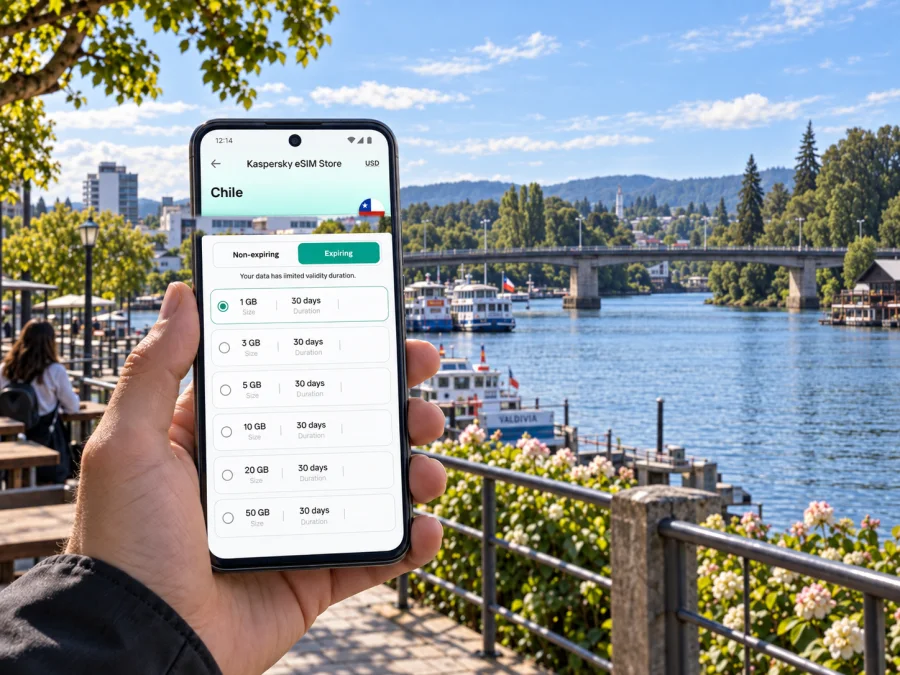
Valdivia eSIM: mobile connection and internet for your trip
Valdivia is a river city in southern Chile, and getting around often means moving between a compact centre, the waterfront, Isla Teja and places farther along the region’s roads and waterways. Mobile data helps with routes, hotel details, transfers and bookings. An eSIM gives you a way to prepare mobile internet without swapping a physical SIM card, provided your phone supports it and the selected plan fits your itinerary. Check eSIM compatibility before choosing a plan.
This guide covers arrival through Pichoy Airport or by coach, accommodation, city crossings, day trips and eSIM setup. Coverage depends on the selected plan and local conditions, so check the terms for your route.
Why mobile data helps in Valdivia
Valdivia’s rivers and bridges shape how visitors move through the city. A map is useful when you are deciding whether to walk toward the waterfront, cross to Isla Teja, or arrange a ride to accommodation outside the central area. It can also make changes easier when rain, traffic or a delayed connection alters the day’s plan.
With a working data connection, you can use navigation, messaging apps, online reservations and transport information. Save key details offline too, especially if you expect to travel beyond the built-up centre.
A mobile data eSIM is particularly useful for:
- checking the route from Pichoy Airport to your accommodation;
- finding the correct bus terminal entrance or meeting point;
- messaging a host if your arrival time changes;
- looking up walking directions between the central streets, the riverfront and Isla Teja;
- confirming a pickup point for a transfer or excursion;
- translating a short message or checking practical information while out;
- keeping a map available on a day trip beyond Valdivia.
An eSIM plan is generally for mobile data unless its terms say otherwise. It does not necessarily include a local phone number, ordinary calls or SMS. Keep your usual SIM active for calls or verification messages if that suits your needs, and check your home operator’s roaming settings and charges before departure.
Getting connected after arrival
From Pichoy Airport
Pichoy Airport serves Valdivia and lies outside the city. The drive to central Valdivia is roughly 30 kilometres, with the actual journey depending on route and traffic. Arrange your onward transport before landing if you arrive late, have a tight connection or are travelling with several bags. Keep the accommodation address and transfer details accessible offline as well as in your messages.
After collecting your luggage, confirm the pickup point with the driver. If your eSIM is ready, message your host or transfer contact; if setup is pending, airport Wi-Fi may help, but keep key details available offline.
Arriving by long-distance bus
Valdivia’s bus terminal connects the city with other destinations in Chile. Coach arrival can be convenient if your trip continues from another city, but your lodging may be several streets away or across a bridge. Before boarding, save the terminal address, accommodation pin and any check-in instructions. When you arrive, compare the walking route with the luggage and weather conditions; a short ride may be more practical than walking with bags.
For onward travel, save the terminal, boarding time and ticket offline before leaving reliable Wi-Fi. That way, you can still find these details if the signal is weak or your battery is low.
Walking and local transport
The central area is walkable for many short visits, but distances can feel different when it is raining or when you have luggage. Valdivia’s riverside paths and bridges make it worthwhile to check the route rather than relying on a straight-line estimate. Use the destination’s exact entrance where possible: hotels, university buildings and riverfront venues can occupy larger blocks or have access points that are not obvious from the street.
Local buses and shared or hired rides can be useful for longer distances. Services, payment methods and timetables can change, so confirm current details locally instead of assuming a route or frequency. A map app can help you orient yourself, but it should not be treated as a guarantee of live vehicle arrivals. If you need to meet a driver, send a clear landmark or map pin and confirm which side of a bridge or street you will use.
Choosing an area to stay
A good base depends on what brings you to Valdivia. The centre is practical for shops, services, the bus terminal and the riverfront. Isla Teja places you close to the university area, green spaces and cultural stops, while accommodation farther from these areas may offer a quieter setting but involve more planning for evening returns.
| Base | Useful for | Connectivity planning |
|---|---|---|
| Central Valdivia | Short stays, errands, dining and access to the waterfront | Save the hotel pin and identify the nearest bridge or pickup point |
| Isla Teja | University visits, gardens, museums and riverside walks | Check walking routes across Pedro de Valdivia Bridge and note return options |
| Outlying accommodation | A quieter stay or a trip with a car | Confirm the exact address, arrival instructions and mobile signal expectations with the host |
| Near the bus terminal | Early departures and coach connections | Keep the terminal entrance and departure time available offline |
Before booking, confirm the address, late check-in, pickup or parking instructions, and where the property’s Wi-Fi is available. Mobile data helps while you are away from the accommodation.
For a business trip, save the venue’s full address, floor or entrance information, and a contact thread. Reduce uncertain transfers where possible, send an arrival update if the schedule is tight, and check the connection before a video call; indoor reception and mobile speeds vary.
When Valdivia is one stop on a longer Chile itinerary, compare the plan’s geographic scope with the complete route. Kaspersky eSIM Store is an app and website where you can choose, order and activate an eSIM with a suitable plan for mobile internet abroad. You can review eSIM plan options for Chile and check the package details against your dates and stops.
Rivers, bridges and map use
Valdivia is closely associated with the Calle-Calle and Valdivia river system. For visitors, the practical point is that a river can change a seemingly nearby destination into a route that depends on a bridge, crossing or boat departure. Check the whole journey, including where a walk begins and ends, instead of estimating distance from the map alone.
The riverside market and the waterfront are natural reference points for central outings. Isla Teja is reached from the centre by crossing Pedro de Valdivia Bridge; the island includes the Universidad Austral campus, a botanical garden and museum sites. If you plan to visit several places there, group them together on the map and check opening information before you go. A day can otherwise become a series of unnecessary crossings back and forth.
For a river excursion, confirm the departure location and time with the provider, then save the meeting point. The waterfront has several possible access points, and a pin labelled only with the name of an attraction may not take you to the correct dock. Keep the operator’s instructions offline and arrive with enough time to find the boarding place.
Plan mobile data around the itinerary
The right package depends on how long you will be in Chile, how much data you usually use, and whether Valdivia is your only stop. A short city visit with maps and messaging has a different data profile from a longer trip that includes frequent video calls, cloud backups or streaming. Consider what you will actually do on mobile data, then choose a plan with a suitable validity period and allowance.
Before selecting an eSIM plan, confirm:
- Destination coverage: the plan includes Chile, and its regional terms match every stop on your itinerary.
- Validity: the active period covers your travel dates. Read when validity begins, as activation rules can differ.
- Data allowance: navigation and messaging use less data than video streaming or uploading large files. Use Wi-Fi for heavy downloads where convenient.
- Tethering terms: if you intend to connect a laptop or another device, check whether hotspot use is supported under the plan conditions.
- Network details: review any stated speed, fair-use or other service conditions instead of assuming identical performance throughout the journey.
- Device support: confirm that the phone supports eSIM and is not restricted to a particular carrier.
Install and activate an eSIM
Set up the eSIM when you have a stable internet connection and enough time to follow the instructions. Depending on the plan, you may install it before departure and activate it later, or complete some steps after arrival. Read the plan’s activation guidance carefully: installation, turning the line on and starting the validity period can be separate actions.
A practical setup checklist:
- Confirm that your phone model and regional version support eSIM; check your device’s compatibility.
- Check that the device is carrier-unlocked if your existing operator may restrict other profiles.
- Keep access to the email or account that contains the installation details.
- Use a reliable connection during installation and avoid deleting an eSIM profile once installed unless support tells you to.
- Label the new line clearly, for example “Chile data,” so it is easy to identify in settings.
- Before using data, select the eSIM for mobile data and review data roaming settings as directed by the plan.
- Keep your primary SIM’s call and message settings as intended, and verify which line is selected for each function.
For step-by-step help, use the Android eSIM installation instructions or the iPhone eSIM installation instructions. Menu names vary by operating-system version and device manufacturer, so follow the on-screen instructions on your own phone. If installation fails, avoid repeated profile deletion or resets; check the plan instructions and contact the relevant support channel with the error message.
Before you leave your accommodation
Check the day’s destinations, save booking references and charge your phone. For travel beyond the urban area, download directions and keep return details accessible offline.
- [ ] Addresses, meeting points and tickets are saved.
- [ ] The eSIM is selected for mobile data and enabled as instructed.
- [ ] Automatic backups and updates are limited if needed.
- [ ] Your phone has enough charge for the outing.
If service stops, check that the eSIM is enabled and selected for data, review the plan’s activation and roaming instructions, then retry from a different spot. Use saved information and contact support when you have a reliable connection.
Day trips and longer routes from Valdivia
Valdivia is a useful base for exploring the Los Ríos Region, with routes that may lead toward coastal settlements, lakes or other towns. Travel times and conditions vary, so confirm departure arrangements locally. Save your return point and transport contact, and download directions before leaving the city in case mobile coverage changes along the way. For boat trips or guided excursions, keep the departure time and meeting location available offline.
Frequently asked questions
Will one eSIM work throughout Valdivia and on day trips?
Service depends on the plan’s coverage, its partner network and local conditions. Review the Chile coverage information for the selected plan and expect reception to vary between the centre, buildings, roads and more remote destinations. Download important information for offline use.
Can I use an eSIM only for internet and keep my regular number?
Often you can keep a physical SIM or another line active for calls and messages while choosing the eSIM for mobile data. The available settings depend on your device, and your home operator may charge roaming fees for calls, messages or data. Check line selection before travel.
Should I install the eSIM before reaching Valdivia?
You can often install it before departure if the plan instructions allow it and your phone has a reliable connection. Read carefully when the plan’s validity begins. Some plans require an action after arrival, so do not assume that installation and activation are the same step.
What should I do if my phone does not connect?
Check that the eSIM profile is enabled and selected for mobile data, and follow the plan’s instructions for data roaming. Restarting the phone or moving outdoors may help in some cases. If it remains offline, use saved directions and contact the support channel listed with your plan.
Prepare for your Valdivia visit
Before departure, save your arrival details, accommodation address and the places you expect to visit. Choose a Chile plan that matches your route, dates and likely data use, then install and activate the eSIM according to its conditions. Kaspersky eSIM Store helps you select, order and activate an eSIM for mobile internet during an international trip. Choose an eSIM plan for your trip to Chile, review its coverage and validity, and follow the setup instructions for your device before setting out for Valdivia.


